
accessiBe
Developer ToolsUpdated November 10, 2026
AI web accessibility platform pairing the accessWidget site overlay with accessFlow, a developer tool for finding and fixing WCAG issues in code.
We may earn a commission when you sign up through our links. It does not affect our reviews.
What is accessiBe?
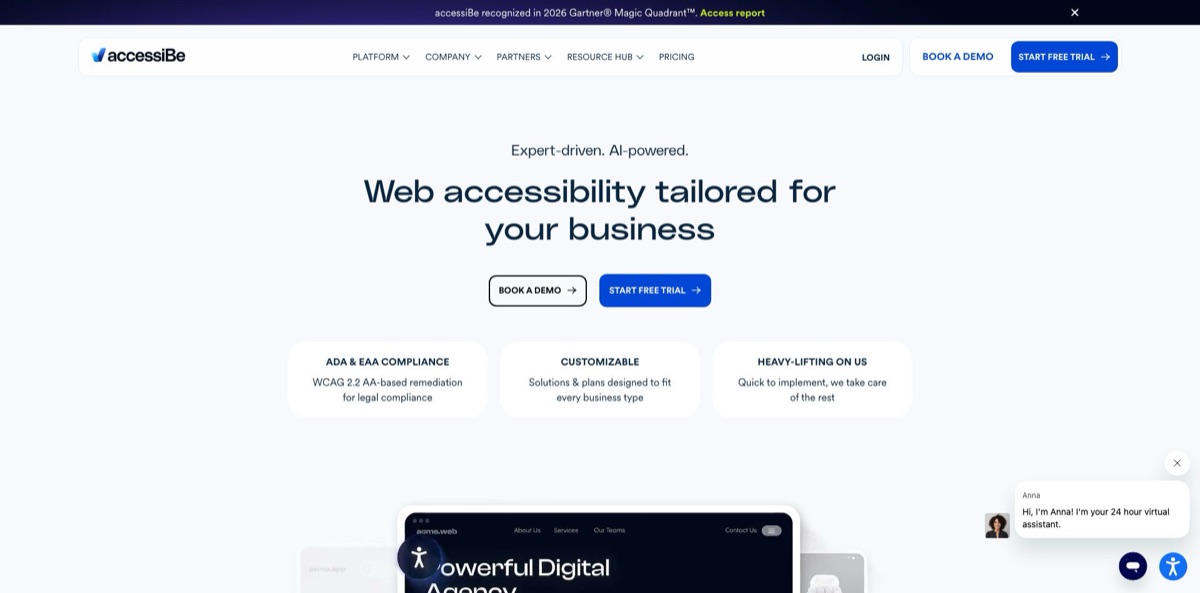
accessiBe, founded in 2018, sells two very different accessibility products under one account. accessWidget is a JavaScript overlay: you paste one script, its AI scans each page, injects ARIA labels and alt text, and adds a visitor menu for contrast, text size and seizure-safe modes. accessFlow is the developer side, a platform that audits pages and user journeys, then hands your team code fixes, GitHub pull request suggestions and an MCP server for the IDE. Both target the same problem: WCAG and ADA exposure without a full manual audit. The weak spot is trust. In 2025 the US FTC ordered the company to pay $1 million over claims that accessWidget could make any site WCAG-compliant, and many accessibility specialists oppose overlays as a category. Choose accessFlow if your team can change code, and treat the widget as a supplement rather than a compliance guarantee.
How to start using accessiBe?
Click Start Free Trial on the homepage and create an account in the accessiBe dashboard. Inside, open accessWidget in the sidebar, select “+ Add new website”, type your domain and choose either “Start free trial” or “Skip trial & buy”. Every newly registered site gets a 7-day trial. Licenses work per domain, so blog.yoursite.com and store.yoursite.com each need their own registration and their own plan, which is worth knowing before you budget.
Installation is the first real task. Select your license, open “Install and customize widget”, and in the Install Widget tab either use Copy to Clipboard or “@Send to developer” to email the snippet to whoever manages the site. The code goes just before the closing body tag or into a footer script area. On WordPress, Shopify, Wix, WooCommerce, BigCommerce or Squarespace you can use the dedicated app or plugin instead, and Google Tag Manager works too. accessiBe says the AI pass takes up to 48 hours after installation, and a similar window applies whenever you publish new content.
Next, shape what visitors see. You can change the colors, icon and position of the accessibility button to match your brand, and fill in the website owner details used in the auto-generated accessibility statement. Visitors get ready-made profiles such as Seizure Safe, Vision Impaired, ADHD Friendly, Cognitive Disability, Keyboard Navigation, Screen Reader and Older Adults. Growth and higher plans add an AI assistant that adjusts the page, summarizes it in plain language or guides the visitor to a section. Development teams take a different route: accessFlow starts with a booked product tour, after which you add domains, record key journeys such as checkout, and connect GitHub and your ticketing tool.
Verification is where you need to be stricter than the dashboard. Read the remediation report and audit reports, then test your main flows yourself with only a keyboard and with a screen reader such as NVDA or VoiceOver, ideally with the widget both on and off. Compare what you find with accessiBe’s own Excluded Issues list, which covers PDFs and other documents, video, third-party iframes, shadow DOM, canvas, CAPTCHAs and parts of single-page apps. Anything on that list needs a code fix or a separate service.
Use the 7-day trial to test checkout and login with a screen reader before you commit to an annual plan.
Who is it for?
Small online store owners
You run a Shopify or WooCommerce shop, have no developer on call and want visible accessibility work this week. accessWidget installs from the app store in minutes and adds a statement and an adjustment menu. Merchants report being sued even with the widget installed, so budget for real code fixes later.
Front-end and full-stack developers
Accessibility tickets keep landing in your sprint with no clear priority. accessFlow ranks issues, shows WCAG-based code examples and, on higher tiers, its Code Agent comments on pull requests or opens fix PRs across the repository. You fix the source, which is the approach most accessibility specialists recommend.
Engineering and QA leads
Regressions creep back after every release. The SDK runs checks in local and staging environments and accessFlow connects to CI tools such as Jenkins, CircleCI and GitLab, while journey recordings audit logins and purchases. Accessibility becomes a release check instead of a yearly scramble.
Web agencies
You manage many client sites and want a recurring accessibility service. Multi-account management, API and CSV registration of sites, and a partner program with white-label lead generation make that practical. Be careful what you promise clients, because the FTC order targeted exactly the “any site becomes compliant” pitch.
Compliance and legal teams
Your company has received a demand letter or expects one. Growth and higher accessWidget plans include a claims portal and a dedicated case manager, and Scale adds a consultation with an ADA attorney. The paperwork helps you respond, but it does not replace an independent audit.
B2B vendors facing procurement checks
Enterprise buyers ask for a VPAT before they sign. accessServices sells expert audits, user testing by people with disabilities, VPAT preparation and document remediation on a quote basis, covering gaps the automated tools leave open.
accessiBe pricing
Costs depend on which product you buy. accessWidget is self-serve and priced by your site’s monthly traffic, which accessiBe estimates from a six-month Similarweb average of desktop and mobile visits, not by pages or seats. Each domain and subdomain needs its own license, and annual billing saves roughly 30% compared with paying monthly. accessFlow and the human services have no public price list.
Up to 5,000 website visits per month, automated scans and fixes every 24 hours, an accessibility report and documentation, plus help center, email and live chat support.
Up to 30,000 visits per month. Adds litigation support with a claims portal and dedicated case manager, built-in Google Analytics, multi-account and team management, and the AI Accessibility Assistant.
Up to 100,000 visits per month, bought through sales. Adds a one-hour consultation with an ADA attorney plus yearly manual testing and custom fixes by accessibility experts.
Custom. Above 100,000 visits per month, with 5 to 10 hours of ADA attorney time, on-demand expert testing, SSO, solution engineering, a dedicated account manager and a one-day support response target.
pricing is quote-based after a demo. Essential covers up to 1,000 pages, 2 domains and 5 users with monthly scans; Professional raises that to 5,000 pages, 4 domains and 10 users and adds the pull-request Code Agent and ticketing integrations; Enterprise removes page and user limits, allows up to 100 domains and adds repository-wide fixes, the SDK, MCP and SSO.
quote-based for expert audits, user testing, VPATs, file remediation and standalone litigation support.
accessiBe key features
Automated overlay remediation
Once the accessWidget script loads, its AI scans the page, adds ARIA attributes and generated alt text, and adjusts elements so keyboards and screen readers can reach more of them. It rescans every 24 hours and needs up to 48 hours to process new content. The fixes run in the visitor’s browser session, so your underlying code stays unchanged.
Visitor adjustment menu and AI assistant
Visitors can choose disability profiles or tweak text size, contrast, spacing and animations themselves, in 33 built-in languages. On Growth and above, a chat-style assistant applies the same adjustments on request, writes plain-language summaries and guides people to parts of the page. Critics point out that many disabled users already have these tools on their own devices, so the menu matters less than the fixes underneath.
accessFlow audits and code fixes
accessFlow crawls pages and recorded user journeys such as login or checkout, ranks issues by priority and attaches WCAG-based guidance with code examples. An auto-resolve option applies eligible fixes instantly, with every change tracked and reversible, and an AI alt text generator drafts image descriptions inside the platform. Your team ends up repairing the source instead of patching it at runtime.
Code Agent, MCP and SDK
On Professional, Code Agent checks each GitHub pull request and suggests fixes inline; on Enterprise it also scans the whole repository and opens prioritized fix PRs, and nothing merges without your review. The MCP server brings detection and fix suggestions into AI-enabled IDEs, while the SDK runs checks locally and in staging before code ships. This is the part of accessiBe that belongs in a developer-tools stack.
Workflow and ticketing integrations
accessFlow pushes issues into Jira, Asana and ClickUp and connects to CI/CD pipelines such as Jenkins, CircleCI and GitLab. Email and in-app alerts flag new issues, resolved items and audit errors.
Compliance documentation and litigation support
accessWidget plans come with an accessibility statement and reports, and the plan comparison lists monthly audit reports, automated proof of effort and detailed remediation reports. Higher tiers add a claims portal, a case manager and hours with an ADA attorney. These records help when you answer a demand letter, but they do not guarantee a dismissal.
Human expert services
accessServices covers line-by-line expert audits, testing by people with disabilities, VPAT preparation and remediation of PDFs and Office files, each quoted individually. These close the gaps that the vendor itself lists as excluded from its automated products.
accessiBe Pros & Cons
Pros
Setup is fast: a snippet or CMS app gets accessWidget live in minutes, and the self-serve plans publish clear USD prices tied to traffic. For development teams, accessFlow is the stronger product, because it moves fixes into source code through pull-request suggestions, an MCP server for the IDE, an SDK for pipelines and journey recordings for checkout and login. Litigation support and documentation give legal teams something concrete to work with, and the 7-day trial lets you inspect the output before paying. G2 reviewers rate it highly for easy installation. Start with accessFlow if you have engineers, and use the widget mainly for its visitor adjustment tools.
Cons
The overlay model is disputed. More than 1,000 accessibility practitioners have signed the Overlay Fact Sheet, which says overlays cannot deliver full compliance and can interfere with assistive technology, and the National Federation of the Blind revoked accessiBe’s convention sponsorship in 2021. In April 2025 the FTC finalized a $1 million order over claims that accessWidget could make any site WCAG-compliant and over reviews presented as independent without disclosed ties. A customer class action filed in 2024 partly survived a motion to dismiss in 2026. Recent Trustpilot complaints center on auto-renewals and strict cancellation windows. Commission an independent manual audit before relying on any compliance claim.
Use accessiBe if you want…
- Add an accessibility adjustment menu to any website quickly.
- Catch WCAG issues in pull requests before they merge.
- Bring accessibility checks into your IDE through MCP.
- Record and audit checkout and login flows for accessibility.
- Route accessibility bugs into Jira, Asana or ClickUp.
- Get litigation support and documentation when a demand letter arrives.
- Order a VPAT or expert audit from one vendor.
- Generate draft image alt text inside your remediation workflow.
accessiBe alternatives

accessiBe Reviews
Shopify merchants praise how easy the app is to install and onboard, but one store owner who added it after a lawsuit says they were sued again over issues the widget missed.
On G2, users give high marks for quick installation and the bundled litigation support, while the most common complaint is that the price is steep for small businesses and the back end can feel confusing at first.
Most recent Trustpilot reviews are about billing rather than the product itself: annual licenses that auto-renewed after a missed 30-day notice window, refunds that were refused, and frequent changes of account manager.
A Shopify merchant who uninstalled it in 2026 says the widget slowed the store and the promised legal protection did not match the marketing, while another long-time user calls it a simple option that has worked for nearly two years.
Capterra reviewers include web developers who call it an essential part of their toolkit, alongside customers who warn that cancelling after an upfront annual payment was harder than expected.
FAQ
Does accessiBe have a free plan?
No. accessWidget has no free tier, but every newly registered website gets a 7-day free trial, and accessScan is a free checker that scans a single URL and returns a downloadable report. accessFlow is sold after a product tour.
Will accessiBe make my website ADA or WCAG compliant?
No automated tool can promise that. The vendor publishes an Excluded Issues list covering PDFs, video, iframes, CAPTCHAs, canvas and more, and the FTC’s 2025 order bars accessiBe from claiming its automated tools make sites WCAG-compliant without evidence. Use it as one layer alongside manual testing and code fixes.
What was the FTC case against accessiBe about?
In January 2025 the FTC alleged that accessiBe misrepresented accessWidget’s ability to make any website WCAG-compliant and formatted third-party articles and reviews to look independent without disclosing its ties to them. The Commission approved the final order 3-0 on April 22, 2025, requiring a $1 million payment and banning such claims unless they are substantiated.
Why do accessibility advocates criticize accessiBe?
Critics, including signatories of the Overlay Fact Sheet and the National Federation of the Blind, argue that overlays cannot reliably fix inaccessible code and can conflict with the screen readers blind users already rely on. Their recommendation is to fix the source, which is the approach accessFlow takes.
Does installing accessWidget stop accessibility lawsuits?
Not reliably. UsableNet’s 2025 report counted 5,114 digital accessibility lawsuits and found that widgets did not slow litigation, with a growing number of suits filed against companies already using them. accessiBe’s litigation support helps you respond to a claim, but it is not immunity.
How is accessFlow different from accessWidget?
accessWidget changes pages at runtime in the visitor’s browser, while accessFlow audits your site and helps developers fix the underlying code through guidance, pull requests, an MCP server and an SDK. accessFlow suits teams that own their codebase.
How do I cancel an accessiBe subscription?
Log in, open accessWidget in the sidebar, pick the license, then go to Plan and payments, Manage and Cancel license. Annual plans need at least 30 days’ notice and monthly plans 15 days, otherwise the license renews for another cycle.
Which platforms and languages does accessWidget support?
It installs on any site through a script snippet or Google Tag Manager, with dedicated apps for WordPress, Shopify, Wix, WooCommerce, BigCommerce and other builders. The visitor interface ships in 33 languages.
Similar tools
 Novita AIDeveloper cloud with one API for 200+ open-weight AI models, plus GPU instances, dedicated endpoints and isolated sandboxes for AI agents.
 You.comDeveloper platform of web search, content extraction, cited research and model inference APIs that feed AI agents and RAG apps real-time web
 QodoAI code review platform that runs specialized agents on every pull request, enforces team rules and checks changes against tickets and linked