

AiAgent.app
AI AgentsUpdated October 27, 2026
No-code workspace for building AI agents, Autopilots and workflows that act across your business apps, with human approval before external writes.
We may earn a commission when you sign up through our links. It does not affect our reviews.
What is AiAgent.app?
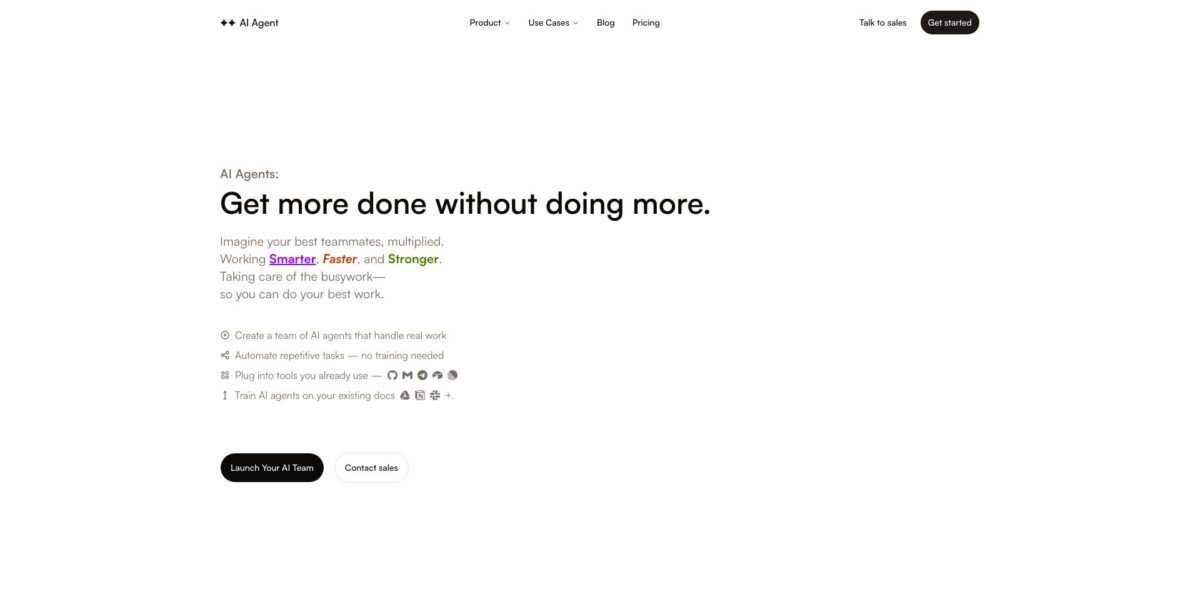
AiAgent.app, which calls itself simply AI Agent inside the product, is a hosted no-code workspace where you configure AI agents with instructions, skills, documents and connected accounts, then put them to work through chat, a ticket board, an inbox, canvas workflows and scheduled Autopilots. It launched in 2023 as a browser version of AutoGPT and has since been rebuilt from scratch into an operations tool for small teams. The problem it targets is scattered AI: chat in one tab, automations in another, tables and docs somewhere else. Any action that changes a connected app waits for your approval unless a workflow author explicitly allows it. The weak spots are maturity and entry cost: Workflows and Projects are still labelled Beta, independent user feedback barely exists, and there is no free way in. Pick it if you want supervised agents running recurring growth, support or sales chores.
How to start using AiAgent.app?
Sign up at aiagent.app with a Google account (a Phantom wallet login also exists). Onboarding first asks for your Website URL, or you click I don’t have a website and describe the product in a few lines. Next comes Set up your workspace, with a workspace name, a ticket prefix and a short survey, then Build your personal agent, where you pick a name, a tone and an avatar. Specialist agents and tool connections are optional, but the final Choose your plan screen has no decline button: you pick Start, Pro or Max, monthly or yearly, and pay on Stripe. Since 8 September 2026 there is no trial period.
For a first real job, open Agents and click New agent. In the builder you fill the Core block with a name, role, system prompt and model, then add only the Docs, Skill, Connection and Toolkit blocks the job needs. Click Save and send a small, representative request in the agent’s chat. If you would rather not start from a blank page, the public Templates catalog holds 72 ready-made agents for sales, marketing, engineering, operations and personal admin; installing one creates its agents, skills and routines, and the routines start paused.
The screen that decides how safe your setup is lives in the Connections tab on the Agents page. Most providers connect through a sign-in flow or an API key, while Gmail connects from the Inbox. Connecting an account does not hand it to every agent: you attach the connection to a specific agent and choose its tools, which are split into Reads and Actions, and Actions require your approval. Watch the built-in Assistant agent, marked system, because it can use every connection in the project.
To check the work before it runs unattended, open Workflows, click New and choose Autopilot or Workflow. An Autopilot is a form with Name, What should happen?, Who does the work?, What should it produce? and a trigger; a new one starts paused, so you click Run now. A workflow has Build, Test and Run tabs. Inspect step outputs and pending approvals in the Runs tab, and only then switch an Autopilot to Active or flip a workflow’s Trigger live toggle. If a workflow writes without a person, the app asks you to confirm those writes once.
Who is it for?
Startup founders
You check PostHog, Stripe and the inbox every morning and still miss the one number that moved. An agent can pull those sources on a schedule and leave a short brief with proposed tickets on the board. You review and approve instead of assembling the picture yourself.
Growth and marketing leads
Funnel audits, competitor watch and SEO briefs eat the hours you meant for experiments. The connector list covers Google Analytics, Amplitude, Mixpanel, Ahrefs, Semrush and Moz, so recurring reports can draw on real data rather than pasted screenshots. Expect to tune the instructions for a few runs before the output is trustworthy.
Support managers
Repetitive email and ticket replies keep your team from the hard cases. Gmail triage, drafts written in a voice profile learned from your Gmail, and Zendesk, Intercom, Gorgias or Freshdesk connections let agents prepare answers that wait in the Inbox for approval. Nothing goes out unless someone says yes.
Sales teams
Pre-call research and CRM hygiene slip when the pipeline is busy. HubSpot, Salesforce, Attio and Pipedrive connectors plus 21 sales templates, such as an account research desk, turn that prep into a routine. The agent drafts and summarizes, while sending stays with you.
Engineering leads
Small chores like stale pull requests and changelog drafts pile up between sprints. Agents can watch GitHub and Linear, open real pull requests behind an approval, and run tickets on an Apple Silicon Mac in a folder you choose with your own Codex login. It is a helper for routine tickets, not a replacement for a coding agent you drive yourself.
Teams that want it built for them
If you have no time to design agents, the Done-for-You service builds custom workflows with strategy calls and training. It costs far more than the software plans, so it fits companies with a clear, repeatable process worth automating.
AiAgent.app pricing
Pricing combines a monthly subscription with a credit pool. Every agent action costs a defined number of credits, each plan includes a monthly allowance that resets with the billing period, and top-up packs never expire and are used after the monthly credits run out. Plans also carry hard limits on projects, scheduled jobs, how often schedules fire and concurrent runs per workflow. A card is required, you are charged at checkout, and yearly billing gives two months free. On paid plans you can bring your own keys from Anthropic, Google Gemini, xAI, OpenRouter or Vercel, and those requests skip the platform’s model multiplier. Prices below are in USD from the official pricing page and docs as of October 2026.
Not a starting plan but what a workspace falls back to when a subscription ends. You get 1 project, 1 scheduled job that can run at most weekly, 1 concurrent run per workflow and community support, and Autopilots stop without an active subscription.
2 projects, 5 scheduled jobs running at most daily, 2 concurrent runs per workflow, core integrations, premium models, inbound auto-reply and email support. Event and webhook triggers are not included.
Five times the Start usage allowance, 5 projects, 25 scheduled jobs that can run hourly, 5 concurrent runs per workflow, all integrations, event and webhook triggers, a priority queue, priority support and early access to new features.
Twenty times the Start usage, 10 projects, unlimited hourly scheduled jobs, 20 concurrent runs per workflow, top models, dedicated support and Creative Canvas with Compose for images, storyboards and video.
Everything in Start plus centralized billing and admin, shared team context, SSO, usage analytics and a personal agent per member, arranged through sales.
Custom. Custom credit volume, everything in Max, bespoke connections, an SLA with onboarding and a dedicated account manager.
It covers one custom workflow per month, a strategy call, launch training and two revision rounds.
AiAgent.app key features
Block-based agent builder
Each agent combines Core, Docs, Skill, Connection, Toolkit, Guardrails and Scorecard blocks, and its page adds Memory, Tasks, Traces, Evals and Activity tabs. You pick the model per agent from a list that includes the GPT-6 family, Claude Opus 5.5, Claude Sonnet 5, Grok 4.7 and Gemini 3.8 Flash. Traces show cost and token counts per run, which helps when credits drain faster than expected.
Workflows and Autopilots
Workflows are built on a canvas with Start, Agent, Tool, Send, Condition and Approval steps, plus an Insert data picker that passes outputs forward; edits stay as drafts until you publish them. Autopilots give one agent a written task, a trigger and an output such as tickets.
Approval gates and per-agent tool access
Every connection lists Reads and Actions, and Actions wait for a human yes in the Inbox or run detail. Workflow authors can pre-approve specific writes once, when the trigger goes live. Even Claude or ChatGPT connected over MCP cannot approve an action, so a person always signs off.
Company Brain and knowledge
During onboarding the app builds a business profile from your website covering product, company, brand and voice, and you can add documents, tables and knowledge sources. Answers cite their sources and show when the underlying data was last updated. The brain reads your data but needs approval to change it.
Inbox, Board and Telegram
Gmail threads, agent proposals and approvals land in one Inbox, while work is tracked as tickets on a Board or list. You can link your own Telegram account and message your assistant from your phone to create tickets, run workflows and check status. That keeps quick requests out of the browser.
Connectors and an MCP server
The documented directory lists about 50 providers across 13 categories, from Stripe and HubSpot to Notion, Jira, Slack, Firecrawl and Semrush, and you can request missing ones. There is no REST API or API keys; instead Claude, Claude Code or ChatGPT can connect to an OAuth-protected MCP endpoint, with credit-spending tools capped at 20 calls per minute and 200 per hour per person.
Mac app and Creative Canvas
A desktop app for Apple Silicon Macs lets an agent run a ticket in a local folder using the Codex login already on your machine, with each command and its output shown on the ticket. Creative Canvas wires prompts, models and references into image pipelines, and its Compose tool for storyboards and video is listed on Max.
AiAgent.app Pros & Cons
Pros
The supervision model is the strongest part. Agents only touch the accounts you attach, write actions wait for approval, and limits are checked when you activate something rather than halfway through a run. The documentation is unusually concrete, with tables of plan limits, exact error messages and screen-by-screen onboarding, so you know what to expect before paying. One workspace covers chat, tickets, an inbox, tables and automations, which cuts tab switching for small teams. Model choice, bring-your-own-key routing and an MCP connector for Claude or ChatGPT add flexibility. Read the public template pages first to judge whether the agents match your workflow.
Cons
There is no free entry point: you need a card, the cheapest self-serve plan is $49 a month, and trials ended in September 2026, even though the homepage FAQ still mentions a free plan. The homepage advertises 1,000+ apps, while the documented directory names about 50 providers. Workflows and Projects carry a Beta label, and the product has changed direction several times since its AutoGPT-clone start, which makes long-term bets harder. Independent reviews of the current version are almost nonexistent. A crypto token tie-in, with Phantom sign-in and token-holder discounts, may also raise questions with cautious buyers. Check that every app you need appears in the connection directory before you subscribe.
Use AiAgent.app if you want…
- Run recurring business reports with agents on a schedule.
- Triage Gmail and draft replies in your own voice.
- Keep a human approval in front of every external write.
- Turn PostHog and Stripe data into weekly funnel audits.
- Install ready-made agents for sales, marketing and operations.
- Group specialist agents into squads that delegate tasks.
- Work in your agent workspace from Claude or ChatGPT.
- Route model calls through your own provider keys.
- Run routine coding tickets on your own Mac.
AiAgent.app alternatives




AiAgent.app Reviews
The two Product Hunt reviews, both posted by fellow startup makers at the 2023 launch, praise the interface design and say the agent delivered what they wanted on the first try. They describe the old AutoGPT-style app, not today’s rebuilt workspace, and the vendor now reuses both as homepage testimonials.
One of those reviewers called the app an intuitive way to make AutoGPT usable for everyone and said they subscribed after a short trial, while hoping for more features in later versions.
The only user rating on TopAI.tools marks the tool as not recommended and gives a single reason: it is hard to use.
Independent feedback on the 2026 platform is close to nonexistent: There’s An AI For That shows no ratings and the 2023 Show HN post drew no comments, so judge it from the public product tour, templates and docs.
FAQ
Does AiAgent.app have a free plan?
Not as a way to start. A Free tier exists only as the fallback after a subscription ends, and new workspaces must pick Start, Pro or Max at the end of onboarding and pay at checkout, with no trial since 8 September 2026.
Can I cancel or change my plan at any time?
Yes. You cancel from Settings and then Billing through the Stripe portal; upgrades apply immediately with a prorated charge and extra credits, while downgrades take effect at the end of the current billing period.
Does AiAgent.app train AI models on my data?
The company says it does not use your data to train models and that data is encrypted in transit and at rest. The site does not cite a third-party certification such as SOC 2, so ask sales if you need one.
Which AI models can my agents use?
The model picker includes OpenAI’s GPT-6 models, Claude Opus 5.5, Sonnet 5 and Haiku 4.5, Grok 4.7 and Gemini 3.8 Flash, among others. Paid plans can also route requests through your own Anthropic, Gemini, xAI, OpenRouter or Vercel keys.
Is there an API?
There is no REST API and no API keys. Instead, AI clients such as Claude, Claude Code and ChatGPT connect to an OAuth-protected MCP server, and workflows on Pro and above can be triggered by webhooks.
What happens when I run out of credits?
A Credits running low warning appears when less than a tenth of the monthly allowance remains. Admins can buy top-up packs, which never expire and are used once the monthly credits are gone.
Which apps can AiAgent.app connect to?
The connection directory covers about 50 providers, including Gmail, Slack, Notion, HubSpot, Salesforce, Stripe, GitHub, Linear, Zendesk, Shopify and Semrush. Unsupported apps show a Request this connection button.
Is AiAgent.app linked to a crypto token?
Yes, in one way. You can sign in with a Phantom wallet, and holders of 10M, 50M or 100M $AAA tokens get 25%, 50% or 75% off the Start and Pro plans for 12 months.
Similar tools
 Level AIContact center AI platform that scores every call, chat and email, runs voice and chat virtual agents, and gives live agents real-time
 MeshPersonal CRM, formerly Clay, that builds contact cards from email, calendar and social apps, with the Nexus AI agent to search and
 Emergence AIEnterprise agent platform whose CRAFT agents profile, govern and query company data under verified controls, deployed on your own Kubernetes.