
AirOps
Marketing ToolsUpdated November 10, 2026
AI search platform that tracks how ChatGPT, Gemini and Perplexity cite your brand and runs agent workflows to create and refresh content.
We may earn a commission when you sign up through our links. It does not affect our reviews.
What is AirOps?
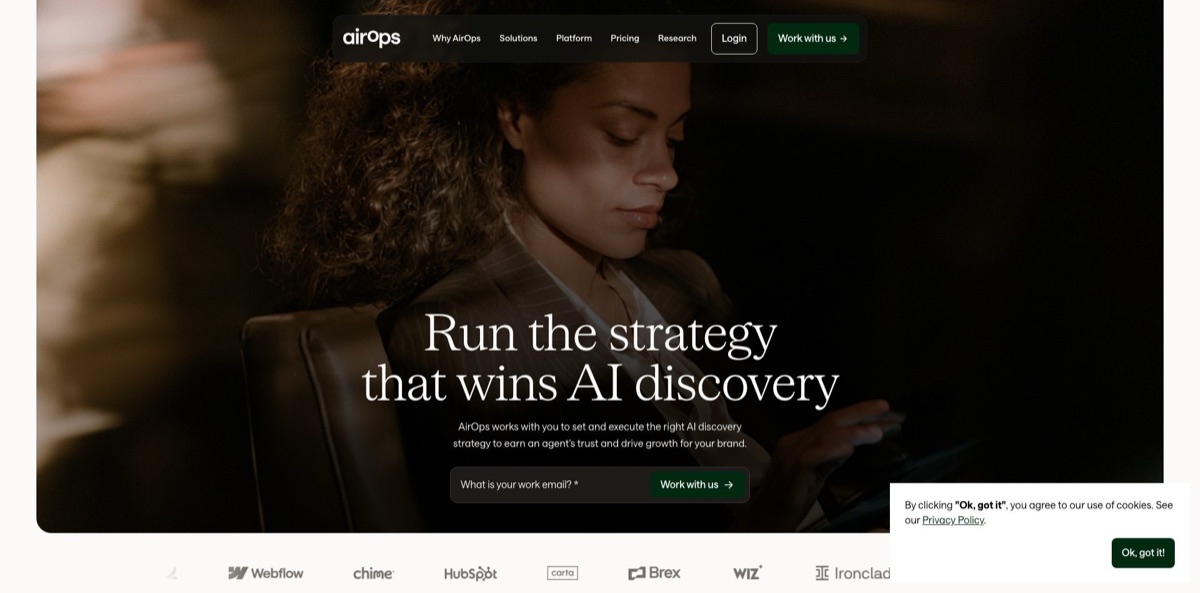
AirOps is an answer engine optimization (AEO) platform for marketing teams. It tracks how AI assistants such as ChatGPT, Gemini, Perplexity, Claude and Google AI Overviews mention and cite your brand, then runs agent Playbooks and Workflows that research, write, refresh and publish content to close the gaps it finds. The company began in 2022 as an AI helper for data work, which is why older listings still call it a data sidekick, and later rebuilt itself around marketers. Brand Kits keep every output on voice, Grids run one job across hundreds of pages, and Human Review steps stop drafts from going live unchecked. A services arm can also run the strategy for you. The weak spots are a real learning curve and no public dollar prices for any plan. It fits content, SEO and growth teams that already publish at volume.
How to start using AirOps?
Click Start for free on the pricing page to open a workspace at app.airops.com. Solo is a single-user plan for one brand, Pro adds unlimited seats for a small team, and Enterprise starts with a sales call through the Work with us button. Every workspace gets a separate pool of 50,000 testing tasks per month, so test runs launched from the Playbook and Workflow editors do not eat into your production allowance while you learn.
Your first real scenario is measurement. Open Insights, then Settings, and add the prompts your buyers actually ask, the AI platforms to track, the regions and the personas. You can add up to 10 competitors for share-of-voice comparisons and connect Google Search Console and GA4 so AI citations sit next to organic traffic. In parallel, create a Brand Kit: Foundations for voice and writing rules, Product Lines, Content Types, Audiences and Regions.
The screen that does the work is the Playbook editor. Click Create, select Playbook, then Blank Playbook, and you get chips for Tools, Inputs, Artifacts and Add Trigger. The official tutorial builds a blog Playbook with a keyword, a target prompt and a Brand Kit as Inputs, then adds tools such as Google Search, AirOps SEO Research and the Page 360 Report through the slash menu. If you prefer to describe the job in plain language, click Ask Quill at the bottom of the page and let the built-in agent draft the Playbook for you to review.
Before anything ships, add a Human Review step so runs pause in the Inbox until an editor approves them. Run the Playbook across rows in a Grid, check the AI Discoverability and Brand Adherence scores, and compare versions side by side. Approved rows can then be exported to Webflow, Sanity or Contentful as drafts or live items. Set soft and hard task limits under Usage, then Limits, before you schedule recurring runs.
Who is it for?
Content engineering and SEO leads
You own a library of hundreds of pages and no longer know which ones AI assistants cite. AirOps ties tracked prompts to page-level citation data, then lets you run refresh Playbooks across the pages that are slipping. The work shifts from manual audits to reviewing drafts the system queues for you.
In-house growth marketers
Leadership wants to know whether AI search drives pipeline, and referral data rarely shows it. Insights combines share of voice, GA4 conversions, Search Console data and AI crawler logs in one place. You get a defensible story about which content changes moved AI visibility.
Agencies managing several brands
You need repeatable production that still sounds like each client. Solo and Pro include one Brand Kit each, so a multi-client shop realistically lands on Enterprise with unlimited Brand Kits. Once that is in place, one Playbook can serve many clients with different voices and rules.
Enterprise content operations
Legal and brand teams block AI drafts that skip approvals. Human Review checkpoints, version history, inline comments and SOC 2 Type II compliance give compliance teams something to sign off on. SSO through Okta or Rippling covers the IT checklist.
Performance marketers testing AI ads
ChatGPT ads are a new surface that AirOps itself describes as early and fast-moving. AirOps shows observed ads in your market and, where enabled, lets you manage your own ChatGPT campaigns next to organic visibility. Treat it as an early channel rather than a core budget line.
AirOps pricing
Usage in AirOps is metered in tasks, the platform’s unit for actions such as generating content or pulling data. Not every step costs a task: a code step uses at most one per run, an LLM step with your own API key uses one per call, and steps that error out are not charged. Tracked prompts consume usage too. Each prompt runs daily on every platform, region and persona you assign, so one prompt on three engines in two regions with two extra personas produces 540 Answers a month, and Claude or Muse Spark answers count four times. The official pricing page shows no monthly dollar figures for Solo or Pro as of November 2026; both carry a Start for free button, and Enterprise goes through sales.
no published monthly price, Start for free. Insights for ChatGPT only, 35,000 tasks for content production, 1 Brand Kit, 3 Knowledge Bases, basic CMS and SEO integrations, community and live chat support, single user. Extra tasks cost $0.025 each, and the allowance resets at the start of each calendar month.
no published monthly price, Start for free. The docs describe a Pro trial that becomes a paid subscription, with a reminder email seven days before it ends if a card is on file. Insights across 10+ answer engines, 100,000 tasks, 1 Brand Kit, 5 Knowledge Bases, CMS, SEO, AEO, social and project management integrations, unlimited seats.
Custom. Custom prompt, page and task limits, custom agent builds, unlimited Brand Kits and Knowledge Bases, a dedicated account manager with training and 1:1 expert onboarding. Claude tracking is on by default, Multi-Answer Collection samples several AI responses per prompt per day, and a forward-deployed engineer is listed as an add-on.
AirOps key features
AI search Insights track your brand across ChatGPT, Gemini, Perplexity, Google AI Mode, Google AI Overviews, Claude, Microsoft Copilot, Grok and Muse Spark. Tabs for Visibility, Citations, Sentiment and custom Dashboards break results down by topic, platform and competitor, while Query Fanouts show the searches an AI engine ran before answering. You see which domains get cited instead of you and which prompts you are losing.
Playbooks turn natural-language instructions into repeatable agent work, built from Sections, Inputs, Tools, Artifacts and Triggers. Triggers can be a schedule, a webhook, a page monitor or an AEO insight, so a Playbook can start a refresh when citations drop. Quill, the in-app agent, can draft or edit Playbooks and accepts up to five attached files per message.
Workflows give step-level control when a Playbook is too loose
Steps include Prompt LLM with OpenAI, Anthropic and Google models, Google Search, Perplexity Deep Research, Web Page Scrape, Run Code in JavaScript or Python, SQL queries, conditions, iteration, AI content detection and plagiarism scans. Workflows can be called through API endpoints or triggered from Zapier.
Grids work like a spreadsheet for bulk runs
Import rows from CSV, WordPress, Webflow, Contentful, Sanity or Google Search Console, run a Playbook or Workflow on every row, review Markdown and HTML side by side, and export approved items to your CMS.
Brand Kits and Knowledge Bases supply the context that keeps drafts accurate
A Brand Kit stores voice, writing rules, product lines, content types, audiences and regional variations, and every linked Playbook inherits changes automatically. Knowledge Bases add semantic search over your own documents and data, which cuts down on invented product claims.
Onsite analytics merge SEO and AI search data per page
Agent Analytics reads server logs through Cloudflare, CloudFront, Netlify or Vercel to show which AI crawlers and assistants hit your site, and Automated Change Detection records title rewrites or schema changes without touching your CMS. You can connect a content change to the citation movement that followed.
Offsite, ads and MCP coverage extend beyond your own site
AirOps analyzes Reddit and YouTube citations that appear in AI answers, connects a ChatGPT Ads account for reporting, and exposes its Brand Kit and Insights data through an MCP server for Claude Code, Cursor, VS Code, Windsurf, Claude desktop and Lovable.
AirOps Pros & Cons
Pros
AirOps connects measurement and execution in one product, which dashboard-only AEO trackers do not. Instead of a dashboard that tells you a competitor owns a prompt, you get the citation data, a Playbook that rewrites the page, a Human Review gate and a log of what changed. Brand Kits and Knowledge Bases give generated drafts real product facts, which G2 reviewers single out as a quality difference. The model choice is broad, own API keys are supported, and the 50,000 monthly testing tasks let you iterate without draining production usage. Integrations cover the major headless CMSs, WordPress, Shopify and HubSpot CMS. Start with one refresh Playbook tied to a single tracked topic so you can measure its effect before scaling.
Cons
The learning curve is the most common complaint. Playbooks, Workflows, Grids, Brand Kits, Insights and task billing are a lot of concepts, and reviewers say advanced workflows with iteration and branching feel technical. Pricing is opaque: no plan shows a monthly dollar figure, and tracking usage multiplies by platforms, regions and personas, with Claude answers costing four times as much. Solo only tracks ChatGPT and allows one Brand Kit, so it works as a trial rather than a production tier for most teams. The homepage now leads with a managed service, which can make the self-serve path feel secondary. Set a hard task limit on day one and get a written quote before committing.
Use AirOps if you want…
- Track how AI assistants cite your brand daily.
- Refresh declining pages with reviewed, on-brand AI drafts.
- Run one content Playbook across hundreds of pages.
- Compare your AI share of voice against competitors.
- Publish approved articles straight into Webflow or Contentful.
- Connect AI search visibility to GA4 conversions.
- See which AI crawlers visit your site and when.
- Keep brand voice consistent across many writers and agents.
AirOps alternatives


AirOps Reviews
G2 reviewers credit AirOps with turning scattered SEO and content tasks into one repeatable system instead of ad-hoc prompting, though some say advanced workflows with iterators and multi-step logic feel technical, and one spent a full day configuring a three-step workflow.
Users like how the Brand Kit and Knowledge Base setup keeps generated content consistent and factual, but note that hallucinations still happen inside workflows and can be hard to troubleshoot.
Support splits opinion on G2: several reviewers call the team fast and very accessible during onboarding, while another praised the product but complained that messages to support went unanswered.
Cost is a recurring theme, with reviewers warning that the task credit model gets expensive quickly if nobody watches spend and that smaller teams may struggle to afford it, even when they consider the output worth the money.
FAQ
Is there a free plan for AirOps?
Solo and Pro both show a Start for free button, but the pricing page publishes no monthly dollar price for either plan as of November 2026, and Pro runs as a trial that later converts to a paid subscription. Confirm the actual charge in the Billing tab or with sales before you build on it.
What counts as a task?
A task is the billing unit for actions such as generating content, calling an API or searching a Knowledge Base. Text inputs and outputs are free, a code step costs at most one task per run, and failed steps are not charged, while each tracked prompt Answer also draws tasks on combined billing.
Which AI search engines does AirOps track?
The docs list ChatGPT, Gemini, Perplexity, Google AI Mode, Google AI Overviews, Claude, Microsoft Copilot, Grok and Muse Spark. Solo is limited to ChatGPT insights, and Claude tracking is on by default only for Enterprise.
Can I use my own OpenAI, Anthropic or Gemini API keys?
Yes, under Settings, then API Providers, for LLM steps, plus transcription and image steps with OpenAI. You pay the model provider directly and each call costs one task, but Playbooks do not support your own keys yet.
Is my data secure with AirOps?
AirOps is SOC 2 Type II compliant, encrypts data with AES-256 at rest and TLS 1.2 or higher in transit, and offers a Data Processing Agreement with Standard Contractual Clauses. Customer data is deleted 30 days after account closure, and Enterprise customers get OpenAI zero data retention.
Which CMS platforms can AirOps publish to?
Grids export directly to Webflow, Sanity and Contentful, and Workflow integrations cover WordPress, HubSpot CMS, Shopify, Framer and Strapi. You can publish as drafts or live items depending on the CMS settings you map.
Does AirOps have an API or MCP server?
Yes. Workflows can be called through API endpoints or triggered from Zapier, and the AirOps MCP server brings Brand Kit and Insights data into Claude Code, Cursor, VS Code, Windsurf, Claude desktop and Lovable.
What happens if I run out of tasks?
You can keep working and pay for extra usage, which is $0.025 per task on Solo, and the allowance resets at the start of each calendar month. Admins can set soft limits for email alerts and hard limits that pause Workflows and Playbooks.
Similar tools
 AdsLibraryChrome extension and web library for saving, organizing and sharing ads from Facebook, TikTok, Instagram and YouTube, with competitor ad tracking.
 JumaShared AI workspace for marketing teams and agencies that runs 700+ ready Flows to turn briefs and live ad data into finished
 InstapageLanding page builder for paid ad campaigns with AI copy, Prompt-to-Page generation, ad-to-page personalization and server-side A/B testing.