

Amazon CodeWhisperer (Amazon Q Developer)
Developer ToolsUpdated October 5, 2026
Amazon Q Developer is an AI-powered coding companion providing real-time suggestions and security scanning within the AWS ecosystem.
We may earn a commission when you sign up through our links. It does not affect our reviews.
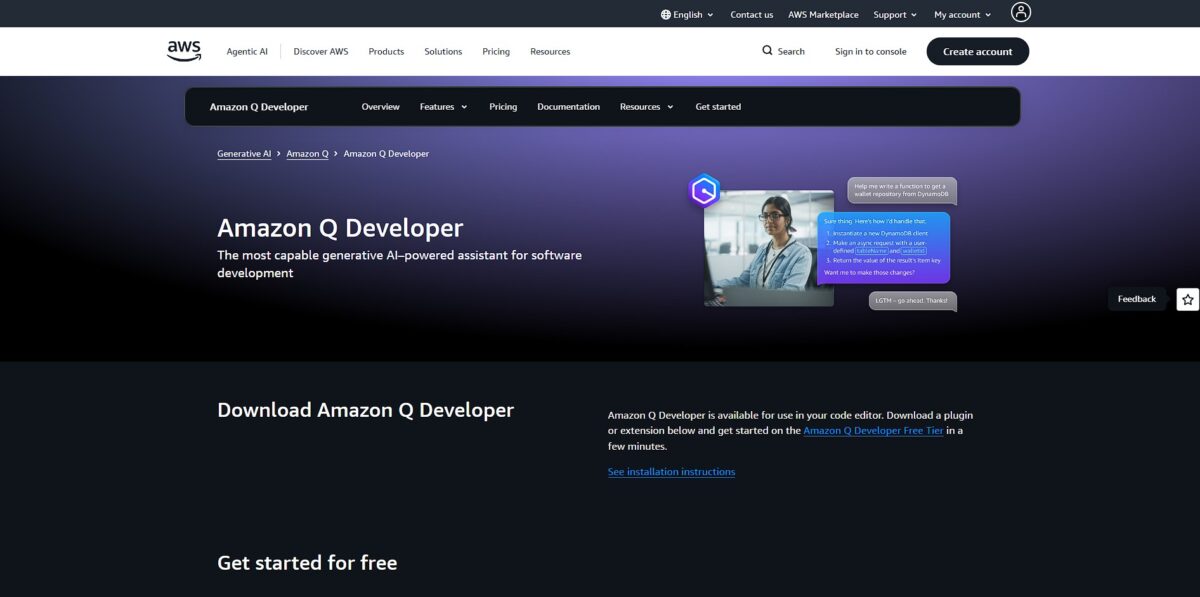
What is Amazon CodeWhisperer (Amazon Q Developer)?
Amazon Q Developer acts as a specialized peer that merges code completion with cloud operations, specifically designed to navigate the quirks of AWS SDKs and console diagnostics. It functions as an evolution of CodeWhisperer, living inside your IDE and the AWS Management Console to handle tasks from writing functions to upgrading legacy Java versions. While general-purpose AI bots often stumble over IAM policy syntax or outdated CloudFormation patterns, this tool pulls from real-time AWS documentation to generate working snippets. I noticed it feels particularly snappy when suggesting boilerplate for Lambda handlers, though it can feel restrictive if you aren’t heavily invested in the Amazon ecosystem. This matters because it saves you from context-switching to a browser every time you forget a specific resource attribute or permission name. Stick to the Pro tier if you need it to scan your private repositories for security vulnerabilities beyond simple syntax checks.
How to start using Amazon CodeWhisperer (Amazon Q Developer)?
Start by creating an AWS Builder ID. This serves as your personal login, separate from any specific corporate AWS account you might use during the day. It keeps your learning progress and tool configurations tied to you as an individual developer, so you can take your setup with you even if you switch jobs.
Next, open the Extensions view in VS Code and search for Amazon Q. It installs as part of the AWS Toolkit, though I noticed the sidebar sometimes requires a quick reload before the interface appears. If you prefer JetBrains or work in the AWS Console, the plugin is also available there. This cross-platform availability helps you troubleshoot IAM policies or Lambda errors without leaving your current window.
Authentication happens through a browser redirect once the plugin is active. You will sign in with that Builder ID or your company’s SSO credentials to bridge your local environment with the AWS cloud backend. Some users find this multi-step login slightly more involved than other extensions. The trade-off is a deeper integration with cloud resources like S3 buckets or DynamoDB tables.
Once connected, let the tool index your local project files. It works best when it understands the specific folder structure and dependencies of your application. You can then start typing to see inline suggestions or use the chat to ask why a specific AWS CLI command isn’t working. This turns hours of searching documentation into a few seconds of verification.
Who is it for?
The AWS Specialist
If you spend your day wrestling with IAM policies or configuring Lambda functions, this is your primary tool. It navigates the console and SDKs better than a generalist bot because it’s trained on the source material. You no longer have to alt-tab to documentation for specific parameter names.
Legacy Code Wranglers
It excels at analyzing older Java or .NET codebases to suggest modern refactorings. While it won’t rewrite the whole app for you, it identifies security vulnerabilities and suggests fixes instantly. A slow manual audit becomes a faster, guided cleanup.
The CLI Power User
If you prefer the terminal but forget obscure Bash flags, the natural language-to-bash translation fills the gap. It saves significant time when constructing complex pipes or one-liners, and you stay in the terminal flow instead of searching Stack Overflow.
DevOps and Platform Engineers
It helps build CI/CD pipelines and infrastructure as code by suggesting YAML and configuration snippets. It works well for standard AWS patterns, though it’s less ideal if you use niche, third-party orchestration tools. That takes care of the boilerplate part of environment setup.
Security-First Developers
The built-in vulnerability scanning outperforms many basic linters by finding hard-to-spot logic flaws. It flags exposed secrets and suggests remediation steps before you even commit the code. Costly security leaks get stopped before they reach the repository.
Amazon CodeWhisperer (Amazon Q Developer) pricing
AWS splits the bill between hobbyists and enterprise teams. The free tier is surprisingly generous if you just want code completions, though you’ll hit a wall on complex agent tasks. If you are managing heavy infrastructure, the Pro tier adds the capacity needed for deeper codebase refactoring and more frequent AWS console troubleshooting.
You get 50 agentic requests and 1,000 lines of code transformations. This works well for personal projects, but I noticed the context window feels tighter compared to the Pro version, so the AI might lose the thread of a large file during a long session.
This bumps you to 1,000 agentic requests and 4,000 lines of code transformations. It adds the ability to upgrade Java versions or refactor large chunks of legacy code in one go, which covers the grunt work of version migrations that usually take an entire weekend.
Amazon CodeWhisperer (Amazon Q Developer) key features
Writes boilerplate AWS SDK code for you
If you need to spin up an S3 bucket or a Lambda function, it suggests the specific API calls and configurations based on your comments. This matters because you stop looking up the same five IAM policy structures every hour.
Scans for security holes like hardcoded credentials or SQL injection risks
It flags vulnerabilities in your IDE and suggests actual code to patch them. Silly mistakes get caught before they reach your pull request.
Connects to your private repositories to learn your internal coding style
It recognizes your unique libraries and helper functions to provide suggestions that actually fit your specific codebase. Generic AI code, by contrast, often ignores custom internal standards.
Provides a chat interface to explain complex architecture or troubleshoot console errors
Instead of jumping between tabs, you ask the sidebar why a specific deployment failed or how a legacy function works. Your focus stays on the editor rather than on hunting through documentation.
Translates natural language into bash commands in your terminal
You type what you want to do, and it generates the CLI string for you to review and run. Handy, since nobody actually remembers every obscure AWS CLI flag.
Upgrades Java applications and ports .NET apps from Windows to Linux
It handles the tedious dependency updates and code changes required for major version jumps. The “grunt work” of modernization that developers usually avoid gets automated.
Generates unit tests and README documentation automatically
Select a function and ask for a test, or use the /doc command to map out your project’s infrastructure. Your project stays readable without you manually typing every line of documentation.
Amazon CodeWhisperer (Amazon Q Developer) Pros & Cons
Pros
Amazon Q Developer excels when you are deep in the AWS ecosystem. It deciphers complex IAM policies and writes Lambda functions directly. You stop checking documentation every five minutes. Built-in security scanning catches vulnerable patterns before you commit. That helps prevent security breaches and deployment failures. Suggestions for AWS SDKs are much more accurate than those from general-purpose models. Use it to skip the mental overhead of cloud infrastructure boilerplate.
Cons
The free tier feels restrictive for serious work. You get a smaller context window than the Pro version. This limits complex file analysis. It is not a generalist coding buddy. If your stack ignores AWS, the specialized features add unnecessary weight to your IDE. The extension occasionally requires a reload to show up in the sidebar. That breaks your flow during rapid development. Stick to the free tier unless you spend half your day in the AWS console.
Use Amazon CodeWhisperer (Amazon Q Developer) if you want…
- Master complex AWS SDKs with real-time AI guidance.
- Automate repetitive boilerplate code in your preferred IDE.
- Identify and remediate security vulnerabilities before they ship.
- Accelerate legacy Java application upgrades using automated agents.
- Generate precise CLI commands from natural language prompts.
- Optimize cloud resource management directly within the console.
- Build serverless architectures with context-aware logic suggestions.
- Bridge the gap between infrastructure design and implementation.
Amazon CodeWhisperer (Amazon Q Developer) alternatives



Amazon CodeWhisperer (Amazon Q Developer) Reviews
Indispensable for navigating AWS SDKs. It is a bit buggy during setup, but the security scanning is top-tier.
Fast for boilerplate but struggles with complex context. Better as a pair programmer than an autonomous agent.
Great CLI experience, though the GUI feels behind competitors. The Java upgrade agent is its secret weapon.
Saves massive effort on IAM policies. It hallucinates occasionally, so verify every CloudFormation snippet.
FAQ
Which IDEs and programming languages does Amazon Q Developer support?
Amazon Q Developer supports popular IDEs including VS Code, JetBrains, Visual Studio, and Eclipse. It supports over 15 programming languages such as Python, Java, JavaScript, TypeScript, C#, Go, Rust, and PHP.
Does Amazon Q Developer support languages other than English?
Yes, it supports multiple spoken languages including Mandarin, French, German, Italian, Japanese, Spanish, Korean, Hindi, and Portuguese across the IDE, CLI, and AWS Management Console.
What is the difference between the Free and Pro tiers?
The Free tier includes basic code suggestions and AWS console support for individuals. The Pro tier adds advanced features like agentic code transformations, increased request quotas, and organization-wide security and license management.
How does Amazon Q Developer handle code security scanning?
It proactively identifies vulnerabilities in your codebase and provides detection messages with recommended fixes. In the Pro tier, it can also automatically scan code as you write it in the IDE.
Can I use Amazon Q Developer on my mobile device?
Yes, conversational capabilities are accessible through the AWS Console Mobile Application on iOS and Android, allowing you to troubleshoot and ask questions about your AWS resources on the go.
What happened to Amazon CodeWhisperer?
Amazon CodeWhisperer has been integrated into Amazon Q Developer, combining its ML-powered coding capabilities with broader AWS cloud operations and generative AI assistance.
Similar tools
 Novita AIDeveloper cloud with one API for 200+ open-weight AI models, plus GPU instances, dedicated endpoints and isolated sandboxes for AI agents.
 You.comDeveloper platform of web search, content extraction, cited research and model inference APIs that feed AI agents and RAG apps real-time web
 QodoAI code review platform that runs specialized agents on every pull request, enforces team rules and checks changes against tickets and linked