

Artguru
Image EditingUpdated October 21, 2026
Browser and mobile AI toolkit that enhances, upscales and restores photos, videos and PDFs, with text-to-image and photo-to-art generators.
We may earn a commission when you sign up through our links. It does not affect our reviews.
What is Artguru?
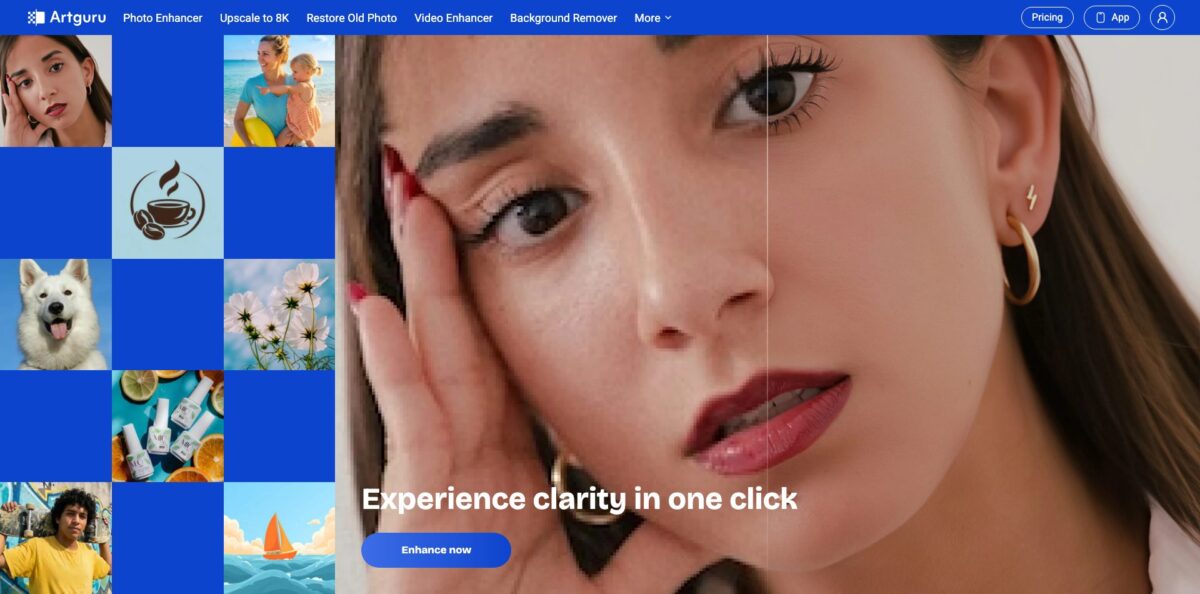
Artguru started life as an AI art generator, and it still turns text prompts and uploaded photos into styled artwork, but the product today is built around one-click enhancement. You upload a photo, video or PDF, and the service sharpens, denoises, upscales to 4K or 8K, repairs old prints, removes backgrounds or colorizes, all from one shared credit balance in the browser or the iOS and Android apps. That solves a very common chore: rescuing soft, small or damaged files without opening Photoshop or learning prompt engineering. The weak spot is the art side. Generation gets far less attention than enhancement, the style list is short compared with dedicated generators, and user feedback on prompt accuracy is mixed. Pick Artguru if you mostly need cleaner, bigger images and want quick stylized art as a bonus, not as your main creative engine.
How to start using Artguru?
Open artguru.ai in any browser and drop a file onto the tool you need. The Image Enhancer lets you try a result and download it in HD without signing in, which is the fastest way to judge quality on your own photos. Logging in gives you a couple of free trials per day, and the free plan stores your media for only 24 hours, so download anything you want to keep straight away.
For a first real job, pick the tool that matches the problem rather than the generic enhancer. Blurry portraits go to Unblur or Face Enhancer, small images go to Image Upscaler, scratched prints go to Restore Old Photo, and scanned documents go to PDF Enhancer. If you came for art, open AI Image Generator for text-to-image, or Photo to AI Art to restyle a picture you already have.
The key settings screen is short. In the enhancer you choose Standard or Detailed quality and 4K or 8K output, and the upscaler shows the final pixel dimensions and the credits each option will cost before you confirm. In Photo to AI Art you choose a style such as Anime, Ghibli, Cyberpunk, Van Gogh or Oil Painting, then optionally add a prompt and a negative prompt. The text-to-image tool adds aspect ratio (square, portrait or landscape) and an optional reference image.
Before you download, zoom into the preview and compare it with the original, paying attention to faces, text and edges. Free downloads carry a watermark and are for personal use only, so anything going into a client project, a product listing or print needs a paid plan. Batch jobs of up to 200 photos and long videos run in the background, so you can close the tab and collect the results from your library later.
Run one representative file through Standard 4K first; it costs a single credit on a paid plan and tells you whether the pricier modes are worth it.
Who is it for?
Online sellers
Supplier photos are often small, noisy or shot on a busy background. Artguru batch-enhances a full product set, strips backgrounds and upscales for marketplace zoom, so your listings look consistent without a retoucher.
Print shops and merch makers
Customers hand over phone screenshots and tiny JPEGs and still expect a sharp poster or mug. The 8K upscaler and 300 DPI PDF output turn those files into something printable, and batch mode keeps busy days manageable.
Families with old photo boxes
Scanned prints arrive faded, creased and spotted. Restore Old Photo targets scratches and fold lines, while the separate Colorize tool handles black-and-white images, giving you shareable versions in minutes instead of a studio bill.
Researchers and teachers
Poor scans of archives or textbook pages break OCR and look awful on a projector. The PDF Enhancer sharpens text across the whole document in one pass, so you skip splitting files into images and merging them back.
Social media creators
Mixed footage from old phones and stock libraries rarely matches. The video enhancer pushes clips to 1080p or 4K, and the photo-to-art styles give you quick anime or painted variations for posts and avatars.
Developers automating image cleanup
If enhancement is one step in your pipeline, the HTTP API covers upload, enhance, restore, unblur and upscale jobs, plus credit and usage checks, so you can process files without a human in the loop.
Artguru pricing
Artguru sells a single subscription with a shared credit pool. Every tool spends credits at its own rate, so the plan you pick is really a decision about how many credits you will burn. On the official price page, Standard 4K enhancement, Standard 4K restoration, background removal and colorizing cost 1 credit per image ($0.01), Advanced 4K costs 5 credits, Standard 8K costs 10, and Advanced 8K or Deep Repair restoration costs 20 credits ($0.20). PDFs cost 1 credit per page in Natural mode or 5 in Precise mode. Video is the expensive part: 10 credits per second at 1080p and 40 credits per second at 4K. Credit costs for the art generators are not listed on that page.
Two free trials per day, watermarked downloads, limited features and personal use only. Uploaded media is kept for 24 hours.
1,000 credits that reset every month, full feature access without watermarks, batch processing, commercial use and the option to cancel anytime.
You get 4,000 credits valid for 12 months, with the same features as the monthly plan.
Top-ups expire at the end of your current billing cycle and never roll over.
Subscribers keep their media for a year, and you cancel under Account, then My Subscription. Read the annual plan carefully: it is cheaper per month, but 4,000 credits a year is roughly a third of what twelve monthly renewals would give you. A single one-minute clip at 4K costs 2,400 credits, more than two monthly allowances.
Artguru key features
Image enhancer and 8K upscaler
Upload JPG, PNG or WEBP files, pick Standard or Detailed quality and a 4K or 8K target, and the model sharpens, denoises and enlarges up to eight times the original size. The upscaler shows output dimensions and credit cost before you commit. You get print-ready files from small sources without manual sharpening.
Text-to-image generator
Type a prompt, choose an aspect ratio and a preset style such as cartoon, anime or painting, or describe any other style in words and add a reference image. Images download in standard or HD quality, and subscribers get commercial usage rights. It covers social posts, blog illustrations and simple marketing graphics without a design tool.
Photo to AI Art
This mode restyles an existing photo in looks like Anime, Ghibli, Cyberpunk, Cartoon, Fantasy 3D, Van Gogh, Oil Painting or Landscape, with optional prompts and negative prompts. Results are saved in your personal creation library in the cloud, so you can come back to them on another device.
Old photo restoration and colorize
Restoration removes scratches, fold lines, white spots and stains, then raises resolution for prints; Deep Repair modes handle heavier damage at a higher credit cost. Restoration itself does not add color, so black-and-white or faded images go through the separate Colorize tool afterwards. Two quick passes give you a cleaned and colored copy of a family print.
Video enhancer
Drop in MP4 or MOV files up to 1GB and 20 minutes, trim the part you need, and the model upscales to 1080p or 4K while reducing noise and blur frame by frame. Processing runs in the background, so you can close the browser. Trimming matters because credits are charged per second of output.
PDF and document enhancer
Upload a PDF of up to 100MB and get one cleaned file back with sharper text, clearer diagrams and up to 300 DPI output, with no splitting into page images. Researchers use it to make old scans readable for OCR.
Batch processing and API
The web app accepts up to 200 photos per batch, and the Open API exposes upload, enhance, restore, unblur and upscale endpoints with task polling and credit and usage checks through an x-api-key header. An Agent MCP layer lets AI coding agents run those jobs directly. Generation is not part of the documented API, so automation is limited to enhancement work.
Artguru Pros & Cons
Pros
Artguru covers a surprising amount of everyday visual repair in one place: enhancement, 8K upscaling, scratch removal, colorizing, background removal, video and PDF cleanup all draw on the same credit balance. Entry pricing is low, the per-image cost for standard jobs is a single cent, and the official credit table makes the cost of every mode clear before you click. You can test the enhancer without an account, batch up to 200 images, and pick up the same library on web, iOS or Android. For developers, the documented API and MCP tools make it easy to slot enhancement into an existing pipeline. Start with Standard modes and only pay for Advanced or Deep Repair on files that really need it.
Cons
The art generators feel secondary. The photo-to-art style list is short, the price page does not show what generation costs, and several users report that detailed prompts or uploaded photos came back as unrelated or odd images. Video credits drain fast at 40 credits per second for 4K, and top-ups expire with your billing cycle, so unused credits simply vanish. Trustpilot reviewers also complain about aggressive upsells and refunds handled case by case, and credit figures on some feature pages differ from the main price table. Check the credit cost shown at checkout and test on one file before committing to a large batch.
Use Artguru if you want…
- Upscale small product photos to sharp 4K images.
- Repair scratched and creased family photos in minutes.
- Turn selfies into anime, Ghibli or oil paintings.
- Generate quick illustrations from short text prompts.
- Batch-enhance up to 200 images in one go.
- Make blurry scanned PDFs readable for OCR.
- Upgrade old home videos to 1080p or 4K.
- Automate image enhancement through a simple REST API.
Artguru alternatives
 PixelcutRead review →
 Cutout.ProRead review →
 PixlrRead review →
 Fotor Image GeneratorRead review →
 Hotpot Art GeneratorRead review →
 Leonardo.aiRead review →
 OpenArtRead review →
Artguru Reviews
The PDF enhancer gets praise for making scanned documents perfectly readable, though another buyer saw text and graphics garbled on a small paid test and received only a partial refund.
Early image results looked strong, but quality became inconsistent and detailed prompts often produced strange pictures, so it is hard to rely on for repeatable work.
The tools themselves work well and results come back fast, yet the site pushes paid plans hard and the free avatar maker asked for a subscription after just two images.
App users like the variety of art styles, the HD option and reference images, while others complained that an uploaded photo was replaced by a generic new picture or that the app lacked features available on the website.
FAQ
Is Artguru free to use?
Yes, the free trial gives you two free trials per day with watermarked downloads for personal use, and the Image Enhancer can produce an HD result without signing in. Paid plans remove the watermark and add commercial rights.
How much does Artguru cost?
The Monthly plan costs $9.99 per month for 1,000 credits, and the Annual plan costs $39.99 per year for 4,000 credits. Subscribers can add 1,000 credits for $10.
Do Artguru credits roll over?
No, credits are valid until the end of the current subscription cycle, including any top-ups bought mid-cycle. On the annual plan, credits last for 12 months.
Can I use Artguru images commercially?
Only on a paid plan; images created by non-subscribers are for personal use only. Check the terms of service for the full licensing details.
What file types and sizes does Artguru support?
The image tools accept JPG, PNG and WEBP in batches of up to 200 photos, videos can be up to 1GB and 20 minutes in MP4 or MOV, and PDFs can be up to 100MB.
Does Artguru have an API?
Yes, the Open API at docs.artguru.ai covers upload, enhance, restore, unblur and upscale tasks with credit and usage endpoints, plus an Agent MCP for AI coding tools. Image generation is not part of the documented API.
Is there an Artguru mobile app?
Yes, Artguru runs on iPhone and Android, and your subscription works across the apps and any browser. The iOS app is listed as Artguru: AI Photo Enhancer.
How do I cancel my Artguru subscription?
Go to Account, then My Subscription, and cancel at any time. For billing questions, Artguru support answers at support@artguru.ai.
Similar tools
 HamaFree browser-based AI eraser that removes people, objects, text and blemishes from photos with a brush, plus an inpainting API for developers.
 BgEraserBrowser-based AI background remover that turns up to 20 photos per batch into transparent PNGs without an account, plus offline apps for
 ImgkitsBrowser-based set of AI photo tools for background removal, object cleanup, upscaling, old photo restoration, image generation and image-to-video.