
AskYourPDF
AI ChatUpdated November 10, 2026
AI document platform for chatting with PDFs and other files, getting cited answers and summaries, auto-filling PDF forms and adding a website chatbot.
We may earn a commission when you sign up through our links. It does not affect our reviews.
What is AskYourPDF?
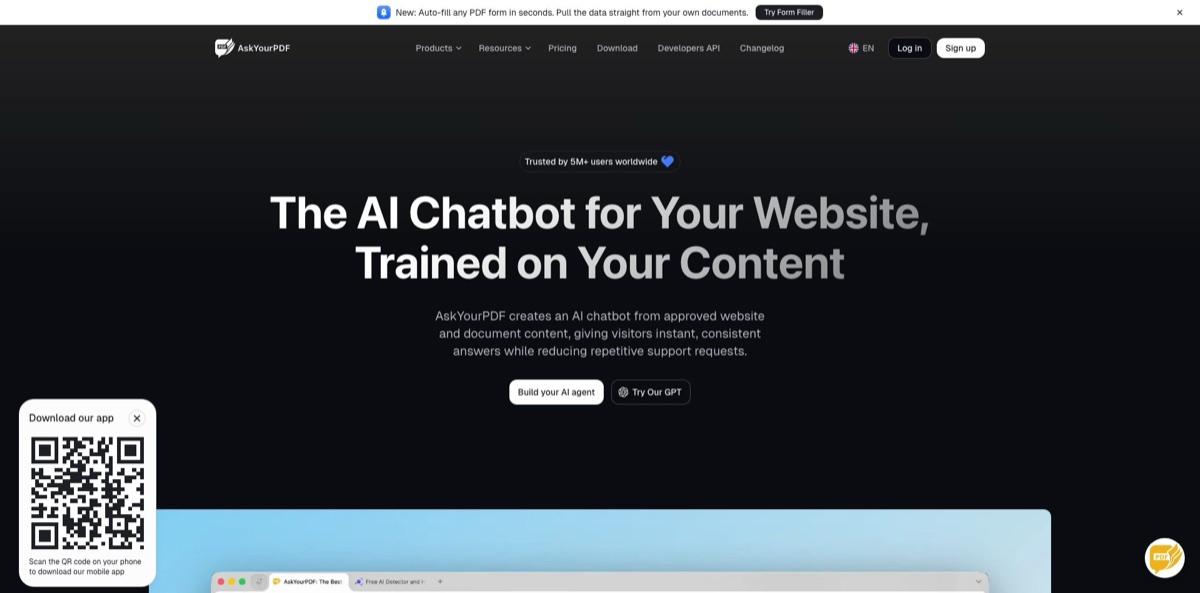
AskYourPDF is a document AI platform that began as a chat-with-PDF app and now also sells a website chatbot and an AI form filler. You upload a PDF, Word file, EPUB, slide deck or link, ask questions in plain English, and get answers with citations that point back to the page they came from. Paid plans add OCR for scanned files, multi-document Knowledge Bases and a model picker covering GPT-5, Gemini 2.5 and Claude 4.5, with the top models charged in credits. The weak spot is the business side rather than the reading: Trustpilot reviewers keep returning to trial conversions, surprise renewals and a strict no-refund policy. It fits students, researchers and analysts who read long files every day and want cheap, cited answers, provided they keep a close eye on their subscription.
How to start using AskYourPDF?
Create an account on the website; the Free plan needs no credit card. It lets you open one document a day of up to 100 pages and 15MB, with 50 questions and three conversations per day on GPT-5 Mini. If you want to see Premium or Pro, both start with a $1 trial that runs for three days, and you have to cancel before day three to avoid the full charge. On paid plans your chat history follows you across the iOS and Android apps, the Chrome extension, the Zotero plugin and the AskYourPDF GPT inside ChatGPT.
Your first real job happens in Conversation. Drag in a PDF, DOCX, EPUB or TXT file, or paste a URL, and ask something specific: “Find every clause about indemnification” works far better than “What is this about?” Each reply carries a citation to the exact page, so click it and read the passage before you copy the answer anywhere. Follow-up questions stay in the same chat, and the document context carries over between them.
The screen worth learning is the model selector. You can switch per question between GPT-5 Mini, GPT-5, GPT-5.2, GPT-5 Nano and Gemini 2.5 Flash, while Claude 4.5 Sonnet, Claude 4.5 Opus and Gemini 2.5 Pro draw on credits (Premium includes 10, Pro includes 30). When the answer sits across many files, create a Knowledge Base, give it a name such as “Thesis references”, drop the documents in and ask one question across the whole set. Summarise, Compare, PDF translation and PDF-to-podcast live in the same workspace.
If you came for the AI Agent, point it at your website, add supporting files in PDF, TXT, PPT, PPTX, EPUB or RTF, set its tone and behaviour, then paste one line of code before the closing body tag. The vendor lists plain HTML, WordPress, Webflow, Wix, Shopify, Squarespace, React, Vue and Next.js as supported. Before you go live, ask it the ten questions your visitors send most often and switch on support tickets so unanswered questions reach a human.
Who is it for?
Graduate Researchers
A literature review across 80 papers means hours of skimming abstracts that rarely answer the question you actually have. A Knowledge Base lets you ask the whole reading list at once and get one answer with page citations per paper. The Zotero plugin keeps the workflow inside the reference manager you already use.
Students
The night before an exam you need a chapter explained, not a 300-page textbook. The free plan covers one document of up to 100 pages a day, and the chat can produce summaries at any length or quiz questions on demand. Upgrading only makes sense once your readings regularly go past that page cap.
In-House Lawyers and Contract Managers
Hunting for an indemnity clause across a 90-page master agreement is slow and error-prone. Cited answers take you straight to the page, OCR handles scanned contracts on paid plans, and Pro compares up to five PDFs at once. The terms say the service is not built for regulated data such as HIPAA records, so keep that material elsewhere.
Financial Analysts
10-Ks, earnings call transcripts and board packs are long and repetitive across periods. Pro reads files of up to 6,000 pages and lets you compare reports side by side. You walk into the review with sourced numbers instead of half-remembered highlights.
Small Website Owners and Support Leads
The same “where is my order” and “how do I reset” questions eat your inbox. The AI Agent trains on your site and documents, embeds with a single snippet and lets visitors open a ticket when it cannot answer. It covers basic deflection without a separate helpdesk product.
HR and Operations Teams
Onboarding forms, applications and intake documents still get filled by hand from other paperwork. The AI Form Filler reads a source PDF, text file or pasted data and maps it into the right fields of fillable or non-fillable PDFs. Someone still needs to check every field before submission.
AskYourPDF pricing
Plans are priced per account with daily caps on documents, pages and questions rather than per seat, and the strongest models run on credits on top of the subscription. The pricing page defaults to annual billing, which it labels 25% off, so check the toggle before you compare numbers. Premium and Pro both open with a $1 trial for three days, and the terms state that all sales are final and non-refundable, with subscriptions renewing automatically until you cancel. The developer API is billed separately.
One document per day, 100 pages per document, 15MB upload limit, 50 questions and three conversations per day, GPT-5 Mini only. Fine for the occasional article or short report.
2,500 pages per document, 31MB uploads, 50 documents, 1,200 questions and 50 conversations per day. Adds Knowledge Base, summaries, OCR, Chrome extension access, 10 credits and GPT-5, GPT-5.2, GPT-5 Nano and Gemini 2.5 Flash.
6,000 pages per document, 877MB uploads, 150 documents and 100,000 questions per day, 30 credits, longer replies, priority support and unlimited questions through the ChatGPT plugin.
Custom. Unlimited pages per document, 1,431MB uploads, 1,000 documents per day, unlimited questions, plus SSO, an SLA and dedicated support through sales.
Free with 100 messages and 5,000 pages per month; Pro at $49.99/month with 6,000 messages and 60,000 pages per month; Enterprise on custom terms.
AskYourPDF key features
Cited document chat
You upload a file or paste a link, ask in plain language, and every answer links back to the page it came from. Follow-ups keep the full document in context. You can verify a claim in one click instead of rereading the file.
Knowledge Base for multi-document chat
You group PDFs into a named library and ask one question across all of them; the system retrieves matching passages from each file and returns a single answer with citations per document. Premium handles 50 documents a day per Knowledge Base, Pro 150. Libraries can be shared through a private link or embedded on a site with the Document Widget.
Model choice per question
GPT-5, GPT-5.2, GPT-5 Nano and Gemini 2.5 Flash are included on paid plans, while Claude 4.5 Sonnet, Claude 4.5 Opus and Gemini 2.5 Pro use credits. The vendor recommends Claude 4.5 Opus for legal nuance and Gemini 2.5 Pro for multilingual sources.
OCR, comparison and translation
Scanned and image-only PDFs are processed with OCR on Premium and above, and the chat works in more than 100 languages. Compare PDF Documents returns a structured difference report grouped by clause, section or topic, and the translator offers full translation, a bilingual side-by-side view or a summary in the target language.
AI Agent for websites
The agent trains on your site plus uploaded files and answers only from those sources. It installs with one script line on most site builders and frameworks, and it can create a support ticket when it has no answer. That gives small teams a basic support bot without buying a separate chatbot platform.
AI Form Filler
You upload a fillable or non-fillable PDF form, pair it with data from another PDF, a text file or pasted content, and the AI maps values into the right fields. It targets repetitive paperwork such as onboarding packs and applications.
Apps, audio and API
Beyond the web app you get iOS and Android apps, a Chrome extension, a Zotero plugin and a GPT in ChatGPT. PDF-to-podcast turns a document into a one-voice or two-voice audio overview you can download as MP3, and the REST API accepts PDF, TXT, PPT, PPTX, CSV, EPUB and RTF files or URLs through an x-api-key header.
AskYourPDF Pros & Cons
Pros
The core job works the way readers want: answers come with page citations, so you can check the source before trusting a summary. Limits are generous for the price, with documents of up to 2,500 pages on Premium and 6,000 on Pro, OCR for scans and Knowledge Bases for whole reading lists. Having GPT-5, Gemini 2.5 and Claude 4.5 behind one subscription means you pick the model per question instead of paying for three chat apps. The Zotero plugin and Chrome extension suit researchers who live in those tools. Start with the free tier on a real document and move up only when you hit the page or daily caps.
Cons
Billing is the recurring complaint. Trustpilot shows a score of 1.8 from 20 reviews, mostly about $1 trials turning into full charges, annual renewals and refused refunds, and the terms back the company with a no-refund and no-chargeback clause. Cancellation runs through contacting the company, so do not assume deleting the app ends a plan. Some users also report files that fail to load in the Chrome extension, slow replies and answers that miss parts of long PDFs. The product line keeps widening into chatbots, form filling and dozens of free writing tools, which can make the dashboard feel busy. Cancel in writing and keep the confirmation email.
Use AskYourPDF if you want…
- Ask long PDFs questions and get page citations.
- Chat with an entire reading list at once.
- Read scanned contracts and papers through built-in OCR.
- Compare contract drafts or quarterly reports side by side.
- Switch between GPT-5, Claude and Gemini per question.
- Turn dense reports into downloadable podcast-style audio.
- Auto-fill PDF forms from your existing documents.
- Add a website chatbot trained on your own content.
- Build document chat into your app through an API.
AskYourPDF alternatives




AskYourPDF Reviews
Product Hunt reviewers like that answers stay inside the uploaded file and that paper summaries go deeper than the abstract, though one researcher praised the OCR on poor scans yet saw many of his PDFs rejected with processing errors.
App Store users describe quick, clear answers from long reports and textbooks and like that the phone app and web account stay in sync, while a late-2025 review calls it slow, poor at following simple instructions and let down by support.
Older Chrome Web Store reviews call the extension handy for pulling key points from piles of PDFs and chatting with several files on Pro; recent 2026 reviews say it refuses to load files of any size and feels fiddly.
Most Trustpilot reviewers focus on billing: a $1 trial or annual renewal charged after they believed they had cancelled, followed by refused refund requests, with a few adding that summaries skipped parts of long PDFs.
FAQ
Is AskYourPDF free to use?
Yes. The Free plan costs $0 and needs no credit card, but it is limited to one document per day of up to 100 pages, 50 questions and three conversations daily on GPT-5 Mini.
How does the $1 trial work?
Premium and Pro start with a $1 trial that lasts three days. If you do not cancel before day three, the plan converts to the full price, and the terms say payments are non-refundable.
What file types can I upload?
The chat accepts PDF, DOCX, EPUB, TXT, PPT, PPTX and RTF files as well as links to web pages. The API also lists CSV support.
How large can my documents be?
Free handles 100 pages and 15MB per file, Premium 2,500 pages and 31MB, Pro 6,000 pages and 877MB. Enterprise removes the page limit per document.
Is my data used to train AI models?
AskYourPDF says it is GDPR compliant, hosts data in the United Kingdom and never uses your documents to train AI models. Its terms add that the service is not tailored for regulated data such as HIPAA records.
Which AI models does AskYourPDF use?
Paid plans include GPT-5, GPT-5.2, GPT-5 Mini, GPT-5 Nano and Gemini 2.5 Flash, while Claude 4.5 Sonnet, Claude 4.5 Opus and Gemini 2.5 Pro use credits. Free users get GPT-5 Mini.
Does AskYourPDF have an API?
Yes. The API has a free tier with 100 messages and 5,000 pages per month, a Pro tier at $49.99 per month and custom Enterprise pricing, with documentation on docs.askyourpdf.com.
How do I cancel my subscription?
According to the terms, you cancel by contacting the company, and cancellation takes effect at the end of the current paid term. Keep written confirmation, since refunds are not offered.
Similar tools
 Chat 4O AIAll-in-one AI workspace with GPT, Claude, Gemini and Grok chat plus image and video models like Veo, Kling and Nano Banana, paid
 LiveChatAIAI customer support agent trained on your website, docs and Q&As, with human live chat handoff, AI Actions, and WhatsApp, Slack and
 Kore.aiEnterprise agentic AI platform for building, governing and improving voice and chat AI agents for customer service, HR, IT and business processes.