

AutoGen
AI AutomationUpdated October 5, 2026
AutoGen is an open-source Python framework for building autonomous multi-agent systems to solve complex LLM tasks.
We may earn a commission when you sign up through our links. It does not affect our reviews.
What is AutoGen?
AutoGen is a Python framework that moves beyond simple one-and-done prompts by letting multiple AI agents chat with each other to solve a goal. Instead of you manually correcting a model when it fails at coding or math, you can set up an AssistantAgent to write the script and a UserProxyAgent to execute it and provide feedback automatically. I noticed that while it excels at complex, multi-step reasoning, the conversation-first design can quickly inflate your API bill if you don’t set clear termination boundaries. It replaces brittle, linear pipelines with a flexible system where agents negotiate tasks using natural language, making it much easier to prototype sophisticated workflows without writing endless glue code. This shift allows you to build autonomous systems that handle edge cases by “discussing” them internally rather than crashing. Use a max_consecutive_auto_reply limit early on to avoid infinite, expensive loops between your agents.
How to start using AutoGen?
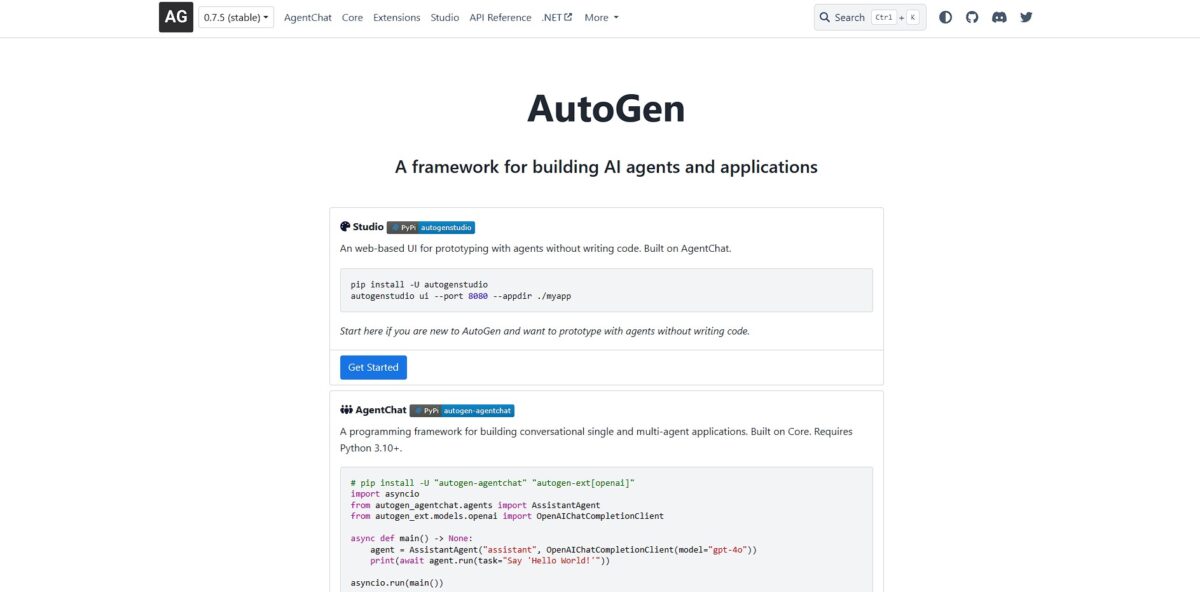
Start by setting up a dedicated Python 3.10+ virtual environment. This prevents AutoGen dependencies from clobbering your global packages. Most users prefer the simplicity of pip install autogenstudio to get the interface running immediately. If you want to customize the internal logic or UI, you will need to clone the GitHub repository and build the frontend with Node.js and Yarn.
Getting the environment variables right is the next hurdle. You must export your OPENAI_API_KEY to your shell or save it in a .env file within your project root. I noticed that if you misspell the key name, the framework fails silently or defaults to errors that are a pain to debug. Having this set correctly allows your agents to communicate with LLM providers without hardcoding credentials into your scripts.
Launch the AutoGen Studio UI by running autogenstudio ui --port 8081 in your terminal. This opens a local web dashboard where you can define agents and drag-and-drop them into workflows. While the UI is great for prototyping, moving to production usually requires writing orchestration code in Python. You will define a UserProxyAgent to act as the human and AssistantAgents to handle tasks like coding or research.
If you are running everything locally to keep data private, pair AutoGen with a tool like Ollama. You will need to point the configuration list to your local server address instead of OpenAI’s API. This setup is significantly slower on a standard laptop but avoids recurring token costs and external data leaks. This matters because it gives you total control over where your proprietary business logic lives.
Who is it for?
Python Developers
You want to move beyond basic API calls. AutoGen provides a communication layer where agents exchange messages to solve code-heavy tasks. This reduces the time spent manually stitching together different LLM responses.
Backend Architects
Designing systems that require complex handoffs. It handles the message-routing logic between a “manager” agent and “worker” agents so you don’t have to build a custom state machine. This prevents logic errors when passing data between specialized tools.
Quantitative Researchers
Ideal for automating financial report analysis or stock data retrieval. You can set up a sequential workflow where one agent pulls SEC filings and another performs the analysis. It helps avoid the context-window fatigue of doing this in a single chat.
Automation Engineers
You need deterministic results from non-deterministic models. By defining specific agent classes and message handlers, you gain more control over the execution loop. This makes your automation pipelines easier to debug when a model goes off the rails.
Open-Source Enthusiasts
Those who prefer local control over proprietary black boxes. AutoGen works with various inference providers, allowing you to run models on your own infra to keep data private. This ensures your experimental workflows don’t leak sensitive enterprise info.
AI Educators
Great for demonstrating multi-agent design patterns like group chats or joint brainstorming. It offers a tangible framework to explain how “human-in-the-loop” systems actually function. This translates abstract AI theory into runnable Python code.
AutoGen pricing
AutoGen costs nothing to download since it is an open-source framework released under the MIT license. This makes it a go-to for developers who want to experiment with multi-agent orchestration without upfront seat costs or platform fees.
While the code is free, running it is not. You pay for the tokens consumed by the LLMs you connect, such as GPT-4o or Claude 3.5. If your agents get stuck in an infinite loop or engage in long-winded multi-agent debates, your API bill can spike unexpectedly. You also handle the hosting and compute costs for the environment where the agents execute their code. This matters because it shifts the financial burden from software licensing to infrastructure management and variable API usage.
AutoGen key features
Multi-agent conversation patterns allow you to define specialized roles like a coder, a reviewer, and a project manager that talk to each other to solve a goal. This setup prevents a single model from getting overwhelmed by conflicting instructions in one long prompt. Why this matters: You get higher accuracy by letting agents double-check each other’s work before you ever see it.
Customizable speaker orchestration gives you control over who speaks next, whether it is a fixed sequence or a dynamic round-robin. While a fully autonomous manager is fun for research, the deterministic hand-off works much better for production pipelines where you need predictable steps. Why this matters: It ensures your workflow doesn’t loop forever or skip critical validation stages.
Native support for code execution allows agents to write Python scripts and run them in a safe, local environment to verify their own logic. It often catches its own syntax errors or logical bugs during this loop, which saves you from manual debugging. Why this matters: The agent relies on actual execution results rather than just guessing what the code might do.
Human-in-the-loop integration lets you intercept the conversation to provide feedback or approvals before an agent executes a potentially destructive tool. This is a lifesaver for sensitive tasks like deleting files or sending emails, though it can slow down your testing phase. Why this matters: It keeps you in the driver’s seat for high-stakes decisions while the AI handles the repetitive legwork.
Flexible LLM configuration supports mixing different model providers, so you can use a top-tier model for complex planning and a cheaper one for simple data extraction. Managing different API keys and parameters in one config file is straightforward once you get the hang of the JSON structure. Why this matters: You can aggressively cut costs without sacrificing the intelligence of the overall system.
Conversation persistence saves the entire state of an agent interaction, allowing you to resume a complex multi-turn task later or audit exactly where a failure occurred. This transparency is a massive upgrade over black-box systems that hide the intermediate reasoning steps. Why this matters: It makes debugging complex agent logic possible by letting you replay specific interaction turns.
AutoGen Pros & Cons
Pros
AutoGen lets you build a team of specialized AI agents that talk to each other to solve problems. This approach cuts down on manual prompting by automating the hand-off between tasks like writing code and executing it in a sandbox. It shines at complex debugging where one agent writes a script and a second agent tests it, catching errors before you even see the output. This multi-agent collaboration often produces more accurate results than a single LLM because agents can verify each other’s work. It essentially turns an LLM into a self-correcting assembly line for code and data tasks. Start by using the AssistantAgent and UserProxyAgent to automate basic dev cycles.
Cons
The framework has a steep learning curve and requires solid Python knowledge to manage custom agent behaviors. Conversations can loop indefinitely or burn through API credits quickly if you don’t set strict termination conditions or max-turn limits. I found that managing state across many agents gets messy, making it harder to track why a specific decision was made in a long chain. While it handles structured tasks well, orchestrating agents for highly creative or open-ended goals often leads to “hallucination ping-pong” where agents agree on incorrect information. Always set a hard limit on the number of auto-replies to prevent unexpected API bills.
Use AutoGen if you want…
- Build coordinated teams of specialized AI agents.
- Automate complex multi-step tasks with minimal guidance.
- Implement sophisticated conversational patterns like group chats.
- Mix different LLM models within one workflow.
- Integrate human feedback directly into agent interactions.
- Create scalable, modular AI applications from scratch.
- Deploy autonomous agents that use external tools effectively.
- Orchestrate multi-agent systems with customized communication logic.
AutoGen alternatives

AutoGen Reviews
The multi-agent orchestration is unmatched. Best framework for complex reasoning workflows.
Powerful but has a steep learning curve. The local execution sandbox is a lifesaver for security.
Great for prototyping autonomous agents. Conversability between agents works exactly as advertised.
FAQ
Does AutoGen support local LLMs?
Yes, AutoGen supports local models through proxy servers like Ollama, LM Studio, or vLLM that provide an OpenAI compatible API.
Can I use multiple different models in the same workflow?
Yes, you can assign different LLMs to different agents within a single system, such as using GPT-4 for orchestration and a specialized local model for coding.
What programming languages are supported?
AutoGen primarily supports Python, but it also has a .NET implementation and enables interoperability between agents built in different languages.
Do I need Docker to use AutoGen?
Docker is recommended for secure code execution, allowing agents to run generated code in a sandboxed environment to protect your host system.
Is AutoGen the same as AG2?
AG2 is the evolution of the original AutoGen project, now maintained independently under the AG2AI organization as an open-source framework.
How do agents communicate with each other?
Agents communicate through an automated chat framework where they exchange messages to solve tasks, which can include human input and tool execution.
Can I include a human in the agent conversation?
Yes, the UserProxyAgent can be configured to solicit human input at different levels, ranging from always asking for approval to being fully autonomous.
Similar tools
 GPT WorkspaceAI agent for Google Docs, Sheets, Slides, Gmail and Drive that edits your files, runs GPT formulas in bulk and automates routine
 FPT.AIVietnamese enterprise AI platform from FPT Smart Cloud for chatbots, call-center voicebots, document reading and eKYC that automate customer operations.
 Frigate NVROpen-source NVR that runs real-time AI object detection on your own hardware and sends camera events to Home Assistant and other MQTT