
AZ8
Video GenerationUpdated October 28, 2026
Canvas-based AI video workstation that chains image, video, audio and 3D scene nodes from models like Seedance, Kling and MiniMax in one project.
We may earn a commission when you sign up through our links. It does not affect our reviews.
What is AZ8?
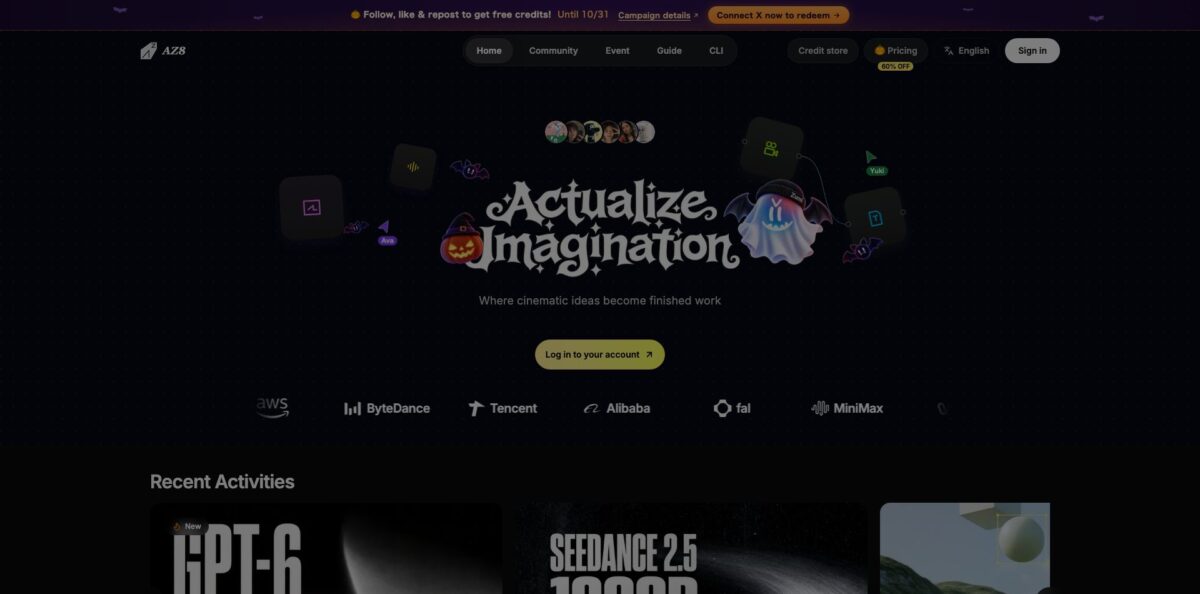
AZ8, the platform formerly known as Videoinu, is a browser-based AI video workstation built around an infinite canvas. Instead of typing into one prompt box, you place text, image, video, audio and 3D World nodes on a board and wire them together, so a script feeds a keyframe, the keyframe feeds a video model, and the result can drive a soundtrack. Every plan includes the same model roster, from Seedance 2.5, Kling, MiniMax H3 and Wan 3.0 for video to Nano Banana Pro, Midjourney V8.1 and GPT-Image-2 for stills, plus Suno V5 for music. That removes the habit of downloading from one site and re-uploading to another. The weak spot is cost: premium video models eat credits quickly and there is no free plan. AZ8 suits creators and small studios who plan multi-shot stories rather than single clips.
How to start using AZ8?
Sign in at az8.art with Google, Discord or email. The pricing page lists no free tier, so budget for either the Basic plan at $9.99 a month or the one-time Trial Pack of 10,000 credits for $19 if you only want to test. AZ8 also hands out free credits through referral rewards, surveys and limited campaigns, and Zumi’s model list marks some models as limited-time free. The interface is available in eight languages, including English, Japanese, Spanish and German.
From the homepage, click Create Project to open a fresh canvas, or use New Project in the project list if you want to duplicate an older project as a template. A sensible first scenario is the classic pipeline from the docs: add a Text node with a short scene description, connect it to an Image node to generate a few concept frames, then drag the best frame into a Video node as the first frame and describe only the camera and subject motion. You can switch models in place on any node, which makes it easy to try the same prompt on Seedance and Kling side by side.
Before you press generate, check the credit estimate. AZ8 shows the cost upfront and deducts it only when the task starts, and resolution changes the bill a lot: a 5-second Seedance 2.5 clip costs 514 credits at 480p, 1,156 at 720p and 2,600 at 1080p. If camera angles keep drifting between shots, add a 3D World node, click Create free world, place a virtual camera, set its height and field of view, and use Export Reference Frame or Export Camera Animation to send a perspective anchor back to the canvas.
When a video finishes rendering, Zumi, the built-in agent, scores motion smoothness and texture fidelity and suggests fixes; the node toolbar also offers Refine Prompt, Diagnose Flaws and Derive Next Shot. Upscale keepers to 1080p or 2K from the video node, download them, or open the Share icon to invite collaborators with Can View or Can Edit links. Finished work can go to the AZ8 community through the project sharing menu.
Draft every shot at 480p with a cheaper model, then spend 720p or 1080p credits only on the takes you plan to keep.
Who is it for?
AI short-film makers
You have a story with recurring characters and a dozen shots, and chat-style generators lose track of both. The canvas keeps script, references and every take in one place, and saved assets carry prompts and parameters into the next scene. Seedance 2.5 adds clips of up to 30 seconds with joint audio, according to AZ8.
Ad and brand creatives
You need concept ads and variants fast, often for a pitch rather than a final spot. Branching lets you feed one approved keyframe into several models and compare results, and subscribers are allowed to use outputs commercially, including sponsored content and paid client work.
Anime and YouTube storytellers
Episodic channels live or die on characters looking the same every week. Reference assets and the Asset Library help hold a design steady, and Trustpilot reviewers specifically mention anime output and control over character appearance as reasons they stay.
Small studios and agencies
Several people touching one project usually means zip files and version chaos. AZ8 supports real-time editing on a shared canvas with live cursors, and team workspaces add seats, a shared credit pool and a monthly spending limit per member.
Developers working with coding agents
You already run Claude Code, Codex or Cursor and want them to generate assets inside a real project. The AZ8 CLI, installed from npm, lets those agents read the canvas and run explicit creation tasks after a browser sign-in, without pasting tokens into chat.
Model testers on a budget
You want to compare the newest video and image models without five separate subscriptions. Every AZ8 plan includes every model, so the only variable is how many credits you burn per test.
AZ8 pricing
Everything on AZ8 runs on credits, and the plans differ only in monthly credit volume, concurrency and a few perks, since every tier includes every model. Each generation has its own credit price depending on model, duration, resolution and settings, and failed tasks caused by system or model errors are refunded automatically in most cases. Subscription credits refresh each billing cycle. The page shows struck-through list prices next to each plan and a Halloween “60% off” badge; the figures below are what the official pricing page says you actually pay, listed in USD. Payment goes through PayPal or Stripe, with other methods in some regions.
5,500 credits per month, enough for about four 5-second Seedance 2.5 clips at 720p or 85 clips with the cheaper Oxygen model at 480p.
17,650 credits per month, 2 concurrent generations, 1080p/2K export, no watermark, faster generation, commercial use and a 20% bonus on credit packs. Seedance 2.5 works out to $0.393 per second on this plan.
42,850 credits, 4 concurrent generations and a 35% credit pack bonus.
80,000 credits, 8 concurrent generations and a 45% pack bonus. AZ8 marks this tier as recommended.
240,000 credits, 10 concurrent generations, a 60% pack bonus and human consultant and project support.
Per-seat prices are not shown on the public pricing page.
Custom. Annual contract, custom credit volume, multiple teams with central administration, invoices and a dedicated consultant, arranged through Discord.
Fixed packs run from the Trial Pack (10,000 credits, $19) to the Project Pack (375,000 credits, $599) and are valid for 3 months; model-specific packs for Seedance or GPT Image are valid for 24 months but work only with those models.
AZ8 key features
Infinite canvas with modality nodes
Text, image, video, audio and 3D World nodes sit on one board, and you connect outputs to inputs by dragging handles. A script node can feed an image generator, a frame can become the first frame of a video, and a video can drive a matching score. You stop shuffling files between tabs, and every iteration stays visible next to the one it replaced.
Full model roster on every plan
The pricing page lists Seedance 2.5, Kling, MiniMax H3, Wan 3.0 and Gemini Omni Flash for video, Nano Banana Pro, Seedream 5.0 Pro, Midjourney V8.1 and GPT-Image-2 for images, GPT-5.6, Gemini 3 Pro and Deepseek-v4 for text, and Suno V5, MiniMax Audio and Eleven Music v2 for sound. Higher tiers buy more credits, not more models.
3D World camera control
The 3D World node builds a scene from primitives, Zumi templates or a text prompt, then lets you place a virtual camera, set field of view and keyframe a path on a timeline. Exported frames and camera animations return to the canvas as image or video nodes. That gives you repeatable angles across cuts instead of hoping the model guesses the same perspective twice.
Zumi creative agent
Zumi reviews each finished video, flags weak motion or texture, suggests layout fixes once a board grows past roughly 20 nodes, and offers prompt ideas if you stall in an input field. You can also box-select a script, two frames and a clip and ask it a single question about all of them. Each session shows its credit and token usage, and Zumi can switch to an available free model when your balance runs low.
Asset Library and reusable workflows
Any node can be saved to the Asset Library, and grouped archiving stores a whole pipeline segment with its prompts and generation parameters. Mature workflows can be saved as templates for the next episode. For series work, this is what keeps episode six consistent with episode one.
Real-time collaboration and team workspaces
Share links come in Can View and Can Edit tiers, and collaborators see each other’s cursors on the same canvas. On shared personal projects, an editor’s generations are billed to that editor’s own credits; team workspaces add seats, a shared balance and per-member monthly limits. Owners can revoke or downgrade access instantly.
AZ8 CLI for coding agents
Install it with npm, run az8 login, and agents such as Claude Code, Codex or Cursor can list your projects, read the current canvas and generate images or videos in context. AZ8 says credentials stay in the browser sign-in rather than in the conversation. It is a practical bridge if your scripting or planning already happens inside an agent.
AZ8 Pros & Cons
Pros
The canvas solves a real production problem: once a story runs past a few shots, chat-based generators lose context, while AZ8 keeps references, prompts, branches and outputs in one visible graph. One subscription covers top video, image, text and music models, so you can test Seedance against Kling on the same keyframe without a second bill. The 3D World node gives genuine camera control that most aggregators lack, and Zumi’s post-render review catches obvious motion problems early. Credit costs appear before you generate, the pricing page converts credits into clips per plan, and the terms state you own your outputs. Use AZ8 when consistency across many shots matters more than one perfect clip.
Cons
There is no free plan, and Basic’s 5,500 credits cover only about four 720p Seedance 2.5 clips. Credit rules are layered: subscription credits refresh monthly, general packs expire after 3 months, model-specific packs after 24, and the FAQ mentions a two-year validity for top-ups, so read each pack label before buying. Refunds are limited to the first 14 days and fewer than 1,200 credits used, and several Trustpilot reviewers say requests were refused. The node canvas also has a learning curve compared with prompt-only tools, and support runs through in-app channels, Discord and email. Run a Trial Pack before subscribing, and keep receipts and task IDs for any failed generation.
Use AZ8 if you want…
- Plan multi-shot AI films on one visual canvas.
- Compare Seedance, Kling and MiniMax on identical keyframes.
- Lock camera angles with a virtual 3D scene.
- Keep characters consistent across a series of episodes.
- Get automatic quality feedback after every video render.
- Produce concept ads with commercial rights included.
- Edit one storyboard together with teammates in real time.
- Let Claude Code or Cursor generate assets for you.
AZ8 alternatives





AZ8 Reviews
Recent Trustpilot reviewers say the site is easy to navigate, the advertised models are the real ones, and output follows detailed prompts closely, though most of these five-star reviews are only a line or two long.
Creators making anime and YouTube story videos praise the control over character appearance and free regeneration of characters and scenes; a less happy reviewer found avatar generations expensive in credits and off-prompt.
Several one- and two-star reviewers report refund requests being declined even when they believed they met the 14-day, low-usage policy; one later updated to confirm a full refund came through.
A reviewer who paid specifically for Seedance 2 claims an older model was sold under that name, and others describe generations looping, a crashing script tool and trouble downloading results.
Users who like the output quality still complain that credits expire each month and that hidden limits and watermarks on cheaper tiers make spending hard to predict.
FAQ
Does AZ8 have a free plan?
No free plan is listed on the pricing page. The cheapest entry points are the Basic plan at $9.99 per month and the one-time Trial Pack with 10,000 credits for $19, while referrals, surveys and seasonal campaigns occasionally add free credits.
How many videos can I make with AZ8 credits?
It depends on the model. A 5-second 720p Seedance 2.5 clip costs 1,156 credits, so Basic covers about 4 clips and Pro about 15, while the cheaper Oxygen model at 480p costs 64 credits per clip, which is 85 clips on Basic.
Can I use AZ8 videos commercially?
Yes. Subscribers may use AZ8 for commercial work, including ads, sponsored content and paid client projects, and the terms say you own your outputs, subject to any model-specific terms shown before generation.
Does AZ8 train AI models on my content?
No, not unless you explicitly opt in, according to the terms of service. The service is operated by EVERFIR PTE. LTD., registered in Singapore.
Do AZ8 credits expire?
Subscription credits refresh every billing cycle. General credit packs are listed as valid for 3 months and model-specific packs for 24 months, and for model tasks, eligible credits that expire within 7 days are spent first.
Can I cancel or get a refund?
You cancel from the billing page and keep your plan until the end of the current cycle. A full refund is usually possible only within 14 days of payment, with fewer than 1,200 credits used and no sign of abuse.
Does AZ8 have an API?
There is no public generation API. Creation and canvas automation are exposed through the AZ8 CLI, which works with Claude Code, Codex and Cursor, while the published OpenAPI file covers only a few discovery and account endpoints.
Which languages does AZ8 support?
The interface is available in eight languages: English, Chinese, Spanish, Portuguese, Japanese, German, French and Korean. AZ8 also lists weekday Japanese-language support hours on Japan Standard Time.
Similar tools
 AIAIAll-in-one AI studio that puts Veo, Sora, Kling, Seedance and other models behind one credit balance for video, images, music and voice.
 ToMoviee AIWondershare's AI creative studio that turns text prompts and images into short videos, pictures, music, sound effects and voiceovers.
 Morph StudioBrowser AI video studio that runs Seedance, Kling, Veo and its own style transfer model, with a storyboard canvas for multi-shot clips.