

Bannerbear
Image GenerationUpdated November 13, 2026
Template-based API for generating on-brand images, PDFs, animations and videos at scale from your data via REST, Zapier, Airtable or AI agents.
We may earn a commission when you sign up through our links. It does not affect our reviews.
What is Bannerbear?
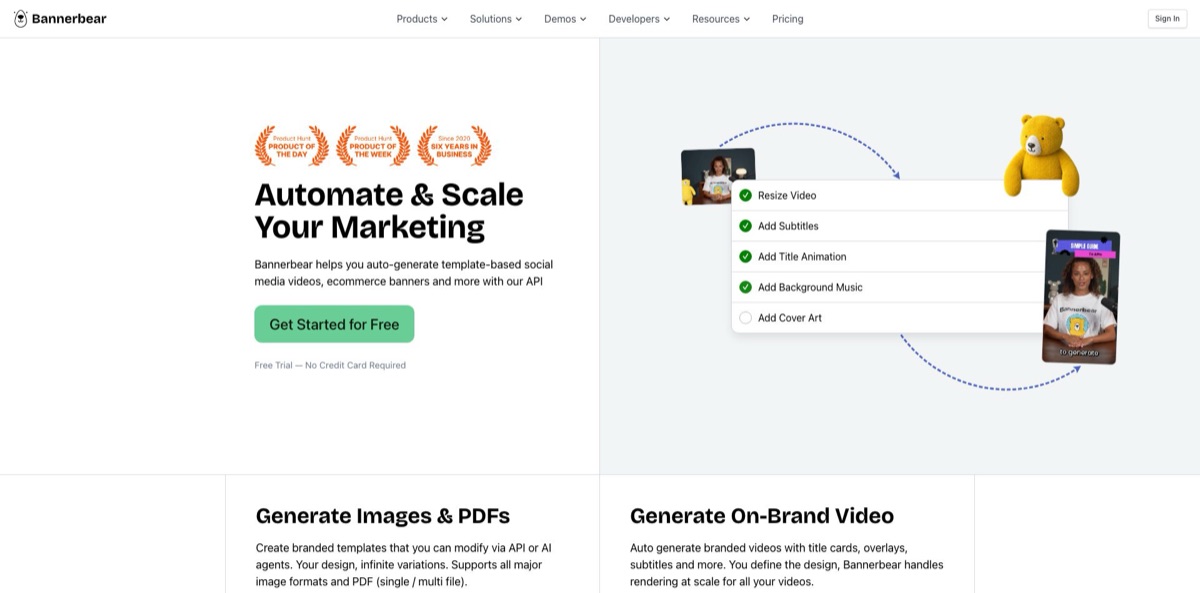
Bannerbear is a media automation API from a small, remote team headquartered in Singapore. You design a branded template once, then fill its named layers with data to render images, PDFs, animations and video at volume. The core is template-based rendering, not a text-to-image model, so every output keeps your fonts, layout and logo. Around that core, the V5 platform adds video tools, multi-step workflows, 50+ data integrations, Zapier and an MCP server for AI agents, plus optional AI add-ons: face detection, background removal, prompt-based backgrounds and AI image or video generation through third-party models. It removes the copy-and-paste work of making hundreds of social cards, product banners or subtitled clips by hand. The weak spots are a $49 entry price with no free plan and a credit system that takes some arithmetic. Pick it if you produce repeatable, on-brand media at scale.
How to start using Bannerbear?
Sign up at app.bannerbear.com for the free trial. You get 30 API credits with no credit card, and the trial includes every feature at a smaller scale: one workspace, three image templates, three animation templates, three workflows and three Instant URLs. Work in V5, the current version. V3 is still supported, but its projects are kept separate, so you import older templates if you need them.
Your first real task is a template. Start from the Template Library or design one in the editor, which offers text containers, image placeholders, vector shapes and special objects such as QR codes, bar codes and star ratings. If your designer works in Figma, the Figma plugin converts a frame into a V5 template. Give every dynamic layer a clear name like title or photo, because those names are what the API and integrations change. Set text fitting so long product names shrink instead of overflowing.
Next, connect a data source. Click API Keys on the left panel to create a key, limited to specific permissions if you want, and copy the ready-made request from the API console on the template’s page. A POST to the images endpoint with your template UID and a list of modifications returns a finished image. No-code users can click Apps, choose Airtable under Explore and enter a Personal Access Token and Base ID, or work through Zapier, Make, hosted Forms or the MCP server, which signs in with OAuth from Claude, ChatGPT or Cursor.
Before you go live, run a few renders and open the logs. Every request is listed with the credits it cost, and the usage view shows the monthly total, so an expensive AI layer shows up early. Pin requests to a saved template version so later design edits do not change production output. Animations and video jobs run asynchronously, so use webhooks or polling for them, while the sync host waits up to ten seconds for a finished image.
Who is it for?
E-commerce marketers
You run promotions across many products, regions and ad sizes, and resizing every banner by hand does not scale. Bannerbear pulls products from Shopify or WooCommerce, fills a responsive template and renders each size from one design. A price change becomes a re-run instead of a design ticket.
Real estate teams
Every new listing needs a set of social graphics and often a short property video. With listing data in Airtable or a CRM, a template and a workflow produce branded posts and animated clips from the same record. Agents get consistent marketing without waiting for a designer.
Publishers and content teams
Each article needs an Open Graph image, social cards and sometimes a short video. Instant URLs on the Scale plan render an image from query-string values when the link is first requested, and connectors cover WordPress, Ghost, Webflow, Contentful and Sanity. Social previews stay on-brand without manual exports.
Podcasters and video producers
Clips need subtitles, a vertical crop, an intro card and music. A workflow chains these steps, and the subtitle tool transcribes speech and burns styled captions in one job. One recording turns into a batch of platform-ready clips.
SaaS developers
You want personalized images in emails, certificates or in-app badges without running a headless browser. The REST API, official Node, Python, Ruby and PHP libraries, batches of up to 100 renders and webhooks cover the rendering side. You ship the feature instead of maintaining an image pipeline.
Automation consultants and agencies
Clients ask for the same graphic every week from the same spreadsheet. Separate workspaces keep each client’s templates and API keys apart, and Zapier or Make connect almost any trigger. Recurring creative work becomes a maintained automation you can bill for.
Bannerbear pricing
Bannerbear sells monthly subscriptions in USD with two credit balances. API credits pay for template rendering and media tools: one image in one format at scale 1 costs one credit, animations cost two credits per second of output, and tools cost one to four credits per job. AI credits pay for anything that runs a model, such as background removal, AI backgrounds, transcription and voiceover, and you can top them up at any time. Usage resets at the start of each month, and the pricing page lists no annual discount.
You get 30 API credits with no credit card, one workspace, three image templates, three animation templates, three workflows and three Instant URLs. The help center describes the trial allowance as non-renewable, and limits apply to the API as well as the dashboard.
Includes 1,000 API credits and 200 AI credits, the REST API, MCP access, 50+ app integrations, Forms and Workflows. It suits one brand or one automated use case.
It adds Instant URLs, custom S3 storage, team members and 2FA. Larger allowances cost $198 for 20,000 credits, $247 for 30,000 and $296 for 40,000 per month, with AI credits rising to 1,250.
It adds SSO, audit logs, zero data retention and priority support. The selector goes up to $458 for 100,000, $617 for 500,000, $776 for 1,000,000 and $1,253 for 2,000,000 API credits per month.
When credits run out, requests are refused with a message stating how many credits were needed, rather than running into a negative balance.
Bannerbear key features
The Image API fills a template with your data and returns JPG, PNG, PDF, WebP or AVIF from one render
You can multiply resolution for retina or print, set DPI metadata, keep transparent backgrounds and pin a request to a saved template version. Up to 100 image requests fit in one batch call, and the sync host returns an image within ten seconds.
The Animation API turns templates into MP4 or MOV video at 24, 30 or 60fps using a keyframe timeline with easing, delay and hold. Text can animate word by word, Lottie files play as layers, and an image template can be converted into an animation template with its layers intact. Auto Animate proposes a starting set of keyframes that you then edit.
Video tools handle single jobs on files: trim, crop, resize, join with cross-fades, overlay video or images, color filters, audio, cover art, slideshows, GIF previews and voiceover. The subtitle tool transcribes speech, auto-detects the language and burns captions with your font, colors and box, in runs of 1 to 10 words. Voiceover turns up to 2,000 characters into speech with a choice of ElevenLabs voices.
Workflows chain image renders, animation renders and tools into one pipeline triggered by a single API call or from the dashboard. You declare inputs once, later steps reference earlier outputs by key, and the run history shows each step’s inputs, outputs and duration. The workflow itself costs nothing extra; you pay only for its steps.
Integrations pull data from 50+ sources, including Airtable, Notion, Shopify, WooCommerce, HubSpot, Webflow, WordPress and headless CMSs like Ghost and Strapi, and several can write generated image URLs back to a field. Zapier connects 9,000+ more apps, and Make is supported. Hosted Forms let teammates or customers generate images without touching the API.
The MCP server lets Claude, ChatGPT, Cursor, Codex and other MCP clients create templates, render images and run workflows from chat. The hosted version uses OAuth and offers a default profile of 30 tools, a workflows-only profile of 8 and a full set of 63, while a local npm package runs with your API key.
AI add-ons sit on top of templates and draw on AI credits
Image layers can detect faces or subjects for smarter crops, remove backgrounds at render time, or generate a background from a prompt using Flux Schnell, Flux 1.1 Pro, Nano Banana or GPT Image 2. Separate tools generate standalone AI images and short AI video clips with models such as Seedance, Kling 2.5 Turbo Pro and Veo 3.1 Fast.
Bannerbear Pros & Cons
Pros
Bannerbear separates design from data cleanly. Once a template exists, a marketer, a developer or an AI agent can produce thousands of on-brand variations without touching the layout. The API is documented with OpenAPI specs and four official libraries, and the same templates work through Zapier, Make, Airtable, Forms and MCP, so technical and non-technical people share one system. V5 added real video work, with subtitles, joins, overlays and multi-step workflows billed only per step. The credit FAQ explains costs in plain terms, and logs show the price of every request. The product has been in production use since 2020. Start with one template that has a clear, repeated job, such as product promos or article cards.
Cons
There is no free plan, and $49 a month for 1,000 credits is a high entry point next to cheaper template APIs, a complaint that comes up repeatedly among indie developers. Credit math needs attention: extra formats, higher scale, 60fps, AI layers and heavier video tools all raise the cost of a single request. Instant URLs, team members and custom S3 start at the $149 Scale plan. The editor is built for structured templates, not free-form design, and the generative features are add-ons that call third-party models and spend a separate AI balance. Cancelling deletes projects, templates and images once access ends. Keep copies of rendered files you need, and note the 30-day restore window.
Use Bannerbear if you want…
- Generate on-brand social images from spreadsheet rows.
- Render product banners in every ad size automatically.
- Create Open Graph images on demand from URLs.
- Add burned-in subtitles to podcast and video clips.
- Chain renders and video edits into one API call.
- Produce personalized PDF certificates for every attendee.
- Let an AI agent run your templates through MCP.
- Localize ad creatives without rebuilding each layout.
Bannerbear alternatives

Bannerbear Reviews
An unsponsored no-code reviewer on YouTube gave it five out of five for bulk template images through Zapier, but called the $49 starting price a little expensive and rated ease of use as medium, since most setups depend on other tools.
An indie developer on Hacker News said the $49 to $149 monthly plans of Bannerbear and Placid felt too high for side projects earning nothing, and built a cheaper OG image API instead.
A marketer on Indie Hackers found the REST API easy and the editor familiar, and used form webhooks plus Integromat to send personalized Zoom backgrounds that brought in more than 80 leads in a day, though the setup needed several glued-together services.
In an Indie Hackers thread about automating employee certificates, commenters said Bannerbear is great for a wide variety of assets but overkill for one fixed design, since even the lowest tier pays for features you would not use.
FAQ
Does Bannerbear have a free plan?
No. There is a free trial with 30 API credits and no credit card, limited to one workspace and three templates of each type. Paid plans start at $49 per month.
Is Bannerbear an AI image generator?
Mostly not. Its core renders your own templates with data you supply, while AI handles optional extras such as face detection, background removal, prompt-based backgrounds, AI images and short AI video clips from third-party models.
How are Bannerbear credits counted?
One image in one format at scale 1 is one API credit, and extra formats or higher scale multiply it. Animations cost two credits per second, tools cost one to four credits, and AI features draw on a separate AI credit balance.
Does Bannerbear have an API and SDKs?
Yes. The REST API is documented with OpenAPI specs, and there are official libraries for Node, Python, Ruby and PHP. The rate limit is 60 POST requests per 10-second window.
Which apps does Bannerbear integrate with?
It has 50+ native integrations, including Airtable, Notion, Shopify, WordPress and HubSpot, plus Zapier, Make, hosted Forms and an MCP server for AI assistants. Figma and Sketch plugins import designs as templates.
Does Bannerbear support other languages?
Templates support any language, including Chinese, Japanese and right-to-left scripts like Arabic and Hebrew. The subtitle tool can auto-detect the spoken language or take it as a setting.
Can I store generated files in my own cloud?
Yes, from the Scale plan, which adds a custom S3 bucket in any AWS region. Enterprise also offers zero data retention, and the help center says a standard DPA is available on request.
What happens if I cancel my subscription?
You can cancel at the end of the billing period or immediately from Billing. Projects, templates and images are then deleted, and you can restore them by re-subscribing and contacting support within 30 days.
Similar tools
 Generated PhotosLibrary of 2.6M+ AI-generated faces plus face and full-body human generators for model-release-free people images in design, ads and research.
 VheerBrowser-based AI studio for text-to-image, photo editing and image-to-video, with a free no-signup model plus credit access to Nano Banana, Sora 2
 StablecogOpen-source web app for generating images with FLUX.1, Stable Diffusion 3 and Kandinsky, with a free daily allowance, upscaling and a REST