

Bardeen AI
AI AutomationUpdated October 5, 2026
Bardeen AI is a no-code browser extension that automates web scraping and manual workflows directly in your tabs.
We may earn a commission when you sign up through our links. It does not affect our reviews.
What is Bardeen AI?
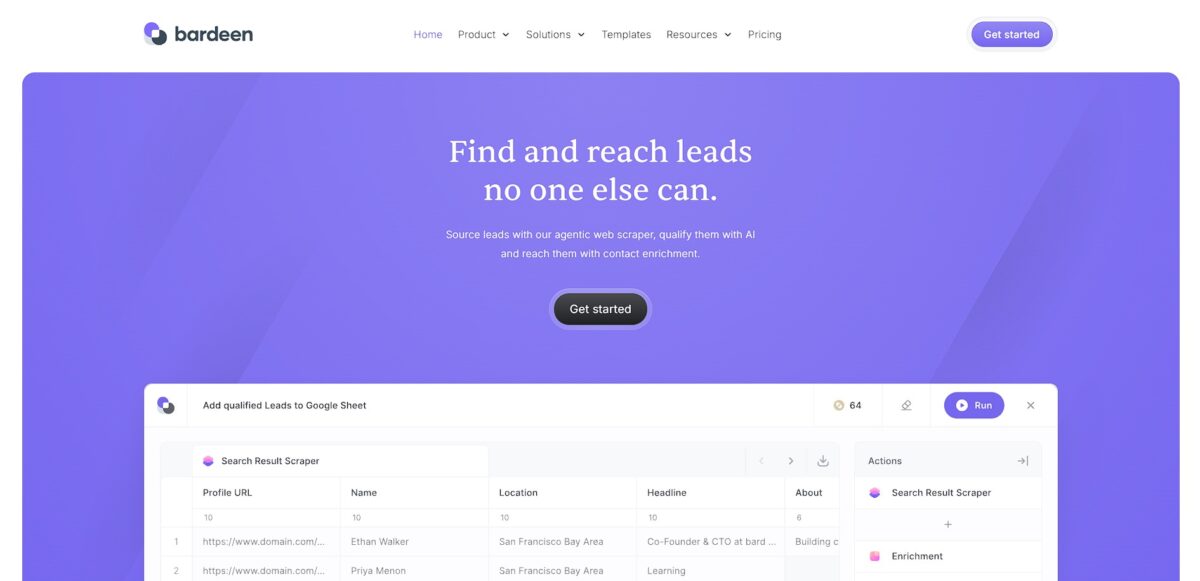
Bardeen is a Chrome extension that moves automation from the cloud directly into your browser tabs. It essentially watches what you do—like clicking a LinkedIn profile or scanning a real estate listing—and handles the data scraping and CRM entry for you. Instead of bouncing between tabs to copy-paste email addresses into a spreadsheet, you trigger a “playbook” that extracts the text and pushes it to your stack instantly. It handles the messy work of interacting with live web pages that traditional API-based tools often miss. The result: no mental friction from manual data entry while you are actively researching. While it is great for real-time web tasks, its reliance on site structures means a website layout change can occasionally break your flow. Stick to the pre-built templates for common sites like LinkedIn or HubSpot to save time on troubleshooting.
How to start using Bardeen AI?
Start by grabbing the extension from the Chrome Web Store. Pin it to your toolbar immediately. You will need to sign in using a Google account or work email to sync your settings. This setup connects the tool directly to your browser environment where your actual work happens. Getting the extension pinned ensures you don’t have to hunt for it when a repetitive task pops up.
Next, open the Explore tab within the extension. You’ll find a library of pre-built Playbooks, which are manual automations. I noticed the Save LinkedIn profiles to Google Sheets template is a reliable place to start. It asks for permission to access your apps, so connect your Sheets and LinkedIn accounts when prompted. Connecting these accounts allows data to flow between tabs without manual copy-pasting.
Try the Magic Box if you want to build something custom without digging into logic menus. Type a plain English command, like scrape the current page and send it to Slack. The AI generates the workflow steps for you to review. This conversational approach saves you from learning complex triggers and actions from scratch. Using natural language lowers the barrier for non-technical users to create functional scrapers.
For always-on tasks, look into Autobooks. These trigger automatically based on events, like a new email arriving or a specific time of day. You might set one up to categorize incoming Gmail leads and log them into Notion in the background. While Playbooks require a click, Autobooks handle the boring stuff while you sleep. Automated triggers eliminate the need for you to remember to run a script.
Pin the extension and run a pre-built LinkedIn or spreadsheet template first to understand the mapping before building your own.
Who is it for?
Sales Development Reps
They can stop hunting for LinkedIn emails manually and instead scrape profile data directly into HubSpot or Google Sheets. This speeds up lead lists without the soul-crushing copy-pasting.
Technical Recruiters
Sourcing candidates from niche job boards or LinkedIn becomes an automated background task. It handles the data enrichment part well, so you aren’t just getting names, but actual contact info. You spend more time talking to talent and less time playing detective.
Real Estate Agents
Scraping new listings and instantly syncing them to a CRM saves hours of checking Zillow. It works well for local market tracking, though it might struggle with some sites’ heavy anti-scraping blocks. This matters because being first to a listing often wins the client.
GTM Operations Managers
It serves as the glue between disparate tools like Slack, Notion, and Salesforce without needing a dedicated developer. Data stays accurate across the stack without manual auditing, so leads don’t fall through the cracks of a messy tech stack.
Solopreneurs and Growth Hackers
You can build complex, multi-step workflows that normally require a whole marketing team. It lets one person act like five by automating social media monitoring and research. For a small operation, that levels the playing field against larger competitors.
Data-Driven Researchers
Extracting structured data from web pages for analysis becomes a one-click action. I’ve seen it struggle with highly dynamic single-page apps, but for standard web data, it’s a massive time-saver. You reach the “insights” phase much faster.
Bardeen AI pricing
Bardeen manages to stay affordable by running most automations directly in your browser rather than on their servers. This local execution keeps costs down for them and translates to a generous entry point for you. The model relies on credits for heavy lifting, like using AI to summarize a page or scraping data while your computer is off.
Includes 100 credits every month for scraping and AI actions. This works for light users who just want to move data from a LinkedIn profile to a spreadsheet one click at a time. You can test your logic without a ticking clock or a credit card.
Adds 100 credits a month, with bigger credit packs available, and lets you build your own scrapers. It fits the solo recruiter or researcher needing AI to categorize leads automatically. This matters because you can scale credits up as your lead lists grow instead of switching tools.
Increases the cap to 1,000 credits a month and adds premium scrapers, enrichment and team tools. Good for small teams standardizing how they sync meeting notes across the company. It also prevents silos where only one person has the “magic” automation.
Custom. High-volume credits and SSO for larger organizations.
Bardeen AI key features
Context-aware web scraping pulls data from active browser tabs directly into Sheets
This removes the friction of manual data entry while researching competitors or leads. In effect, your browser becomes a live data source without needing separate crawling software.
Magic Box translates natural language requests into complex automation steps
You describe the workflow in English, and it builds the logic blocks for you. The trade-off is it sometimes misses edge cases in your prompt, requiring manual tweaks to the resulting “Playbook.”
Custom automation builder links web apps like Notion, Slack, and Gmail using a visual interface
It acts as a bridge for tasks that usually require dozens of clicks across different browser windows. This helps maintain focus by keeping background tasks running without user intervention.
Pre-built Playbook library offers one-click shortcuts for common scenarios like LinkedIn prospecting or meeting preparation. These work well for standard SaaS workflows but feel less flexible for niche internal tools. This provides a fast starting point so you aren’t staring at a blank canvas.
Keyboard shortcuts trigger specific automations from anywhere in the browser
You don’t have to navigate to a dashboard; just hit a hotkey to clip data or send a summary. Less context switching, too: your hands stay on the keys and your eyes on the task.
Cloud-based scheduling runs scraping tasks and syncs at set intervals even when the browser is closed
It ensures your spreadsheets update overnight without you needing to trigger them. This allows for persistent monitoring of price changes or news mentions while you sleep.
Bardeen AI Pros & Cons
Pros
Bardeen lives in your Chrome browser, which makes scraping data from LinkedIn or Gmail feel like a natural part of your workflow rather than a context-switching chore. It executes most automations locally, keeping your sensitive lead lists off third-party servers unless you specifically push them to a CRM like HubSpot. I noticed that the right-click menu triggers are particularly helpful for quick research tasks where opening a full automation builder would kill your momentum. Local execution also protects your data privacy while bypassing the per-task costs associated with cloud-based platforms. Start with the pre-built Playbooks to see immediate results without touching the logic builder.
Cons
The tool struggles with high CPU usage, which can noticeably slow down your machine if you run complex scrapers while dozens of other tabs are open. Beginners often face a steep learning curve because the more advanced background scraping features require precise manual setup and testing to avoid errors. The trade-off for its browser-native convenience is that local playbooks stop as soon as you close Chrome, while moving them to cloud runs eats into your credit balance. So you end up supervising your own automations or your credit meter rather than just letting them run in the background. Use the manual builder only after you’ve mastered the AI-assisted setup to avoid getting lost in the nodes.
Use Bardeen AI if you want…
- Automate repetitive web tasks without writing code.
- Scrape data from websites directly into your apps.
- Sync information between different web applications effortlessly.
- Launch complex workflows with just one click.
- Save time by automating your daily manual processes.
- Integrate your favorite tools into powerful automated sequences.
- Capture web content and organize it instantly.
Bardeen AI alternatives



Bardeen AI Reviews
Saves me hours on lead generation by scraping LinkedIn data directly into my Sheets.
The workflow builder is intuitive, and the pre-built playbooks are a total game changer.
Finally, an automation tool that actually handles web scraping without needing to code.
FAQ
Does Bardeen require coding skills?
No, Bardeen is a no-code automation platform that allows users to build workflows using a drag-and-drop interface or natural language commands through its Magic Box feature.
Which browsers are compatible with Bardeen?
Bardeen operates as a browser extension and is compatible with Chromium-based browsers including Google Chrome, Microsoft Edge, Brave, and Arc.
What is the Magic Box?
The Magic Box is an AI-powered prompt bar where users can type automation requests in plain English, and Bardeen will automatically generate the corresponding workflow.
Can Bardeen scrape data from websites?
Yes, Bardeen features a powerful web scraper that can extract data from almost any website, including dynamic content, and sync it directly to apps like Google Sheets or Notion.
Does Bardeen work in the background?
Yes, Bardeen includes Autobooks which are triggered by specific events or schedules, allowing automations to run automatically in the background without manual intervention.
How many apps does Bardeen integrate with?
Bardeen integrates with over 100 popular tools and platforms, including Slack, HubSpot, Salesforce, Airtable, Google Workspace, and Trello.
Is my data secure with Bardeen?
Bardeen is designed with a browser-native approach, meaning that retrieved data stays in your browser and is not stored on Bardeen’s servers.
Can I use Bardeen to generate content with AI?
Yes, Bardeen integrates with OpenAI to provide generative AI capabilities, allowing you to summarize web pages, write emails, or analyze content within your automated workflows.
Similar tools
 GPT WorkspaceAI agent for Google Docs, Sheets, Slides, Gmail and Drive that edits your files, runs GPT formulas in bulk and automates routine
 FPT.AIVietnamese enterprise AI platform from FPT Smart Cloud for chatbots, call-center voicebots, document reading and eKYC that automate customer operations.
 Frigate NVROpen-source NVR that runs real-time AI object detection on your own hardware and sends camera events to Home Assistant and other MQTT