

Base44
No-Code AIUpdated October 18, 2026
AI app builder owned by Wix that turns plain-language prompts into hosted web apps with a database, user login, integrations and payments built in.
We may earn a commission when you sign up through our links. It does not affect our reviews.
What is Base44?
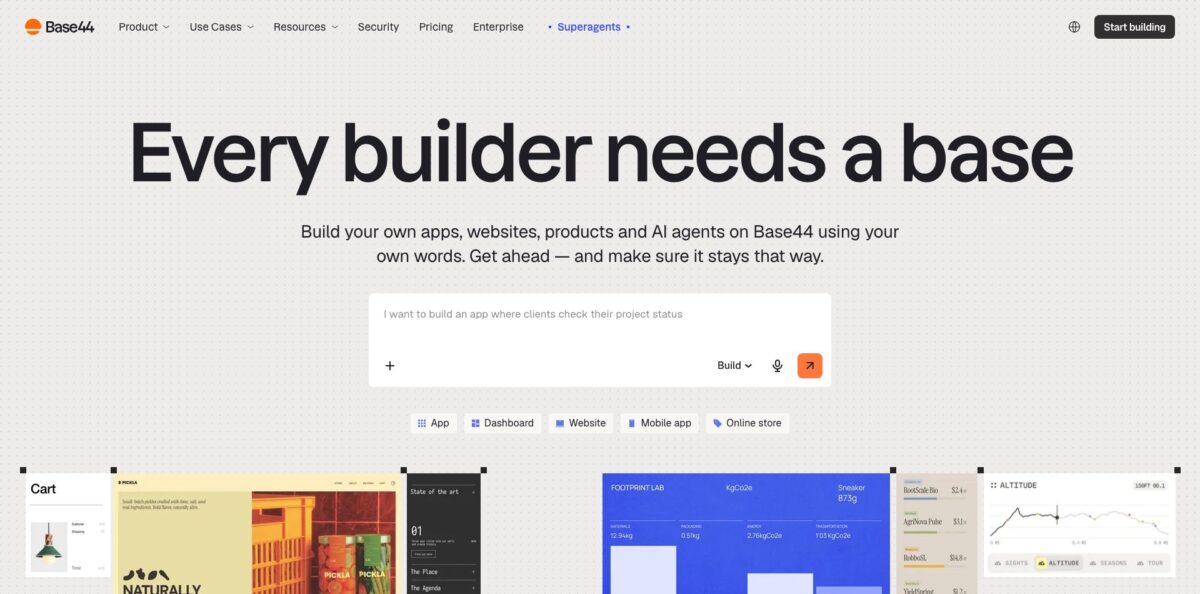
Base44 is a prompt-to-app builder: you describe an app in plain language and it generates the frontend, the data model, user login, permissions and hosting in one go, so a working tool goes live on a base44.app address without you wiring up Supabase, Vercel or Stripe yourself. Wix bought the Israeli startup in June 2025 for an initial $80 million, and it now runs on Wix infrastructure with its own in-house model, Base 1, next to Claude and GPT options. The platform says more than 10 million apps have been built on it. The weak spot is cost control on bigger projects: every AI fix spends message credits, and users report that debugging loops on complex builds can eat a large share of a monthly allowance. Pick it for internal tools, MVPs and small business apps where speed matters more than owning a custom stack.
How to start using Base44?
Go to base44.com, click Start building and sign up, which saves your work to an account. You then choose how to begin: type a prompt, use plan mode to talk the idea through first, start from a website you already own, import a Figma frame, or connect tools such as Google Workspace, Slack and GitHub from the first message. The first build costs a fixed amount of about one credit, however detailed your prompt is, so write a full brief with the pages, user roles and data you need.
Watch the preview on the right while the AI designs the screens, creates the data entities and sets up sign-in. A realistic first scenario is something like a booking system or a client CRM: ask for the core table, a form that writes to it and a dashboard that reads from it, then click through the preview like a real user. Previewing and clicking around are free; credits are spent only when the AI builds or changes something.
The AI chat at the bottom has two modes. Build acts on your prompt immediately, while Discuss lets you ask questions and review a proposed plan before any code changes, at roughly 0.3 message credits per message. For visual tweaks, the Edit button at the top lets you click an element in the preview and change it by hand, and manual edits do not use credits. In the Dashboard you manage data, roles, visibility and settings such as the platform badge.
Before you go live, use Act as a user from the More actions menu to see the app as a specific role, test it in a private window and switch the device menu to mobile view. Then click Publish: you can edit the part of the address before .base44.app, connect your own domain, set who can open the app and run a security scan, which warns about risks but does not block publishing.
Who is it for?
Non-technical founders
You have an idea and no developer, and you need something real enough to show users or investors. Base44 gives you login, a database and hosting from the first prompt, so you test demand in days instead of hiring an agency first.
Operations and team leads
Your team runs on spreadsheets and email threads for approvals, inventory or client intake. You can describe the workflow and get an internal tool with roles and permissions, then connect it to Slack, Gmail or Google Sheets without asking IT for a project slot.
Small business owners
You need a booking page, a customer portal or a simple shop with payments. Base44 bundles hosting, a custom domain on paid plans and payment setup on Builder and above, so one subscription replaces several separate services.
Product managers and designers
Static mockups do not show how a flow feels with real data. You can turn a Figma frame or a prompt into a clickable prototype with working forms, which makes user testing and stakeholder reviews far more concrete.
Developers who want a managed backend
The Base44 CLI and SDK let you define entities in code, run backend functions and deploy with one command, and the CLI is tuned for agents like Claude Code and Cursor. You keep your own editor while Base44 handles auth, storage, realtime sync and hosting.
Agencies and freelancers
Clients want quick internal tools and landing pages. You can build several apps in parallel on a paid plan, and the official partner program lists you in front of people already building on the platform.
Base44 pricing
Base44 charges by credits rather than seats. Message credits pay for the AI building and editing your app, while integration credits pay for what your live app does, such as sending an email, generating an image or calling an LLM. Typical message costs range from about 0.5 credits for a small text change to 3 or 4 credits for an app-wide change. Yearly billing saves 20%, and the prices below show the yearly rate with the monthly rate in brackets.
25 message credits a month, capped at 5 per day, plus 100 integration credits. You get the core features, authentication, database and analytics, with up to 5 apps.
100 message credits and 2,000 integration credits. Adds unlimited apps, in-app code edits, a custom domain with a free domain for the first year, and the option to remove the Edit with Base44 badge.
250 message credits and 10,000 integration credits. Adds manual AI model selection and GitHub integration; the docs also tie code export and charging your users through a provider such as Stripe to this tier.
500 message credits and 20,000 integration credits, plus early access to beta features.
1,200 message credits, 50,000 integration credits and premium support.
Custom. Custom credit volumes, a dedicated architect, SSO, advanced security controls and an account team.
Paid credits reset monthly on your subscription date and do not roll over, except for one extra cycle when you move from one monthly plan to a higher monthly plan. Third-party services you plug in, such as Stripe, SendGrid or OpenAI with your own key, bill you separately. Education and non-profit pricing is handled case by case.
Base44 key features
Full-stack generation from a prompt
One description produces the pages, the data entities, sign-in with roles and permissions, and hosting on a base44.app address. You skip the usual chain of separate database, auth and hosting services, which is where most first-time builders get stuck.
Build, Discuss and Edit modes
Build changes the app immediately, Discuss plans changes for your approval at a lower credit cost, and Edit lets you adjust elements by hand for free with up to 50 undo steps.
Model choice including the in-house Base 1
Auto mode picks a model per request, and Builder plans and above can choose models manually, such as Base 1, Sonnet 5.5 or Opus 5.5. Heavier models cost more credits, so you can reserve them for tricky logic and let Auto handle routine edits.
Connectors and manual integrations
One-click connectors cover Salesforce, Notion, Slack, Gmail, Google Calendar, Drive, Sheets, Docs and Slides, HubSpot, LinkedIn, TikTok and Discord. Manual integrations with your own keys include monday.com, ElevenLabs, Resend, Twilio and Zapier, which opens a route to more than 6,000 apps.
Developer CLI and SDK
Running npx base44 create scaffolds a project with entities defined as JSON, backend functions, row-level security, realtime sync and CDN file storage, and npx base44 deploy ships it. Paid plans from Builder up also sync code with GitHub, so a developer can take over parts of the build in a normal editor.
Mobile apps and app store publishing
Apps are responsive by default, the publish panel has a Mobile app tab, and the docs cover submitting to the App Store and Google Play. You can also build and edit from Base44’s own iOS, Android and Mac apps.
Built-in growth and security tools
An SEO and GEO dashboard scans your app and suggests fixes, a social content tool drafts posts, and analytics track traffic and sales. On the security side, the platform holds SOC 2 Type II and ISO 27001 certification and offers a security scan before you publish.
Base44 Pros & Cons
Pros
Base44 removes the setup work that stops most non-developers: the database, login, permissions, hosting and payments are already part of the app you generate. Reviewers on Product Hunt repeatedly mention getting a working dashboard or internal tool within their first session. Discuss mode and free manual edits give you some control over spending, and the CLI plus GitHub sync means a developer can step in later. Wix ownership brings enterprise certifications, a security scan and the backing of a large public company, which lowers the risk that the platform disappears. Use it when you need a usable prototype or internal app this week, not next quarter.
Cons
Credits are the main friction point. The free tier allows only 5 message credits a day, paid credits do not roll over, and Trustpilot reviewers describe spending credits on fixing errors the AI itself introduced. That Trustpilot page sits at 2.8 out of 5, with billing disputes over annual charges and refunds among the common complaints. Some users say exported code still depends on Base44 services and will not run elsewhere without rework, despite the official no lock-in message. Code export, model choice and charging your own users all require Builder or higher. Check the credit usage page after every session and pay monthly until your burn rate is predictable.
Use Base44 if you want…
- Build a working MVP without hiring developers.
- Turn spreadsheet workflows into internal tools with user roles.
- Launch a booking page or client portal quickly.
- Prototype a Figma design as a clickable app.
- Connect your app to Slack, Gmail and HubSpot.
- Charge users through Stripe without writing a backend.
- Get auth, database and hosting from one subscription.
- Deploy a managed backend from Claude Code or Cursor.
Base44 alternatives


Base44 Reviews
Product Hunt reviewers praise how fast a prompt becomes a working app with auth, a database and hosting included, though several mention thin documentation and slow support.
One builder got an internal dashboard running in under an hour, then hit the free plan’s 5-credits-a-day cap on day two and found the credit model aggressive during the exploration phase.
Trustpilot reviewers like how easy the editor is for non-coders, but many complain that credits drain while the AI repeatedly breaks and re-fixes working code, and that unused credits do not carry over.
Several Trustpilot complaints concern billing, such as unexpected annual charges, cancellations that were hard to complete and refused refunds, while the company replies asking for ticket numbers.
A Product Hunt user warned that moving an app into a shared workspace could not be undone, and others say the platform dependency makes larger apps hard to move off Base44.
FAQ
Is Base44 free?
Yes. The Free plan gives you 25 message credits a month, up to 5 per day, 100 integration credits and up to 5 apps with the core features, including authentication and a database.
Is Base44 owned by Wix?
Yes. Wix acquired Base44 in June 2025 for an initial $80 million plus later milestone payments, and the product runs on Wix infrastructure while keeping its own brand.
Do I own my app and can I export the code?
Base44 says everything you build belongs to you. On the Builder plan or higher you can download the code as a ZIP file or sync it with a GitHub repository, but some users report that the exported code still relies on Base44 backend services.
How do Base44 credits work?
Message credits are spent when the AI builds or edits your app, and integration credits when your app sends emails, generates images or calls an LLM through built-in services. Paid plan credits reset monthly on your subscription date, and manual edits in Edit mode are free.
Is my data secure on Base44?
Base44 is SOC 2 Type II and ISO 27001 certified, encrypts data with TLS 1.2+ in transit and AES-256 at rest, and lets you choose a data region. In July 2025 researchers at Wiz found an authentication flaw affecting private apps, which Wix fixed within 24 hours and said showed no evidence of customer impact.
Can I build mobile apps with Base44?
Apps are responsive by default and can be installed from the home screen, and the docs describe submitting them to the App Store and Google Play. Some reviewers note that these mobile builds behave like web apps rather than fully native ones.
Can I cancel my Base44 plan at any time?
Yes. You can upgrade, downgrade or cancel from account settings, and the change takes effect at the next billing cycle. Subscriptions bought through the iOS app must be managed through Apple instead.
Which AI models does Base44 use?
Auto mode picks a model for each request, including Base44’s in-house Base 1. Builder plans and above can select models manually, such as Sonnet 5.5 or Opus 5.5, with credit costs that vary by model.
Similar tools
 MindflowNo-code and agentic automation platform for SecOps, ITOps and CloudOps teams that turns prompts into workflows across thousands of tool APIs.
 OnSpace.AINo-code AI app builder that turns chat prompts into React Native iOS and Android apps or web apps, with a managed backend,
 Jet AdminAI and no-code builder for internal tools, admin panels, dashboards and client portals that runs on top of your existing databases and