
BeFunky
Image EditingUpdated October 21, 2026
Browser-based photo editor, collage maker and graphic designer with AI background removal, prompt edits, upscaling and batch processing.
We may earn a commission when you sign up through our links. It does not affect our reviews.
What is BeFunky?
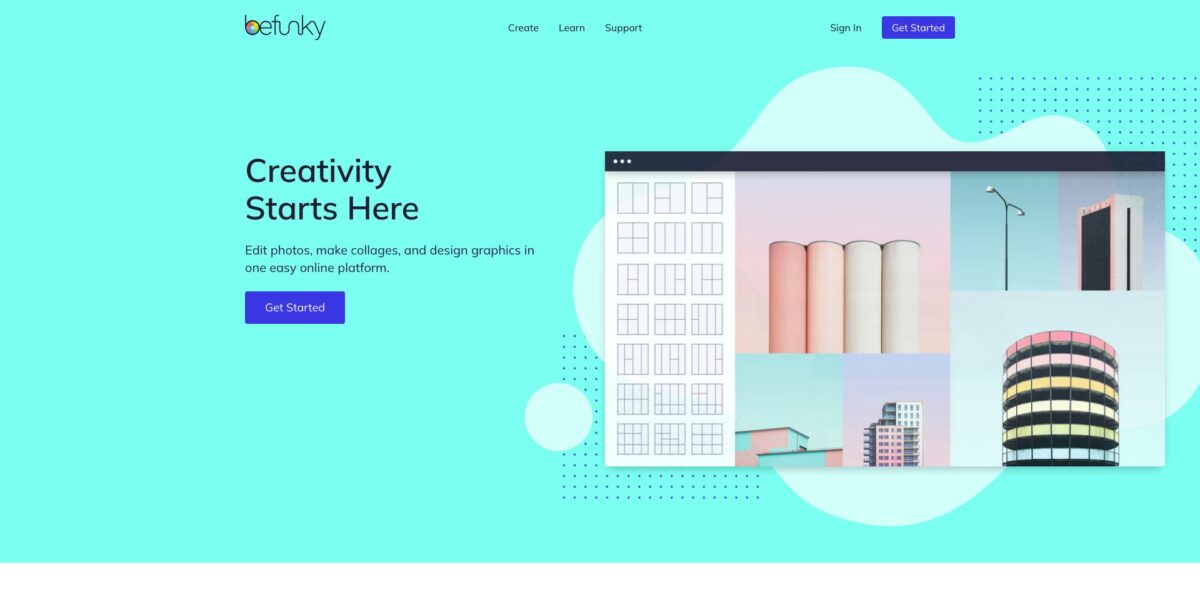
BeFunky is a browser-based creative suite from BeFunky Inc. that puts three apps behind one login: a Photo Editor, a Collage Maker and a Graphic Designer. The company has built online editing tools since 2007, and the newer AI layer sits on top of that base rather than replacing it. You get one-click background removal, an object eraser, a 4x upscaler, deblur, sky replacement, old photo restoration, a text-to-image generator and Smart Edit, which changes a photo from a plain-language prompt. The problem it removes is app-hopping: you can retouch a product shot, drop it into a flyer template and resize it for Instagram without exporting between tools. The weak spots are that nearly every AI tool sits behind Plus, output resolution draws complaints, and it is not a layer-heavy replacement for Photoshop. Pick it if you edit and design casually or for a small business and want everything in a browser tab.
How to start using BeFunky?
Go to befunky.com and click Get Started. The homepage says you can use the free tools without an account, but sign in with Google, Facebook, Apple or email if you want your projects saved and the 20 free AI image generations the free plan allows. From the Create menu you choose Photo Editor, Collage Maker or Graphic Designer. The same account works in the browser, on Chromebooks and in the iOS and Android apps, so you can start a project on a laptop and finish it on a phone.
For a first real job, open the Photo Editor and upload a photo from your computer, Google Drive or Facebook. Start in the Edit tab with Crop, Resize and Exposure, then try the AI tools in the same panel: Background Remover finds the subject and clears the rest, Object Eraser removes whatever you highlight, and Enhance balances exposure and color in one click. If you are on the free plan, these AI tools show as previews and need Plus to apply.
The screen to learn next is Smart Edit. You type what should change and what should stay the same, for example a new background behind the subject with the pose and lighting untouched. BeFunky’s own guide recommends naming four things in the prompt: the target, what it becomes, key visual details and what to preserve. Two sliders shape the result: Variation controls how many different takes you see, and Fidelity sets how close the output stays to the original image. Refine the prompt and run it again until the edit looks right.
When the image is finished, save it as JPG or PNG, picking PNG if you need transparency, or save a project file so you can reopen and change it later. From there you can send it straight into the Graphic Designer, place it in a template and use Smart Resize to turn one layout into several social formats. For a whole folder of images, the Batch Photo Editor applies the same crop, resize, filter and watermark to every file and downloads them together.
Run your first Smart Edit on a photo you have a backup of, and change one thing per prompt so you can tell which instruction caused which result.
Who is it for?
Small business owners
You need product photos, menus, flyers and social posts, but no designer and no time to learn Photoshop. BeFunky lets you clean up a photo, cut out the background and drop it into a template in one tab. Your marketing gets done in an afternoon instead of waiting on a freelancer.
Online sellers
Marketplace listings need clean, consistent product images, and doing them one by one eats a whole day. On Pro, the Batch Background Remover processes a full product set at once and lets you swap in a solid color or a new backdrop. A catalog refresh becomes a single upload instead of fifty separate edits.
Social media managers
You publish across Instagram, Facebook, Pinterest and YouTube, and every platform wants a different size. Templates, the Pinterest Pin layouts and Designer Smart Resize turn one design into several formats. You keep the feed on brand without rebuilding each post from scratch.
Photographers and bloggers
Shoots produce hundreds of images that all need the same crop, filter and watermark. The Batch Photo Editor applies one edit stack to the whole set, and the Watermark Manager saves your logo placement as a preset. You spend the saved hours on shooting instead of repetitive post-processing.
Families and hobbyists
Old scanned prints, pet photos and party invitations are the usual projects here. The Old Photo Restorer, Cartoonizer, Collage Wizard and card templates cover them without a learning curve. You get printable results without paying for professional software.
Teachers and students
Class newsletters, posters, infographics and presentations need decent visuals, fast. The free tier handles basic edits and simple designs, and the stock library gives you imagery without hunting through other sites. Projects look polished without a design course first.
BeFunky pricing
BeFunky uses a freemium subscription model with three tiers and no per-seat or team plans on its pricing page. The free tier is usable for basic work, Plus opens the premium editing and design tools along with most AI features, and Pro adds the AI batch tools. AI image generation and batch AI processing draw on monthly credits that do not roll over; top-up credits can be bought on Plus and Pro and do roll over while your subscription stays active. The pricing page states no top-up credit prices, so check them in your account before relying on them. Annual billing is advertised as saving about 50%.
Basic photo editing tools, a limited set of templates, design assets, effects and collage layouts, export without a subscription, and up to 20 AI images with a free account. Background removal, Smart Edit, the upscaler and other AI editing tools are not included.
Full access to premium editing, design and touch-up tools, 1,000 AI credits a month for the Image Generator, background removal, Smart Edit, object eraser, upscaling, deblur, sky replacement, old photo restoration, Collage Wizard, Smart Templates, Designer Smart Resize, font and color management, the Watermark Manager and basic batch editing. A free trial is offered.
Everything in Plus, plus AI Batch Image Editing, the Batch Background Remover, the company’s most advanced AI models, 5,000 AI credits a month shared between the Image Generator and batch AI tools, priority image processing and priority support. A free trial is offered.
BeFunky key features
Smart Edit changes a photo from a text prompt
You describe the edit, such as a new background, a different clothing color or another style, and the tool generates a version that keeps the rest of the image as close to the original as possible. Variation and Fidelity sliders let you trade creative range against faithfulness. It replaces masking and brushing for edits that used to take many manual steps.
AI photo repair tools cover the most common fixes in one panel
Background Remover isolates the subject, Object Eraser fills in whatever you highlight, Upscale enlarges images up to 4x, and Deblur, Denoise, Sky Replacer, Image Extender and Old Photo Restorer handle the rest. You fix a weak photo without exporting it to a separate single-purpose app.
The Batch Photo Editor applies one set of edits to hundreds of photos at once
You drag in a folder, add crop, resize, filters and a watermark, then save everything as PNG or JPG with a new filename. On Pro, the batch workspace also runs AI tools like background removal, enhancement, upscaling and Artsy effects.
The Image Generator creates images from a text prompt with a chosen aspect ratio and several variations to pick from
You can open it from the Photo Editor, the Image Manager or the batch workspace, and the entry point decides where the results go. It saves you from searching stock libraries when you need a specific background or concept visual.
The Graphic Designer offers templates for flyers, posters, invitations, business cards, banners, YouTube channel art, Etsy banners and infographics. Smart Templates and Designer Smart Resize turn one design into other formats while keeping the layout. A library of vector graphics, fonts and stock photos is built in, so a whole design can come together inside one tool.
The Collage Maker includes grid layouts, Pinterest Pin formats, patterns and the Collage Wizard, which arranges your chosen photos automatically without cropping them. You can edit any photo without leaving the collage. It turns a pile of event or travel photos into a shareable layout in a few clicks.
Artsy and photo effects are the brand’s original strength
The Cartoonizer, GFX and Digital Art effects, pop art, vintage film looks, lens flares, frames and overlays turn ordinary photos into stylized images. Many have limited free versions, and the full sets come with Plus.
BeFunky Pros & Cons
Pros
BeFunky combines a photo editor, a collage maker and a template-based designer in one browser tab, so a photo can go from raw upload to finished flyer without a single export. The interface is consistently described as easy to pick up, which makes it a good fit for beginners and busy business owners. The free tier is genuinely usable for basic edits, and Plus at $6.99/month on annual billing costs less than many single-purpose AI editors while covering background removal, prompt edits, upscaling and restoration. Batch editing with watermarks saves hours on large photo sets, and the mobile apps share your subscription and saved projects. Use it as your everyday editor for social, product and family photos, and keep heavier software only for the rare complex job.
Cons
Almost every AI feature, including the background remover, Smart Edit and the upscaler, needs a paid plan, so the free tier is mostly a preview of what the product can do. The AI batch tools and the Batch Background Remover are locked to Pro, which matters if bulk product photos are your main job. Reviewers mention a capped output resolution, occasional glitches and slow processing in the browser. Layering your own graphics and overlays can take a lot of cropping and adjusting, and depth falls short of professional editors. Monthly AI credits expire at the end of each cycle. Test your largest and most detailed images during the trial before you commit to a year.
Use BeFunky if you want…
- Edit photos and design graphics in one browser tab.
- Remove backgrounds from product photos in a single click.
- Change backgrounds or clothing colors with a text prompt.
- Apply the same edits and watermark to hundreds of photos.
- Turn a batch of photos into an automatic collage.
- Resize one design into formats for every social platform.
- Restore and upscale old or blurry family photos.
- Turn portraits and pet photos into cartoons or paintings.
BeFunky alternatives



BeFunky Reviews
Reviewers on G2 describe the app as very easy and intuitive to use, with a wide range of templates and editing tools, though some find it slow and a little glitchy at times.
Capterra users like that the free tier and the affordable paid plan suit both beginners and more advanced users, while one says layering their own graphics and overlays means a lot of cropping and tinkering.
One G2 reviewer calls the maximum resolution of edited pictures badly inadequate, and others say the feature set stays limited compared with professional photo editors.
A low-rated G2 review claims a canceled Pro subscription was charged again after the account was reactivated, so it pays to check your billing status after canceling.
Mobile users rate the iOS app highly, with third-party App Store trackers showing an average around 4.7 stars across more than ten thousand ratings.
FAQ
Is BeFunky free?
Yes. You can use basic photo editing, collage and design tools for free, even without an account, and a free account can generate up to 20 AI images. Most AI editing tools, premium effects and templates require Plus or Pro.
What is the difference between BeFunky Plus and Pro?
Plus gives you the full set of premium editing and design tools plus 1,000 AI credits a month for the Image Generator. Pro adds AI Batch Image Editing, the Batch Background Remover, the most advanced AI models, 5,000 monthly credits, priority processing and priority support.
Is there a free trial?
Yes. The pricing page offers a free trial of both Plus and Pro. Paid subscriptions renew automatically at the end of each monthly or annual cycle unless you cancel.
Do unused AI credits roll over?
Monthly credits included with Plus and Pro expire at the end of each billing cycle. Top-up credits you buy separately roll over as long as your subscription stays active.
Can I cancel at any time?
Yes. You can cancel from your Account page, and premium features stay available until the end of the current billing period. You can also switch between monthly and annual billing or between Plus and Pro there.
Does BeFunky have a mobile app?
Yes. BeFunky runs in desktop browsers and on Chromebooks, and there are apps for iPhone, iPad and Android. One subscription covers all devices, and your saved projects are available wherever you sign in.
What happens to the photos I upload?
BeFunky says uploaded photos and data are encrypted and that it does not store, share or use your photos for other purposes without your consent. Read the privacy policy before you upload sensitive client images.
Can BeFunky remove backgrounds from many photos at once?
Yes, but only on Pro. The Batch Background Remover clears backgrounds from a whole set of images and lets you keep them transparent, add a solid color or place a new background before downloading them as one folder.
Similar tools
 HamaFree browser-based AI eraser that removes people, objects, text and blemishes from photos with a brush, plus an inpainting API for developers.
 BgEraserBrowser-based AI background remover that turns up to 20 photos per batch into transparent PNGs without an account, plus offline apps for
 ImgkitsBrowser-based set of AI photo tools for background removal, object cleanup, upscaling, old photo restoration, image generation and image-to-video.