

Bitbucket
Developer ToolsUpdated October 5, 2026
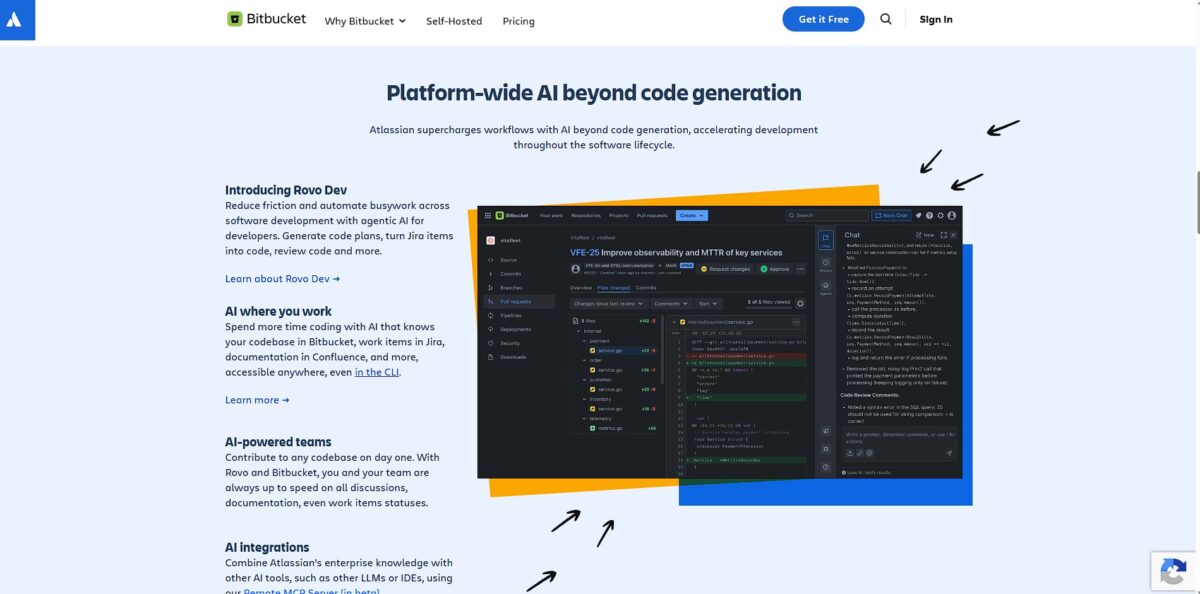
Bitbucket AI enhances DevOps with agentic workflows, automated code reviews, and natural language CI/CD for faster software delivery.
We may earn a commission when you sign up through our links. It does not affect our reviews.
What is Bitbucket?
Bitbucket is Atlassian’s Git-based repository manager that functions as the connective tissue between raw source code and Jira project boards. It moves beyond simple hosting by automating the grunt work of status updates; when you open a pull request or commit code with an issue key, the corresponding Jira ticket moves across the board automatically. This setup shines for teams already deep in the Atlassian stack who want to eliminate the manual “did you push that fix?” Slack messages, though it feels like overkill for solo developers or tiny teams who don’t need heavy governance. The built-in Pipelines service simplifies CI/CD by keeping your build configs in the same repo, so you spend less time jumping between different tools to check if a deploy failed. You end up with a single source of truth where PMs see progress and developers stay in their flow. Skip Bitbucket if you aren’t using Jira, but choose it if your team needs to link every line of code back to a specific business requirement.
How to start using Bitbucket?
You start by creating an Atlassian account. If you already use Jira, you are halfway there. You will likely choose Bitbucket Cloud for quick setup unless your compliance department demands a Data Center installation on your own hardware. Once logged in, the first real task is creating a Workspace. This acts as a container for your team and projects. It keeps your personal experiments separate from client code and prevents a cluttered dashboard when you are managing dozens of microservices.
Next, build your first repository. You can start with a clean slate or import an existing project from GitHub using a URL. I noticed the importer handles standard Git history well, but large binary files might need extra attention. If you start fresh, check the box to include a README file. This gives you an immediate file to clone and test your connection. That way you confirm your local environment communicates with the server before you start writing actual logic.
Connecting your local machine requires Git and an SSH key. You can use HTTPS, but SSH saves you from typing passwords during every push. Generate a key in your terminal and paste the public part into your Bitbucket settings. Then, use the git clone command provided in the interface. This creates a local folder that mirrors your remote repository. From then on, SSH keys provide a secure, automated handshake that keeps your workflow moving without manual authentication breaks.
If you use VS Code, install the Atlassian extension to see pull requests and pipeline status without leaving your editor. For those who prefer a GUI, Sourcetree is the standard companion. It visualizes complex branching paths that can get confusing in a raw terminal. Seeing a merge conflict as a visual diff is often faster than reading git status output. This setup turns Bitbucket from a passive storage site into an active part of your daily coding loop.
Who is it for?
The Jira Power User
It automates the grunt work of status updates; when you open a pull request or commit code with an issue key, the corresponding Jira ticket moves across the board automatically. No more manual “did you push that fix?” Slack messages.
Compliance-Heavy Teams
It offers granular control over who can push to specific branches, protecting production code from accidental local-merge disasters. This setup shines for teams that need to link every line of code back to a specific business requirement or audit trail. Sensitive intellectual property stays safe from unauthorized changes.
DevOps Specialists
The built-in Pipelines service simplifies CI/CD by keeping your build configs in the same repository. I noticed it is easier to troubleshoot when your build logic is part of the commit history rather than hidden in a third-party tool. PMs see progress and developers stay in their flow, all from one source of truth.
Growing Enterprise Squads
It works well for organizations that need to scale from a few projects to hundreds of microservices while maintaining consistent governance. While it feels like overkill for solo developers, the premium features like IP allowlisting prevent code access from unauthorized networks. Corporate codebases get a secure perimeter.
Multi-File Reviewers
The side-by-side diff view and inline comments help you spot logic errors without hunting for context in other browser tabs. You can view Jira issue details or CI status directly within the pull request interface. Peer review becomes a focused conversation rather than a context-switching chore.
Bitbucket pricing
Bitbucket pricing scales with your team’s bureaucracy. While the entry price seems low, the real cost hides in how Atlassian bundles security and CI/CD minutes. If you already live in Jira, the consolidated billing is a convenience win, but solo devs might find the limits on the free tier restrictive compared to competitors.
You get 50 build minutes and 1 GB of storage. This works for tiny projects, but you’ll hit the ceiling fast if you run automated tests on every commit.
It bumps you to 2,500 build minutes and 5 GB of LFS storage. This removes the user cap, making it the default for growing teams.
You get 3,500 build minutes and advanced permissions like IP allowlisting. That blocks code access from unauthorized networks. Overage minutes cost $10 per 1,000 extra minutes. If your CI/CD pipelines are heavy, these hidden fees can double your monthly bill without warning.
Bitbucket key features
Link commits to Jira issues using smart commit syntax
You can comment, log time, or transition tickets directly from your terminal. No more jumping between your IDE and project management board: you stay in the flow while stakeholders stay updated.
Enforce workflow integrity with branch protection rules
These prevent accidental force-pushes and ensure only code passing your CI checks reaches production. It acts as a safety net, though it can feel restrictive for solo devs who want to move fast. This matters because it prevents a single typo from breaking your live environment.
Automate builds and deployments via Bitbucket Pipelines
The YAML configuration lives in your repo, meaning your infrastructure versioning matches your code. Troubleshooting is easier when your build logic is part of the commit history, and releases stay consistent and repeatable every time.
Manage permissions at a granular level for specific branches or projects
You can restrict merge access to senior leads or specific teams for high-stakes codebases. It is great for security-heavy industries but overkill for a flat, agile startup. Sensitive IP stays protected from unauthorized changes.
Perform deep code reviews using the side-by-side diff view and inline comments
You can view Jira issue details or CI status directly within the pull request interface. You spot logic errors without hunting for context in other browser tabs, and peer review turns into a conversation rather than a chore.
Bitbucket Pros & Cons
Pros
Teams living in Jira find a home here. You can create branches and view build statuses directly from a ticket, which stops the constant tab-switching that kills focus. Bitbucket gives you granular control over who can push to specific branches, protecting your production code from accidental local-merge disasters. The built-in Pipelines make automating deployments straightforward since you don’t have to hook up a third-party CI service, and you get a unified trail from a bug report to a deployed fix. Use Bitbucket if your team is already deep in the Atlassian ecosystem.
Cons
The interface lacks the snap of its competitors. Navigating between pull requests often feels sluggish, especially when you are trying to review a diff with hundreds of files. While Jira integration is tight, the third-party app marketplace is thin, so you might find your favorite niche testing tool doesn’t have a native plugin. This matters because it forces you to spend time writing custom scripts instead of shipping features. The free tier hits a hard wall at five users, making it a pricey jump for growing startups. Avoid this for open-source projects where you need a large, active community to find quick answers.
Use Bitbucket if you want…
- Tight Jira task integration.
- Built-in CI/CD with Pipelines.
- Secure, private repository hosting.
- Granular branch permission controls.
- Efficient team-based code reviews.
- Simple Git-based collaboration.
- Enterprise-grade security and compliance.
- A centralized Atlassian dev stack.
Bitbucket alternatives
Bitbucket Reviews
The Rovo AI integration is a game changer for our PR workflow. It catches logic flaws and security vulnerabilities that our manual reviews sometimes miss.
I love how it suggests code improvements right in the diff view. It feels like having a senior dev looking over my shoulder, but without the ego.
Automating the initial pass of code reviews has significantly reduced our cycle time. It handles the boilerplate checks so the team can focus on architecture and complex logic.
The AI-driven insights are surprisingly deep. It doesn’t just find syntax errors; it understands the context of the changes and provides actionable feedback that actually improves our codebase.
FAQ
Does Bitbucket support Git Large File Storage?
Yes, Bitbucket Cloud and Data Center support the Git LFS extension, which replaces large files with text pointers to speed up repository operations like cloning and fetching.
Can I integrate Bitbucket with Jira?
Bitbucket offers deep native integration with Jira, allowing teams to link commits to tickets, transition issues automatically via pull requests, and view development status directly within Jira.
What are Bitbucket Pipelines?
Bitbucket Pipelines is an integrated CI/CD service that allows you to automatically build, test, and deploy your code using a configuration file stored directly in your repository.
Does Bitbucket support private repositories?
Bitbucket allows you to create unlimited private repositories, providing granular access controls and branch permissions to keep your source code secure.
Can I run Bitbucket on my own servers?
Yes, while Bitbucket Cloud is a hosted solution, Atlassian also offers Bitbucket Data Center for organizations that require self-managed infrastructure and high availability.
What is the limit for file uploads in Bitbucket?
There is currently a 5 GB size limit for individual file uploads into media storage when using Git LFS with Bitbucket Cloud.
Similar tools
 Novita AIDeveloper cloud with one API for 200+ open-weight AI models, plus GPU instances, dedicated endpoints and isolated sandboxes for AI agents.
 You.comDeveloper platform of web search, content extraction, cited research and model inference APIs that feed AI agents and RAG apps real-time web
 QodoAI code review platform that runs specialized agents on every pull request, enforces team rules and checks changes against tickets and linked