
Blaze
Content CreationUpdated November 19, 2026
AI marketing platform that turns your website into an on-brand weekly plan of social posts, blogs, emails and ads, then publishes them to your channels.
We may earn a commission when you sign up through our links. It does not affect our reviews.
What is Blaze?
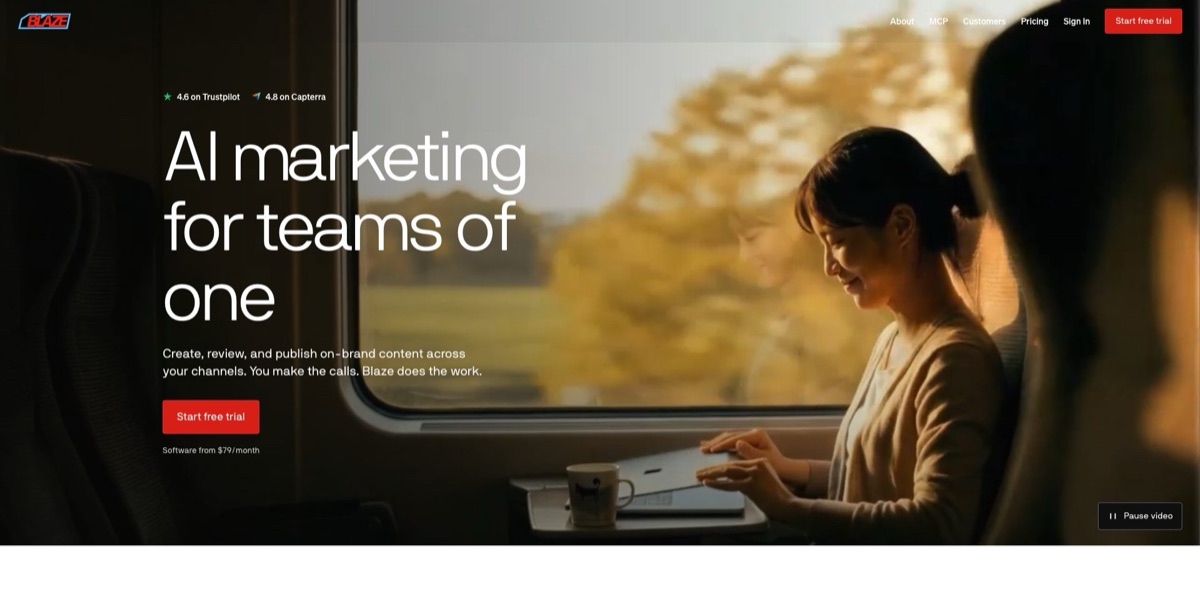
Built by Almanac Labs and once marketed through its Blaze Designer editor, Blaze is an AI marketing platform for business owners who handle marketing alone. You give it your website URL, it builds a Brand Kit with your voice, colors, fonts and photos, and then it generates a weekly plan of social posts, carousels, short videos, blog articles and newsletters. Everything lands in one calendar and can publish automatically to Instagram, Facebook, LinkedIn, X, TikTok, YouTube Shorts, Google Business Profile, WordPress, Wix and Mailchimp. The problem it removes is the blank weekly content calendar, not strategy itself. Its weak spots are a credit budget that drains quickly with video, and integrations that some users say break without warning. Pick it if you want a content engine you review rather than write from scratch; look elsewhere if you need deep analytics or agency-scale scheduling.
How to start using Blaze?
Click Start free trial on blaze.ai and create an account. The trial lasts 7 days and does not ask for a credit card. During onboarding you enter your website URL, and Blaze scans the site to draft a starting Brand Kit. According to the pricing FAQ, on day one of the trial it also produces your brand identity, a custom content strategy, a full first week of posts and the topics for week two.
Next, open Brand Kit in the sidebar and fix what the scan got wrong. It has four parts: Media Library (upload photos and videos or import them from Google Drive), Styles & Voice (logos, colors, fonts and tone), Brand Profile (what you sell and to whom) and Source Materials (PDFs, brand guides, product sheets). Then go to Content Preferences to set market location, target audience, who appears in your content, how often your logo shows, default calls to action, hashtags and the content language.
Now look at Campaigns, which act as blueprints for what Blaze generates: a goal, a posting frequency and the channels to use. On Starter you get one active campaign planned a week ahead; Growth runs several campaigns scheduled months in advance. Generated items appear in the Calendar in list, week or 5-day view. Click a post to move its date, turn on cross-posting, change the design, rewrite the caption or regenerate it. Edit Design opens the Designer, and blog posts open in Blaze Documents with an SEO score, metadata fields, tags and a URL slug.
Finally, connect your channels under Integrations. If accounts are connected, autoposting starts around day three of the trial. On Growth you can switch on Approve Content Before Autoposting, so every post waits in the Approvals grid until someone clicks Approve; Don’t Post sends it back for edits. After posts go out, the Insights tab shows results for each connected account.
Who is it for?
Local service businesses
Plumbers, dentists, drone operators and garage door companies rarely have time to post every week. Blaze writes local blog posts and Google Business Profile updates from the Brand Kit, and its SEO planning tool picks keyword clusters for the blog. A vendor-hosted case study claims one garage door company grew organic visits from 801 to 2,026, so treat that as the best case, not the norm.
Solo e-commerce owners
You already have product photos but no designer. Visual Styles re-light those photos into consistent social images, and AI Videos animate them into short clips for Reels and TikTok. Instagram, Facebook and Meta ads run from the same workspace, so one person can keep a store visible.
Nonprofits and education teams
Small teams need steady posts for supporters, often in several languages. Blaze generates content in 41 languages and offers 20% off annual plans for eligible nonprofits and schools. Batching a month of posts in one sitting replaces weekly scrambles.
Freelancers and small agencies
Each client brand gets its own workspace and Brand Kit, so voices never mix. Growth adds unlimited users and approvals for client sign-off, White Label puts your logo on the workspace for $20 a month, and support offers special pricing once you manage five or more brands.
Small in-house teams
When two or three people share marketing, Growth’s unlimited users and Approvals keep one person from publishing something the others have not seen. Comments, tasks and share-for-review links keep feedback inside Blaze rather than in email threads.
Blaze pricing
Blaze sells two self-serve plans, billed monthly or annually at a discount (the pricing page does not list the annual rate). Both run on generation credits, which are shared by everyone in a workspace: a static social post costs 1 credit, an email 3, a blog post 3 and an AI video 15, while images made with Visual Styles cost 5. Edits inside the document editor are free, and failed generations should not use credits. Unused credits do not roll over, annual subscribers still receive credits monthly, and Blaze never charges overages automatically. You buy extra credits in packs of 100 from Billing & Usage settings; the pack price is not published. There is no free plan, and the done-for-you service with a human strategist has been discontinued.
Blaze builds your Brand Kit, strategy and first week of content, and starts autoposting if you connect accounts.
3 posting accounts, 600 generation credits per month, 1 user, automated ad campaigns, and one active campaign planned one week ahead.
10 posting accounts, 1,500 generation credits per month, unlimited users, a yearly planning window, multiple campaigns and content approvals.
Nonprofits and education get 20% off annual subscriptions after verification, and brands managing five or more workspaces can ask support for discounted pricing. If you signed up by mistake, Blaze refunds the last payment when you contact it within 14 days.
included for Blaze subscribers with their existing credits. Without a Blaze plan, Studio costs $7.99/month for 90 credits or $12.99/month for 120 credits plus AI video, and each AI photo costs 5 credits.
Blaze key features
Brand Kit from your website: Blaze scans your URL and builds a profile with logos, colors, fonts, brand voice, a business summary and a media library. You can add PDFs, brand guides and product sheets as source material, and every generated piece draws on this kit. You spend minutes correcting a draft profile instead of writing a style guide for the AI.
Campaigns and automatic generation: you set a goal, posting frequency and channels, and Blaze fills the calendar each week with social posts, blogs and emails. Content Preferences control text-only versus image or video posts, hashtags, calls to action and language. The output arrives as a plan you edit, regenerate or bulk-change rather than a blank page.
SEO Relevance Planning: Blaze suggests topic clusters for your market, showing keyword difficulty and search volume, and you confirm three of them. Each main topic and supporting keyword becomes a blog post, and blogs open in an editor with an SEO score, meta fields and slug. It gives small sites a structured blog plan without a separate keyword tool.
Blaze Designer: the built-in editor offers 30+ formats, from Instagram Stories and TikTok thumbnails to Etsy and Amazon listing images, plus 500+ templates by industry. You can edit text, shapes, icons, backgrounds, shadows and borders, upload your own media and resize a design for other platforms. Quick fixes stay inside Blaze instead of bouncing to another design tool.
Visual Styles, AI Videos and Avatars: Visual Styles turn ordinary photos into consistently lit, styled images, AI Videos animate Brand Kit images with Google’s Veo 3 model, and AI Avatars create talking-presenter videos from about nine ready-made presenters or your own verified photo. Avatar videos roll out workspace by workspace and cost 40 credits each.
Publishing, approvals and ads: Blaze posts to Instagram (posts, carousels, Stories, Reels), Facebook Pages, LinkedIn profiles and pages, X, TikTok, YouTube Shorts and Google Business Profile, publishes blogs to WordPress, Wix and GoHighLevel, and sends newsletters through Mailchimp. Meta Ads campaigns can be generated and optimized from performance data, and Zapier links everything else. Approvals on Growth keep autoposting active while nothing goes live unchecked.
MCP server and agent plugins: paste app.blaze.ai/mcp into Claude, ChatGPT, Codex, Cursor or VS Code, sign in, and your assistant can plan a week, make carousels, write newsletters and schedule posts in your brand. A demo server with a made-up coffee shop lets you test it without an account. It suits people who already plan their week inside an AI chat.
Blaze Pros & Cons
Pros
Blaze covers the full loop that most AI writing tools skip: it plans the week, drafts in your brand voice, designs the visuals, schedules them and reports back. Reviewers on Trustpilot, Capterra and Product Hunt keep pointing to the brand voice and to having planning and scheduling in one place as the main reasons they stay. Publishing to seven social networks plus WordPress, Wix and Mailchimp means you can drop a separate scheduler. Growth’s unlimited users and approvals make it workable for small teams and agencies, and the MCP server lets you plan and schedule from Claude or ChatGPT without opening the app. Start with the Brand Kit and two channels, then add more once the drafts sound right.
Cons
The credit system needs watching: AI videos cost 15 credits each, unused credits expire monthly, and some Capterra reviewers say large campaigns burn through the allowance faster than expected. Several Trustpilot reviews from 2026 describe integrations that stopped working, including months without TikTok posting and a broken blog connection, with slow answers from support. Others find the blog, newsletter and video drafts generic, and Product Hunt users mention lag and freezes in the editor. At $79 to $149 a month, it costs more than many plain schedulers. Check failed posts in the calendar every week and keep approvals on until you trust the output.
Use Blaze if you want…
- Turn your website into a weekly content plan.
- Publish on-brand posts to seven social networks automatically.
- Generate local SEO blog posts for WordPress or Wix.
- Animate product photos into short videos for Reels.
- Approve every post before it goes live.
- Run Meta ad campaigns from your content workspace.
- Create and schedule posts from Claude or ChatGPT.
- Produce marketing content in 41 languages.
Blaze alternatives




Blaze Reviews
Trustpilot users who stay with Blaze praise a clean interface, useful AI post suggestions and reliable scheduling, while several 2026 reviews complain that integrations such as TikTok or the blog connection stopped working and support was slow to fix them.
One trial user on Trustpilot found the campaign setup restrictive and the blog, newsletter and video drafts generic and off-brand, and felt $80 to $150 a month was too much for the result.
Product Hunt reviewers like the accurate brand voice and having planning and scheduling in one place, but report UI lag, page freezes and templates that did not pick up their brand identity right away.
Capterra reviewers rate it highly for ease of use and posts that go out automatically, though some say bigger campaigns eat credits quickly and they would like a wider range of templates.
A long-time user running several client workspaces calls support helpful and the platform a big step forward, but says frequent updates are hard to keep up with and some non-English output needed correcting.
FAQ
Does Blaze have a free plan?
No. New users get a 7-day free trial with no credit card, then need the Starter ($79/month) or Growth ($149/month) plan.
Do unused Blaze credits roll over?
No. Credits reset every billing cycle, annual plans receive them monthly, and purchased packs of 100 expire on the same cycle. Blaze does not charge overages automatically when you run out.
Which platforms can Blaze publish to?
Instagram, Facebook Pages, LinkedIn, X, TikTok, YouTube Shorts and Google Business Profile for social; WordPress, Wix and GoHighLevel for blogs; and Mailchimp for email. Shopify blog publishing and Google Search Ads are listed as coming soon.
Can I use Blaze for several brands or clients?
Yes, but each brand needs its own workspace with its own Brand Kit. Support offers discounted pricing for five or more brands, and the White Label add-on brands a workspace with your logo for $20/month.
Does Blaze use my content to train AI models?
Blaze’s AI Terms say it does not use your customer data, or let others use it, to train the models behind its AI features. Generation relies on third-party providers whose usage policies, including OpenAI’s and Anthropic’s, also apply.
What languages does Blaze support?
Blaze can generate content in 41 languages, including English, Spanish, French, German, Portuguese, Polish and Ukrainian. You choose the language in Content Preferences.
Can I use Blaze from Claude or ChatGPT?
Yes. Add app.blaze.ai/mcp as a connector, sign in with your Blaze account, and the assistant gets 39 tools for creating, editing and scheduling content. Everything is saved as a draft until you confirm channels and times.
How do I cancel or get a refund?
Cancel in the billing settings of your workspace; you keep access until the paid period ends. If you signed up by mistake, contact Blaze within 14 days of payment to have the last payment refunded.
Similar tools
 WritefullAcademic writing AI for Word, Overleaf and the browser, with journal-trained language edits, an Academizer, a paraphraser and title and abstract generators.
 TypefaceEnterprise marketing AI platform that turns brand guidelines into AI agents for on-brand emails, ads, web pages and campaign variants at scale.
 Storyboarder.aiAI pre-production platform that turns scripts or ideas into shot lists, consistent storyboard frames, animatics and pitch decks for film and ad