

BoldDesk
Customer SupportUpdated October 21, 2026
Cloud help desk from Syncfusion with ticketing, live chat, an omnichannel inbox and AI agents that answer customers and act through your APIs.
We may earn a commission when you sign up through our links. It does not affect our reviews.
What is BoldDesk?
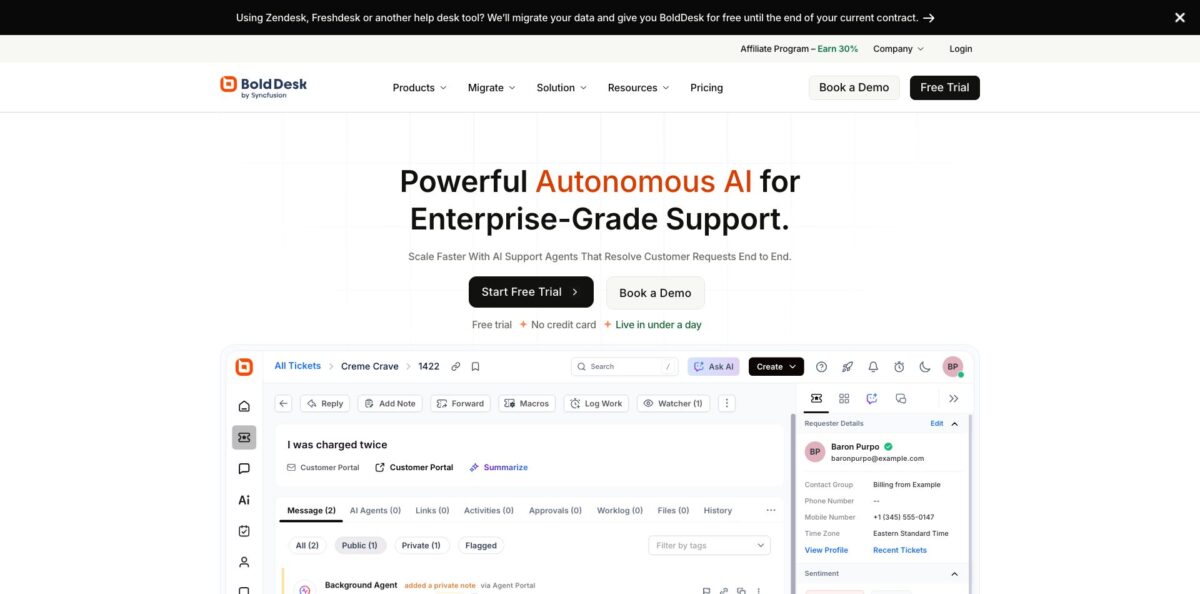
BoldDesk is a cloud help desk from Syncfusion, a software company with more than 25 years in business, that combines ticketing, live chat, a knowledge base and an omnichannel inbox with three kinds of AI agents. A Support Agent answers customers on chat, email, WhatsApp and social channels, a Background Agent triages and annotates every ticket, and an Assist Agent drafts and rewrites replies for your people. Agents can also call your REST APIs or MCP servers to look up orders, issue refunds or update accounts. The problem it targets is the per-seat and per-resolution bill that grows as your queue grows: you pay for AI credits, and human agent seats come bundled. The weak spots are a learning curve on advanced configuration and integrations that some reviewers find thinner than Zendesk’s. Pick it if you want a full help desk with AI on a flat published rate.
How to start using BoldDesk?
Sign up from the “Start Free Trial” button on the homepage. The trial lasts 15 days, needs no credit card, and every credit tier starts with it, so you can test the AI on your own content before paying. If you are coming from Zendesk or Freshdesk, BoldDesk offers free data migration of tickets, contacts and knowledge base articles, and says your past tickets can help train the AI agents from day one. Decide early whether you want one agent for everything or a separate agent per brand or region, because each can carry its own content, tone and escalation rules.
Next, connect your channels and build the basics of the help desk. Point your support email at BoldDesk so incoming mail becomes tickets, add the live chat widget to your site or product, and connect WhatsApp, Facebook, Instagram, Telegram, LINE or SMS through Twilio if customers reach you there. Set up SLA policies, business hours and routing (round robin, load or skill based) so tickets land with the right group. Publish a handful of knowledge base articles, since the AI agents use that content as their primary source.
Then create your first AI agent. You need AI Builder Access permission and active AI credits. On the agent creation page, give the agent a name, instructions, tone and escalation rules, and attach knowledge sources from four types: Files, Website, Q&A and Knowledge Base. If you want it to take actions, add tools under AI Tools: an API action for a single endpoint such as “look up order status by order ID”, or an MCP server when you want every tool a system exposes. Each action can be set to run autonomously or wait for human approval.
Before going live, open the Playground and run real customer questions against the agent. You can read its reasoning and see which tool it picked before any customer sees an answer. Only published agents can be deployed. For tickets, create an AI Agent Assignment rule and choose the AI Response Type: Draft Response, Reply, Public Note or Private Note. Draft Response is the safe starting point because nothing reaches the customer until a human sends it. Watch the AI Agent Performance and AI Credits Consumption dashboards during the first weeks.
Who is it for?
Small and mid-size support teams
You need ticketing, chat, a knowledge base and SLAs but cannot justify Zendesk Suite pricing per seat. BoldDesk bundles 5 human agents into its entry tier and includes every feature. You get a complete help desk without stacking add-ons.
SaaS companies
Your tickets are bugs, billing questions and how-to requests. The Background Agent sorts and prioritizes new tickets on arrival, and Jira, Azure DevOps and GitHub connections turn bug reports into tracked issues. Engineers see the context without logging into the help desk.
Ecommerce stores
Shoppers ask where their order is and whether it qualifies for a refund. With Shopify, WooCommerce and Stripe connected, the Support Agent can look up orders and process refunds mid-conversation, with an approval step if you want one. Routine “where is my order” tickets stop reaching your human agents.
Teams leaving Zendesk or Freshdesk
Contract renewal is coming and the AI add-on quote is high. BoldDesk migrates your data for free and offers the platform free until your current contract ends. You can switch without paying for two tools at once.
Companies running several brands
You support multiple products or regions from one team. Multi-brand support, multi-brand knowledge bases and separate AI agents per brand keep content and tone apart. Each brand looks independent to customers while your team works from one inbox.
Regulated businesses
Healthcare and finance teams need compliance paperwork before they buy. BoldDesk lists SOC 2, HIPAA and GDPR compliance, PII and PHI redaction, SSO, audit logs and regional data centers on every plan. Security review goes faster when the controls are not locked behind an enterprise tier.
BoldDesk pricing
BoldDesk sells one plan, called BoldDesk AI, with every feature included. You choose a monthly volume of AI credits, and a set number of human agents comes with each tier. Credits are spent when AI does work: 1 to 2 credits for a knowledge base answer, summary or draft, 3 to 5 for a task that touches one skill or connected system, and 8 to 12 for multi-step workflows across several systems. Handoffs to a human with no AI answer are free. Yearly billing saves 15% versus monthly. Prices below are from the official pricing page as of the check date.
Includes 5 human agents.
Includes 10 human agents.
Includes 15 human agents.
Includes 20 human agents.
Includes 50 human agents.
Includes 100 human agents.
Includes 250 human agents.
Custom. Volume pricing, annual credit pooling, SCIM, data residency and a custom contract.
Intermediate tiers exist between these steps (6,000 to 9,000, 15,000, 25,000 to 40,000 credits). Extra human agents cost $20 per agent per month on any tier. If you run out of credits, the help desk keeps working: you get alerts at 80% and 100%, and you can top up at $40 per 1,000 credits, upgrade with a prorated charge, or let new conversations go to humans until renewal. Monthly credits do not roll over. A 30-day money-back guarantee is advertised.
BoldDesk key features
Support Agent on every channel
One AI agent answers on tickets, email, live chat, WhatsApp, Instagram, Facebook Messenger, Telegram, LINE, SMS and voice, using the same content and tone everywhere. It replies in 30+ languages, matched to the language the customer writes in, and hands complex cases to a human with a summary and the customer record. Customers get answers at night without you adding a shift.
Background Agent for triage
Always-on agents check every new ticket, set type, category, priority and tags, detect frustration in the customer’s tone and raise priority, and run auto-merge and field prediction. You can start with findings as private notes and switch on automatic field updates once you trust the results. Agents open a queue that is already sorted.
AI actions through APIs and MCP
Add an API action for a single endpoint or register an MCP server once to expose all of its tools to the agent. Admins configure authentication up front, the agent never sees the keys, every call is logged, and each action can require approval. This turns “where is my order” and refund requests into resolved conversations instead of tickets.
Assist Agent inside the editor
Human agents call it on demand to draft, rewrite, shorten, summarize or translate a reply. It only suggests, and the agent decides what gets sent. Credits are spent only when someone uses it, so it does not drain your balance in the background.
Full help desk underneath
Unlimited tickets, side threads, canned responses, time tracking, CSAT surveys, SLA reminders and escalations, workflow automation, agent shift management, a public and private knowledge base with SEO sitemaps, custom domains and 40+ portal languages including RTL. Native iOS and Android apps cover mobile work.
Performance insights for the AI
An Unanswered Questions view groups the queries the agent handled badly and ranks them by frequency, and performance tracking shows resolution rate, deflection, escalations and credits used per agent and per rule.
BoldDesk MCP Server
The integration works in both directions: you can connect BoldDesk to Claude, ChatGPT or GitHub Copilot and create tickets, reply to customers or pull conversation history from the assistant. Access follows the connected user’s permissions, and every action leaves an audit record on the ticket.
BoldDesk Pros & Cons
Pros
The pricing model is the clearest advantage. Every feature, from SLAs to SSO and audit logs, is in the single plan, human seats are bundled, and AI is billed by published credit rates instead of per resolution, so your cost does not rise just because the AI gets better at closing tickets. Reviewers on G2, where BoldDesk holds about 4.5 out of 5 from roughly 145 reviews, repeatedly praise the intuitive interface, quick setup and strong automation. Support quality gets consistent credit too, including from users who contacted the vendor many times during onboarding. Free migration from Zendesk or Freshdesk lowers the switching cost. Start your trial with real past tickets loaded so you can judge the AI on your actual queue.
Cons
Advanced configuration has a learning curve, and several reviewers say deeper customization and integration work needs technical skills. Some users want more control over email templates and notifications, and a few describe the customer portal as harder to operate than expected. Integration coverage draws mixed comments: the catalog lists 100+ connections, yet some reviewers on Gartner Peer Insights call the options limited compared with larger rivals and find reporting basic for in-depth analytics. Small teams that use only part of the product say the price feels high. The credit system also needs watching, because multi-system actions cost up to 12 credits each. Check that your must-have integrations exist natively before you commit.
Use BoldDesk if you want…
- Run ticketing, chat and knowledge base in one tool.
- Pay for AI work instead of per-resolution fees.
- Let an AI agent process refunds and order lookups.
- Triage and prioritize every new ticket automatically.
- Move off Zendesk or Freshdesk with free migration.
- Support several brands from a single shared inbox.
- Connect your help desk to internal APIs and MCP servers.
- Get SOC 2 and HIPAA controls without an enterprise tier.
BoldDesk alternatives




BoldDesk Reviews
Support teams on G2 describe the interface as intuitive and say new agents adapt without much training, with automation that keeps ticket handling organized; the common complaint is that advanced configuration can get complex.
A small wholesale business praised a support team that kept answering through a first week of frequent calls and emails, but felt the price is high when you use only a small part of the feature set.
Reviewers on Gartner Peer Insights value pulling queries from many channels into one place, while noting that integration options and reporting feel limited next to bigger help desks.
Some users report a learning curve and want more flexibility in email templates and notifications, even as they rate ease of setup and vendor support highly.
FAQ
Does BoldDesk have a free plan?
No, there is no permanent free plan. You get a 15-day free trial with no credit card on any credit tier, and the vendor advertises a 30-day money-back guarantee after you pay.
Do I pay per agent in BoldDesk?
Not for the agents included in your tier: 5 come with 1,000 credits and 250 with 50,000 credits. Extra human agents cost $20 per agent per month.
What happens when I run out of AI credits?
Your help desk and human agents keep working. You get alerts at 80% and 100%, then you can top up at $40 per 1,000 credits, upgrade to a higher tier, or route new conversations to humans until credits reset.
Which channels does BoldDesk support?
Email, live chat, WhatsApp, voice, SMS, Microsoft Teams, Slack, Facebook and Instagram, with Telegram and LINE also supported for the AI agent. All conversations share one history.
Can the BoldDesk AI agent take actions?
Yes. Connect API actions or MCP servers and the agent can check order status, issue refunds or update accounts, with an approval step on any action you choose.
Is BoldDesk secure and compliant?
BoldDesk lists SOC 2, GDPR and HIPAA compliance, AES-256 encryption, SSO, IP restrictions, role-based access, audit logs and PII and PHI redaction on its single plan.
How many languages does BoldDesk support?
The AI agent replies in 30+ languages matched to the customer’s message, and the help desk portal and knowledge base support 40+ languages including right-to-left scripts.
Can I migrate from Zendesk or Freshdesk?
Yes. BoldDesk migrates tickets, contacts and knowledge base articles for free and offers its platform free until the end of your current help desk contract.
Similar tools
 Level AIContact center AI platform that scores every call, chat and email, runs voice and chat virtual agents, and gives live agents real-time
 TelozAI cloud contact center and business phone system with an AI receptionist, omnichannel inbox, dialers and live analytics for US teams.
 CallbellShared team inbox for WhatsApp, Messenger, Instagram, Telegram and TikTok with a no-code bot builder, AI agents and WhatsApp broadcasts.