

Botnoi
Chatbot BuildersUpdated October 26, 2026
Thai no-code builder for AI chatbots and agents that answer customers on LINE, Facebook Messenger and the web, billed per bot message with prepaid points.
We may earn a commission when you sign up through our links. It does not affect our reviews.
What is Botnoi?
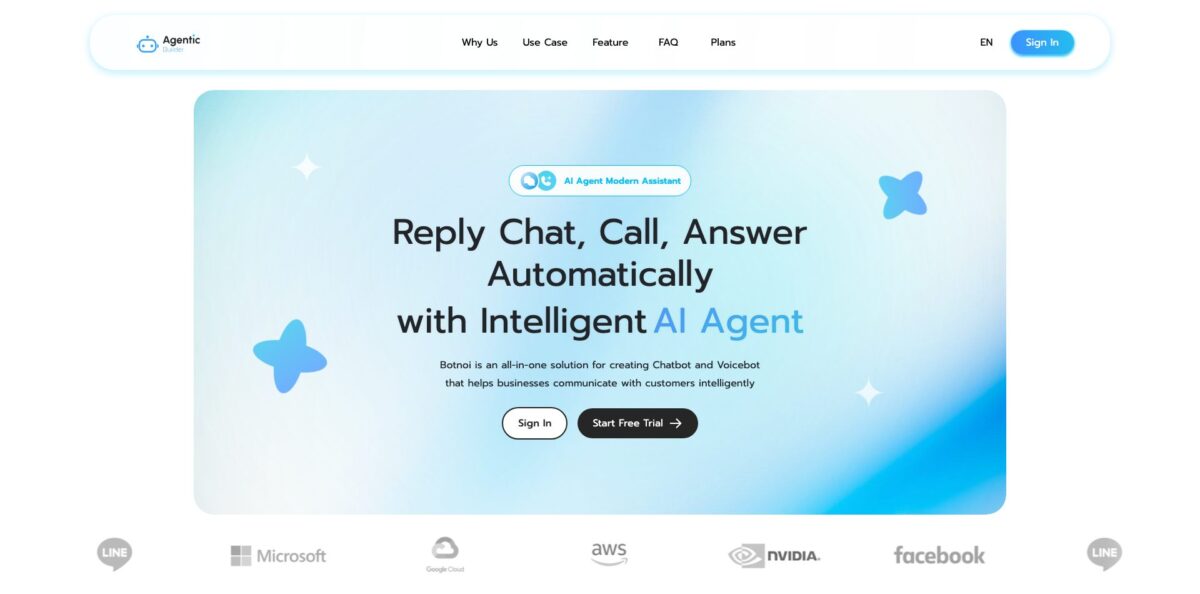
Botnoi is a Bangkok-built platform for creating customer service chatbots, and lately AI agents, with a strong focus on the Thai language and LINE Official Accounts. In the console, still labelled Botnoi Chatbot while the current terms call it Botnoi Agentic Builder, you train intents with example phrases, design dialogue flows, reply with LINE-native objects such as Flex Messages and Rich Menus, and hand difficult chats to staff in a live inbox. It takes over the repetitive product, price and order questions that keep shop admins glued to their phones at night. Billing is prepaid in Thai baht: each bot message costs 5 points, and new users get 5,000 points free. The weak spot is that the public manual covers the classic intent builder far better than the newer agent features. Pick it if your customers talk to you in Thai on LINE or Facebook.
How to start using Botnoi?
Open botnoi.ai and click Start Free Trial, which takes you to the console sign-in page. You can register with an email address, your first and last name and a password, or skip the form with Log in with LINE or Sign in with Google. Right after login the console offers two-factor authentication through an authenticator app, and it is worth enabling before you connect a business page. New accounts receive 5,000 free points, which works out to 1,000 bot messages, so you can build and test without paying.
Next, decide how the bot should think. The homepage describes a prompt-first flow: pick a template or describe your business goal, and the agent sets up its role, responses and the data it should collect. For predictable answers, open Train Bot and create intents. Each intent groups Expected Phrases that mean the same thing and the Bot Response to send back. Set a Default Fallback reply and the Confident threshold; the closer it sits to 100%, the more exactly customers must phrase a question before the bot answers. Existing FAQ lists can come in through Excel import.
Then connect channels under Setting, then Connection. Facebook Messenger has its own setting, while LINE offers a Modular Setting that is quicker and a Manual Setting that takes more work but supports switching between Rich Menus. A successful link turns green and shows Connected. In the same area you add colleagues through Shared permissions. After that, design your LINE objects: a Rich Menu image, Carousel cards, Quick Reply buttons or a Flex Message pasted as JSON from LINE’s own simulator.
Before you announce the bot, send it real questions from a test account and watch the Dashboard. Non Responded Messages show what fell through to the fallback, and Agent Call Messages show how often people asked for a human. In Livechat, set Switch To Agent and Switch To Bot rules plus Business Hours, and use Send and train so the reply you type also teaches the bot. Keep an eye on your balance: under the terms, AI replies and integrations may stop or fall back to a simpler answer when credits run out.
Who is it for?
LINE-first online shops
Your customers browse, ask about stock and pay inside LINE, and your admins cannot keep up after hours. Botnoi’s e-commerce use case covers product details in chat, a cart and payment in a few steps, a full shop opened through LIFF from the Rich Menu, and a way to reach a real person at any time.
Thai SMEs on a tight budget
You want automation without a monthly contract you might not use. Prepaid point packs start at THB 99, the first 5,000 points are free, and you pay only for messages the bot actually sends.
Customer service teams that need a safety net
Fully automated answers make you nervous because some questions need a person. Livechat lets agents step into any conversation, filter by channel, status or tag, add notes, and set rules that pass chats between bot and human, including business hours.
Developers and agencies building for clients
You need more than a canned FAQ bot. API objects call your own GET or POST endpoints with custom headers, Custom Payload accepts raw LINE or Facebook JSON, and a symbol syntax stores user answers in parameters, runs simple math and jumps to other intents.
Banks, insurers, hospitals and hotels
Off-the-shelf bots do not fit your compliance rules and workflows. BOTNOI Group designs custom deployments, and AWS has described its AI nurse for patient pre-screening at Ramathibodi Hospital, a booking concierge for HOP INN and sales assistants for lenders such as Ngern Tid Lor.
Teams that also need voice
Phone lines and narrated content are part of your service. The same company runs AI Voicebot for inbound and outbound calls and Botnoi Voice, a text-to-speech studio with Thai regional dialects and more than 20 other languages.
Botnoi pricing
Botnoi charges by usage rather than by seat or by bot. You buy points in Thai baht, and the system deducts 5 points for every message the chatbot sends. The public Plans page lists prepaid packs in three tiers and shows no USD prices, so the figures below are the official THB amounts without conversion. Every new account starts with free points, and the site’s FAQ also mentions auto-renewing subscription plans paid by card, which are not priced on the public page.
Enough to build, connect and test a bot on real traffic before buying anything.
three packs. THB 99 for 4,100 points (820 messages), THB 199 for 12,500 points (listed down from THB 299) and THB 349 for 23,500 points (down from THB 499). Suits a small shop with modest daily chat volume.
The largest pack in this tier covers 19,500 bot messages.
THB 2,499 for 200,000 points, THB 4,999 for 430,000 points (down from THB 10,000) and THB 9,999 for 1,000,000 points (down from THB 20,000), which covers 200,000 bot messages.
Custom. BOTNOI Group quotes projects by size and complexity after a free consultation and says a typical rollout takes two to four weeks.
The terms of use, effective September 23, 2026, call the unit Credits and split it in two: credits included with a plan expire at the end of each billing period, while top-up credits do not expire as long as your account stays open. Payments are non-refundable except where the law requires, prices exclude tax unless stated, and Botnoi promises 15 days’ notice before a price change reaches your plan. You can pay by credit or debit card or by PromptPay QR, and receipts arrive by email as PDF tax invoices.
Botnoi key features
Thai intent training
In Train Bot you group Expected Phrases under intents, attach Bot Responses and set a confidence threshold for when the bot should answer. Chitchat handles one-to-one small-talk pairs, and its Train mode pulls random untrained user messages for you to label. Excel import and export move whole FAQ sets in or out. Botnoi says its models are trained specifically for Thai, slang included, which is the main reason to pick it over builders tuned for English.
Dialogue flows with entities
Dialogue chains nodes into multi-step conversations, branches on four condition types (Entities, Intent, RegEx and Match) and stores what users type so you can pass it to other systems. Entities group words that mean the same thing, such as product names or branches. A symbol syntax adds variables, simple math and calls like GET_INTENT inside replies, which covers order lookups and lead forms without code.
LINE-native rich messages
You can answer with images, Carousels of up to 10 cards with three buttons each, Buttons, Quick Replies with up to 13 choices, Flex Messages built from JSON, Custom Payloads for LINE or Facebook, and Rich Menus above the chat keyboard. Flex and Rich Menu work only on LINE, and the manual lists exact limits such as a 1 MB cap on Rich Menu images.
Livechat handoff
A shared inbox shows bot and agent conversations, with filters by channel, message status and tag, plus the customer profile, notes and tags. Switch To Agent and Switch To Bot rules move a chat between automation and people, Business Hours control when humans are expected, and Send and train turns an agent’s reply into new training data.
API calls and Google Sheets
An API object sends GET or POST requests with custom headers to your own systems, so the bot can check stock, bookings or loyalty points mid-conversation. The privacy policy also describes Google Drive and Google Sheets permissions used to find and update your existing spreadsheets, a common place for small shops to keep order lists.
AI agent layer
The current homepage presents Botnoi as an Agentic Builder: create an agent from a prompt or template, combine role-based agents into multi-agent workflows, add MCP tools, and answer from your documents, FAQs and website through a knowledge base. It also lists WhatsApp, Instagram, web chat and phone calls as channels.
Usage dashboard
Statistics cover total and active users, new versus returning users, incoming messages split into responded, unanswered and agent requests, and a ranked table of intents with their share of traffic over 7, 30 or 365 days. Each figure is compared with the previous period. The unanswered count doubles as your training to-do list.
Botnoi Pros & Cons
Pros
Botnoi is one of the few builders designed around Thai from the start, and its feature set mirrors how Thai businesses sell: LINE Official Accounts, Flex Messages, Rich Menus, LIFF shop pages and a human inbox for the moment a customer wants a person. The entry cost is tiny, with 5,000 free points and packs from THB 99 that never lock you into a monthly fee. The company has a long track record, from a LINE BOT AWARDS Conversation Engine prize in 2017 to enterprise projects on AWS with hospitals, hotels and lenders. Data sits in a Singapore data center, and the console supports two-factor login. Start with the free points and judge the Thai understanding on your own customers’ messages.
Cons
Outside Thailand the fit weakens. Prices exist only in baht, payment leans on Thai methods such as PromptPay, and the manual opens in Thai with an English toggle. The public docs describe the classic intent builder in detail but say little about the newer agent features, MCP tools or the WhatsApp and phone channels promoted on the homepage. Marketing numbers vary between pages, from 100+ to 500+ organizations, and the Plans page and the terms even name the same unit differently, points versus Credits. Several footer links on botnoi.ai lead to group pages that now return a 404 error. Independent reviews of the builder are almost absent. Ask sales to show the exact channel and agent features you need before you spend beyond the free points.
Use Botnoi if you want…
- Automate Thai customer chats on LINE Official Accounts.
- Answer Facebook Messenger questions around the clock without staff.
- Sell products inside chat with carousels and LIFF.
- Hand tricky conversations to human agents instantly.
- Pay per bot message instead of monthly seats.
- Train intents from an Excel sheet of FAQs.
- Connect chat flows to your own APIs and Google Sheets.
- Add phone voicebots and Thai text to speech later.
Botnoi alternatives


Botnoi Reviews
Independent reviews of the chatbot builder itself are scarce: the Botnoi Chatbot profile on G2 has no user reviews yet, and posts in the AI chatbot by BOTNOI Facebook group include how-to questions such as what to do when a bot stops replying.
The company’s Botnoi Voice app holds about 4.7 from 137 ratings on the Thai App Store; reviewers call it easy, fast and convenient, including for school media, and like the free daily points, though many five-star reviews were posted on the same few days, one titled after an AI training session.
Recent App Store reviews of Botnoi Voice in 2026 are harsher, reporting freezes, crashes and voices that fail to generate; one user told the company to stop focusing on selling points and make the app run smoothly.
A Botnoi Voice buyer who spent 99 baht felt that free tools produced more natural Thai voices, and another could not find projects made in the browser inside the mobile app, with audio downloads that hung without a file.
FAQ
Is Botnoi free to use?
You can start free: new users receive 5,000 points, which covers 1,000 bot messages. After that you top up with prepaid point packs, starting at THB 99 for 4,100 points.
How does Botnoi count usage?
The system deducts 5 points for each message the chatbot sends. Under the terms, credits included with a plan expire at the end of the billing period, while separately bought top-up credits stay valid while your account is open.
Which channels does Botnoi support?
The manual documents connections for LINE Official Accounts and Facebook Messenger. The homepage also lists Instagram, WhatsApp, web chat and phone calls through the voicebot, so confirm those with Botnoi before you plan around them.
Does Botnoi work in English?
Yes, though Thai is the priority. The website, console and terms are available in English and the manual has an English toggle, while AWS reports that BOTNOI’s AI assistants support more than 20 regional languages.
Where is my data stored?
The privacy policy says data is kept in a Singapore-based data center and that messaging and training data are typically retained for 30 days. You can request deletion by email, and the company commits to completing it within 30 calendar days.
Can I cancel a Botnoi subscription?
Yes. Go to Payment Center, then Payment Management, then Current Plans, and choose Cancel Renew. You will not be charged in the next cycle, and remaining points stay usable until they expire.
Does Botnoi have an API?
Inside a bot, the API object calls your own endpoints with GET or POST and custom headers, and the terms of use cover API keys for the service itself. Botnoi Voice has a separate public REST API for text to speech.
What payment methods does Botnoi accept?
Botnoi accepts credit and debit cards as well as PromptPay or QR code payments. Card payments renew subscriptions automatically, and receipts are emailed as PDF tax invoices.
Similar tools
 Expertise AIWebsite AI agent, formerly Chatsimple, that answers B2B visitors, identifies and qualifies leads, books meetings and syncs chats into HubSpot or Salesforce.
 VoiceflowPlatform for building, testing and running AI customer support agents across web chat, phone and SMS, with playbooks, workflows and tools.
 Insighto.aiNo-code platform for building AI chat and phone agents that answer from your documents, book meetings and run across web chat, WhatsApp,