

Brilliant
Education AIUpdated October 18, 2026
Interactive learning app for math, coding, science and data, with Koji, an AI tutor that guides you through hands-on visual lessons without giving answers.
We may earn a commission when you sign up through our links. It does not affect our reviews.
What is Brilliant?
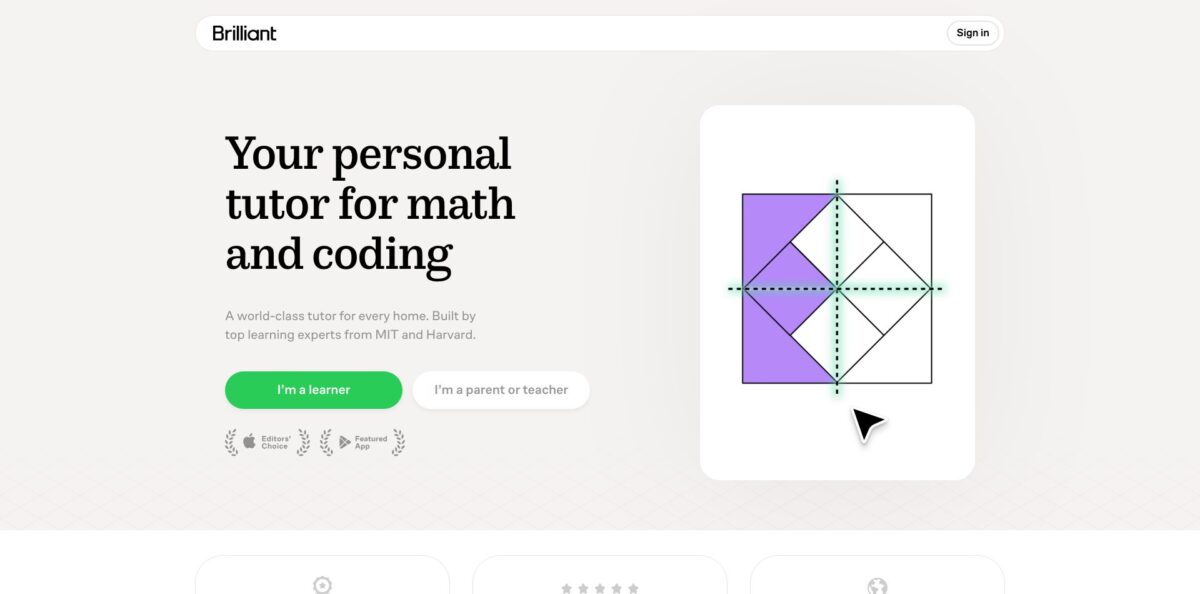
Brilliant is an interactive learning app for math, coding, science and data analysis that teaches through hands-on problems instead of lectures or videos. Each concept is a short run of draggable graphs, sliders and small code editors, and the whole experience is now built around Koji, an AI tutor that can see what is on your screen, notice your wrong guesses and sketch on the canvas to steer you toward the next step without handing over the answer. The catalog runs from fractions and pre-algebra through calculus, Python, algorithms, neural networks and probability, and the curriculum is accredited by ACS WASC. The weak spots are a tight free tier, no completion certificates, and subscription billing that a vocal group of users finds hard to cancel. Pick it if you or your child want to understand why the math and code work, in short daily sessions.
How to start using Brilliant?
Create a free account on brilliant.org or in the iOS or Android app. The homepage asks whether you are a learner or a parent or teacher, and that choice shapes the onboarding: parents and homeschool families see family options, teachers are pointed to Brilliant for Educators. Progress syncs between web and mobile, but there is no offline mode, so every concept needs an internet connection.
Your first real session starts with a Learning Path. The paths are graded, for example Math Foundations for grades 4 to 7, Algebra Fundamentals for grades 7 to 9, Advanced Algebra for grades 11 to 12, plus Python, Data Analysis, Programming and CS, and Science. If you do not know what a topic is called, open the Home tab on the web and type something like “I need help with quadratic equations”; Koji interprets the request and routes you to a matching concept or practice set. On the free plan you get 2 keys a day, and each key opens one concept or one practice set.
The screen you will live in is the lesson canvas. By default Koji speaks at the start of each lesson page, pointing out what changed from the last problem, and you can ask for a hint or another explanation by voice or chat whenever you get stuck. If the narration gets in the way, mute it with the sound icon (top left on desktop, top right on mobile) or in account preferences. Note the renaming in progress: courses are now called topics, levels are units, and lessons are concepts.
To check that learning is sticking, watch the mastery assessments and personalized practice sets that Koji builds from your mistakes, and open your progress page at brilliant.org/you. Parents on the Single Child or Family plan get a separate dashboard with active days, assessment accuracy, recent skills and how often Koji was used. Before you pay, decide where you subscribe: web subscriptions are managed in Subscription Settings, while App Store and Google Play purchases are cancelled and refunded through the store.
Who is it for?
Middle and high school students
You sit in class, the slope unit makes no sense, and there is nobody to ask at 9 p.m. Brilliant covers material from grade 5 up through calculus, and Koji asks guiding questions on the same canvas you are working on. Brilliant reports that 48% of Koji tutoring conversations in July 2026 happened after 7 p.m. or on weekends, exactly when teachers are not around.
Parents and homeschool families
You want a math curriculum your child can work through alone, without you re-learning algebra first. Brilliant positions itself as a complete accredited math track from arithmetic to calculus, aligned with Common Core, with a parent dashboard on the Single Child and Family plans. You see active days, accuracy and Koji usage categories, not chat transcripts.
K-12 teachers
You need something students will actually do as a warm-up, enrichment or homework. Eligible K-12 educators get Brilliant for Educators at no cost for themselves and their students, with a classroom dashboard showing who is active and where they are. District pricing is available on request.
Adults refreshing math
You are heading to grad school, switching careers or preparing for a quant section and your fundamentals feel rusty. The help center maps lessons to the Digital SAT, ACT, GRE Quant, GMAT Quant, GED and more, so you can target gaps rather than restart from zero. Short visual concepts fit a commute.
Beginner programmers in the AI era
You use AI to write code but cannot tell when it is wrong. Brilliant’s Coding Skills Framework covers 302 skills across foundations such as control flow, recursion and data structures, plus a Coding with AI half on specification, verification and security. You write and run code yourself instead of pasting it.
Curious lifelong learners
You like puzzles and want to poke at logic, probability, circuits or quantum computing without a textbook. Streaks, XP and Leagues keep a daily habit going.
Brilliant pricing
Brilliant is freemium with one paid tier, Premium, sold per person, per family or per group. Prices are localized by country: the figures below are the US prices shown on brilliant.org/subscribe on the check date, and visitors from other regions see their own currency and amounts. The annual plan is the default and is advertised as saving 33% against monthly billing. Free trials appear only sometimes, depending on platform, account and timing; when one is offered it needs a payment method and converts to a paid plan unless you cancel at least 24 hours before it ends.
2 keys per day, each opening one concept or practice set, keys reset at midnight in your time zone. You must move through each topic in order, you see occasional ads, and Koji is limited to a preview. Streaks, XP and Leagues are included.
Full, unlimited Koji, every concept and practice set with no keys, the freedom to jump to any concept, no ads, and one subscription across web, iOS and Android.
$45/month, month to month, same features as the annual plan.
The buyer is the administrator and takes one seat; every member gets their own Premium account, children do not need an email address, and the parent progress dashboard is included.
price not listed publicly. One Premium seat for a supervised child while the parent’s own account stays free; it appears only for users who signed up as a parent or homeschool family.
Custom by group size, billed once a year, for more than 6 seats; groups over 50 people contact support.
$0 for eligible K-12 teachers and their students, with district pricing on request.
Brilliant key features
Koji, a graphical AI tutor
Koji sees the interactive elements on your screen, your wrong guesses and where you paused, then highlights a region, annotates a graph or poses a smaller in-between question instead of writing a wall of text. It is built partly on a third-party model, but its behavior and its ability to manipulate lessons are Brilliant’s own work, and third-party processing of chats and audio runs with zero data retention. You get hints in voice or chat, in almost any spoken language.
Visual, hands-on concepts
Lessons are assembled from blocks of code, so you learn derivatives by dragging a tangent line and watching the slope change, or build Instagram-style image filters in the coding track. Premium lists 40+ interactive courses across math, computer science, science and data analysis. Understanding comes from manipulating the idea, which is why the format suits visual learners.
Adaptive learning plan with mastery checks
Koji tracks what you have mastered and missed, fills shaky fundamentals, and speeds up or slows down your plan. Regular mastery assessments trigger targeted practice when you fall short. You spend less time on material you already know.
Ask Koji routing
On the web Home tab you describe a problem in your own words, such as “give me practice with triangle similarity”, and Koji finds the right starting concept even if it sits outside your current topic. This turns the catalog into a searchable tutor rather than a fixed syllabus.
Progress dashboards for learners, parents and teachers
Every account has a dashboard at brilliant.org/you; parents on the Single Child or Family plan see days active, problems solved, assessment accuracy, recent skills and Koji usage by category, without reading conversations. Teachers get a classroom view through Brilliant for Educators, and learners receive regular progress notifications.
Coding Skills Framework
The CS curriculum is mapped to 14 Big Ideas, 79 learning objectives and 302 skills, split between Foundations of Computer Science and Coding with AI. You write and run code in a shared environment, read and debug code you did not write, and reason about correctness and cost.
Habit mechanics
Streaks, Streak Charges, XP and weekly Leagues borrow from language apps to keep a daily routine. Kids and adults in reviews compare it directly to Duolingo, for better and worse.
Brilliant Pros & Cons
Pros
The interactive format is the real strength: you manipulate graphs, circuits and code rather than watching someone else do it, and concepts stay short enough for a 15-minute session. Koji is wired into the lesson itself, so its hints refer to the exact slider or equation you touched, and Brilliant claims it rarely makes math mistakes because answers are checked against its own content. The curriculum spans grade 5 math to calculus, Python and data analysis under one subscription, is WASC accredited, and comes with kidSAFE COPPA certification and parent dashboards. Teachers can use it free. Start with a Learning Path matched to your grade rather than browsing topics at random.
Cons
The free tier is thin: two concepts a day, forced order and repeated upsell ads make it more of a demo than a learning plan. At $30 a month on annual billing, many App Store reviewers call it overpriced for what they see as an AI tutor, and some long-time users dislike how Koji now pushes them to redo problems instead of explaining. There are no certificates, no offline mode, and app crashes come up in homeschool reviews. The most damaging complaints concern trials converting into full annual charges and refunds being refused. Cancel any trial at least a day early and subscribe on the web if you want the self-serve refund option.
Use Brilliant if you want…
- Learn math through interactive visual problems, not videos.
- Get AI hints that guide without giving answers.
- Fill gaps in algebra, geometry or calculus fundamentals.
- Give your homeschooler an accredited self-paced math curriculum.
- Track a child’s practice and accuracy from a dashboard.
- Build coding foundations before relying on AI assistants.
- Add free interactive warm-ups to your K-12 classroom.
- Refresh quantitative skills before the GRE or GMAT.
Brilliant alternatives


Brilliant Reviews
Adult learners on the App Store say the visual, step-by-step introduction of concepts finally made rusty math fundamentals click before grad school or an engineering degree, though one reviewer felt the problem wording is often loose enough that decoding the question takes as long as the math.
Several App Store reviewers like the little tutor buddy and the lessons, but others say the newer AI features answer in a generic chatbot way or keep making them redo problems instead of explaining what went wrong.
Free users praise the content yet complain that roughly two lessons a day plus an unskippable Premium ad feels stingy, and many say $30 a month is too much and ask for a cheaper tier.
On Trustpilot and the App Store, a recurring complaint is a free trial turning into a full annual charge with the refund refused, while other reviewers report support replying within a day and reversing charges after they wrote in.
Homeschool parents value having a structured math track their kids enjoy, but some report the iPad app going blank or crashing mid-exercise.
FAQ
Is Brilliant free to use?
Yes, the free plan gives you 2 keys a day, each opening one concept or practice set, with sequential topics, occasional ads and a limited Koji preview. Premium removes the limits and adds full access to Koji.
Is Koji real AI, and is it safe for kids?
Koji is AI built partly on a third-party model with Brilliant’s own tutoring behavior on top. It stays on the learning material, runs with safety filters and live alerts, and Brilliant holds kidSAFE COPPA certification; third-party processing of chats and audio uses zero data retention.
Does Brilliant give certificates or college credit?
No. Brilliant is accredited by ACS WASC, but it does not issue completion certificates, course credits, degrees or professional certifications.
Can I use Brilliant offline?
No, concepts require an internet connection and cannot be downloaded. You can use the web, iOS and Android apps, and progress syncs between them.
Does Brilliant offer a free trial?
Sometimes, depending on platform, account and timing. A trial needs a payment method and converts to a paid plan automatically, so cancel at least 24 hours before it ends if you do not want to be charged.
How do I cancel Brilliant Premium and get a refund?
On the web, go to Subscription Settings and choose Manage subscription; eligible web purchases also show a Request a refund option. App Store and Google Play subscriptions are cancelled and refunded through Apple or Google, and charges are otherwise nonrefundable except where the law requires.
Is there a plan for families or classrooms?
The Family plan covers 6 Premium seats, a Single Child plan covers one supervised child, and Group plans scale beyond that. Eligible K-12 teachers and their students can use Brilliant for Educators at no cost.
What age or level is Brilliant for?
Content starts around grade 5 and runs through calculus, Python, algorithms and data analysis, so it works for middle schoolers, high schoolers and adults refreshing or extending their skills.
Similar tools
 EducatoAI exam prep platform that builds a study plan around your test date, with practice questions, mock exams and a tutor that
 TutorGPTMulti-model AI study workspace with step-by-step homework solvers, chat with GPT, Claude and Gemini, plus slide, image and voice generators.
 UplupAI quiz and form builder that turns a prompt, PDF or URL into scored quizzes, personality tests and lead-capture funnels with CRM