

Bubble
Chatbot BuildersUpdated October 5, 2026
Powerful no-code platform to build, host, and scale complex AI-driven web applications without writing any code.
We may earn a commission when you sign up through our links. It does not affect our reviews.
What is Bubble?
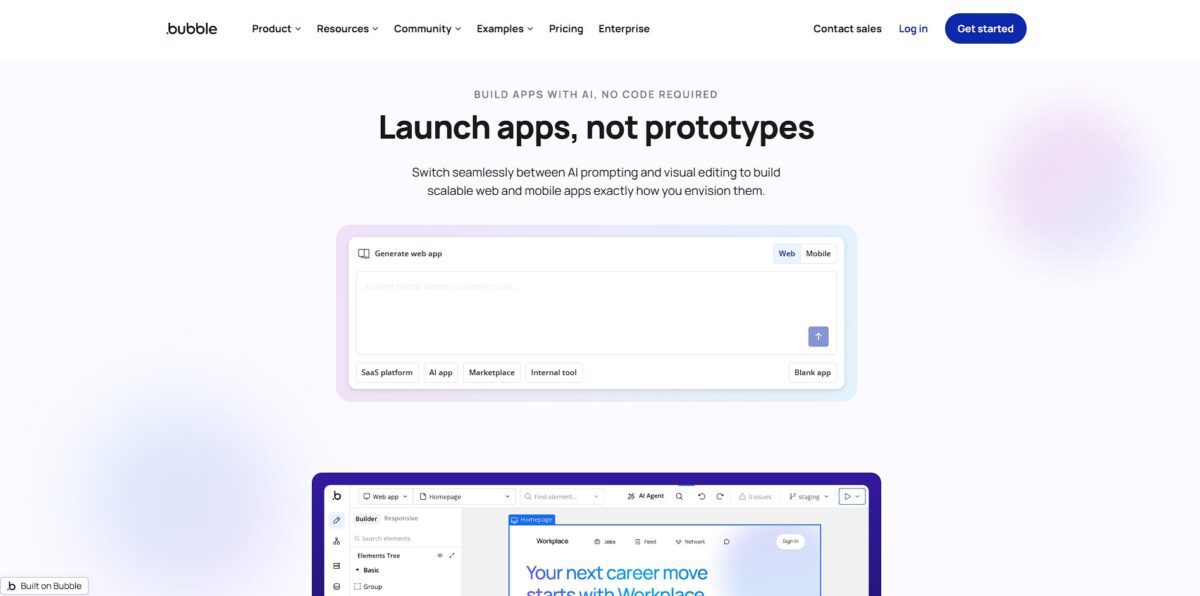
Bubble works as a visual engine that wraps a hosted database, UI designer, and logic handler into a single browser tab. You drag elements to build interfaces and click through workflow chains to handle data without manually writing JavaScript or managing AWS instances. It excels at building complex SaaS MVPs where you need custom user permissions or Stripe integrations, though it feels sluggish for apps requiring heavy animations. This matters because it removes the traditional “code wall,” letting you deploy a functional product in weeks instead of months. The catch is vendor lock-in: your logic stays on their infrastructure, meaning you can’t just export the source code and host it elsewhere. Use it to validate a complex business idea quickly, but assume you’ll rebuild if you hit massive scale.
How to start using Bubble?
Starting with Bubble requires a mental shift from writing code to mapping logic. You begin by creating an account and landing in the visual editor, which feels like a hybrid of a design tool and a database manager. The primary canvas is where you drop buttons, inputs, and text blocks. This immediate visual feedback helps you spot alignment issues before you even touch the logic, and there’s no guessing how a UI will actually look in the browser.
The real work happens in the Workflow tab. Instead of hunting for syntax errors in a script, you click an element and define what happens when a user interacts with it. You might tell Bubble to “sign the user up” or “create a new thing” in the database. I noticed the learning curve spikes here; you have to be precise with your data types or things won’t connect. This logic-first approach lets you build complex features like marketplaces without managing server infrastructure.
Database setup is the third pillar. You define custom “types” and “fields” directly within the editor. It handles the backend heavy lifting, so you aren’t stuck configuring SQL tables or API endpoints manually. While this saves time, it also means you are locked into the Bubble ecosystem. In exchange, you get a unified environment where the frontend and backend talk to each other by default.
To see your progress, you hit the “Preview” button. Bubble generates a live version of your app instantly. You can use the built-in debugger to step through workflows and see exactly where a data call might be failing. It is an efficient way to iterate, though larger apps can feel sluggish in this mode. This speed allows for rapid prototyping that looks and acts like a finished product.
Build your database schema on paper before touching the editor to avoid messy data relationships later.
Who is it for?
Solo Founders
You can build and launch a complex MVP without hiring a backend engineer. That can save you months of fundraising or burning through personal savings just to test a hypothesis.
Operations Managers
Turn messy internal spreadsheets into structured admin panels with actual user permissions. This stops data entry errors and prevents employees from accidentally deleting entire columns of business-critical info.
Product Managers
Rapidly prototype high-fidelity web apps to show stakeholders exactly how a feature handles complex logic. It bridges the gap between static Figma files and a working tool that developers can actually reference for logic.
Agency Owners
Deliver custom client portals or specialized SaaS tools faster than writing manual code. This increases your margins because you spend less time on repetitive UI scaffolding and more on the specific business logic the client pays for.
Bootstrapped Indie Hackers
Launch a subscription-based service with built-in database management and API integrations. While excellent for complex logic, be ready for a steep learning curve that usually takes a few weeks to master.
Early-stage Startups
Scale your initial product to thousands of users while keeping the agility to pivot features in an afternoon. This flexibility prevents you from getting locked into a rigid architecture before you’ve found product-market fit.
Bubble pricing
Bubble’s pricing has evolved from simple tiers into a complex system of subscription fees and workload units. You can start building for free, but moving a product to a live domain requires a paid commitment. The entry-level tiers work for early validation, while the higher brackets cater to scaling teams and custom infrastructure needs.
Use this for development and learning the logic. You cannot launch on a custom domain, which means it is strictly for internal testing.
This tier moves your app to a live URL. It handles basic traffic but keeps you on a shared resource pool. It is a cheap way to see if users actually want your product.
This includes more capacity and better version control. I noticed this is where most serious MVPs land once they have consistent daily users.
You get multiple app versions and faster support response times. This works well for small agencies, though the price jump is significant.
These are usage-based fees. If your app runs heavy backend workflows or API calls, you might pay extra on top of your monthly base. The trade-off is paying for what you consume rather than a flat, high ceiling, so you need to optimize your logic to keep costs predictable as you scale. Estimate your expected database operations before picking a plan to avoid surprise workload charges.
Bubble key features
Visual drag-and-drop editor allows you to position elements with absolute precision on a canvas
You can build pixel-perfect interfaces that look like custom-coded sites without touching CSS files. Design-heavy founders get total control over the UI without the need for a front-end developer.
Workflow logic engine handles complex branching and data operations using simple click-and-select chains
It feels more like building a flowchart than writing code, making it easier to map out things like user signup flows or payment processing, and you can build the backend logic and the frontend simultaneously in one browser tab.
Built-in database management lets you define custom data types and relationships without setting up external SQL servers
You can create tables for users, products, or messages and link them instantly to your UI elements. You skip the technical hurdle of managing database infrastructure and API connections manually.
Extensive plugin marketplace connects your app to tools like Stripe, Google Sheets, or OpenAI with a few clicks
While native features are deep, these integrations fill the gaps for specific needs like processing credit cards or adding AI chat. So you can expand your app’s functionality without having to write custom API wrappers from scratch.
Scalable hosting and deployment handle the server-side heavy lifting as soon as you hit the publish button
You don’t have to worry about AWS configurations or SSL certificates since the platform manages the environment for you. You give up control over the underlying server, but you can go from an idea to a live URL in minutes.
Bubble Pros & Cons
Pros
Bubble replaces the need for a backend engineer and a devops team. You map your database, design the UI, and deploy to a live URL from one browser tab. This eliminates the friction of syncing frontend code with API endpoints. I noticed the built-in privacy rules allow you to secure user data at the row level without writing complex middleware, so you can launch a secure, multi-user SaaS without hiring a security consultant. Use this to validate business logic that requires more than just a simple form.
Cons
You are buying into total vendor lock-in. Since Bubble doesn’t offer code export, your entire business logic lives on their proprietary infrastructure. If you decide to leave, you must rebuild the app from scratch. The visual workflow editor becomes cluttered when handling dozens of edge cases, making it slower to debug than standard code. Workload units can also make your monthly bill jump unexpectedly during traffic spikes. This matters because scaling costs might eventually outpace the initial savings of not having a developer.
Use Bubble if you want…
- Launch complex SaaS MVPs without hiring backend engineers.
- Build data-driven marketplaces with custom user dashboards.
- Design pixel-perfect web apps with absolute visual control.
- Automate multi-step workflows using visual logic engines.
- Create secure internal admin panels for business operations.
- Scale web applications using a fully hosted infrastructure.
- Integrate external services via solid API connectors.
- Deploy production-ready software directly from your browser.
Bubble alternatives

Bubble Reviews
“Bubble lets you go from idea to working product ridiculously fast. The visual logic and database structure make it easy to prototype and scale in one place.”
“The speed that you can create fully functional web applications is unbelievable. It is very easy to edit to your exact specifications.”
“Its offering is expansive; there is a bit of a learning curve, but it is intuitive and robust in functionality.”
FAQ
Can I build a marketplace or SaaS with Bubble?
Yes, Bubble is specifically designed for building complex, data-driven applications like marketplaces and SaaS platforms with user logins, custom databases, and payment processing.
Do I own the data and application logic?
You own all the data and application design created on the platform, and you can export your user data as CSV files or access it via API at any time.
What happens if I outgrow the standard hosting?
Bubble is built to scale automatically with your traffic, and for high-volume or enterprise needs, they offer dedicated hosting and clusters to ensure consistent performance.
Is it possible to integrate with external APIs?
Yes, Bubble has an API Connector that allows you to connect your application to any service that has a REST API, including payment gateways, AI models, and CRMs.
Can I publish my Bubble app to the App Store or Google Play?
Bubble now offers native mobile capabilities, allowing you to build and publish apps directly to mobile app stores using the same visual editor and shared database.
How long does it take to learn the platform?
Most users can build a basic working app within a few days, while reaching full fluency to build complex, independent features typically takes a few weeks of consistent practice.
What is Bubble’s guarantee if they shut down?
Bubble has committed to releasing its source code under an open-source license if they ever cease operations, ensuring users can run their own servers and keep their apps live.
Similar tools
 Expertise AIWebsite AI agent, formerly Chatsimple, that answers B2B visitors, identifies and qualifies leads, books meetings and syncs chats into HubSpot or Salesforce.
 BotnoiThai no-code builder for AI chatbots and agents that answer customers on LINE, Facebook Messenger and the web, billed per bot message
 VoiceflowPlatform for building, testing and running AI customer support agents across web chat, phone and SMS, with playbooks, workflows and tools.