

Chat Forefront AI
AI AssistantsUpdated October 5, 2026
Chat Forefront AI is a unified command center for accessing multiple AI models, web browsing, and document analysis.
We may earn a commission when you sign up through our links. It does not affect our reviews.
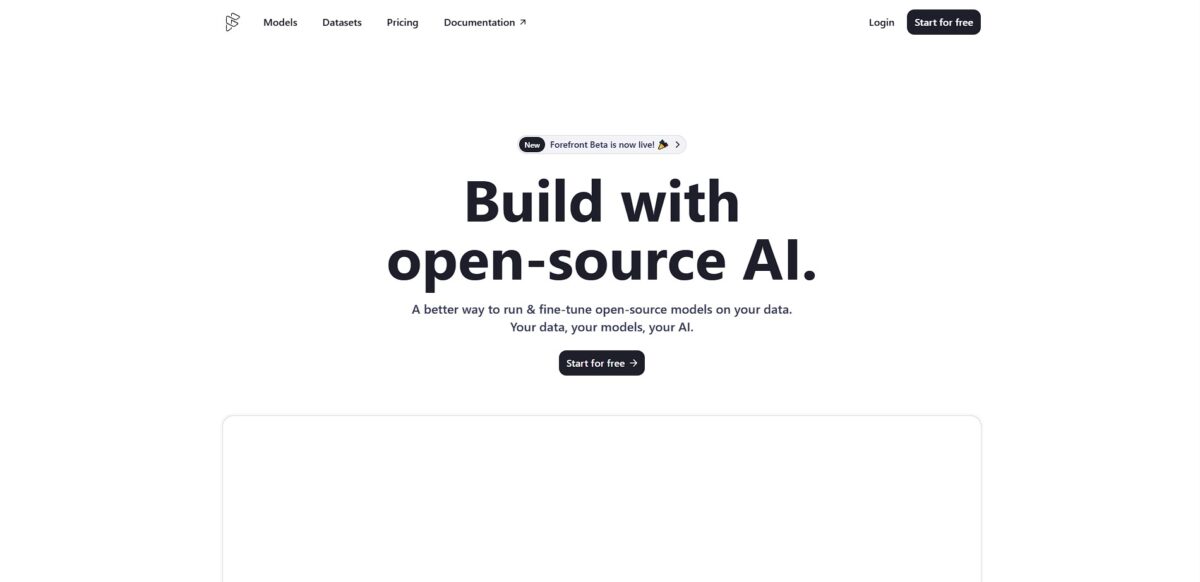
What is Chat Forefront AI?
Chat Forefront AI functions as a unified command center for multiple large language models, allowing you to switch between engines like GPT-4 or Claude without juggling several paid subscriptions. It replaces the isolated chatbot experience with a workspace where you can upload a massive technical PDF and query its contents while the AI simultaneously browses the live web to cross-reference data. It excels at consolidating your workflow into one tab, though the variety of customization options for different assistants can feel cluttered if you only need a simple text box. With your data no longer siloed, you can move from analyzing a spreadsheet to generating a summary instantly. On the downside, the interface can lag when handling extremely large CSV files or complex datasets. Use Chat Forefront AI if you want to test how different models handle the same prompt in one place, but stick to native apps for basic Q&A.
How to start using Chat Forefront AI?
To get started, navigate to forefront.ai and sign up using an email or Google account. You’ll land in a dashboard that feels more like a workspace than a simple chat window. The free tier lets you test the water, but the heavy lifting happens once you choose a model from the top dropdown. I noticed that jumping between GPT-4 and Claude 3.5 Sonnet in the same thread helps when you need a different perspective on a complex bug. This matters because you don’t have to pay for five separate subscriptions to access the top-tier reasoning engines.
Once your profile is active, start by creating an assistant. You can give it specific instructions, like “always respond in concise markdown” or “ignore boilerplate explanations.” This prevents the AI from lecturing you on things you already know, which is a common annoyance when asking for quick code snippets. You can also upload technical documents or spreadsheets directly into the chat. The trade-off is that very large files can sometimes hit context limits, but for standard documentation, it saves you from copying and pasting endless text blocks.
The interface allows you to organize chats into folders. This is great for keeping your “Home Automation” scripts separate from your “Work Project” research. If you’re feeling stuck, you can browse the persona library to find a pre-configured assistant for specific tasks like SEO auditing or creative writing. The search feature is particularly effective for finding that one obscure line of code you discussed three weeks ago, so your chat history becomes a searchable knowledge base rather than a graveyard of lost ideas.
For those looking to automate, the platform offers an API and the ability to fine-tune open-source models on your own data. This moves the tool from a simple chatbot to a backend engine for your own apps. You can experiment in the playground before committing to an API call, which helps you debug prompts without burning through tokens. The setup is straightforward—usually just a few lines of code to integrate. Developers get the flexibility to deploy custom-tuned models without managing their own GPU clusters.
Who is it for?
Multi-Model Power Users
Stop switching tabs between GPT-4 and Claude 3.5 Sonnet to compare logic. You get a single workspace to pit the best models against each other on one complex prompt. No more managing five separate $20 subscriptions just to find the best answer.
Technical Researchers
Upload a 50-page PDF and use the internet-connected mode to verify its claims against live web data. It bridges the gap between static document analysis and real-time news cycles. You won’t get stuck with outdated information from a model’s training cutoff.
Data Analysts
Use the visualization features to turn messy CSV rows into readable charts without writing a single line of Python. It handles the charting logic while you focus on the actual business insights. That spares you the manual toil of jumping into Excel for every small trend check.
Practical Coders
Feed the AI your repo’s documentation and ask for a specific implementation of a niche library. I noticed it handles context-heavy snippets better when you can toggle to a more “reasoning-heavy” model mid-thread. The result is code that actually compiles based on your specific stack.
Content Strategists
Draft long-form articles while using the web search to pull in recent statistics or trending topics. It strips away the friction of hunting for citations by sourcing them during the drafting process. Your “first draft” then already includes the evidence needed to build authority.
Chat Forefront AI pricing
Forefront’s pricing structure focuses on giving you a single dashboard for multiple heavyweight models. Instead of paying for three separate subscriptions, you’re buying into an interface that toggles between different LLM providers and specialized tools like document analysis or web browsing.
Free: $0/month. You get access to basic models and limited “chat with docs” capabilities. In testing, complex technical manuals uploaded on this tier often hit token limits quickly, forcing you to break files into smaller chunks. It works fine for occasional questions, but it will slow you down if you’re trying to build a deep knowledge base.
Takeaway: Treat this tier as a way to verify that the file-parsing logic handles your specific document types before upgrading.
Pro: $29/month. This tier opens up the frontier models like Claude 3.5 and GPT-4o with much higher message caps. It removes the friction for developers who need to compare how different models handle the same block of legacy code. You also get better image generation and more consistent access during peak traffic.
Takeaway: This is the sweet spot for solo power users who need daily, multi-model cross-referencing.
Ultra: $69/month. Targeted at researchers who demand the highest available limits on the most expensive reasoning models. The price jump is steep because you are essentially prepaying for heavy compute usage that would normally cost much more in raw API credits. It ensures you don’t get throttled when you’re in the middle of a multi-hour data visualization session.
Takeaway: Only worth it if your job involves constant, high-volume interaction with top-tier models every single day.
Team: $99/month. This plan centralizes billing and adds shared workspaces where everyone can access the same uploaded document libraries. It solves the headache of team members constantly re-uploading the same internal PDFs to their individual accounts. You’re paying for the management layer and collaborative features rather than just raw model access.
Takeaway: Choose this if you have a small crew that needs a unified “brain” for shared project documentation.
Enterprise: Custom pricing. Large organizations get tailored limits, dedicated support, and administrative security controls. You’ll need to coordinate with their sales team to get a quote based on your specific headcount and security requirements. This tier is less about the chatbot interface and more about data governance and single sign-on integration.
Takeaway: Only necessary if your IT department requires formal compliance audits or centralized user provisioning.
Chat Forefront AI key features
Cross-Model Perspective
Toggle between GPT-4, Claude 3.5, and other engines in one conversation to compare logic. It stops you from paying for multiple $20 subscriptions just to see if one model catches a bug the other missed. You get a consensus on complex code without juggling browser tabs.
Massive Document Ingestion
Upload technical PDFs or long research papers to query specific data points across the text. I noticed it keeps the context intact even when you ask detailed questions about a footnote on page 40. No more scanning hundreds of pages by hand for a single variable or requirement.
Live Web Intelligence
Switch on internet browsing to verify facts or pull the latest library documentation. It bypasses the standard 2023 knowledge cutoff by fetching real-time snippets from the current web. Your answers reflect today’s releases rather than hallucinated legacy syntax.
Data Visualization
Generate charts and graphs directly from raw CSV uploads or pasted table data. It turns messy spreadsheets into visual trends without requiring you to write custom Python scripts or export to Excel. You can present findings to stakeholders immediately after a data dump.
Persona-Driven Chat
Select specialized assistants tuned for coding, marketing, or research to change the AI’s default behavior. It saves you from writing long system prompts every time you need a specific tone or expertise. The model stays focused on your narrow task instead of drifting into generic helpfulness.
Shared Team Workspaces
Move conversations into folders where colleagues can view and build on previous prompts. It stops the information silo that happens when one dev solves a problem in a private window. Over time, that builds an internal knowledge base of prompts that actually work for your specific codebase.
Chat Forefront AI Pros & Cons
Pros
Forefront AI consolidates heavy hitters like GPT-4 and Claude 3.5 into one dashboard, ending the cycle of paying for three separate $20 monthly seats. You can upload a technical PDF and immediately query it while the AI browses live documentation to verify specific API changes. Switching between models in the same thread helps when one hits a logic wall, giving you a second opinion on complex code without losing your conversation history.
Cons
The interface feels more like a crowded workspace than a simple chat window, which might slow you down if you just need a quick email draft. While it aggregates several providers, you are often limited by the platform’s own message caps rather than the raw limits of the underlying models. The trade-off for convenience is a layer of abstraction that can occasionally delay new feature rollouts from OpenAI or Anthropic. This matters because you might wait a few days longer for the newest frontier model updates compared to using the direct source.
Use Chat Forefront AI if you want…
- …to benchmark multiple LLMs in a single workspace.
- …deep insights from massive technical PDF documents.
- …real-time web browsing to verify technical documentation.
- …to generate complex data visualizations from raw files.
- …one subscription for GPT-4 and Claude 3.5.
- …an organized command center for advanced AI research.
- …to toggle specialized models without switching browser tabs.
Chat Forefront AI alternatives
 Microsoft CopilotRead review →
 ClaudeRead review →
 ChatGPTRead review →
 You.comRead review →
 Google GeminiRead review →
Chat Forefront AI Reviews
Having GPT-4 and Claude in one tab is a total game-changer for my dev workflow, though the interface occasionally lags during peak hours.
The document analysis feature is sharp, but I’ve noticed the free tier limits on web search are a bit tight for heavy research.
Love the persona customization for brand-specific drafting, even if switching between models feels a bit clunky at times.
Great for comparing LLM outputs side-by-side, but the lack of an offline mode makes it tough to use while traveling.
A solid unified workspace for all my AI needs, though getting a response from technical support can be a slow process.
FAQ
Which AI models can I access through Forefront AI?
Forefront AI provides access to a variety of powerful large language models, including GPT-4, GPT-3.5, Claude 3, and Claude 2, as well as specialized open-source models that can be fine-tuned for specific tasks.
Can I chat with my own documents and files?
Yes, the platform allows you to upload and interact with various file types such as PDFs, Word documents, and CSV files to extract insights, summarize highlights, or visualize data through charts and graphs.
Does Forefront AI have real-time internet access?
Yes, Forefront AI features internet browsing capabilities that allow the assistant to search the web for up-to-date information, bypassing the knowledge cutoff dates found in some other models.
Can I customize how the AI assistant behaves?
You can create personalized assistants by assigning specific roles like senior software engineer or financial analyst, providing them with instructions and memory to better suit your individual or business workflows.
Is there a way to generate images within the chat?
Yes, Forefront AI integrates image generation tools, such as the latest Stable Diffusion models, allowing you to create high-quality visuals directly through conversational prompts.
What security features are available for businesses?
Forefront Enterprise offers advanced security measures including SAML SSO, dedicated Slack channels, and self-hosting options to ensure secure communication and data privacy for larger organizations.
Similar tools
 KreoCloud AI takeoff and estimating platform that measures, counts and prices construction drawings, with an AI agent that runs multi-step jobs.
 Cabina.AIToken-based AI workspace that puts 55+ text, image, video and audio models, a RAG knowledge base and scheduled AI agents in one
 PlerdyWebsite analytics and CRO suite with heatmaps, session replay, free A/B testing, SEO audits and an MCP connector for asking Claude or