

Chatbase
Chatbot BuildersUpdated October 5, 2026
Transform your data into intelligent, custom AI chatbots for instant customer support and seamless website integration.
We may earn a commission when you sign up through our links. It does not affect our reviews.
What is Chatbase?
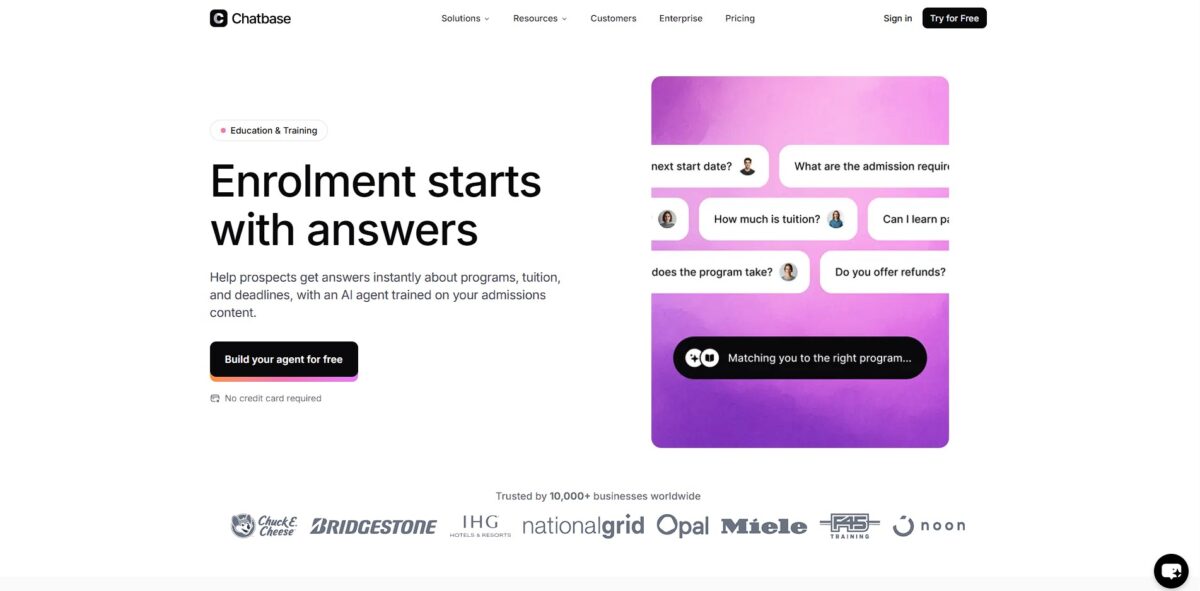
Chatbase functions as a specialized RAG wrapper that transforms your internal PDFs, Notion pages, and website URLs into a conversational support agent. You feed it specific data sources, and it uses GPT-4 to answer customer queries without hallucinating generic internet facts. This setup solves the problem of customers digging through buried FAQ links by providing direct, documented answers in seconds. While it excels at simple Q&A for small teams, I noticed it lacks a visual flow builder, making it less ideal for complex, multi-step troubleshooting logic. This matters because you can automate 70% of repetitive tickets without writing a single line of code.
How to start using Chatbase?
You start by feeding Chatbase your raw data sources. Upload PDFs, crawl a website URL, or sync a Notion board directly through the dashboard. The system parses this text to build a specialized knowledge base for your bot. You don’t have to manually write hundreds of intent-based responses, and your bot answers from your actual documentation rather than generic AI guesses.
Next, you move to the customization tab to define the bot’s behavior. You can set a specific base prompt to tell the agent how to greet customers or how to handle technical questions it can’t answer. The interface lets you preview the bot instantly as you tweak these settings. This trial-and-error approach helps you catch tone issues before the bot goes live. Giving it clear boundaries prevents the AI from hallucinating facts about your pricing or features.
The integration phase is where you choose how the bot meets your users. You can grab a simple iframe code to embed the chat window on your site or use a popup bubble script. For those using Slack or WhatsApp, there are dedicated connection settings to push the bot into your team’s existing workflow. It works well for standard web platforms, though complex custom apps might require more API tinkering. Connecting these channels allows one knowledge base to serve customers across different touchpoints simultaneously.
Before hitting publish, run a few test queries in the “Playground” simulator. You can see exactly which source document the bot pulled its answer from to verify accuracy. If it gives a wrong answer, you can revise the source text or adjust the instructions immediately. This feedback loop is essential for maintaining trust with your users. Use the “Sources” view to double-check that sensitive internal documents weren’t accidentally included in the public-facing bot.
Start with one clean PDF source to see how the AI handles your specific terminology before syncing your entire website.
Who is it for?
Solo Founders
You have a knowledge base scattered across Notion and random PDFs but zero time to answer the same “how do I…” email for the tenth time today. Chatbase scrapes those sources so you can get back to building. Even as a team of one, you effectively get a 24/7 support department.
Customer Success Leads
Teams drowning in repetitive tickets for simple UI navigation or policy questions use this to deflect the “easy” stuff. It stops your human agents from burning out on mechanical copy-paste replies. Your experts are then free for high-stakes churn conversations.
E-commerce Shop Owners
If customers keep asking about shipping times or return addresses found deep in your footer, this bot pulls that data instantly. It struggles with complex, multi-step troubleshooting, but it handles basic lookups perfectly, and instant answers prevent abandoned carts during late-night browsing.
Marketing Agency Owners
You can white-label the interface to provide clients with a customized “AI specialist” trained on their specific brand guidelines. It makes your service look significantly more tech-forward without requiring a dedicated developer. Tangible automation like this helps justify higher monthly retainers.
SaaS Product Managers
Great for embedding directly into your app to guide new users through onboarding based on your actual documentation. It bridges the gap between a user feeling lost and them finding the right feature. Reducing early friction is the fastest way to improve retention.
Chatbase pricing
Chatbase moves away from per-seat costs and anchors its value on a credit-based system that scales with your actual conversation volume. Instead of paying for staff who might stay idle, you pay for the automated responses your customers actually trigger. This setup helps you maintain a lean support operation while handling sudden spikes in traffic without hiring temporary contractors.
You get 50 message credits and 1 AI agent to test basic logic. It works for a weekend proof-of-concept but deletes your data after 14 days of silence. Think of it as a risk-free sandbox to see if the RAG engine actually understands your documentation.
This tier bumps you to 2,000 credits for a single chatbot. It lacks custom domains and branding removal, making it a better fit for internal tools or personal projects rather than client-facing storefronts: your bot will still show a watermark, which might feel less professional to high-ticket customers.
You get 12,000 credits and 2 AI agents. This is the practical entry point for small businesses needing API access and deeper integrations like Slack or WhatsApp. You can sync conversational data into your existing workflows instead of checking a separate dashboard.
High-volume support teams get 40,000 credits and 3 AI agents. It includes advanced analytics to spot where the bot fails to resolve tickets. The trade-off is the steep price jump, but it finally removes the watermark to keep your brand front and center. The credit math is the real “gotcha” here. Using a basic model costs 1 credit, but switching to a premium model like GPT-4 can burn 20 credits per response. Always check your model settings before a big launch to avoid hitting your monthly limit in 48 hours.
Chatbase key features
Multi-source data ingestion turns static PDFs, Notion pages, and raw website URLs into a conversational index
Instead of writing manual FAQ answers, you point the tool at your existing documentation to build a knowledge base. You spend far less time updating chatbot responses every time your product changes.
The embeddable chat widget lets you drop a support agent onto any site with a simple script tag
You can customize the colors and greeting to match your brand without diving into CSS. Customers get immediate answers directly on the page where they are experiencing friction.
Lead capture forms integrated into the chat flow collect names and emails before or during a session
In testing, this worked best for gating high-value information, though it can annoy users just looking for a quick link. Either way, a support interaction becomes a potential sales opportunity.
API access and Zapier connections allow you to push conversational data into your CRM or Slack. You can set up triggers to alert a human if a specific keyword pops up in a chat. That connects automated triage with actual human follow-up.
Custom model selection lets you toggle between different LLMs to balance cost and reasoning depth
Using GPT-4 handles complex logic well, while smaller models keep your message credits from disappearing too fast. You can optimize your budget based on how difficult your customer questions actually are.
Chatbase Pros & Cons
Pros
Chatbase puts a working support agent on your URL in ten minutes. You feed it a PDF or a link, and the system immediately anchors its answers to your specific documents. It replaces generic AI chatter with precise details from your own knowledge base. This matters because customers receive actual policy facts instead of confident-sounding nonsense. I noticed that uploading a clean spreadsheet of Q&A pairs works much better than letting the bot crawl a messy site. Use Chatbase for rapid FAQ deflection when your documentation is already solid.
Cons
The platform lacks a visual flow builder for mapping complex conversational paths. You cannot easily drag and drop your way through multi-step troubleshooting logic. Pricing proves difficult to track because different AI models consume message credits at varying rates. Your monthly budget might vanish during a traffic surge without you realizing why. Without tight guardrails, the bot occasionally invents answers for topics missing from your uploaded data. Expect to spend extra time testing knowledge gaps before going live to avoid hallucinations.
Use Chatbase if you want…
- Turn static PDFs into interactive AI knowledge bases instantly.
- Automate customer support using your own business data.
- Eliminate repetitive support tickets with 24/7 AI assistance.
- Deploy a custom-trained chatbot on your website in minutes.
- Ensure accurate responses grounded specifically in your documents.
- Scale customer interactions without increasing your support headcount.
- Provide instant answers from complex manuals and internal wikis.
Chatbase alternatives



Chatbase Reviews
“Ridiculously fast to set up. I had a bot trained on my site’s docs and embedded in under ten minutes.”
“The knowledge base grounding is solid. It stopped the random AI hallucinations that were driving our support team crazy.”
“Great for FAQs, but the credit limits on the lower tiers can sneak up on you once you get decent traffic.”
FAQ
Can I train the chatbot on my own data?
Yes, you can upload PDFs, docx files, or crawl your website URL to create a knowledge base that the AI uses to answer customer questions accurately.
Do I need to know how to code to use Chatbase?
No, Chatbase is a no-code platform that allows you to build, train, and embed a custom chatbot on your website without writing any programming scripts.
Which messaging platforms does Chatbase integrate with?
Chatbase offers native integrations with Slack, WhatsApp, and Facebook Messenger, allowing your AI agent to communicate with customers across multiple channels.
Is my business data secure and private?
Chatbase is SOC 2 Type II and GDPR compliant, ensuring your data is encrypted and never used to train other AI models.
What happens if I run out of message credits?
If you exhaust your monthly message credits, the chatbot will display a message stating it is temporarily unavailable until your credits renew or you upgrade your plan.
Can the chatbot hand off a conversation to a human?
Yes, you can configure escalation rules that allow the AI agent to smoothly transfer complex queries to a human support representative with the full chat history.
Does Chatbase support multiple languages?
The platform can process and respond to customer inquiries in over 50 different languages, making it suitable for global business operations.
How long does it take to deploy a chatbot?
Most users can have a fully trained AI agent live on their website in under 10 minutes by simply syncing their data sources and pasting an embed code.
Similar tools
 Expertise AIWebsite AI agent, formerly Chatsimple, that answers B2B visitors, identifies and qualifies leads, books meetings and syncs chats into HubSpot or Salesforce.
 BotnoiThai no-code builder for AI chatbots and agents that answer customers on LINE, Facebook Messenger and the web, billed per bot message
 VoiceflowPlatform for building, testing and running AI customer support agents across web chat, phone and SMS, with playbooks, workflows and tools.