

ChatbotBuilder.AI
Chatbot BuildersUpdated October 5, 2026
Easily build and deploy customizable AI chatbots across multiple channels to engage customers and automate support 24/7.
We may earn a commission when you sign up through our links. It does not affect our reviews.
What is ChatbotBuilder.AI?
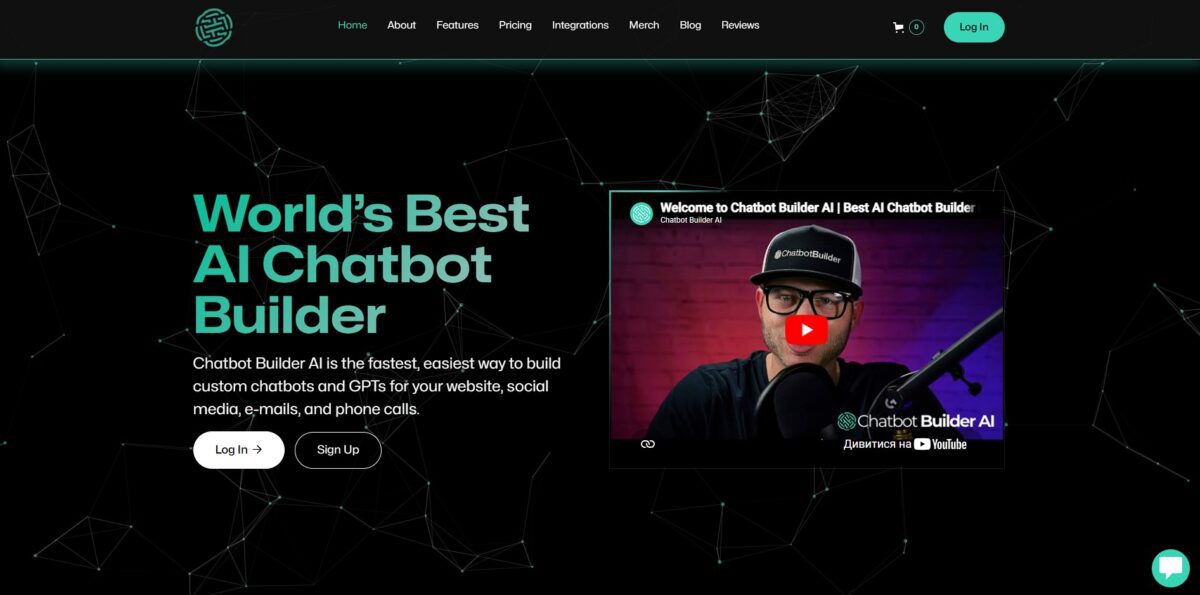
ChatbotBuilder.AI acts as a central hub for deploying automated chat flows across scattered channels like Instagram, WhatsApp, and Facebook. Instead of wrestling with individual platform APIs or building separate bots for every social inbox, you connect your accounts and map out logic in one visual interface. It focuses heavily on direct response and lead capture, which is great for turning comments into conversations but feels less specialized for deep technical documentation or complex troubleshooting. This matters because it saves you from the technical debt of maintaining multiple integrations as platform rules change. Choose this if you need to synchronize customer interactions across different social apps from a single dashboard.
How to start using ChatbotBuilder.AI?
Getting started with ChatbotBuilder.AI begins at their homepage. You’ll need to sign up for an account to reach the main dashboard. The interface immediately presents a grid of various messaging channels like Facebook, Instagram, and WhatsApp. Choosing a channel right away helps you see how the bot behaves on specific platforms rather than testing in a generic vacuum. You won’t be fixing layout issues later when a button looks weird on mobile.
Once you’ve picked a channel, the visual flow builder becomes your primary workspace. You create “nodes” that represent messages or actions and drag lines to connect them. It feels like mapping a logic tree on a whiteboard. I noticed the transition between simple text replies and complex API calls is quite abrupt, so it’s worth sticking to basic greeting flows before trying to fetch external data. Otherwise, it’s easy to get lost in logic errors before the bot even says hello.
The next step involves connecting your actual social media or messaging accounts. ChatbotBuilder.AI uses official integrations, so you’ll usually just click a “Connect” button and follow the platform’s permission prompts. This part can be a bit finicky if you don’t have admin rights to the page you’re trying to automate. In return, your bot won’t suddenly get banned for using unofficial workarounds, and your automation stays stable and compliant with platform rules.
To make the bot truly functional, you head to the “Keywords” or “AI” settings. Here, you define what triggers specific flows, like a customer typing “pricing” or “help.” You can train the system on your own data to handle varied phrasing. It’s effective for standard FAQs, though it might struggle with very niche industry jargon without significant manual input. The bot takes the boring repetitive questions while you focus on the weird stuff.
Who is it for?
Agency Owners
Marketing firms can spin up a white-label chatbot service to generate recurring revenue. This helps because you stop trading hours for dollars and start selling a branded product you control.
Solo Founders
Builders who need to automate support or sales without hiring a human team. It captures leads while you sleep, a big deal for small teams that often lose revenue to slow response times.
Customer Support Managers
Teams drowning in repetitive tickets like order status or policy questions. Offloading these routine queries reduces the backlog. Your human agents can then focus on complex cases that actually need a brain.
E-commerce Merchants
Shop owners looking to bridge the gap between browsing and buying. A bot can recommend products based on real-time intent. This matters because answering a question at the moment of friction directly prevents cart abandonment.
Lead Gen Specialists
Marketers running multi-channel campaigns on WhatsApp or Facebook. The tool qualifies traffic instantly rather than sending cold leads to a manual CRM. Speed-to-lead is usually the biggest factor in closing digital sales.
Technical Freelancers
Developers who want to build custom conversational flows without managing a messy backend. It handles the API heavy lifting so you can focus on the business logic.
ChatbotBuilder.AI pricing
ChatbotBuilder.AI avoids the usual “per-seat” tax that kills your margins as you scale. Instead of punishing you for having a larger team, the costs focus on whether you are tinkering in a sandbox or running a full-scale agency operation. It is a refreshing shift if you are tired of watching your SaaS bill spike every time you add a new client or support rep.
This is for breaking things while you build. You get a feel for the logic without entering credit card details.
This fits a single brand needing a live bot on multiple channels. It handles the heavy lifting of customer inquiries without requiring a dedicated developer.
You get the keys to the kingdom here. It allows you to resell the platform under your own branding, which is perfect for freelancers tired of sending clients to third-party sites.
This is for high-volume setups needing custom infrastructure. It keeps everything under your own domain and control. As a result, you can predict your monthly overhead without worrying about hidden “success taxes” as your bot gets more popular. Use the Sandbox to build your proof-of-concept before committing to the $49 tier.
ChatbotBuilder.AI key features
Multi-channel deployment handles WhatsApp, Instagram, and Facebook Messenger from a single dashboard
You skip the headache of manual API stitching for each social platform. This means your support team stops context-switching between browser tabs.
The visual flow builder replaces complex syntax with drag-and-drop logic
While it simplifies the logic for non-coders, it can feel slightly crowded when mapping out dozens of edge-case scenarios. Marketing teams can update bot responses without bothering a developer.
White-label options let agencies swap the branding for their own logo and domain
It’s a specialized play for those selling “Chatbots-as-a-Service” to local businesses. You can provide a client-facing portal without exposing your tech stack.
Built-in Google Sheets integration syncs captured lead data directly to your spreadsheets
I noticed it saves time on exports, though you still need to keep your sheets organized to avoid mess. The result is an instant database for your sales team to follow up on.
Custom AI training allows the bot to ingest specific business PDFs or website URLs
Instead of generic AI fluff, the bot answers using your actual pricing or policy documents. That cuts down on “hallucinations” where the AI might accidentally promise a discount you don’t offer.
ChatbotBuilder.AI Pros & Cons
Pros
ChatbotBuilder.AI shines with its native omnichannel support, letting you build a flow once and deploy it across Instagram, WhatsApp, and even voice calls without separate configurations. The drag-and-drop Kanban boards simplify lead management, turning messy chat histories into organized sales pipelines. The platform handles high-volume spikes well, which keeps your bot responsive during viral marketing campaigns. A unified customer experience also prevents data silos and lost sales opportunities. Use the visual pipeline to automate lead handoffs to your sales team instantly.
Cons
The platform offers so much flexibility that the initial setup feels overwhelming for beginners who just want a simple FAQ bot. While it includes pre-built marketing tools, deep-diving into custom logic or complex API integrations requires more time than the “minutes to build” marketing suggests. The trade-off for such broad channel coverage is a steeper learning curve compared to single-channel tools like ManyChat. Your first sophisticated automation might take a full weekend rather than an hour. Start with a single channel like Web Chat before expanding to complex voice or SMS funnels.
Use ChatbotBuilder.AI if you want…
- Deploy multi-channel bots with zero deployment friction.
- Monetize your own branded white-label AI platform.
- Orchestrate complex workflows using visual logic builders.
- Sync conversational data directly into your CRM.
- Automate customer acquisition on Instagram and Messenger.
- Deliver low-latency, 24/7 automated technical support.
- Build custom AI agents with solid API connectivity.
ChatbotBuilder.AI alternatives



ChatbotBuilder.AI Reviews
“Super intuitive interface. Built my first bot in minutes.”
“The multichannel integration is a lifesaver for my agency.”
“Solid performance and great customization options.”
FAQ
Do I need coding skills to build a chatbot?
No, ChatbotBuilder.AI is a no-code platform designed for users of all technical levels to create bots using a drag-and-drop interface.
How long does it take to set up a chatbot?
A basic chatbot can be set up and running in under 30 minutes, while more complex agents can be built in an afternoon.
Can I train the chatbot with my own business data?
Yes, you can upload website links, PDFs, documents, and text to train the AI on your specific brand voice and product information.
Which channels can I deploy my chatbot on?
You can integrate your chatbot across multiple channels including Facebook, Instagram, WhatsApp, Telegram, SMS, Email, and Voice.
Does it support multiple languages?
Yes, the platform supports over 50 languages for chat interactions and offers a dashboard interface available in six languages.
Can I integrate with other business tools?
Yes, you can connect with tools like Zapier, Google Sheets, Google Calendar, Stripe, PayPal, and various CRM systems via built-in integrations or API access.
Can the chatbot handle phone calls?
Yes, ChatbotBuilder.AI provides native voice and phone support to handle automated voice interactions and call requests.
Is there a way for humans to take over the conversation?
Yes, the platform includes a live chat feature that allows for a smooth handoff from the AI bot to a human agent when necessary.
Similar tools
 Expertise AIWebsite AI agent, formerly Chatsimple, that answers B2B visitors, identifies and qualifies leads, books meetings and syncs chats into HubSpot or Salesforce.
 BotnoiThai no-code builder for AI chatbots and agents that answer customers on LINE, Facebook Messenger and the web, billed per bot message
 VoiceflowPlatform for building, testing and running AI customer support agents across web chat, phone and SMS, with playbooks, workflows and tools.