

ChatBotKit
Chatbot BuildersUpdated October 5, 2026
Build powerful, custom AI agents with secure data integration and seamless deployment across multiple messaging platforms like Slack.
We may earn a commission when you sign up through our links. It does not affect our reviews.
What is ChatBotKit?
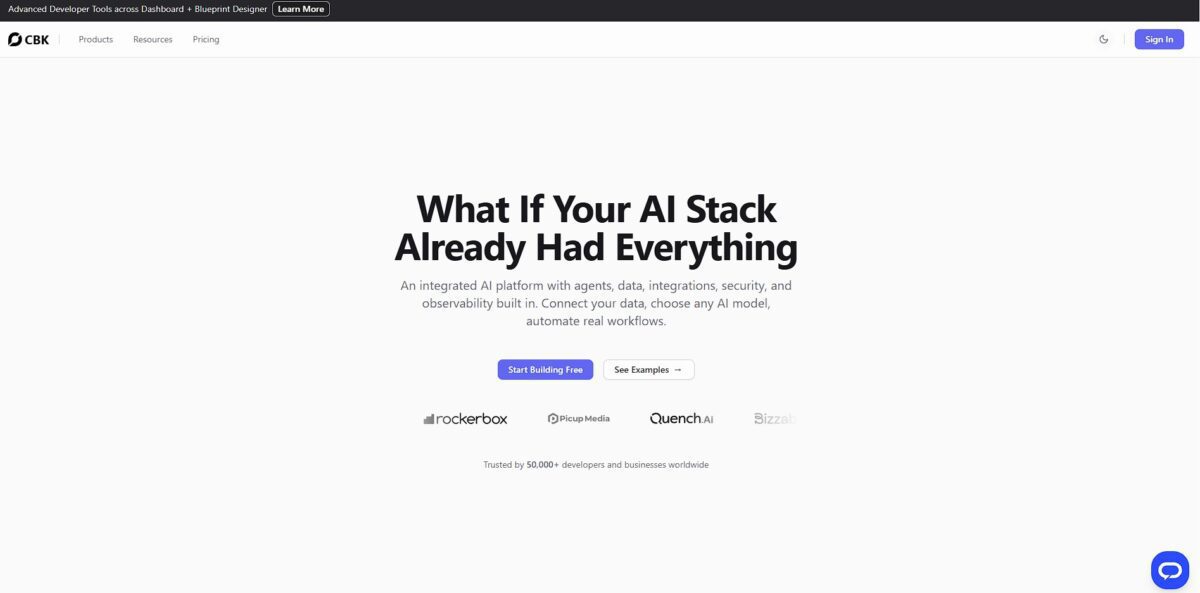
ChatBotKit functions as a technical infrastructure for building AI agents rather than just providing a pre-packaged chat interface. It allows you to stitch together custom datasets, diverse LLMs like GPT-4 or Claude, and specific skillsets to deploy bots across Slack, Discord, or WhatsApp. While many builders lock you into their own ecosystem, this platform lets you bring your own API keys, which stops your monthly bill from ballooning as you scale usage. I noticed it handles the annoying parts of development—like session management and PII redaction—automatically so you can focus on the logic. This matters because it shifts the work from managing server uptime and security compliance to actually refining how your agent helps users. It excels at complex, multi-channel deployments but might feel like overkill if you just need a simple FAQ popup.
How to start using ChatBotKit?
Jump in by grabbing an API key from the ChatBotKit dashboard. You can start building a bot immediately using their hosted interface, but the real fun begins when you connect your own data. Upload a handful of PDFs or link a website URL to create your first dataset. This turns a generic model into an agent that actually knows your specific product specs or company policies. Instead of guessing, the bot gives factual, data-backed answers.
If you are a developer, skip the dashboard and use the terminal. Run npm install @chatbotkit/sdk to pull their library into your project. I noticed that setting up a session on the edge with their Next.js SDK is significantly faster than building a custom backend from scratch. You just initialize the client with your secret and start streaming responses. This saves you from managing complex server infrastructure and websocket connections yourself.
The platform relies on three pillars: the bot, the dataset, and the integration. You define the bot’s persona—like a grumpy coder or a helpful librarian—then attach your data. Once you are happy with the preview, head to the integrations tab. You can toggle on a Slack bot or embed a chat widget on your site with a single script tag. The trade-off is that while the setup is fast, fine-tuning the exact “vibe” of the AI requires some trial and error with the backstory prompts.
For those who live in the terminal, the CLI and Terraform provider are the way to go. You can declare your bots and datasets as code, making deployments reproducible across different environments. It is a refreshing departure from the usual “click-ops” required by most chatbot builders. This approach ensures your production configuration is versioned and safe from accidental manual changes.
Who is it for?
Technical Product Managers
You can bridge the gap between high-level requirements and actual implementation by building functional AI agents that use real company datasets. This saves you from waiting for a full engineering sprint just to test a workflow.
Support Operations Leads
Use this to automate common ticket resolutions like order tracking or documentation lookups without a complex enterprise contract. It helps you keep support costs flat even as user queries spike.
Full-stack Developers
If you need to add an AI interface to an existing web app via API, ChatBotKit provides the plumbing so you don’t have to manage vector databases or prompt pipelines yourself. It is great for fast deployment, though you might find the abstraction layers limiting if you need deep, low-level control.
Marketing Agency Owners
You can build and deploy custom-branded bots for multiple clients from a single platform. That opens a new recurring revenue stream without the overhead of managing a custom-coded backend for every account.
Internal Tools Engineers
Perfect for building “Expert Bots” that search through messy internal wikis or Slack logs to answer employee questions. It turns static company knowledge into an interactive resource that actually gets used.
ChatBotKit pricing
ChatBotKit skips the complex per-seat licensing that usually penalizes growing teams. Instead, it scales based on token consumption and data storage, which works well for developers who need to predict infrastructure costs. The structure allows you to start small without a credit card and move into production once you’ve validated your bot’s logic.
This tier is for tinkering. It allows for light testing with 500 messages and 3 datasets. That matters because you can build a proof-of-concept without any financial commitment.
Ideal for small projects with 1M tokens and 1K chat sessions. It provides enough headroom to handle a standard FAQ bot for a niche site. It’s the step between a hobby project and a live business tool.
Designed for larger operations needing 2M GPT-4 tokens and 10K conversations. It handles higher traffic volumes and more complex file storage for deep documentation. Your bot won’t hit a wall the moment your traffic spikes.
This is for heavy institutional use with 10M tokens and 50K sessions. It supports massive datasets and extensive integrations for enterprise-level workflows. The token-based model means you pay for actual usage rather than the number of colleagues viewing the dashboard. Watch your token consumption closely if you use complex models, as heavy prompts can drain your monthly allowance faster than expected. Use the Free tier to map your data before upgrading to Basic.
ChatBotKit key features
Connect specific knowledge bases like PDFs, sitemaps, or Notion pages to keep answers anchored to your data
This stops the AI from guessing when a customer asks about a specific shipping policy or technical spec. Accurate, documented responses build far more trust than generic AI hallucinations.
Deploy a single bot across Slack, WhatsApp, and web widgets without rebuilding the logic for each platform
You manage one central brain while your users interact wherever they already hang out. You avoid the technical debt of maintaining five different bot configurations across fragmented communication channels.
Equip agents with skillsets that allow them to perform actual tasks like searching the web, generating images, or calling external APIs. That turns the bot from a simple Q&A machine into a proactive assistant that can actually fetch real-time data and solve problems rather than just talk about them.
Use the white-label portal to ship branded AI experiences under your own domain and logo
This is a massive win for agencies or internal IT teams who want to provide a professional interface without the ChatBotKit branding. Your clients or employees get a polished, proprietary-feeling product.
Redact personally identifiable information (PII) automatically before it hits the logs or the model
The system scans for sensitive strings like credit card numbers or emails to keep your data footprint clean. Clearing the GDPR or CCPA compliance hurdle gets simpler, with no manual oversight required.
Coordinate multiple specialized agents within a single chat interface to handle complex, multi-step workflows
One agent might handle the data retrieval while another summarizes the findings, working together in a unified thread.
ChatBotKit Pros & Cons
Pros
ChatBotKit lets you sync your specific product catalogs and PDF documentation directly into a bot that talks to users on Slack, Discord, or WhatsApp. You bypass the nightmare of manual API wiring for every single chat app. It redacts sensitive info like email addresses before the data ever hits an external model, so you can automate customer support without accidentally leaking private user data to the internet. Build your knowledge base once and let it answer questions while you sleep. Use this if you need a specialized bot that lives where your customers already hang out.
Cons
The modular approach feels great until you try to map out complex custom skillsets, which can turn into a logic puzzle for non-developers. You won’t find native mobile apps or voice interactions here, so it is strictly a text-first experience. The credit token limit can feel restrictive if your bot enters a loop or handles high traffic during a sale. The trade-off for its granular security and platform reach is a setup phase that requires more than a five-minute coffee break. Pick a different tool if you need a quick plug-and-play widget without any configuration.
Use ChatBotKit if you want…
- Deploy custom AI agents across multiple messaging platforms.
- Train bots using your specific business data files.
- Connect advanced LLMs like GPT-4 to your apps.
- Automate complex customer workflows with flexible API tools.
- Build privacy-focused bots with automated PII redaction.
- Scale conversational infrastructure without per-seat licensing costs.
- Sync Notion and Slack data into intelligent assistants.
ChatBotKit alternatives

ChatBotKit Reviews
“The modular block system makes building complex agents surprisingly fast. Best no-code logic I’ve used.”
“Seamless Slack and Discord integration. Had a working support bot synced with my docs in minutes.”
“Clean interface and solid privacy controls. Great for handling sensitive client data without the headache.”
FAQ
Can I train ChatBotKit with my own data?
Yes, you can connect specific knowledge bases like PDFs, sitemaps, or Notion pages to ground the AI in your business data and prevent hallucinations.
Which platforms can I deploy my bots to?
ChatBotKit supports integration with popular platforms including Slack, Discord, WhatsApp, and Telegram, or you can embed it directly into your website.
Does ChatBotKit provide developer tools?
Yes, the platform offers a full set of SDKs for Node.js, Go, Next.js, and React, along with a CLI and REST and GraphQL APIs for deep technical customization.
Can I create multi-agent solutions?
Yes, ChatBotKit supports a modular approach allowing you to build and orchestrate multiple specialized AI agents to handle complex business workflows.
Is there a way to handle sensitive information?
The platform includes features to redact sensitive information and provides enterprise-grade security with data privacy controls compliant with GDPR and CCPA.
Does it support custom bot memories?
Yes, bot memories allow your agents to recall past interactions and maintain context across different sessions for more personalized responses.
Can I white-label the platform?
Yes, ChatBotKit offers white-label solutions for businesses looking to create and brand their own chatbot services for clients.
What kind of support is available?
Users have access to extensive documentation, technical manuals, interactive tutorials, and online support to assist with bot building and deployment.
Similar tools
 Expertise AIWebsite AI agent, formerly Chatsimple, that answers B2B visitors, identifies and qualifies leads, books meetings and syncs chats into HubSpot or Salesforce.
 BotnoiThai no-code builder for AI chatbots and agents that answer customers on LINE, Facebook Messenger and the web, billed per bot message
 VoiceflowPlatform for building, testing and running AI customer support agents across web chat, phone and SMS, with playbooks, workflows and tools.