

Chatfuel AI
Chatbot BuildersUpdated October 5, 2026
Automate sales and support on Instagram, WhatsApp, and Messenger with Chatfuel AI’s powerful no-code conversational flow builder.
We may earn a commission when you sign up through our links. It does not affect our reviews.
What is Chatfuel AI?
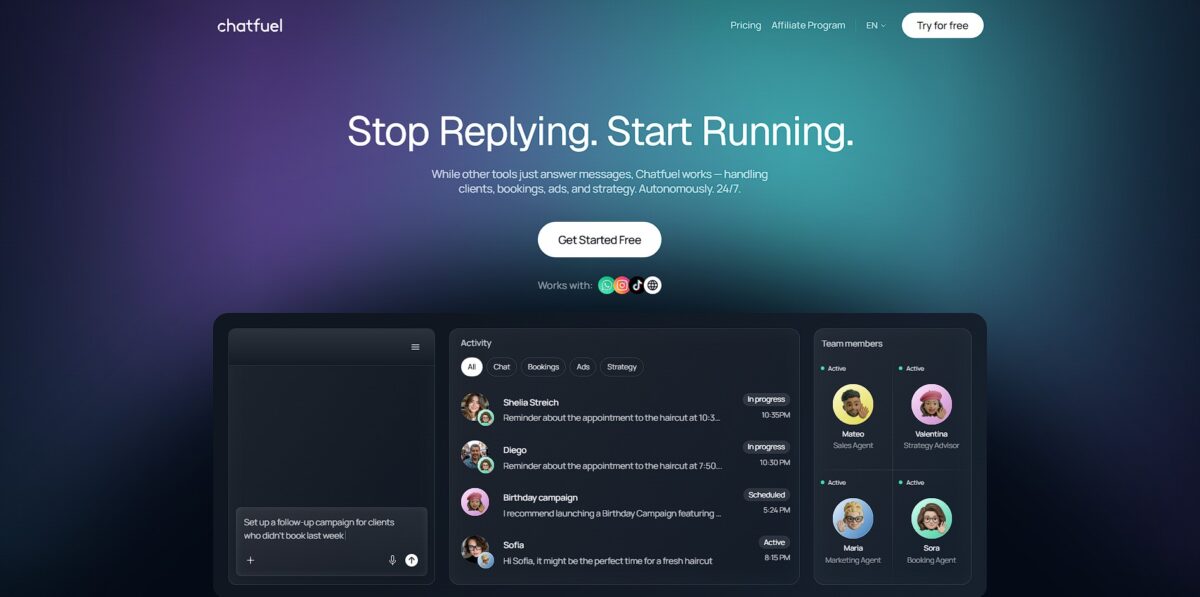
Chatfuel AI targets the Meta ecosystem by turning Instagram DMs, WhatsApp chats, and Facebook comments into automated sales funnels. You build these paths using a drag-and-drop canvas that connects user actions to specific responses, like capturing a lead after someone mentions your brand in an IG Story. While it handles basic keyword triggers, the recent inclusion of ChatGPT-based blocks means your bot can actually understand a customer’s intent when they ask a question in plain English. This shift lets a small team manage thousands of inquiries without hiring more support staff. It excels at Meta-specific triggers but feels restrictive if you need a native web chat widget. If you are deeply embedded in Facebook and Instagram, use it to automate the repetitive “How much is this?” questions that eat your day.
How to start using Chatfuel AI?
Getting started with Chatfuel AI begins on their website, where you connect your Facebook or Instagram account. You won’t find a complex onboarding wizard; instead, the platform drops you directly into a flow builder. Within minutes, you can start mapping out a greeting for a customer who comments on a specific post.
Once inside, choose a template for common scenarios like abandoned carts or FAQ automation. The interface relies on a block-based system where you drag and drop “cards” to represent different bot responses. I noticed that the learning curve is shallow for those used to visual editors, but finding specific advanced triggers can take a bit of clicking. Simple setups go fast; complex branching logic takes patience.
Linking your product catalog is the next step if you run an e-commerce store. You sync your Shopify or Facebook shop data to let the bot display items directly in the chat window. This turns a simple text bot into an automated storefront that handles discovery without human intervention. The path from a casual DM to a completed sale gets much shorter.
The final phase involves testing your flow within the dashboard before taking it live. You can simulate a user interaction to see exactly how the buttons and images appear on a mobile screen. It’s better for Meta-heavy businesses but feels restricted if you need a bot for a standalone website. Better you catch broken links or awkward phrasing than your customers.
Who is it for?
Instagram-First Sellers
Ideal for boutique owners who live in the DMs but hate typing the same sizing chart details fifty times a day. It kills the latency that usually happens when you’re busy packing orders and a lead asks about shipping costs. Instant replies keep shoppers from losing interest and jumping to a competitor’s profile.
Facebook Marketplace Power Users
Great for those handling high volumes of “Is this still available?” inquiries on Messenger. It moves people from a generic “Yes” to a scheduled viewing or payment link without manual intervention. You filter out window shoppers and save your energy for serious buyers.
WhatsApp Business Managers
Useful for service providers who need to intake client requirements or documents before jumping on a call. It handles the 24-hour messaging window logic effectively, keeping you compliant without thinking about it, and turns messy conversations into a predictable data set you can actually use.
Meta Ad Specialists
Perfect for performance marketers running Click-to-Message campaigns who want to qualify leads before they hit the CRM. The catch: it’s deeply tied to the Meta ecosystem, so it’s less ideal if your traffic comes mostly from SEO or LinkedIn. Within Meta, though, your ad spend isn’t wasted on low-intent clicks that never provide contact info.
High-Volume Support Teams
Works well for companies facing repetitive “Where is my order?” spikes during holiday sales. The bot handles the tracking status lookups so humans only touch the complex edge cases. Your support inbox stops being a bottleneck that slows down your response time.
Chatfuel AI pricing
Chatfuel recently overhauled its pricing, ditching the classic free plan for a model based strictly on active contacts. It is a significant pivot that forces you to estimate your traffic before you even hook up a Facebook page. If you are a small shop with a quiet inbox, the entry price feels manageable, but high-volume viral campaigns will trigger steep escalations quickly.
This is the entry gate for small service businesses. It uses GPT-5 mini to handle routine appointment bookings and shipping FAQs without a human lifting a finger. For local clinics or boutiques, that means 24/7 responsiveness.
This is the sweet spot for growing brands. You get the same logic but more room for lead generation. The price jumps to $169/month at 2,500 contacts and $279/month at 5,000.
You pay a premium to swap GPT-5 mini for the full GPT-5 model. This is for complex conversations where the bot needs to understand nuanced customer sentiment or tricky technical support. Expect a significantly higher cost per conversation.
Meta also charges separate per-conversation fees for WhatsApp. These extra fees can quietly double your monthly burn if you aren’t monitoring your Meta dashboard, and your “cheap” bot can become your most expensive employee if your ad spend scales. Choose the $39 Fuely Super tier to start; you can always scale up as your contact list grows, but you can’t get back the cash spent on a high-tier plan you didn’t fully use.
Chatfuel AI key features
The visual flow builder lets you drag blocks to map out automated paths for Instagram DMs and Facebook Messenger
You can build these sequences without opening a code editor. Marketing teams can change seasonal promotion replies instantly without waiting for a developer, and react to social trends in real-time.
Native Meta integration connects your bot to Instagram comments and Story mentions
The bot picks up specific keywords in public comments to trigger private sales flows. This works best for high-volume boutiques where manual tagging is impossible, turning passive scrollers into leads before they close the app.
Built-in ChatGPT blocks handle customer questions that fall outside your standard button logic. Instead of a “Sorry, I don’t understand” loop, the bot uses your specific business data to draft a natural response. The trade-off is a slight lag in reply speed compared to static blocks. In return, fewer frustrated customers need human intervention.
Lead extraction tools automatically identify and save phone numbers or emails from within a conversation
It pushes this data into your CRM or Google Sheets rather than burying it in a chat transcript. This saves your sales reps from hunting through message histories for contact info. Your sales pipeline keeps moving without manual data entry.
Re-engagement triggers allow you to send follow-up messages to users who abandoned their carts in a DM
You set a timer to ping them 24 hours after their last interaction to recover the sale. This works well for e-commerce but can feel intrusive if the frequency is set too high. That recovers revenue that would otherwise be lost to a closed browser tab.
Chatfuel AI Pros & Cons
Pros
Chatfuel excels at converting social buzz into sales within the Meta ecosystem. It triggers automated replies for Instagram story mentions and Facebook comments without any custom API work. The visual flow builder feels like mapping a flowchart. I noticed it handles horizontal product carousels across mobile apps with zero layout distortion. This matters because you capture buyer intent exactly where customers already spend their time. Stick to this for rapid social media lead generation.
Cons
The platform lacks a website chat widget, trapping your automation inside social apps. Without the ChatGPT blocks, its basic engine relies on simple keyword triggers. I noticed it often misses the mark when users ask questions with natural, conversational phrasing. This matters because it forces your team to take over chats manually when the bot gets confused by slight variations. You cannot clone flows between Facebook and WhatsApp, meaning you must rebuild everything from scratch. Avoid this if your business depends on a unified web-to-social support experience.
Use Chatfuel AI if you want…
- Convert Instagram story mentions into instant sales funnels.
- Automate Facebook comments into direct buyer conversations.
- Scale WhatsApp messaging without increasing support headcount.
- Capture high-intent leads 24/7 on autopilot.
- Sync social chat data directly with your CRM.
- Deliver lightning-fast replies to frequent customer inquiries.
- Drive e-commerce growth using tight Meta integrations.
Chatfuel AI alternatives

Chatfuel AI Reviews
“The visual flow builder is incredibly intuitive. I had a working bot for my Instagram DMs in under an hour without touching a single line of code.”
“Perfect for Meta-centric businesses. It handles Facebook and WhatsApp automation seamlessly, though the lack of a native website widget is a missed opportunity.”
“Solid entry-level pricing and great templates. The AI keyword recognition is basic, so definitely integrate ChatGPT if you want more natural conversations.”
FAQ
Which platforms does Chatfuel AI support?
Chatfuel AI is designed specifically for the Meta ecosystem, supporting automation for Facebook Messenger, Instagram DMs and comments, and WhatsApp.
Can I use ChatGPT within my Chatfuel flows?
Yes, you can integrate ChatGPT blocks directly into your conversational flows to provide smarter, non-predefined responses to customer inquiries.
Is there a web chat widget available for my website?
Chatfuel does not offer a native web widget; it is built specifically for Meta platforms, though you can use a Messenger button to redirect site visitors to Facebook.
Does Chatfuel support multiple languages?
While Chatfuel does not have a built-in translator, you can manually create separate conversational flows in different languages for your audience.
Can a human agent take over a conversation from the AI?
Yes, Chatfuel allows for a live chat handoff, enabling human support agents to step into the conversation when a user requests assistance or a complex issue arises.
Can I build one flow and use it across all Meta platforms?
No, you must build separate flows for Facebook, Instagram, and WhatsApp as each platform requires its own specific setup within Chatfuel.
Does Chatfuel integrate with Shopify and Google Sheets?
Yes, Chatfuel offers native integrations to sync data with Google Sheets and automate sales processes for Shopify stores.
What is Fuely AI?
Fuely AI is Chatfuel’s specialized customer support agent that uses business-specific data from your knowledge base to answer FAQs and recommend products.
Similar tools
 Expertise AIWebsite AI agent, formerly Chatsimple, that answers B2B visitors, identifies and qualifies leads, books meetings and syncs chats into HubSpot or Salesforce.
 BotnoiThai no-code builder for AI chatbots and agents that answer customers on LINE, Facebook Messenger and the web, billed per bot message
 VoiceflowPlatform for building, testing and running AI customer support agents across web chat, phone and SMS, with playbooks, workflows and tools.