
ChatPRD
AI AssistantsUpdated November 20, 2026
AI workspace for product managers that drafts PRDs and specs from your tools, reviews them like a CPO and feeds them to coding agents via MCP.
We may earn a commission when you sign up through our links. It does not affect our reviews.
What is ChatPRD?
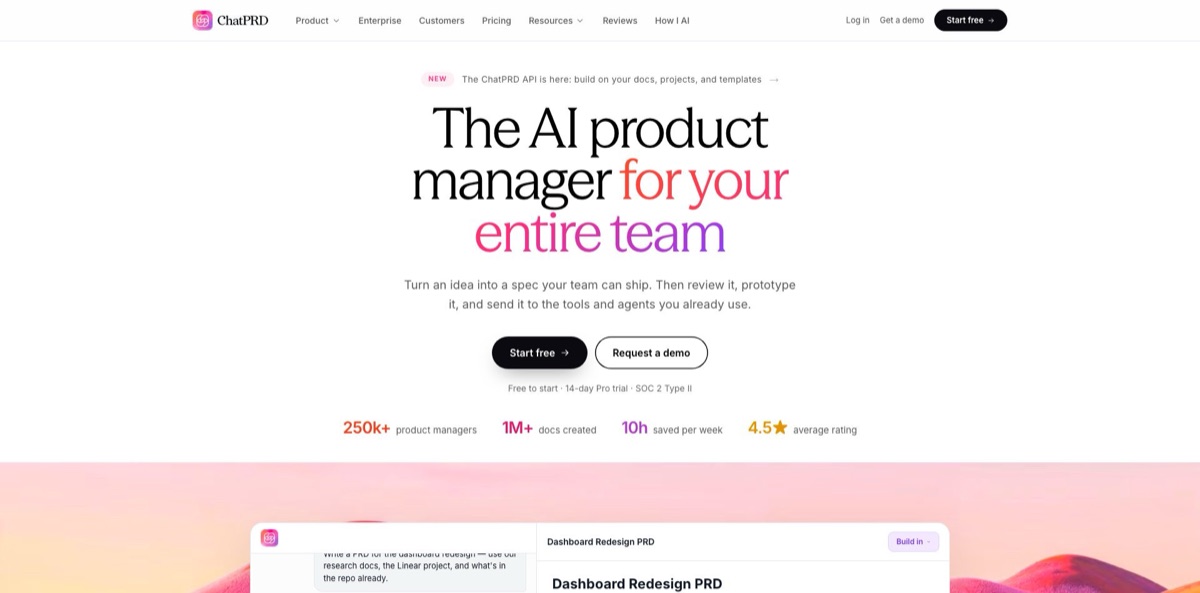
ChatPRD is an AI workspace built for product managers: you describe a feature in a chat, and it writes a structured PRD, user stories, a technical design doc or a launch brief in an editor beside the conversation. It pulls context from Notion, Linear, GitHub, Granola, Google Drive and your saved project files, so drafts start from what your team already knows rather than from a blank template. A review mode then scores the document the way a demanding CPO would and proposes line-level edits. Finished specs can go to Linear, Confluence or Google Docs, become a clickable prototype, or be read by coding agents through a hosted MCP server. The weak spot is the one every LLM writer shares: fluent text can hide domain mistakes, so you still own the final read. It fits PMs, engineers and founders who write specs every week.
How to start using ChatPRD?
Go to chatprd.ai, click Start free and sign up with an email address or a Google account; Enterprise customers can use SSO instead. The Free plan needs no credit card, while the 14-day Pro or Teams trial does. A short setup page then asks whether you work On my own or With my team. Choosing a team lets you name it and invite up to 10 people at a time by email. The optional Personalize your drafts panel takes your role, company, website and a one-line description of up to 280 characters, which ChatPRD uses to tailor drafts.
Click Start my first doc and describe what you are building in plain language. A rough brief is enough, for example the core invoicing feature of an app for freelancers, and ChatPRD asks clarifying questions when it needs more. Writing mode is on by default. Open it to pick a template: leave Auto (ask me each time) selected, choose ChatPRD: PRD, pick one of your own templates, or turn templates off, then set the length to Short, Medium or Long. The draft streams into an editor next to the chat, with a card naming the template used.
Before your second document, set up the context that makes drafts specific. In Settings > Profile you can add a bio, a default language, a personality, a feedback style and your industry. Create a project for your product, give it instructions, upload briefs, research or older specs, and start chats inside it so ChatPRD reads those files automatically. On the integrations screen, connect Google Drive, Notion, Confluence, Slack, Linear, GitHub or Granola, then switch tools on per chat with the wrench icon labelled Chat tools.
Once the first draft is in, click Review assumptions on the card that appears, and ChatPRD checks the PRD for gaps, risky assumptions and missing edge cases. Ask it to edit the document for targeted changes with a visible diff, or to rewrite it for a full overhaul; each round saves a new version you can compare or restore. When you are happy, share the chat with teammates or through a public link, or export from the editor header as Markdown or .docx. The docs list Google Docs, Notion, Confluence and SharePoint as export targets for team workspaces.
Who is it for?
Product managers at startups and scale-ups
You write several specs a week and lose hours copying context out of Notion, Linear and Slack before you type the first line. ChatPRD pulls that context in, applies a template and puts a first draft on screen in minutes. Your time shifts from formatting to arguing about scope.
New or solo PMs without a mentor
Nobody senior is around to pick your draft apart before it reaches engineering. The review scorecard rates strategy, structure, clarity and completeness, then ranks the three edits that matter most. Several testimonials on the vendor’s own site come from people in exactly this position.
Engineers and tech leads who own specs
You would rather build than write, yet the team still needs a technical design doc or user stories with acceptance criteria. Start from those templates, then pull the spec into Cursor, Claude Code or Codex through MCP so the coding agent works from the document instead of guessing.
Designers and founders who prototype early
You want something clickable to show users or investors before anyone plans a sprint. ChatPRD builds a prototype from the requirements and user stories (the feature is still in beta), or hands the spec to v0, Lovable, Bolt, Cursor or Replit.
Heads of product setting standards
Every PM on your team writes PRDs in a different shape, and reviewing them eats your week. Teams adds shared templates, shared projects, real-time editing and a usage dashboard, while Enterprise adds SSO through Okta, Azure AD or Google. Docs start in your house format, so your reviews focus on substance.
Fractional PMs and consultants
Each new client means learning a product quickly and delivering requirements in the first weeks. A separate project per client keeps briefs and research apart, and .docx or Google Docs exports fit whatever the client already uses.
ChatPRD pricing
The model is a straightforward freemium ladder: a limited free tier, a flat individual subscription, a per-seat team plan and custom Enterprise contracts. Pro and Teams list unlimited chats and documents, so you are not budgeting credits or messages. Annual billing cuts the price by 21% on Pro and 25% on Teams, and both paid plans start with a 14-day trial that requires a card.
3 chats of limited length, a basic AI model, document generation and basic templates, with no credit card required. Enough to see how the PRD flow works, not enough for real work.
Unlimited chats and documents, premium models (GPT-6.1 Sol, Claude Opus 5.5 and Claude Sonnet 5.5), document scorecards, custom templates, projects with saved knowledge, a product and feature knowledge map, tracking for 1 competitor, all integrations and MCP connectors, the hosted MCP server and REST API, built-in prototypes in beta, Open in v0, Cursor, Lovable and Replit, and priority support.
Everything in Pro plus a team workspace, shared projects and templates, real-time document collaboration, unlimited competitor tracking, enterprise search across Atlassian, Google Drive, Microsoft Teams and SharePoint, a dashboard for team usage and analytics, and centralized billing with admin controls.
Custom. SSO with Okta, Azure AD and Google, advanced security and data controls, enterprise search across your tools, custom terms with a data processing agreement, dedicated onboarding and a priority SLA. Pricing comes from the sales team.
You can upgrade, switch between monthly and annual billing, or cancel in Settings > Billing. After cancelling you keep access until the paid period ends, then drop to Free with your documents still saved.
ChatPRD key features
Context-grounded drafting
When you ask for a PRD, ChatPRD searches connected sources such as Notion, Linear, GitHub, Granola, Google Drive and SharePoint, plus product data from Amplitude and Pendo, and reads any files, images or transcripts you attach. Projects keep saved knowledge, so you stop re-explaining your product in every chat. The vendor puts the average time to a first draft at under 5 minutes.
50+ templates, including your own
Built-in templates cover PRDs, one-pagers, user stories with acceptance criteria, go-to-market briefs, technical design docs, Amazon-style PR FAQs, competitive analyses and API documentation. You can import your team’s format from Markdown, Word or PDF with its structure intact, or describe a template and have ChatPRD build it. On Teams, shared templates keep every PM on the same outline.
CPO-style document review
The review scores a document on Strategy, Structure, Clarity and Completeness, gives an overall mark out of 10, and ranks the three highest-impact fixes as line-level edits you accept with a before and after view. It works on uploaded files, SharePoint documents and Google Docs in place, and can publish its suggestions back to the Google Doc.
Edits, rewrites and version history
Ask for a targeted edit and you see exactly what changed; ask for a rewrite and the whole document is redone. Every round saves a version you can compare and restore. Gap analysis and edge-case detection flag likely reviewer questions.
PRD to prototype
From a finished spec, ChatPRD builds a clickable prototype based on the requirements and user stories, lets you click any element to refine it, keeps every revision and gives you a share link. The feature is marked beta. If you prefer another builder, Open in sends the spec to v0, Lovable, Bolt, Cursor or Replit.
Hosted MCP server and REST API
Coding agents in Claude Code, Codex, Cursor, VS Code, Windsurf, Claude and ChatGPT can list, search and read your PRDs and ask ChatPRD to write or edit documents, through 19 tools with OAuth sign-in and no API key to copy. The built-in templates work without an account; everything else needs Pro, Teams or Enterprise. A REST API with a personal key covers your own scripts and automations.
Team workspace and outbound integrations
Teams get real-time co-editing, comments with AI replies, Slack and Microsoft Teams agents, and enterprise search across Confluence, Jira, Drive, Teams and SharePoint. Finished specs go to Linear as projects and issues, to Confluence spaces, Google Docs or Notion, or download as .md and .docx.
ChatPRD Pros & Cons
Pros
ChatPRD is narrow in a useful way. Instead of a blank chatbot, you get PM-shaped templates, a writing mode that asks clarifying questions, and a review scorecard that points at the three weakest parts of a spec. Context from Notion, Linear, GitHub and meeting notes makes drafts specific to your product, and the MCP server lets the same spec feed Cursor or Claude Code without copy and paste. Pricing is simple for a business tool: no credits, unlimited documents on Pro and a clear per-seat Teams plan. SOC 2 Type II and a no-training policy ease security reviews. Start with the review feature on an existing spec, since it is the quickest way to judge the product.
Cons
Underneath, it runs on the same OpenAI and Anthropic models you may already pay for, and Hacker News commenters dismiss it as a wrapper for exactly that reason. The free plan is three short chats, which is barely a demo, and the Pro trial asks for a card up front. Like any LLM writer, it produces smooth prose that can hide domain errors: one experienced PM reported a polished spec that mixed up two transaction types sharing an acronym. A consultant using the earlier custom GPT version also described drift and inconsistent formatting over long sessions. It writes and reviews documents but does not run roadmaps, sprints or tickets. Reread every spec the next day, ideally with an engineer, before you hand it to a team.
Use ChatPRD if you want…
- Turn rough notes into a structured PRD in minutes.
- Get CPO-style feedback on specs before engineering review.
- Write user stories with clear acceptance criteria.
- Draft specs grounded in your Notion, Linear and GitHub context.
- Feed product specs to Cursor or Claude Code through MCP.
- Build a clickable prototype straight from your requirements.
- Standardize PRD templates across your whole product team.
- Export finished specs to Linear, Confluence or Google Docs.
ChatPRD alternatives

ChatPRD Reviews
A product manager on Reddit’s r/ProductManagement started a short PRD in the free version, then moved it to paid Claude and ChatGPT for extra context and about 20 rounds of fixes; the six-to-seven-page document took one five-hour block instead of the days it normally would.
A consultant writing on the Atomic Object blog says the ChatPRD custom GPT saved him at least a week by producing a linked set of PRD, persona, permissions and data-model docs, but it drifted from earlier answers, formatted output inconsistently and could not be shared with teammates.
An experienced PM blogging about AI writing tools went back and forth with ChatPRD until a spec felt solid, then found the next day that it confused two transaction types sharing an acronym, a mistake he had missed while proofreading inside the tool.
Hacker News commenters are skeptical of the product itself, describing ChatPRD as largely a wrapper around frontier models that writes product documentation.
Testimonials hosted on ChatPRD’s own site (vendor-selected) praise speed and support, such as a new hire who produced three PRDs in the first two weeks and a PM who uses it as the senior mentor they do not have.
FAQ
Is there a free version of ChatPRD?
Yes. The Free plan costs nothing and needs no credit card, but it is limited to 3 chats of limited length, a basic model and basic templates. Pro and Teams each include a 14-day trial, which does require a card.
Does ChatPRD train AI models on my documents?
No. ChatPRD uses OpenAI and Anthropic models as subprocessors under contracts that restrict how they use your content, and it does not use your content to train general AI models. You own your inputs and outputs, and the company is SOC 2 Type II certified, with documentation available through its Trust Center.
Which AI models does ChatPRD use?
Paid plans include the latest OpenAI and Anthropic models; Pro currently lists GPT-6.1 Sol, Claude Opus 5.5 and Claude Sonnet 5.5, plus an Auto mode that picks a model for each task. The Free plan uses a basic model.
What tools does ChatPRD integrate with?
It pulls context from Google Drive, Notion, Confluence, SharePoint, Linear, Jira, GitHub, Shortcut, Granola, Amplitude and Pendo, and exports to Google Docs, Notion, Confluence, SharePoint and Linear. Slack and Microsoft Teams agents let colleagues ask ChatPRD questions from chat, and you can add any MCP server.
Can I use ChatPRD inside Cursor, Claude Code or ChatGPT?
Yes. A hosted MCP server at app.chatprd.ai/mcp works with Claude Code, Codex, Claude, VS Code and other remote MCP clients, and there are plugins for ChatGPT, Cursor and Grok Bot. Sign-in uses OAuth, and everything beyond the public templates requires a Pro, Teams or Enterprise plan.
Does ChatPRD have an API?
Yes. A REST API lets scripts and agents read, search, create and AI-generate documents with a personal API key, and it is available on Pro, Teams and Enterprise.
Can I write documents in languages other than English?
You can set a default language in Settings > Profile, and ChatPRD uses your profile when drafting. The site does not publish a list of supported languages, so test yours on the Free plan before paying.
How do I cancel a ChatPRD subscription?
Go to Settings > Billing to cancel or to switch between monthly and annual billing. You keep access until the end of the paid period, then move to the Free plan, and your documents stay saved.
Similar tools
 MyMapAI canvas that turns a prompt, PDF or YouTube link into editable mind maps, flowcharts, SWOTs, genograms and slides, with GPT, Claude
 FirstupEnterprise employee communications platform with AI search, AI writing help and targeted delivery to app, email, intranet and signage.
 VapiDeveloper platform for building, testing and running voice AI agents that answer and place phone calls or talk to users inside apps.