

Chunky
Chatbot BuildersUpdated October 5, 2026
Easily build human-like AI chatbots without coding using Google Sheets, PDFs, or URLs for instant customer support automation.
We may earn a commission when you sign up through our links. It does not affect our reviews.
What is Chunky?
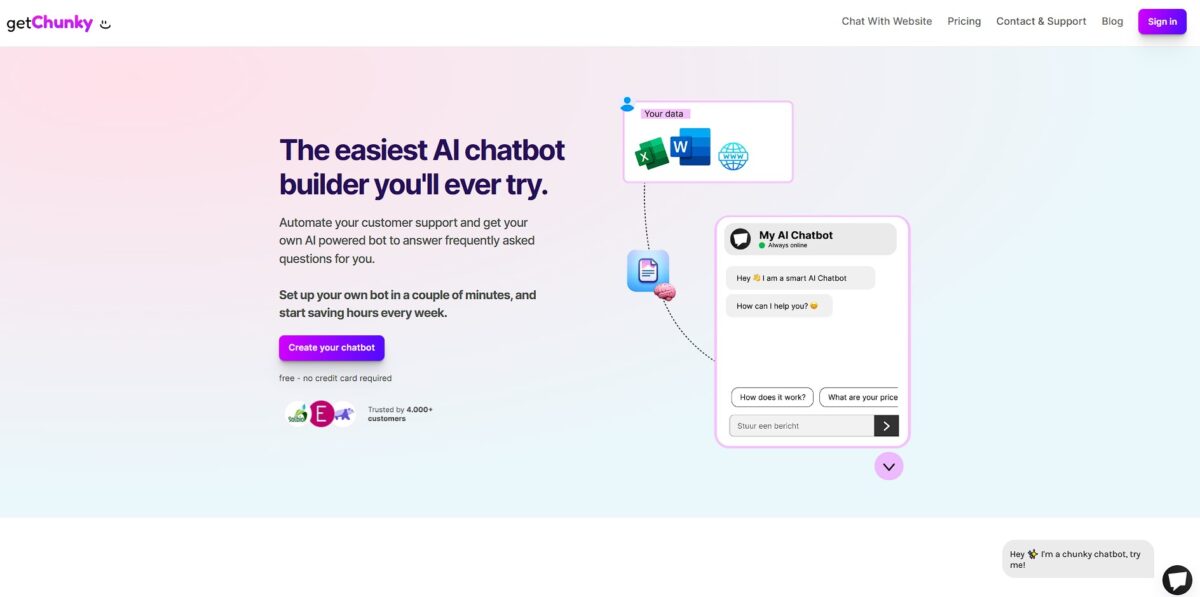
Chunky is a lightweight construction kit for building AI chatbots that mimic human conversation without a single line of code. It focuses on turning static information into a responsive agent that handles repetitive queries, which frees up your support team for complex troubleshooting. I noticed the interface leans into a minimalist approach, avoiding the dense menu trees typical of enterprise platforms. It works well for small businesses needing a quick deployment, though high-volume operations might find the customization depth a bit shallow. This matters because you can launch a functioning assistant in an afternoon rather than a week. Use it if you need a conversational layer over your data without the overhead of a complex development environment.
How to start using Chunky?
You start by hitting the Get Started button on the Chunky homepage. There is no credit card required, which lowers the barrier for a quick weekend experiment. You just need to create an account to access the main dashboard where the building begins. This frictionless entry means you can test a concept without financial commitment.
The real work happens in the training tab. You can feed the AI by uploading PDFs, pasting a website URL, or connecting a Google Sheet. The system then extracts text to build the bot’s knowledge base. Using a Google Sheet is particularly smart because it lets you update bot answers in real-time without re-uploading files. Your documentation stays fresh without manual overhead.
Customization follows the data injection. You can swap the bot’s name, choose a brand-consistent icon, and adjust the colors of the chat window. While the logic relies on OpenAI’s ChatGPT API, the visual shell is yours to tweak. It avoids the generic “default bot” look that often screams “unpolished startup.” Branding your assistant helps it feel like a native part of your site rather than a bolted-on widget.
Deployment is the final step. You get a single line of code to drop into your website’s header or a public link for internal testing. If you are just testing with your team, the public link is faster than messing with site code. Once live, the bot begins handling FAQs immediately based on your uploaded data. This allows you to step away from support queues and focus on higher-level tasks.
The interface is simple, but the message limits are strict on the lower tiers. Keep an eye on your dashboard usage if you expect a spike in traffic. It works great for static documentation, but it won’t replace a complex, multi-step logic engine.
Who is it for?
Solopreneurs
If you are managing your own inbox while trying to scale, this lets you offload the repetitive “how much is this?” queries without hiring a VA. This keeps your energy focused on high-level strategy rather than manual replies.
E-commerce Store Owners
This works well for those seeing a high volume of website chats about shipping times or return policies. You address friction points in the funnel immediately to prevent customers from dropping off.
Community Managers
For those running busy forums or membership sites, a pinned link to the bot filters out noise by providing instant answers to common entry questions. It reduces the clutter of basic requests so you can moderate actual discussions.
Customer Support Leads
Teams looking to implement a specialized RAG wrapper can transform their documentation into a conversational agent quickly. This moves the needle on response times without adding more seats to the help desk.
Content Creators
Influencers who get the same questions over and over can put the bot’s public link in their bio to automate FAQ responses while they focus on making reels. It prevents fans from feeling ignored when you can’t manually reply to hundreds of messages.
Small Agency Owners
Use this to build quick prototypes for clients who need a basic “human-sounding” bot without a complex backend. It is an easy way to show immediate value during a sales pitch.
Chunky pricing
Chunky keeps its cost structure simple, focusing on message volume rather than charging per user. It is a refreshing break from seat-based pricing that often penalizes small teams for collaborating. You can test the waters without a credit card, which is great for verifying if the Google Sheets sync works for your specific data.
You get 2 chatbots and 100 messages. It includes personal onboarding and 5 PDF uploads. That’s enough to build a fully functional prototype for a small side project without any overhead.
This bumps you to 1,000 messages and 3 chatbots. It removes limits on PDF and website training sources. The low price makes it ideal for solo builders who need more than a basic trial but aren’t ready for enterprise fees.
The message cap rises to 2,500, but the official pricing page lists only 2 chatbots for this tier, one fewer than Hacker, so confirm the bot limit with support before you upgrade. This is the sweet spot for small businesses with steady site traffic. It gives you enough headroom to handle a month of customer inquiries without service interruptions. The trade-off is that nothing sits between Growth and the custom Enterprise plan, so once you outgrow 2,500 messages you have to contact sales. Stick with the Free plan to map out your Sheets logic before moving to the $9 tier for unlimited data uploads.
Chunky key features
Google Sheets sync lets you keep the bot’s answers in a spreadsheet instead of a static upload
You edit a cell, and the bot uses the new answer without any retraining. Marketing teams can update prices or policies without waiting for a developer to push code.
Custom data ingestion allows the AI to index your specific PDFs and website URLs
It pulls answers directly from your documentation rather than relying on general training data. That keeps the bot from making up policies or pricing that don’t exist.
An analytics dashboard, included on every plan, shows how many messages your bot handles and what visitors ask
You can spot the questions it answers poorly and add better source material. The resolution rate stays high as your docs change.
One-line deployment adds the bot to your website as a chat widget, and paid plans let you embed it on unlimited websites
A shareable public link covers everything else, from team testing to support pages. So one bot can serve all your sites with a single brand voice.
Public-link testing lets you and your team chat with the bot before it goes on your site
I noticed this helps catch gaps where the bot has no source material and starts giving vague answers. End users get a polished experience on day one.
Chunky Pros & Cons
Pros
Chunky shines by turning a static Google Sheet into a live support agent without the usual configuration fatigue. You sync your spreadsheet, and the bot immediately starts answering repetitive pricing or shipping questions using your actual data. The interface stays remarkably clean, avoiding the cluttered “enterprise dashboard” look that usually scares off small business owners. You can deploy a functional widget in minutes rather than spending a week in developer documentation. Use the Google Sheets integration if you need a living knowledge base that stays updated every time you edit a cell.
Cons
The simplicity that makes it fast also limits your ability to build complex conditional logic or multi-step sales funnels. You won’t find deep native integrations for platforms like Instagram or WhatsApp, which restricts your reach if you operate primarily on social media. The customization options for the chat bubble are functional but won’t satisfy brands needing pixel-perfect UI control. This matters because the bot can feel like a generic add-on rather than a bespoke part of your site’s design. Stick to Chunky for straightforward web-based FAQ automation, but look elsewhere for complex multi-channel orchestration.
Use Chunky if you want…
- Build smart website chatbots without writing any code.
- Train custom AI assistants using simple Google Sheets data.
- Reduce customer support costs with 24/7 automated replies.
- Share an internal knowledge base bot with your team via a public link.
- Convert complex company PDFs into conversational support agents.
- Create lead-qualifying bots that work while you sleep.
- Sync your website FAQs into a branded chat widget.
Chunky alternatives


Chunky Reviews
“Setting this up through Google Sheets was incredibly simple. Perfect for my small business FAQ.”
“Sharing the bot’s public link with my team works flawlessly. No more answering the same team questions manually.”
“Quick, no-code deployment that actually understands my data. A massive timesaver for support.”
FAQ
Do I need coding skills to use Chunky?
No, Chunky is a no-code platform designed for users to build and deploy chatbots without writing any code.
How do I train the chatbot on my own data?
You can train your chatbot by uploading PDF files, inserting a website URL for automatic extraction, or linking a Google Sheet file.
What AI technology powers Chunky?
Chunky utilizes the ChatGPT API and Embeddings provided by OpenAI to generate responses.
Where can I integrate my Chunky chatbot?
You can integrate the chatbot into your website with a single line of code or share a public link with others.
Can I customize the look of my chatbot?
Yes, you can modify the name, icon, and colors of the chat window to match your brand identity.
Does Chunky support multiple languages?
Yes, Chunky supports nearly 95 languages for both training data and bot responses.
Is there a free version available?
Yes, Chunky offers a generous free forever plan that does not require a credit card to get started.
Can Chunky integrate with other platforms like Slack?
Not natively. Chunky currently offers a website embed and a shareable public link; there is no built-in Slack or Microsoft Teams integration.
Similar tools
 Expertise AIWebsite AI agent, formerly Chatsimple, that answers B2B visitors, identifies and qualifies leads, books meetings and syncs chats into HubSpot or Salesforce.
 BotnoiThai no-code builder for AI chatbots and agents that answer customers on LINE, Facebook Messenger and the web, billed per bot message
 VoiceflowPlatform for building, testing and running AI customer support agents across web chat, phone and SMS, with playbooks, workflows and tools.