

Clerk Chat
AI ChatUpdated November 18, 2026
Texting and AI calling add-on for Microsoft Teams that brings SMS, RCS and WhatsApp to your existing numbers, plus AI agents for calls and leads.
We may earn a commission when you sign up through our links. It does not affect our reviews.
What is Clerk Chat?
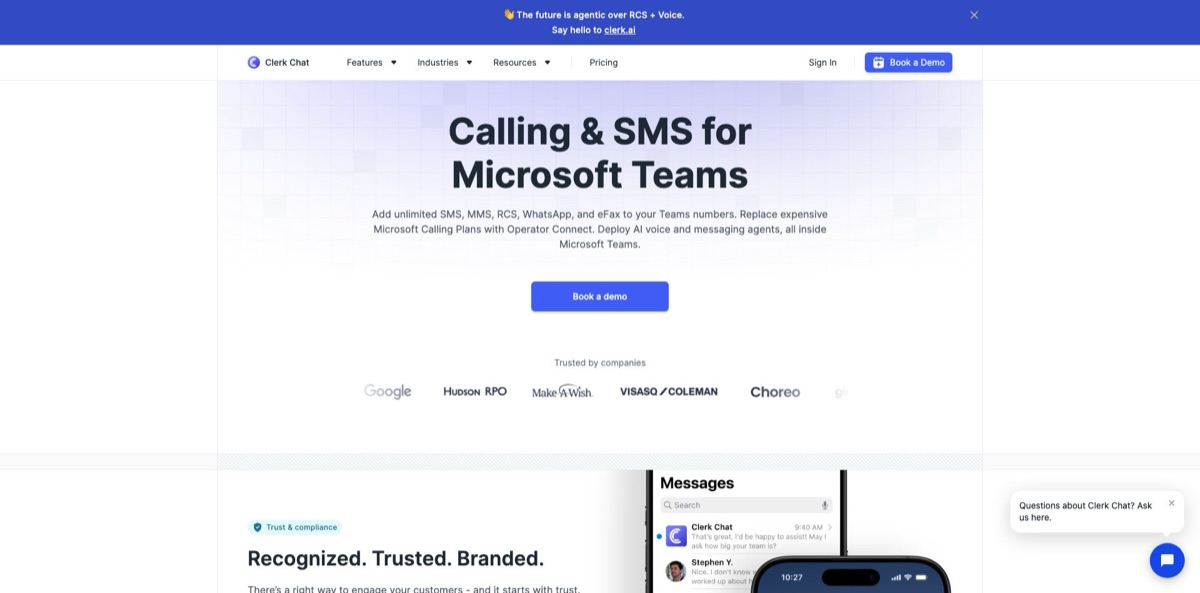
Clerk Chat is a texting and calling layer that runs inside Microsoft Teams, Zoom and Webex, so your staff can message customers from the business numbers they already have. It adds SMS, MMS, RCS, WhatsApp and eFax to Teams numbers, including Operator Connect, Direct Routing and shared main lines that native Teams texting cannot use, and it can act as your Operator Connect carrier. On top sit AI agents that answer calls and texts, qualify leads, book meetings and send follow-ups in 40+ languages. The weak spots: the AI is a sales-led add-on rather than a self-serve switch, US carrier registration gates your first message, and the mobile apps rate around two stars. In April 2026 the company rebranded as Clerk AI and moved its new outbound agent work to a separate product. Choose Clerk Chat if your organization runs on Teams and needs compliant two-way texting first, with AI as a second step.
How to start using Clerk Chat?
Start a free trial from the pricing page, or install the app straight from Teams: open the three-dot menu in the left rail, search for Clerk Chat or SMS, click Add and pin the icon. Admins can roll it out to a team or the whole company with Teams app setup policies. Check licensing before you commit. Texting on your existing Teams numbers needs a Teams Phone Standard license for each user (it is already part of E5, A5 and G5), and Clerk’s guide says Domestic and International Calling Plan licenses have to be removed so the Operator Connect option appears. While SMS is activated, Microsoft briefly disconnects and re-syncs the number, so you reassign it to the user afterwards.
Your first real task is US carrier registration, because nothing is delivered until it is approved. The onboarding checklist puts Register Your Brand first, and the Add your phone step stays locked until 10DLC clears. A Workspace Owner or Admin enters the 9-digit EIN, the full legal name, the registered address, a contact email on the company domain and the website, then verifies identity with a government photo ID through Stripe Identity. The last step is reviewing the opt-in consent widget Clerk Chat generates for you. Set aside about 15 minutes; approval usually takes a few business days, or about 48 hours on the expedited path.
Once numbers are live, the shared inbox is where your team works: assign conversations, discuss them in internal threads, insert templates and variables, and schedule messages. AI is switched on per number. From the sidebar open Phone Numbers, pick Settings on a number, open the Voice tab, toggle Enable Voice and choose a voice model. Messaging agents live in the Agents section as flows built from nodes. Each node sends its prompt to an LLM and can fire on an inbound text, on a schedule, or when upstream nodes pass it a message. Ready-made templates cover FAQ answers, follow-ups and lead qualification.
Test before customers see anything. Text and call your own number, read the transcript and the AI summary, and confirm that hand-offs reach the right Teams user, call queue or auto attendant. Voice-to-SMS follow-ups are off by default; you add them yourself with a Call Ended trigger in the agent workflow. If you build agents on the newer Clerk AI side, the Belle assistant proposes a plan for you to approve, marks changed parts with an orange ring labeled Modified, and nothing goes live until you press Make Live in the Version section.
Who is it for?
Microsoft Teams administrators
Native Teams texting covers only Calling Plan numbers in the US, Puerto Rico and Canada, one to one, in plain SMS. Clerk Chat adds MMS, group threads and texting from Operator Connect, Direct Routing and main-line numbers. You deploy and pin it with Teams policies you already manage.
Nonprofits and multi-site organizations
Chapters and branches need to text families, donors and volunteers from one governed system instead of personal phones. Shared inboxes, assignment and archiving keep every thread visible. In Clerk’s own case study, Make-A-Wish exchanged 280K+ messages across 50+ chapters.
Regulated teams in finance and healthcare
Wealth managers and clinics must retain every client text and prove consent. Clerk Chat holds SOC 2 Type II, says it is HIPAA compliant, and on Ultimate can export logs or push messages to Microsoft Purview, Global Relay or Smarsh as paid add-ons.
Sales teams chasing inbound leads
Leads that wait an hour go cold. The Qualification + Follow Up template asks three qualifying questions by text, sends up to three follow-ups if the lead goes quiet, and passes warm prospects to a person in Teams.
Front desks and service businesses
Calls after closing time turn into lost bookings. The AI receptionist answers Teams calls, checks Outlook and Teams calendars, books the slot and can text a recap once the call ends.
Companies paying for Microsoft Calling Plans
Clerk Chat is a certified Operator Connect carrier, so you can drop the Calling Plan and route calls through it instead. Clerk puts the saving at $12 or more per user per month.
Clerk Chat pricing
Clerk Chat charges per seat, and a seat is either a user or a phone number, so a shared main line costs the same as a person. Messages are listed as unlimited under a fair use policy, published prices apply to the US and Canada only, and both self-serve plans start with a free trial whose length is not stated. Usage such as extra numbers can appear as separate invoice lines, and carrier registration is billed on top.
You get unlimited messages, 8,000 contacts, your own numbers from a Microsoft Calling Plan, Twilio or Telnyx, opt-in and opt-out handling, signatures, group messaging, a shared inbox and Outlook sync. Campaigns, analytics and scheduled SMS are not included.
Contacts rise to 50,000, and you add campaigns, analytics, scheduled SMS, internal threads, templates, variables, a blocklist, round-robin assignment, WhatsApp and OneDrive. Paid extras: log exports at $5/seat/month; HubSpot, Microsoft Dynamics and Salesforce at $15/seat/month each; Purview, Global Relay, Smarsh and Azure archiving at $15/seat/month on annual terms; and a 48-hour 10DLC rush for $500. AI agents, the API, RCS, Apple Business Chat and fax are quoted by sales.
Custom. Adds a custom MSA, defined SLAs and custom integrations.
$120/year, required on top of any plan for US texting.
Startup costs $149/month with 5,000 credits at $0.030 each, 15 concurrent calls, RCS, WhatsApp and the API. Enterprise is custom.
Clerk Chat key features
Texting on the numbers you already own
Clerk Chat enables SMS, MMS, RCS, WhatsApp and eFax on Calling Plan, Operator Connect, Direct Routing and resource account numbers, with no porting. Because a main line or auto attendant number can text, a whole team can work one shared inbox.
An AI receptionist for Teams Phone
The voice agent answers calls 24/7, qualifies callers, books appointments and transfers to a Teams user, call queue or auto attendant when a person is needed. Every call is recorded with timestamped transcripts and an AI summary, and voicemail detection leaves a custom message and hangs up. It works in 40+ languages and recognizes first-time versus returning callers.
Messaging agents built from flows
A flow chains several AI bots, called nodes, each with its own prompt, so one can answer questions while another keeps the conversation going. Nodes trigger on incoming texts, on a schedule or on messages from earlier nodes. Templates for FAQ answers, follow-ups and lead qualification give you a working start, and Clerk says its own support agent deflected 93% of its tickets.
Shared memory across voice and text
If a caller gives a name and email and the call drops, the agent remembers it when the same person texts later, and the reverse also works. Each interaction is scored for sentiment, and tags and summaries feed the analytics view. Your team sees one timeline per customer instead of separate call and SMS logs.
Follow-ups and CRM updates without manual work
A Call Ended trigger sends a personalized text recap, a scheduling link or a help article using the full call context. Agents read and update records in Microsoft Dynamics, Salesforce and HubSpot, and book meetings through Outlook and Teams calendars. Expect to configure each trigger yourself, since none are on by default.
Compliance tooling built into the workflow
10DLC registration runs inside the app, opt-out management is built in, and full conversation logs can be downloaded for any inbox or date range. Archives can flow to Microsoft Purview, Global Relay or Smarsh. Data sits in US data centers on AWS, encrypted at rest and in transit, under a SOC 2 Type II report.
An Operator Connect carrier option
You can route Teams calls through Clerk Chat instead of buying Microsoft Calling Plans, or bring carriers such as Twilio, Telnyx, Bandwidth or Sinch. Calling and texting then share the same number and the same Teams interface.
Clerk Chat Pros & Cons
Pros
Clerk Chat fills a real gap in Microsoft Teams. Native texting is one-to-one plain SMS on Calling Plan numbers, while Clerk Chat adds MMS, group threads, WhatsApp, RCS and texting from shared lines and Operator Connect numbers, all inside the client your staff already open every morning. The in-app 10DLC flow, built-in opt-out handling and archiving connectors suit regulated sectors, and SOC 2 Type II plus HIPAA cover most procurement checklists. Growth at $9.99 per user on annual billing is cheap for unlimited texting. The AI agents share memory between calls and texts, so a lead who hangs up can finish by SMS. Pilot it on one shared number before rolling it across the tenant.
Cons
The AI that headlines the marketing is sales-gated: on Clerk Chat it is a contact-us item on Ultimate, and the company’s new agent work now sits in Clerk AI, a separate credit-priced product. Phone numbers count as seats, and CRM sync, archiving and log export add $5 to $15 per seat each. Setup depends on Microsoft license changes and US carrier registration, so expect days before the first message goes out. The iOS and Android apps sit near two stars, with crash and missing-thread complaints, and the help center notes that logins from some countries are blocked. Get a written quote that lists every add-on, and test the mobile app before field staff depend on it.
Use Clerk Chat if you want…
- Text customers from your existing Microsoft Teams numbers.
- Share one business line inbox across a whole team.
- Answer after-hours Teams calls with an AI receptionist.
- Qualify new leads by text before sales calls them.
- Send a personalized SMS recap after every call.
- Archive business texts in Purview, Smarsh or Global Relay.
- Replace Microsoft Calling Plans with an Operator Connect carrier.
- Run compliant SMS and WhatsApp campaigns from Teams.
Clerk Chat alternatives



Clerk Chat Reviews
G2 reviewers mostly praise how easy it is to text from inside Teams and how quickly Clerk’s support responds, some calling it more helpful than Microsoft’s own Teams SMS support; the 10DLC submission and approval process is the most common complaint.
A smaller group of G2 reviewers reports notifications that never arrived, a setup that failed to authenticate, a Twilio connection that did not work properly and too few logs to troubleshoot sending problems.
On Capterra, users like keeping their existing numbers and automating follow-ups and bookings, but say advanced flows take time to learn; one trial user left a one-star review after a sales rep went over their head when they declined.
App Store reviewers give the iPhone app 2 stars on average, describing crashes that force a reinstall and chat threads that disappear before reloading; the Android app holds a similar 2.2 on Google Play.
FAQ
Is Clerk Chat the same as Clerk AI?
They come from the same company. In April 2026 Clerk Chat Inc. rebranded as Clerk AI and put its outbound voice and RCS agents on clerk.ai, while the Teams calling and texting product still runs under the Clerk Chat name.
Does Clerk Chat have a free plan?
The pricing page offers a free trial on Growth and Ultimate but does not state its length. An older help-center FAQ mentions a free plan, so confirm the current terms when you sign up; Clerk AI’s Pay as you Go tier is free with 100 credits.
Do I need a Microsoft Teams Phone license?
Yes. To text from existing Teams numbers, each user needs a Teams Phone Standard license, which E5, A5 and G5 already include, and Clerk’s guide says Domestic and International Calling Plan licenses must be removed to use Operator Connect.
How long does 10DLC registration take?
Approval usually takes a few business days, or about 48 hours on the expedited path. Ultimate lists a 48-hour rush at $500, and brand registration costs $120 per year.
Is my data used to train AI models?
Clerk says customer data is never trained on or shared. Data is stored in US data centers on AWS, encrypted at rest and in transit, and the company holds a SOC 2 Type II report that you can request from its security team.
Which languages do the AI agents support?
The Teams AI page lists 40+ languages. The agent detects the customer’s language automatically and replies in it across both calls and messages, keeping the same context.
Which tools does Clerk Chat integrate with?
It runs inside Microsoft Teams, Zoom and Webex and connects to Outlook, OneDrive, Microsoft Dynamics, Salesforce, HubSpot, Purview, Global Relay, Smarsh, Genesys, Shopify, Pipedrive and Power Automate. Carrier options include Twilio, Telnyx, Bandwidth and Sinch.
How do I cancel my subscription?
The Workspace Owner goes to Settings, then Billing, then Cancel Subscription. You keep access until the current billing cycle ends, and refunds are reviewed case by case.
Similar tools
 AI FiestaAll-in-one AI app that bundles 100+ models from OpenAI, Anthropic, Google and others with image, video, slide and website studios in one
 6figr Career RoastFree 6figr tool where AI personas like Elon Musk roast your LinkedIn profile or resume, backed by salary data, offer analysis and
 Human or NotFree browser game where you chat with a stranger for two minutes and guess whether they are human or AI, plus group