

Clipdrop
Image EditingUpdated October 26, 2026
Browser-based AI photo toolkit from Jasper for background removal, object cleanup, relighting, uncropping, text removal and upscaling.
We may earn a commission when you sign up through our links. It does not affect our reviews.
What is Clipdrop?
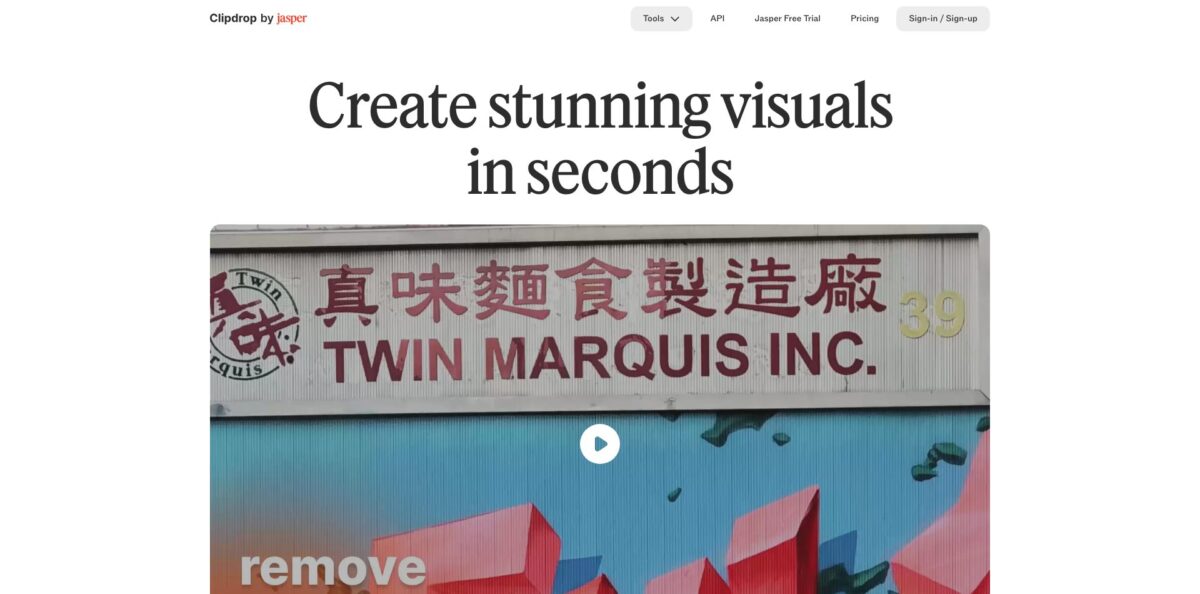
Clipdrop is a web-based set of single-purpose AI image tools: background removal, Cleanup for erasing objects and people, an upscaler, Relight, Uncrop, a text remover, background replacement, a social media resizer and a Stable Diffusion based text-to-image generator. It was built by InitML, a Y Combinator startup that Stability AI bought in February 2023 and then sold to Jasper in February 2024, so support and the developer API now run through Jasper. Each tool does one job in a few clicks, which saves you from opening a layered editor for routine fixes. The weak spots are daily caps on the free plan, low-resolution free exports, and complaints about slow support for paid accounts. It fits marketers, sellers and creators who need clean cutouts and quick retouches rather than full manual editing.
How to start using Clipdrop?
Go to clipdrop.co and open the Tools menu. You can drop a picture into most tools straight away, and signing in ties your daily allowance and any Pro subscription to an account. The Free plan is the right place to start, because it already covers Remove Background, Cleanup, Relight and the 2x upscaler at 20 images per 24 hours each, plus 50 runs of Text Remover.
Your first real job is usually background removal. Open Remove Background, click or drop up to 10 files, and the model isolates the main subject. Download the result as a PNG to keep the transparent background. The tool page says it accepts images up to 5000x5000 pixels, so product shots straight from a camera are fine.
Next, try Cleanup on a photo with something you want gone, such as a stranger, a timestamp or a power line. Brush over the object, and the AI rebuilds what should be behind it. The Cleanup FAQ suggests a bigger brush that covers shadows too, because a tight mask leaves traces. Keep in mind that free Cleanup exports are limited to 720px, while Pro removes that limit.
Before you pay, compare the free output against what you actually publish. If you need high-resolution files, upscaling past 2x, Uncrop, Replace Background or Text to image, those sit on the Pro plan. Run the same image through the free tool first, then decide whether the quality jump is worth a subscription.
Who is it for?
Ecommerce sellers
Marketplaces want clean product images on plain or transparent backgrounds. Batch background removal of up to 10 files at a time and Replace Background for lifestyle scenes cover most listing needs. You stop paying a retoucher for every new SKU.
Social media managers
Every platform wants a different aspect ratio, and cropping a hero image often cuts off the subject. Universal Resizer and Uncrop extend the frame to the format you need, and Universal Resizer allows up to 1,000 images per day. One master photo turns into a full set of posts.
Real estate agents
Listing photos often show bins, cars or clutter. Cleanup removes them in a few strokes, and Relight can brighten a dull interior. Listings look tidier without a reshoot.
Photographers
Clients send old prints with date stamps, or portraits need softer light after the shoot. Text Remover, Cleanup and Relight handle those fixes without a full Photoshop session. You keep quick touch-ups out of your main editing queue.
Designers and illustrators
Mockups and concept work need fast cutouts and lighting experiments. Relight works on drawings as well as photos, and the upscaler goes up to 16x on Pro. You test several directions before committing to detailed work.
Product teams
You may want background removal or inpainting inside your own app. The same models are offered as image endpoints through the Jasper API. You add image editing without training models yourself.
Clipdrop pricing
Clipdrop has a simple model for the web app: a Free tier with daily caps per tool and one Pro subscription that raises the caps, adds the generative tools and lifts resolution limits. Developer access is billed separately. Payments are handled by Paddle, and the checkout price can vary by country and local tax.
Remove Background, Image Upscaler x2, Cleanup and Relight are capped at 20 images per 24 hours each, and Text Remover at 50 per 24 hours. Text to image, Uncrop and Replace Background are crossed out on the free plan. Free Cleanup exports stop at 720px, and Text Remover works on images under 1024px.
Every tool rises to 1,000 uses per 24 hours with high-resolution output, the upscaler goes up to x16, and Text to image and Uncrop skip the queue. The pricing page shows only monthly billing, with no annual option listed.
Usage-based cost, handled through Jasper. Image API access is available for customers on the Jasper Business plan with an API subscription, and there is no public per-image price, so pricing is quote-based.
Clipdrop key features
Remove Background isolates the main subject in a portrait, product or drawing and returns a transparent PNG
You can drop up to 10 files at once, and the tool handles images up to 5000x5000 pixels. That covers most catalog work without manual masking.
Cleanup is an inpainting tool for removing objects, people, text and defects
You brush over the area, and the model rebuilds the background without a reference patch, unlike a classic clone stamp. Free exports are limited to 720px, while Pro has no size limit.
Image Upscaler enlarges, denoises and sharpens photos and screenshots
The upload panel offers x2, x4, x8 and x16, with x2 on the free plan and up to x16 on Pro, and you can process up to 10 files per run. Compressed web images become usable for larger layouts.
Relight adds virtual light sources to a finished photo or drawing
You move the lights around the subject, and the model reads facial contours to place highlights and shadows. It can fix flat selfies or add shading to artwork without a studio.
Uncrop and Universal Resizer extend an image beyond its original frame to a new aspect ratio
Universal Resizer targets formats for Facebook, Instagram, Twitter, LinkedIn, Pinterest and TikTok, though custom sizes are not available yet. You get a vertical story and a wide banner from one source photo.
Replace Background combines background removal with a Stable Diffusion model
You upload an image, describe a new scene in plain English, and get four alternatives to choose from. It suits product concepts and quick lifestyle shots.
Text Remover detects and erases text, captions and logos automatically, with no manual selection
It rebuilds the surface behind the letters, which looks cleaner than blurring a brand name. Free use covers images under 1024px.
Clipdrop Pros & Cons
Pros
Clipdrop keeps each task on its own page, so a background cutout or object removal takes a couple of clicks and no editing skill. Reviewers have rated its cutouts and object removal above automatic selection in Photoshop, especially around edges and rebuilt backgrounds. Relight is still unusual among consumer tools, and the free plan is generous enough to cover light weekly use across five tools. Pro is a single flat monthly price with high daily caps, which makes cost easy to predict. Batch uploads of up to 10 files help with product catalogs. Start with the free tier and move only the tools you use daily to Pro.
Cons
Free exports are small, with Cleanup capped at 720px, so free results rarely work for print or large web banners. Uncrop, Replace Background and Text to image are paid only, and the text-to-image model is older than current leading generators. Since the Jasper acquisition, the tool pages promote better quality through the Jasper API, and that API requires a Jasper Business plan, which puts it out of reach for small developers. Users report slow or automated-only support, account access problems and a strict content filter. Keep receipts and note your renewal date before subscribing.
Use Clipdrop if you want…
- Remove photo backgrounds in batches of ten.
- Erase strangers, clutter and date stamps from photos.
- Relight portraits and drawings after the shoot.
- Extend images to new aspect ratios with Uncrop.
- Upscale low-resolution images up to sixteen times.
- Strip unwanted text and logos from licensed images.
- Place products in new scenes from a text prompt.
- Resize one photo for every major social platform.
Clipdrop alternatives
 PixelcutRead review →
 Cutout.ProRead review →
 Removal.AIRead review →
 SnapEditRead review →
 PixlrRead review →
Clipdrop Reviews
A design publication found its background cutouts and object removal cleaner than automatic tools in Photoshop and called Relight the standout, while noting email-link sign-in and an interface that is not always easy to navigate.
A paying user liked the quality of the upscaler output but was frustrated when a 4x job on a mid-size photo showed a long queue and an estimate of many hours.
One subscriber liked the product but lost access to the account after paying and received only automated replies from support, so they recommended staying on the free version.
A photographer working with artistic nudes found most tools blocked by the content filter and was glad not to have chosen a yearly plan.
A Trustpilot reviewer complained that cancelling a free trial was harder than expected because the unsubscribe option was difficult to find.
FAQ
Is Clipdrop free?
Yes. The Free plan includes Remove Background, Cleanup, Relight and the 2x upscaler at 20 images per 24 hours each, plus 50 Text Remover runs, with lower export resolution.
How much does Clipdrop Pro cost?
The official pricing page lists Pro at $15 per month for US buyers. It raises every tool to 1,000 uses per 24 hours with high-resolution output.
Who owns Clipdrop now?
Clipdrop was created by InitML, acquired by Stability AI in February 2023 and sold to Jasper in February 2024. Support now uses a Jasper email address.
Can I use Clipdrop images commercially?
The Clipdrop FAQ states that its terms do not limit your ability to use images generated on Clipdrop for commercial use. You are still responsible for having rights to the photos you upload.
What resolution does Clipdrop support?
Remove Background accepts images up to 5000x5000 pixels. Free Cleanup exports are limited to 720px, and free Text Remover works on images under 1024px, while Pro removes these limits.
Does Clipdrop have an API?
Yes, the image endpoints are now part of the Jasper API. Access requires a Jasper Business plan with an API subscription, and pricing is usage-based and quote-based.
Which tools need a Pro subscription?
Text to image, Uncrop and Replace Background are crossed out on the free plan. Upscaling beyond 2x and high-resolution exports also require Pro.
How do I contact Clipdrop support?
The site lists clipdrop-support@jasper.ai as the support contact. Some users report slow replies, so include your account email and payment details in the first message.
Similar tools
 HamaFree browser-based AI eraser that removes people, objects, text and blemishes from photos with a brush, plus an inpainting API for developers.
 BgEraserBrowser-based AI background remover that turns up to 20 photos per batch into transparent PNGs without an account, plus offline apps for
 ImgkitsBrowser-based set of AI photo tools for background removal, object cleanup, upscaling, old photo restoration, image generation and image-to-video.