

CodeRabbit
Developer ToolsUpdated October 26, 2026
AI code reviewer that posts context-aware, line-by-line comments on pull requests and checks local changes from the IDE or CLI.
We may earn a commission when you sign up through our links. It does not affect our reviews.
What is CodeRabbit?
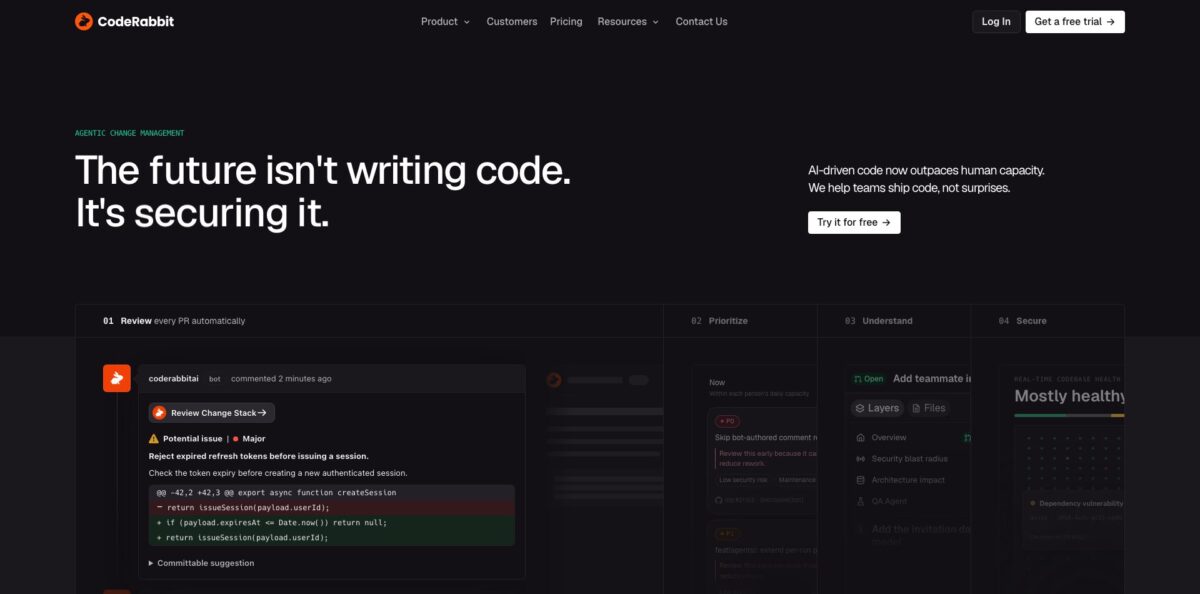
CodeRabbit is an AI review layer that plugs into GitHub, GitLab, Bitbucket and Azure DevOps and reads every pull request before a human does. It combines large language models with a code graph of your repository, 50+ linters and security analyzers, and “learnings” it picks up from your past feedback, then posts a plain-language summary, a walkthrough and inline comments with one-click fixes. The same engine runs in VS Code, Cursor and Windsurf and in a terminal CLI, so you can check uncommitted work before it ever becomes a PR. The weak spot is noise: on large or unusual codebases it can flag trivial or out-of-scope issues as important, and two runs on the same diff may not return identical findings. Pick it if your team merges a steady stream of PRs, especially AI-generated ones, and needs a consistent first pass that frees senior reviewers for design questions.
How to start using CodeRabbit?
Sign up at app.coderabbit.ai with your existing GitHub, GitLab, Azure DevOps, Bitbucket Cloud or Bitbucket Data Center account. No credit card is needed. You then add the organizations and repositories CodeRabbit is allowed to see; you need owner-level permissions on the organization, and on GitHub.com the service account is created for you. New organizations start on a 14-day trial, so you see the paid features before choosing a plan.
Open a pull request as you normally would. Within minutes the bot posts a summary of the change, a walkthrough with diagrams and linked issues, and line-by-line comments. Minor remarks are grouped under a separate nitpick section, which keeps the main thread readable. You can reply to any comment to ask why it flagged something, push back, or ask for a fix, and it treats your answer as a learning for future reviews.
The real setup happens in a .coderabbit.yaml file at the repository root, or in the web settings if you prefer toggles. Here you choose a review profile (Chill keeps to critical issues, Assertive adds style and best-practice notes), enable or disable specific linters, and write path instructions such as “be strict about SQL in /api”. Running cr config in the CLI walks you through this file and previews changes before saving. On Team and higher you can also connect Jira, Linear and MCP servers for extra context.
To catch problems before they reach the PR, install the CLI with Homebrew, the shell script or PowerShell, log in with cr auth login, and run cr review inside your Git repository. Use cr --base develop if your main branch has another name, and cr --agent to emit structured output that Claude Code, Codex or Cursor can act on. In the PR itself, comment @coderabbitai full review whenever you want a fresh pass on the whole change.
Start with the Chill profile on one active repository for a week, then tighten rules once you see which comments your team actually accepts.
Who is it for?
Engineering managers
Your PR queue grows faster than your senior reviewers can clear it, and review latency is now the bottleneck. CodeRabbit gives every PR a first pass within minutes and, on Team plans, ranks the queue by risk and effort so the right person looks at the right change first.
Teams using coding agents
Agents like Claude Code, Codex or Cursor open large diffs that nobody wants to read line by line. CodeRabbit flags low-quality AI output, loops with the agent through the CLI until critical findings are gone, and explains thousand-line changes in Change Stack before a human approves.
Open-source maintainers
Contributors send PRs of uneven quality and you review them in your spare time. Public repositories get Team features free, so the bot catches obvious mistakes and summarizes intent before you open the diff.
Solo developers
Without a teammate, nobody reviews your code at all. The free VS Code extension and CLI review staged and unstaged changes, which gives you a second opinion on edge cases and missing error handling without paying for seats.
Security-conscious organizations
Pattern-matching scanners bury you in alerts nobody triages. The Advanced plan adds continuous PR security review with severity, exploitability and reachability context, and Deep Scan can sweep an entire repository on demand or on a schedule.
Enterprise platform teams
You need SSO, audit logs, multi-org policies and sometimes self-hosting. Enterprise covers those, plus GitHub Enterprise Server, self-managed GitLab and Bitbucket Data Center connections.
CodeRabbit pricing
CodeRabbit charges per developer per month, but only for developers who actually create pull requests, and you can assign seats manually. Every paid plan has unlimited PRs and repositories with an hourly per-developer review allowance; when you go over it, optional usage-based reviews cost $0.25 per reviewed file with a monthly spending cap. The CodeRabbit Agent for cloud coding tasks and Slack is billed separately at $0.40 per agent minute, and Deep Scan uses variable pricing. Annual billing saves 20%.
Unlimited public and private repositories, but PR summarization only; actual code reviews run through the VS Code extension and CLI with low limits (3 IDE and 3 CLI reviews per hour). Support is community-only via Discord.
Public repositories receive Team features, with review limits that scale with the project’s popularity. Repositories with fewer than 10 stars need reviews triggered manually.
AI reviews in PRs, CLI and IDE, chat, learnings, one-click fixes, slop detection and built-in pre-merge checks. Limits are 5 reviews per developer per hour, 150 files per review, 1 linked repository and 5 MCP connections. This plan was previously called Pro.
Adds Triage, unit test generation, merge-conflict resolution, post-merge actions, 10 custom pre-merge checks, 5 linked repositories and 8 reviews per hour with up to 300 files per review. Formerly Pro Plus.
Adds continuous PR security review, attack-surface visibility, Blast Radius and architecture impact analysis, 10 reviews per hour and 10 linked repositories.
Custom. SSO, custom roles, audit logs, API access, multi-org administration, support SLA, marketplace billing and self-hosting (offered to organizations with 500+ seats).
CodeRabbit key features
Pull request reviews with summaries and walkthroughs
Each PR gets a plain-language summary, a file-by-file walkthrough with diagrams, and inline comments ranked by severity. Incremental reviews run on every new push, so you only see feedback on what changed. Reviewers start from a map of the change instead of a raw diff.
Chat and learnings
You can reply to any comment to ask for an explanation, request a fix or reject the suggestion. CodeRabbit stores that context as editable learnings and applies them to future reviews. Over a few weeks the bot stops repeating comments your team keeps dismissing.
IDE and CLI reviews before the PR
Extensions for VS Code, Cursor and Windsurf, plus the cr command-line tool, review committed, staged and unstaged changes locally. The --agent flag outputs structured findings so a coding agent can apply fixes and re-run the review.
50+ linters and security tools
ESLint, Ruff and dozens of other analyzers run automatically in sandboxes, and CodeRabbit picks only the ones relevant to your languages. If your repo already has a tool config file, it uses it as-is. You get linter output and AI reasoning in a single review comment.
Pre-merge checks and finishing touches
Built-in checks enforce quality gates before merge, and Team plans let you define custom checks per organization. Finishing touches resolve merge conflicts, generate docstrings and write unit tests with one click. Routine cleanup happens in the PR rather than in a follow-up ticket.
Triage and Change Stack
Triage ranks open PRs across repositories by value, urgency and risk, and can send a digest to Slack. Change Stack turns a large PR into a navigable workspace with semantic diffs that separate moved code from changed logic. Both are aimed at teams flooded with agent-generated PRs.
Security review and Deep Scan
On Advanced and Enterprise, every PR gets a security pass with exploitability and reachability context, plus continuous monitoring of each repository. Deep Scan, billed per use, searches the whole codebase for exploitable vulnerabilities and exposed secrets and verifies fixes afterwards.
CodeRabbit Pros & Cons
Pros
CodeRabbit works across all the major Git hosts, including GitHub Enterprise Server, self-managed GitLab, Bitbucket Data Center and Azure DevOps, which few rivals match. Setup takes minutes and the defaults are usable without any configuration. Users consistently credit it with catching copy-paste mistakes, missing error handling and logic slips that human reviewers overlooked. The CLI and IDE layer lets you fix issues before teammates see them, and the agent mode fits neatly into Claude Code or Codex workflows. Billing only for PR authors and a generous open-source tier keep costs predictable. Start on one busy repository and track how many suggestions your team accepts.
Cons
The most common complaint is noise: on large PRs or codebases with unusual internal frameworks, CodeRabbit can label trivial issues as major or comment on code outside the change. Output is non-deterministic, so a CLI run and the later PR review may surface different findings, which can lead to several rounds of fix commits. Hourly review limits feel tight for heavy users on Essentials, and over-limit usage adds per-file charges. Per-contributor pricing also frustrates small teams where only one person reviews. Begin with the Chill profile and add path instructions early to cut false positives.
Use CodeRabbit if you want…
- Get an AI first pass on every pull request.
- Catch logic bugs and missing error handling before merge.
- Review uncommitted changes directly in VS Code or Cursor.
- Let your coding agent fix review findings automatically.
- Summarize large PRs into readable walkthroughs and diagrams.
- Enforce team coding rules with custom pre-merge checks.
- Generate unit tests and docstrings from the PR.
- Prioritize a crowded PR queue by risk and value.
- Add free AI reviews to your open-source project.
CodeRabbit alternatives
CodeRabbit Reviews
Product Hunt reviewers say the context-aware, line-by-line comments catch copy-paste errors and bad logic that slipped past human reviewers; one wished for stronger support in more languages.
A solo developer on Product Hunt credits the fast feedback and free open-source plan with nudging them toward smaller, healthier PRs, and liked that you can actually converse with the bot.
One startup founder found the reviews surprisingly insightful but disliked paying for every active contributor when only one person on the team does the reviewing.
A developer writing after a month on the paid plan says it flags far more potential errors than they would catch alone, but non-deterministic results between CLI and PR runs lead to repeated rounds of fix commits.
G2 reviewers praise the speed and code quality gains, while several note it can post too many comments on minor issues.
FAQ
Is CodeRabbit free?
Yes, partly. The Free plan covers unlimited repositories with PR summaries and limited IDE and CLI reviews, and public open-source repositories get Team features at no cost. Full PR reviews on private repositories require Essentials or higher.
Which Git platforms does CodeRabbit support?
GitHub.com, GitHub Enterprise Server, GitLab.com, self-managed GitLab, Bitbucket Cloud, Bitbucket Data Center and Azure DevOps. Private-network setups for GitHub Enterprise Server and self-managed GitLab are also supported.
Does CodeRabbit store or train on my code?
CodeRabbit says it does not retain source code after a review completes unless you enable review caching, and cached data is encrypted, expires automatically and is never used for training. The company is SOC 2 Type II certified and GDPR compliant.
Which programming languages does it review?
It works with all common languages, including JavaScript, TypeScript, Python, Java, C#, C++, Go, Rust, Ruby and PHP. Review quality can vary for less popular languages with less public training data.
Am I charged for every developer in my organization?
No. You pay only for developers who create pull requests, and seats can be assigned manually and reassigned at any time.
What happens when I hit the hourly review limit?
Reviews pause until your rolling allowance refills, unless an admin enables usage-based reviews. Those continue eligible reviews at $0.25 per reviewed file, up to a monthly spending cap you set.
Can I self-host CodeRabbit?
Self-hosting is part of the Enterprise plan and is offered to organizations with 500 or more seats. Enterprise customers can also choose specific SaaS regions.
Does it work with Claude Code, Codex or Cursor?
Yes. The CLI has an agent mode that outputs structured findings, and there are dedicated integration guides and plugins for Claude Code, Codex and Cursor so the agent can apply fixes and re-run the review.
Similar tools
 Novita AIDeveloper cloud with one API for 200+ open-weight AI models, plus GPU instances, dedicated endpoints and isolated sandboxes for AI agents.
 You.comDeveloper platform of web search, content extraction, cited research and model inference APIs that feed AI agents and RAG apps real-time web
 QodoAI code review platform that runs specialized agents on every pull request, enforces team rules and checks changes against tickets and linked