

Cody AI
AI ChatUpdated October 19, 2026
Business AI assistant you train on your own documents and websites to answer team and customer questions with cited sources in Slack, Discord or a web widget.
We may earn a commission when you sign up through our links. It does not affect our reviews.
What is Cody AI?
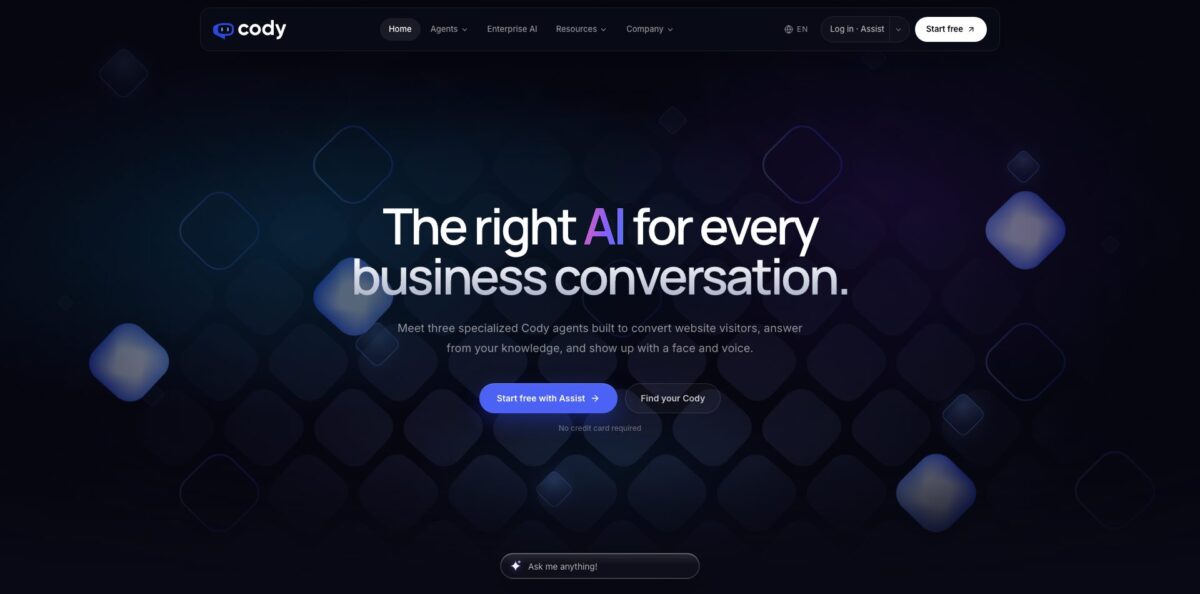
Cody AI is a retrieval-based assistant from the CodeSM Group that answers questions only from the files, web pages and notes you load into it, and attaches the source documents to every reply. Its core product, Cody Assist, turns policies, handbooks and help articles into a bot your staff can query in Slack or Discord and your customers can use through a website widget. Two newer agents sit on the same knowledge base: Cody Convert, a proactive website chat still in early access, and Cody Live, a talking avatar for events and lobbies. The weak spot is anything numeric: Cody’s own documentation says the bots do not calculate well, handle tabular data poorly and cannot read images or diagrams inside your documents. Pick it if your answers already live in text and you want them grounded and cited rather than improvised.
How to start using Cody AI?
Sign up for Cody Free from the pricing page; no card is required. The free workspace gives you 100 credits a month, room for 100 documents and one website widget, which is enough to see whether retrieval works on your material. Keep in mind that free accounts must use a bot at least once every 60 days, or the account is scheduled for deletion after two warning emails.
Next, open the Knowledge tab and create a folder for one topic, such as HR policies or product FAQs. Upload PDFs, Word files or PowerPoint decks, write a document directly in the editor, or click Import from Website. Free users import one URL at a time, while paid plans with the crawler can pull a whole site from a seed URL or sitemap, up to 5,000 pages per crawl. A green checkmark next to each file means Cody has finished learning it.
Then go to the Bots tab, click New Bot, give it a name and pick a model. You can start from a template personality (Support, Training, HR, Marketing) or switch to the Advanced Bot Builder to write your own system prompt, set the relevance score and split the token budget between context and response. Point the bot at the folders it is allowed to use, and write a fallback line for questions the documents do not cover.
Finally, test it in a conversation and check the sources listed under each answer. When the answers hold up, open the bot menu, choose Embed, whitelist your domain and paste the pop-up or inline script into your site, or share a direct link. For internal use, install the Slack or Discord app, add your Cody API key and assign the bot to a channel.
Clean up your documents with clear headings before uploading, because Cody’s help center ties answer accuracy directly to how the source text is structured.
Who is it for?
HR and operations managers
Employees keep asking where the leave policy is or how expenses work. Load the handbook into one folder and point a bot at it, and staff get the answer with the source file attached. You stop being the human search engine for the same ten questions.
IT support leads
Password resets, VPN setup and printer issues are documented, but nobody reads the docs. A Cody bot assigned to a Slack channel answers from those guides in a thread. Tier-one requests shrink and your team handles the real incidents.
Small business owners with a website
Visitors ask about delivery, pricing or opening hours that are already on your pages. The crawler imports the site, and a pop-up widget answers around the clock in the visitor’s language. You get fewer repeat emails without hiring support staff.
Community managers on Discord
Members ask the same onboarding questions in every channel. Cody replies in a thread after an @mention, and you can assign a different bot to each text channel. Moderators spend less time pasting links to the rules.
Marketing and growth teams
Cody Convert reads traffic source, pages viewed and return visits, then opens a chat only when intent passes a threshold you set. It can answer objections and book meetings. It is still in early access, so plan for a pilot rather than a full rollout.
Event and brand teams
Cody Live puts a talking avatar on a stand, lobby screen or website, speaking in 70+ languages and capturing leads. Pricing is quoted per event, which suits one-off activations better than always-on use.
Cody AI pricing
Cody Assist is priced by monthly credits, team seats and document capacity. A credit is spent on each query, and the number used depends on the model and the question; Cody’s help center has historically listed lighter models at 1 credit per query and premium models at 10. You can track consumption in real time from the usage tab. Every paid Assist plan includes a customizable website widget and API access. Prices below are monthly, as listed on the official pricing page; no annual discount is shown, and the terms state that payments are nonrefundable.
100 credits a month, up to 100 documents and one website widget, no card required. Conversation history is kept for 7 days, and the account must stay active within 60 days.
2,500 credits, GPT-5 Mini only, 3 team members and 1,000 documents. Conversation history lasts 14 days, there is no website crawler, the widget installs on 1 website and Cody branding cannot be removed.
10,000 credits with GPT-5 Mini, GPT-5 and Claude 4 Sonnet, 10 team members, 10,000 documents and 10,000 website pages. Adds the crawler, automatic sync for 3 websites, widget installs on 3 sites, branding removal and 30-day history.
25,000 credits, the same three models, 30 team members and 25,000 website pages. Automatic sync covers 9 websites, the widget installs on up to 50 sites and history is kept for 90 days.
300 engaged conversations a month, intent detection and proactive openers on 1 website. Early access.
1,000 engaged conversations, audience rules and page-level targeting, CRM handoff via Zapier and API, 3 websites and priority support.
Custom. Unlimited engaged conversations for Convert, custom intent thresholds, SSO, advanced permissions and a dedicated success manager. Cody Live is also quote-based and scoped per event.
Cody AI key features
Source-cited answers
Every reply lists the documents it was built from, so a reader can open the file and check the wording. Cody’s FAQ says the bot answers from your connected knowledge instead of general internet knowledge. This makes it easier to trust the bot with policy and process questions.
Knowledge folders and website import
You organize content into folders and give each bot access only to the folders it needs. Files, written documents and crawled pages all go into the same structure. Premium and Advanced can resync websites automatically, so price or policy pages stay current without manual re-uploads.
Advanced Bot Builder
Beyond templates, you can write a full personality prompt, set a relevance score threshold, distribute tokens between context and response, and define fallbacks for unanswerable questions. Focus Mode restricts a conversation to selected documents for summaries, rewrites or reviews.
Website widget and share links
The widget comes in pop-up and inline versions, with your colors, icon, welcome message and a list of allowed domains. If you have no website, a shareable link works as a standalone chat page. Site builders such as Wix need extra supplementary domains whitelisted, which the help center lists.
Slack, Discord, Zapier and API
Bots join Slack or Discord after you add an API key, and each channel can be assigned its own bot. Zapier connects Cody to thousands of apps, and the REST API lets you list bots, manage conversations and send messages. Developers get an OpenAPI specification on the developer portal.
Lead Capture personality
Instead of a static form, the bot collects contact details during the chat using one of four strategies: Gatekeeper, Assertive, Balanced or Subtle. You can pick objectives like capturing leads or scheduling consultations and push the data to your CRM through webhooks.
Unanswered Question Logs
On Premium and Advanced, Cody extracts the questions your bot could not answer and lists them in a Logs tab. Each analysis costs between 1 and 10 credits depending on conversation length. You get a running to-do list of gaps to fill in your documentation.
Cody AI Pros & Cons
Pros
Setup takes no code: upload documents, create a bot, embed it. Answers stay tied to your own material and show their sources, which is what most teams need before letting an AI near policy or support questions. One knowledge base can serve staff in Slack and Discord and customers on the website at the same time. Model choice on Premium includes GPT-5 and Claude 4 Sonnet, and the Advanced Bot Builder gives fine control over prompt, relevance and token budget. A free tier with no card lets you test retrieval quality on real files. Start with one well-structured folder and expand only after the answers check out.
Cons
Credits are hard to forecast because cost varies by model and query, and unanswered-question analysis also draws on them. The step from Basic at $29 to Premium at $99 is steep, and Basic keeps Cody branding and lacks the crawler. The help center admits weak handling of calculations, tables and images inside documents, and some help articles still reference older models, so documentation lags the product. Conversation history is short on lower plans, and payments are nonrefundable. Export important chats regularly and run a free trial before committing to a paid tier.
Use Cody AI if you want…
- Answer employee policy questions with cited sources.
- Turn your help center into a website chatbot.
- Add a knowledge bot to Slack or Discord channels.
- Keep answers limited to documents you approve.
- Capture leads through a conversation instead of forms.
- Find gaps in your documentation from unanswered questions.
- Serve multilingual users from one English knowledge base.
- Switch between GPT and Claude models per bot.
Cody AI alternatives



Cody AI Reviews
A G2 reviewer calls it an intuitive chatbot trained on the company’s own documents that gives clear, sourced answers and lets them run separate bots for different teams, but notes the depth and accuracy of replies can be inconsistent.
The same G2 feedback points out that output still needs a human check on complex questions or when the uploaded knowledge base is poorly organized.
Futurepedia users rate it 4.3 out of 5 across 10 reviews, with six five-star scores; the summary of that feedback praises time saved on drafting and troubleshooting but warns that answer quality depends on how good your uploaded data is and that setup takes some learning.
Ratings elsewhere are sparse and mixed: a single five-star review on Product Hunt, and a 3.7 average from 3 ratings on There’s An AI For That, including one one-star score, so expect results to vary with how well your documents are prepared.
FAQ
Is Cody AI the same as Sourcegraph Cody?
No. Cody AI at meetcody.ai is a business knowledge assistant from the CodeSM Group, while Sourcegraph Cody is an unrelated coding assistant for developers.
Does Cody AI have a free plan?
Yes. Cody Free costs nothing, needs no card and includes 100 credits a month, 100 documents and one website widget. The account must use a bot at least once every 60 days to avoid deletion.
What file types can I train Cody on?
You can upload PDF, Word and PowerPoint files, write documents in the built-in editor and import web pages or whole sites. Excel and CSV data need converting into readable text first, and Cody cannot interpret images or diagrams.
Is my data used to train AI models?
Cody’s security article says only the passages relevant to a question are sent to the model provider’s API and that this data is not used to train models. Documents are stored encrypted on Amazon S3, and embeddings sit in Pinecone.
Which integrations does Cody support?
Cody connects to Slack, Discord and Zapier, offers a website widget and share links, and provides a REST API with an OpenAPI specification. The Lead Capture bot can also push data to a CRM through webhooks.
Does Cody AI work in other languages?
Yes. Cody Assist can take a question in one language and answer in another while using the same source documents, and Cody Live avatars speak in 70+ languages.
Can I remove Cody branding from the widget?
Branding removal is included on Premium ($99/month) and Advanced ($249/month). The Basic plan and the free tier keep Cody branding on the widget.
Can I get a refund if I cancel?
Cody’s terms state that payments are nonrefundable except as the agreement provides, so test on the free plan before upgrading.
Similar tools
 Chat 4O AIAll-in-one AI workspace with GPT, Claude, Gemini and Grok chat plus image and video models like Veo, Kling and Nano Banana, paid
 LiveChatAIAI customer support agent trained on your website, docs and Q&As, with human live chat handoff, AI Actions, and WhatsApp, Slack and
 Kore.aiEnterprise agentic AI platform for building, governing and improving voice and chat AI agents for customer service, HR, IT and business processes.