

Contents.com
Content CreationUpdated November 24, 2026
Enterprise AI content platform that writes, translates and illustrates on-brand content, with batch generation, approval workflows and audit trails.
We may earn a commission when you sign up through our links. It does not affect our reviews.
What is Contents.com?
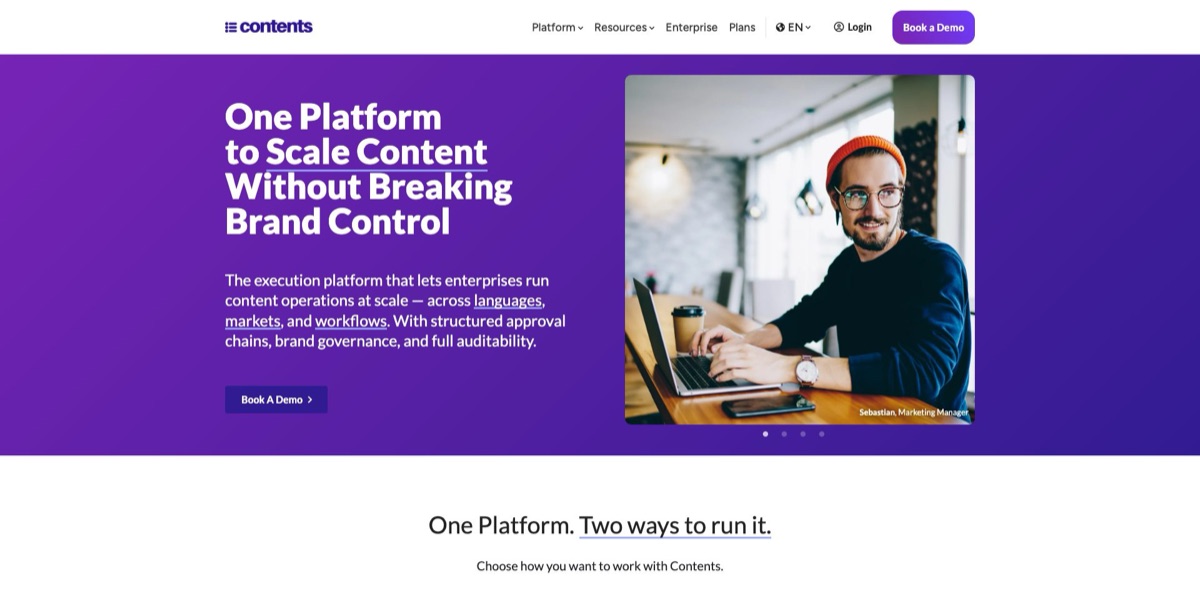
Contents.com is a Milan-based AI platform for producing marketing and corporate content at enterprise scale. It does not train its own frontier model; it orchestrates models from Meta, OpenAI, Anthropic, Google and Mistral and picks one per task. Around them it adds the parts large teams usually lose time on: brand voice profiles, custom templates, CSV batch generation, multi-level approvals, an audit trail and one-click publishing to WordPress, Shopify, WooCommerce and LinkedIn. You can run the platform yourself or hand the work to the company’s managed service on the same stack. The weak spot is access. There is no public price list, the plans page shows a single Enterprise tier behind a sales call, and the self-serve trial link failed to load on the checked date. Pick it for multilingual, multi-market content that needs sign-off, not as a cheap writing assistant.
How to start using Contents.com?
Access goes through sales. On contents.com you click Book a Demo, or Contact Sales on the Plans page, and fill in a form that asks for your business email, company size, industry and the services you care about: Product Descriptions, Blog & Editorial, SEO Content, Social Media, Images, Video, Translations, Investor Relations or Legal & Compliance. At this stage you also choose between running the platform with your own team and letting Contents run it for you. A Start Free trial button still sits on the Plans page, but its registration page returned a server error on November 21, 2026.
Your first real task should be Brand Voice. You add links to pages that sound like you, paste text, or upload a file, and the platform extracts your tone from content written in English, Spanish, German, Italian or French. You can also describe your audience and offering so the AI stops guessing. Then you open Create and start a blank text project, an HTML project, or a ready tool from the Explore, Your Custom Tools or Favourites tabs. The SEO Articles template accepts either instructions or target keywords, and the Product Descriptions template turns product data into SEO-oriented product sheets.
The editor is where you spend most of your time. It is block-based (headings, body text, lists, quotes, images), saves automatically and keeps a Version History you can restore from or branch into a new project. Agentic Chat sits next to the draft: you describe a change and it is applied directly to the text, with Undo in the toolbar. For volume work, custom tools support Batch: upload a CSV and each row becomes its own project. Progress shows in Library under Batch Queue, but it does not refresh in real time, so you press Refresh Page.
Review and publishing happen in Tasks. Each task carries a workflow of Create, Edit and Review steps, with one responsible person per step, and work only moves forward when that person approves it. Rejected drafts go back to the step that needs fixing, and you can save the whole workflow as a reusable template. Once a piece is approved, Share then Publish sends it through a connector that an Owner or Master configured in Settings. The Owner can watch consumption in Settings under Organization and Analytics.
Feed Brand Voice your best pages and run a small CSV batch before you commit a whole catalogue.
Who is it for?
E-commerce content managers
You have thousands of SKUs and every retailer wants its own spec for titles and descriptions. Custom tools plus CSV batch generation turn each spreadsheet row into a draft, and connectors push approved copy to Shopify or WooCommerce. Your team edits exceptions instead of writing every listing from scratch.
Global marketing teams
A campaign has to land in many markets at once, each with its own language and legal checks. Contents.com works in 25+ languages and routes every version through the same approval chain. The brief is written once and localized inside one workflow rather than across email threads.
Brand and compliance leads
Regulated content such as investor updates, ESG documents or product claims needs proof of who approved what. Multi-level approvals, version control and a full audit trail are built in, and the vendor lists SOC 2, GDPR and data residency in Europe and the GCC. You get an answer for auditors without a separate tracking spreadsheet.
Companies entering Arabic-speaking markets
The company says it handles 15 Arabic dialects, from Gulf to Egyptian, Levantine and Maghrebi, and it has an office in Doha. The company argues that Western platforms treat Arabic as an afterthought. Here regional variants are part of the core pitch.
Large publishers and SEO teams
Evergreen articles and category pages are needed in volume and must still match house style. The vendor’s own case study describes 1,000+ SEO pieces produced for an Italian online newspaper. Templates plus batch runs keep that output consistent.
Companies without an in-house content team
Some businesses want finished assets, not another login. The managed option lets Contents staff run the same platform on your behalf for content, translations and campaigns, and you review the result.
Contents.com pricing
Contents.com has moved to a sales-led model. On the checked date the official Plans page, viewed from both a European and a US connection, listed one tier, Enterprise, with a Contact Sales button and no price. The site has a EUR/USD currency switch, but no amount appears in either currency. Usage is governed by plan allowances: the help center says a generation or tool build is blocked once the allowance for that feature runs out, consumption counters reset on the Refills on date, and raising a limit means contacting your sales representative.
No published length or credit amount. The Plans page still shows a Start Free trial button, and the AI Writer FAQ mentions credits included in a free trial, but the linked registration page returned a server error on November 21, 2026.
Custom, pricing is quote-based. The listed scope covers AI writing, real-time AI editing, AI image generation, a multi-provider AI pipeline builder, conditional logic and validation gates, a reusable workflow library, multi-level approvals, cross-team task assignment, notifications with a full audit trail, direct-to-editor content push, an AI agent that builds tools, granular permissions, high-volume batch generation, template-driven production and a self-service knowledge base organized by brand, project or department.
Custom. The same platform operated by Contents staff, requested through the Speak with us form, where you tick the content types you need.
Older listings on third-party review sites still show euro-priced self-serve plans from the Contents.ai era. Those tiers no longer appear on the official page, so do not budget from them.
Contents.com key features
Model-agnostic orchestration
Contents.com routes each task to models from Meta, OpenAI, Anthropic, Google or Mistral instead of locking you to one vendor. When a better model ships, the platform can switch underneath your templates. Your workflows stay the same while the engine changes.
Brand Voice profiles
You train the voice with website links, pasted text or uploaded files, plus details about audience and products. The vendor states that uploaded data stays yours, is encrypted in transit and at rest, and is never used to train external models.
Tool Builder and custom tools
Owners and Masters describe a tool in a chat, the agent asks follow-up questions, builds it and generates test projects. Once published, the tool appears in Create for the whole team. Combined with CSV batch runs, one tool can turn a product feed into hundreds of drafts.
Agentic editor with version history
The block editor saves automatically, keeps restorable versions and lets you edit by instruction through Agentic Chat. An HTML project mode builds email and web layouts by conversation, so marketers can adjust pages without a developer. You keep control because every change can be undone or rolled back.
Tasks and approval workflows
Each task runs through Create, Edit and Review steps with one owner per step, and nothing advances without approval. Workflows save as templates, and every action lands in an audit trail. Regulated teams get traceability without bolting on a separate project tool.
Publishing connectors
Owners set up LinkedIn, WordPress, Shopify or WooCommerce once in Settings, then anyone in the workspace publishes from the editor via Share and Publish. Only connectors that match the content type are offered.
AI Art and multilingual output
Image tools include Text to Image, Image to Image, Upscale and Art Composer, where you place objects in a scene before the AI renders it. Text output covers 25+ languages, with English, Spanish, French, German, Italian and Brazilian Portuguese marked as premium. One brief can produce copy and visuals for several markets.
Contents.com Pros & Cons
Pros
Governance sits inside the writing flow rather than on top of it. Approvals, version history, permissions and an audit trail live in the same place as the editor, so you do not stitch together a writing tool, a project board and a DAM. The multi-model setup removes the risk of betting on one AI vendor, and CSV batches with custom tools suit catalogue work well. Reviewers on Capterra give it 4.7 for ease of use and repeatedly call it simple to pick up, even without prompting skills. Six European languages get premium treatment, and Arabic dialects are part of the core product rather than an add-on. Use it when content must pass several reviewers in several markets before it goes live.
Cons
You cannot see a price or start a trial without talking to sales, and the trial link on the official page did not work on the checked date. The company’s history adds caution: the Trustpilot profile for Contents.ai sits at 3.0 from 136 reviews, with complaints about trial auto-billing and an unpaid freelancer invoice. Older user reviews also mention spelling slips, generic copy heavy on emojis and images that ignored the prompt. AI Chat, AI Translation and Audio to Text are still labelled Available soon in the site menu, so check what is live today. Insist on a paid pilot with your own content and get exit terms in the contract.
Use Contents.com if you want…
- Generate product descriptions for thousands of SKUs from CSV files.
- Route every draft through multi-level approval workflows.
- Keep one brand voice across markets and languages.
- Publish approved posts straight to WordPress or Shopify.
- Build custom content tools by describing them in chat.
- Use OpenAI, Anthropic, Google and Mistral models in one place.
- Keep a full audit trail for regulated communications.
- Outsource content production to a managed AI service.
- Produce Arabic content for Gulf, Levantine and Maghrebi audiences.
Contents.com alternatives
 Jasper AIRead review →
 WriterRead review →
 TypefaceRead review →
 Hypotenuse AIRead review →
 neuroflashRead review →
 SimplifiedRead review →
Contents.com Reviews
Capterra reviewers, who still list the product under its older contents.ai name, mostly say it lets non-technical marketers produce usable drafts without learning to prompt, though some add that the copy needs a proofreading pass for spelling mistakes.
A web developer on Capterra liked that it suggests topics and headings for his field better than other tools he compared, but found word errors in texts generated in Ukrainian.
One low-rated Capterra review credited the image tools with creativity but called the written output simplistic and overloaded with emojis, and a trial user complained that generated photos did not match the prompt.
On Trustpilot, a six-month user says it saves time on social posts, website copy and client documents, while others report a $99 charge after a free trial they found hard to cancel; the company replied that the trial ran 7 days and could be cancelled from My Profile.
FAQ
Does Contents.com have a free plan?
No free plan is listed. The official Plans page shows only the Enterprise tier, and the Start Free trial link it carries returned a server error when checked on November 21, 2026.
How much does Contents.com cost?
Pricing is quote-based. You book a demo or contact sales, and allowances for generations, tools and seats are set in your contract.
Which languages does Contents.com support?
The platform supports 25+ languages, with English, Spanish, French, German, Italian and Brazilian Portuguese marked as premium at no extra cost. The company also says it covers 15 Arabic dialects.
Is my data used to train AI models?
According to the Brand Voice page, information you upload stays yours, is encrypted in transit and at rest, and is not used to train external AI models. The homepage also lists SOC 2, GDPR and data residency in Europe and the GCC.
Which platforms can Contents.com publish to?
Built-in connectors cover LinkedIn, WordPress, Shopify and WooCommerce. The enterprise page also mentions API integration with existing CMS and CRM systems.
Which AI models does Contents.com use?
It orchestrates models from Meta, OpenAI, Anthropic, Google and Mistral and chooses one per task, so your templates stay the same when the underlying model changes.
Is Contents.com the same as Contents.ai and Zulla?
Yes. The product was previously sold as Contents.ai, and the earlier Zulla platform was merged into it, which is why many review listings still use those names.
What happens when I reach my usage limit?
Generations or tool builds for that feature are blocked until the Refills on date. The workspace Owner can check consumption under Organization Analytics and ask the sales representative to raise the limit.
Similar tools
 CopyterSpanish-first AI writing platform that researches keywords, drafts SEO articles and publishes them to WordPress, with image, voice and chat tools.
 DocswritePublishing hub that sends Google Docs, Drive folders and Sheets to WordPress, Webflow, Shopify and 8 more destinations, with an AI writer
 WritefullAcademic writing AI for Word, Overleaf and the browser, with journal-trained language edits, an Academizer, a paraphraser and title and abstract generators.