

Cutout.Pro
Image EditingUpdated October 18, 2026
AI photo editing platform for background removal, object retouching, upscaling and prompt-based edits, with bulk processing via desktop app and API.
We may earn a commission when you sign up through our links. It does not affect our reviews.
What is Cutout.Pro?
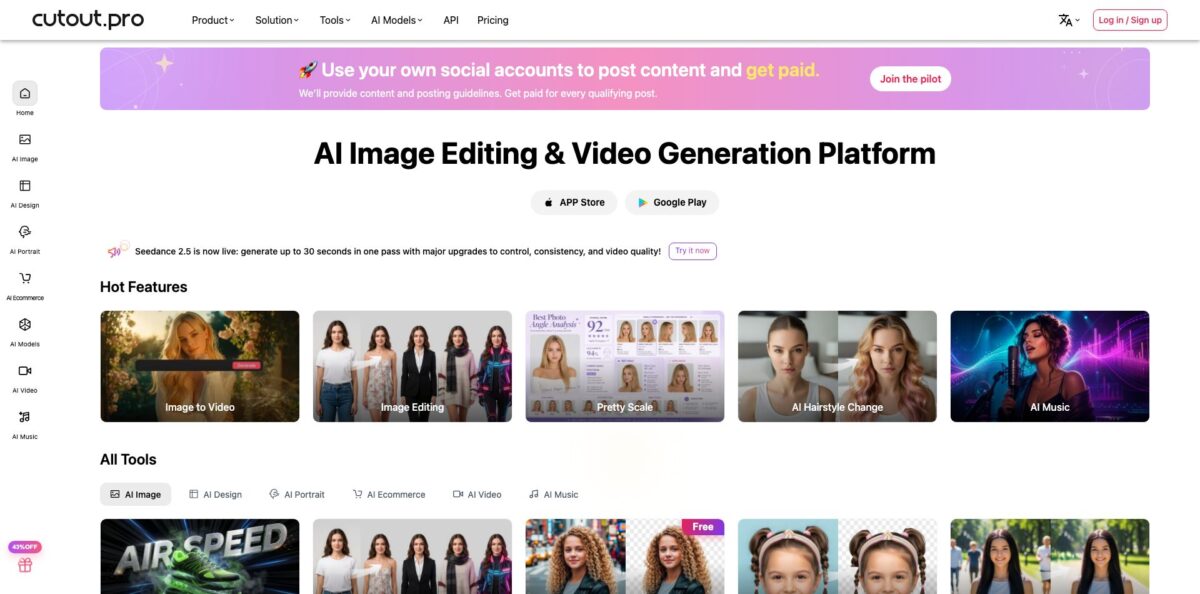
Cutout.Pro is a browser-based AI photo toolkit from Hong Kong company PicUP.Ai that bundles background removal, object retouching, upscaling, colorizing, passport photos and prompt-based image editing under one credit wallet. You upload a picture, get a free low-resolution preview, and spend credits only when you download the HD file. The point is to replace a handful of single-purpose tools and the manual masking you would otherwise do in Photoshop. Over time the platform has grown into a model hub too, with GPT Image, Nano Banana, Seedream and Flux Krea for edits and Seedance, Veo and Sora for video. The weak spots are a sprawling interface, a thin and mostly negative public review record, and a 2024 data-leak report the company disputes. Pick it for cheap per-image cutouts and bulk jobs through the API or desktop app, not for brand-sensitive data.
How to start using Cutout.Pro?
Create a free account on cutout.pro. New users get 5 free credits, and every friend you invite with your code adds 5 more. You do not need credits to try a tool: every image tool shows a free preview, so you can judge the cut quality before paying anything. The account page also holds your API key, which you will need later for the desktop app and any integration.
For a first real job, open Image Background Remover and drop in a product shot, paste an image with CTRL+V or paste a URL. The web tool takes one file at a time and handles most 4K and 1080p photos; above 4000 x 4000 pixels the company asks you to contact support. Within seconds you get a cutout on a transparent canvas. If hair, straps or a shadow edge look off, use Erase & Restore to paint pixels back in or take them out, then click Done to save the edit.
Next, open the Editor to finish the image. Here you add a shadow, swap the background for a color or another photo, resize for a marketplace and crop. If the shot also has a stray price tag or a watermark, send it to Retouch, brush over the object and let the inpainting fill the gap. For blurry supplier photos, Photo Enhancer upscales by 200% and sharpens, at 2 credits per image instead of 1.
When the result looks right, download it. A low-resolution JPG or PNG is free; the HD version costs credits. Uploaded files are deleted within one hour, and if you miss that window you have to upload again and pay again, so download straight away. For big catalogs, install the Mac or Windows desktop app, paste your API key and drag a whole folder in; results land in a local folder you pick.
Who is it for?
E-commerce sellers
You shoot products on a kitchen table and need clean white or transparent backgrounds for Amazon, Etsy or Shopify. At 1 credit per image on a subscription, a cutout costs a few cents. The desktop app and the Shopify plugin take away the one-by-one drag-and-drop.
Print-on-demand shops
You need isolated subjects, upscaled artwork and quick mockups for new designs every week. Cutout.Pro puts background removal, the enhancer and AI POD generation in the same wallet. You stop paying for three separate subscriptions.
Developers and agencies
You want background removal or face cutout inside your own app without training a model. The HTTP API takes a file or URL, returns a PNG or Base64 JSON, and bills per successful call. A preview-size result costs a quarter of a credit, which keeps test runs cheap.
People who need ID photos
Passport Photo Maker crops to official sizes and can swap your outfit for a suit. It costs 2 credits per image on the web, so you skip a trip to a photo booth for visa and job applications.
Family archivists
Old scans come out faded, scratched and black-and-white. The colorizer, the old-photo denoiser and Photo Animer bring them back to something you can print or share. Each restore pass is priced per image, so you pay only for the photos that matter.
Creators who test AI models
The Image Editing page lets you run the same prompt and reference images through several editing models and compare the outputs side by side. You find the model that follows your instructions best without opening five accounts.
Cutout.Pro pricing
Cutout.Pro sells credits, not seats. Background removal and Retouch cost 1 credit per HD image, while cartoon selfie, passport photo, the enhancer and the colorizer cost 2. Previews are always free. You can subscribe for a monthly credit allowance, which is cheaper per credit and rolls unused credits over (up to 5x the monthly budget while the subscription stays active), or buy pay-as-you-go packs that never expire. Video tools use separate minute-based packs. The page shows only monthly billing for image subscriptions, with no annual discount.
5 credits on signup, plus 5 credits per invited friend, and unlimited free previews.
$5.00/month ($0.063 per credit).
$9.90/month ($0.058 per credit).
$16.90/month ($0.056 per credit).
$29.00/month ($0.053 per credit).
$49.00/month ($0.049 per credit).
$69.00/month ($0.048 per credit).
Credits never expire.
sold by the minute, for example 45 minutes for $299 or 120 minutes for $599, and used for video generation, video background removal, the video enhancer and Photo Animer.
Custom. Larger volumes and custom plans are quote-based through the contact form.
Subscriptions come with a 14-day money-back guarantee, but it is limited to accounts with no more than 50 downloads. The API uses the same credits: background removal is 1 credit per call, and AI Art Generation or Background Diffusion cost 3, 6 or 12 credits depending on output resolution. The iOS app sells its own in-app plans at $4.99 monthly or $29.99 yearly.
Cutout.Pro key features
Background Remover: Upload a photo and the model separates the subject from the background in a few seconds, with Erase & Restore brushes for manual fixes. The built-in Editor then adds shadows, a new background color or photo, and resizes or crops. Product teams get marketplace-ready cutouts without opening Photoshop.
Retouch and Face Cutout: Retouch is an inpainting tool that removes objects, text and logos and fills the area with matching texture, and a newer Erase and Replace mode lets you put something else in the gap. Face Cutout isolates heads for stickers and memes. Both cost 1 credit per HD image, the same as a plain cutout.
Photo Enhancer and restoration: The enhancer upscales by 200%, sharpens blur, removes noise and fixes underexposed night shots, while the colorizer and old-photo repair handle archive scans. A separate Photo Enhance Pro targets real-estate listings with sky replacement and lighting fixes. Expect 2 credits per enhanced image.
Multi-model image editing: The Image Editing page runs your prompt and reference images through models such as GPT Image 2, Nano Banana, Seedream, Flux Krea, Imagen 4 and Qwen Image Edit. The Generate button shows the credit cost before you run it, 3 credits in the default GPT Image 2 setting at 1K resolution and low quality.
AI video tools: Image to Video, video background removal, a video enhancer and Photo Animer sit next to the photo tools, with models including Seedance, Veo, Sora and Vidu. Video credits are sold in minute packs, and uploads can be up to 2 GB, 4K and 30 fps. It is handy for product clips, though dedicated video generators offer deeper controls.
Desktop app and Shopify plugin: The Mac and Windows app works through your API key: drag a folder of images in and the cutouts are saved locally, with the company claiming batches of over 10,000 images. The Shopify plugin applies saved background and effect settings to 10 product images at a time. On macOS you may need to Control-click the app and choose Open to get past the security warning.
Developer API: A plain HTTP POST with an APIKEY header returns the processed image or Base64 JSON, with code samples on GitHub and a Java SDK on Maven. Inputs can be PNG, JPG, JPEG, BMP or WEBP up to 4096 x 4096 pixels and 15 MB, and the documented limit is 5 simultaneous requests per second. A Fetch Credit Balance endpoint helps you avoid failed jobs when the wallet runs dry.
Cutout.Pro Pros & Cons
Pros
Per-image costs are low. On a subscription a background removal works out to about five or six cents, and pay-as-you-go credits never expire, which suits sellers who list products in waves. Free previews on every tool let you check the result before paying, so you never spend credits blind. The range is wide: cutouts, inpainting, upscaling, colorizing, passport photos, model-based editing and video sit behind one login and one wallet. Developers get a simple API with clear per-call prices, a quarter-credit preview mode and a desktop client for bulk runs. Unused subscription credits roll over instead of vanishing at the end of the month. Use the preview mode to test edge cases like hair and glass before you automate anything.
Cons
Trust is the main issue. Have I Been Pwned lists a February 2024 breach of about 20 million Cutout.Pro accounts with emails, names, IP addresses and hashed passwords; the company called the claim a scam, but leaked addresses were independently verified. Its Trustpilot score is poor and dominated by leak complaints, plus reports of charges after cancellation and slow refunds. The site is crowded with dozens of tools and promotions, and some help pages contradict each other. The refund guarantee stops at 50 downloads, and results vanish after one hour. Use a unique password, pay through a method you can dispute, and avoid uploading confidential images.
Use Cutout.Pro if you want…
- Remove product photo backgrounds for a few cents each.
- Batch-process thousands of catalog images from your desktop.
- Erase price tags, text and logos from photos.
- Upscale and sharpen blurry supplier images for listings.
- Add background removal to your app through an API.
- Make passport and visa photos without a photo booth.
- Colorize and repair old family photographs.
- Compare several AI editing models on one prompt.
Cutout.Pro alternatives


Cutout.Pro Reviews
One reviewer calls it a solid website for upscaling images and gives it four stars, without much complaint about the output.
A user says the background remover failed on their image yet still used up credits, and the refund they were promised never arrived.
Several reviewers report that their email addresses showed up in breach databases after the 2024 leak and warn others not to upload personal photos.
Another customer says they kept being charged after canceling and found the company hard to reach and slow to answer.
One user complains that a cutout came out pixelated and the AI-generated background looked odd, so they moved to another service.
FAQ
Is Cutout.Pro free?
You can preview results on every tool for free and download low-resolution files at no cost. New accounts get 5 free credits for HD downloads, plus 5 more for each friend who signs up with your invite code.
How much does one background removal cost?
One HD background removal costs 1 credit. On subscriptions that is between about $0.048 and $0.063 per image depending on the plan, and through the API a preview-size result costs a quarter of a credit.
Do unused credits expire?
Pay-as-you-go credits never expire. Subscription credits roll over up to five times your monthly allowance, but only while the subscription stays active.
Is my data safe with Cutout.Pro?
Uploaded images are deleted within one hour, according to the company. However, Have I Been Pwned lists a February 2024 breach of about 20 million user records that the company disputes, so use a unique password and avoid uploading sensitive images.
Does Cutout.Pro have an API?
Yes. The HTTP API covers background removal, face cutout, retouch, enhancement, colorizing, passport photos, image editing and video tools. It accepts PNG, JPG, JPEG, BMP and WEBP files up to 4096 x 4096 pixels and 15 MB, with up to 5 simultaneous requests per second.
Can I process images in bulk?
The web tool handles one image at a time. For bulk work, use the Mac or Windows desktop app with your API key, the API itself, or the Shopify plugin, which processes 10 product images at once.
Is there a mobile app?
Yes, Cutout.Pro has an iPhone app and an Android app on Google Play. The iOS app sells its own subscriptions at $4.99 per month or $29.99 per year.
Can I get a refund?
Subscriptions carry a 14-day money-back guarantee if you are unhappy with the results, but only if you have made 50 downloads or fewer. You can cancel, upgrade or downgrade at any time.
Similar tools
 HamaFree browser-based AI eraser that removes people, objects, text and blemishes from photos with a brush, plus an inpainting API for developers.
 BgEraserBrowser-based AI background remover that turns up to 20 photos per batch into transparent PNGs without an account, plus offline apps for
 ImgkitsBrowser-based set of AI photo tools for background removal, object cleanup, upscaling, old photo restoration, image generation and image-to-video.