
Deep Art Effects
Image EditingUpdated November 18, 2026
Offline AI style-transfer editor for Windows, Mac and Linux that repaints photos and videos with 120+ art filters or styles built from your own images.
We may earn a commission when you sign up through our links. It does not affect our reviews.
What is Deep Art Effects?
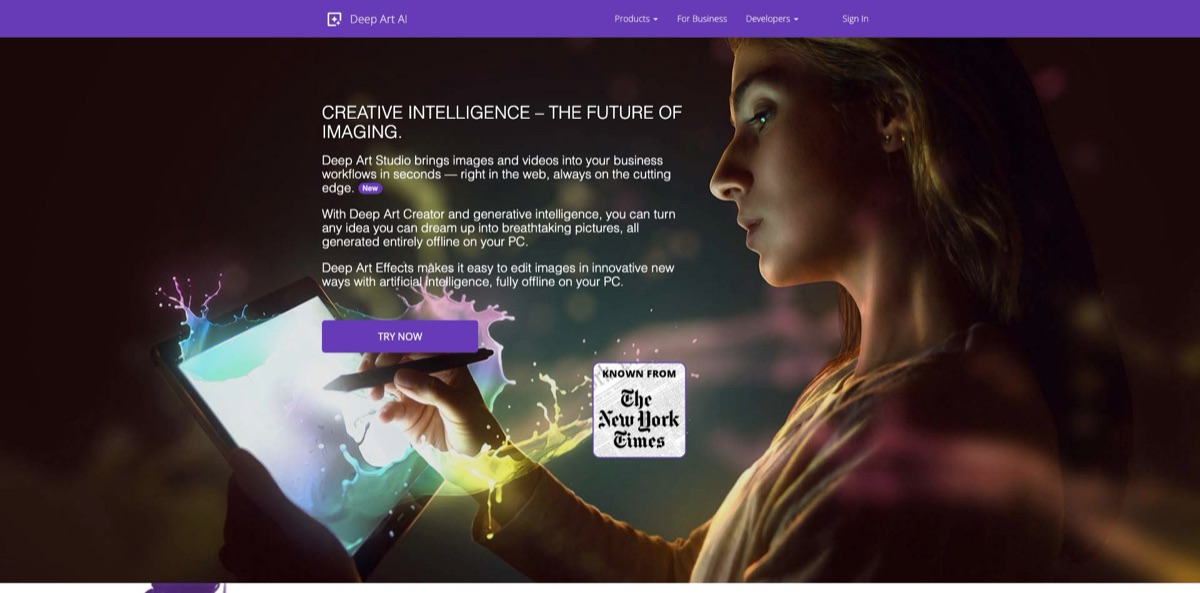
Deep Art Effects is a neural style transfer editor from Karlsruhe-based Deep Art AI GmbH that repaints a photo or video in the look of a painting while keeping the original composition intact. The flagship, Deep Art Effects Pro for Desktop, runs on Windows, macOS and Linux and does all rendering on your own machine, so your images are never uploaded for processing. You get more than 120 preset art filters, custom styles built from any reference image, 4x upscaling, automatic colorization, foreground and background masking and a bokeh effect. A free mobile app covers the basics on iOS and Android. The weak spots are age and speed: the desktop build has stayed at version 1.2.8 since May 2024, and users report long CPU renders and installer trouble. Pick it if you want private, repeatable painterly effects rather than prompt-based image generation.
How to start using Deep Art Effects?
Open the Download page on deeparteffects.com and choose the desktop build for your system: Windows 7 or later (64-bit), macOS 10.12 or later with separate builds for Apple Silicon (M1/M2) and Intel Macs, or Ubuntu 18.04 or later. The listed requirements are modest at 4 GB of free RAM and 2 GB of disk space. The free version asks for your first name and email before the download. On a Mac, Gatekeeper may warn that the app cannot be checked for malicious software; the official FAQ fix is to move it into Applications, right-click it, choose Open and repeat that once more.
On first launch the software downloads its style and model files, so use a stable connection for that step, ideally wired. Support staff confirmed on the community forum that once those files are installed, all rendering happens locally and nothing is processed in the cloud. To make your first artwork, drag an image into the window or click the center of the canvas, then pick one of the preset ArtFilters. A quick pass through five or six presets on a photo you know well tells you more about the engine than any settings screen.
The settings that matter sit in two side panels. According to the official desktop guide, the right side holds the AI settings that change how the model interprets your picture, and you set them before rendering. The left side holds adjustments applied after rendering, which you can change at any time. At the top of the screen you can switch to a more complex AI, such as Abstract AI or Vincent AI, and add your own reference images to build a new filter. You can add as many style images as you like, which is how you get a personal look instead of a stock preset.
Before you save, check the output size. Forum staff explain that resolution and detail level are linked in the desktop app, and print files max out at 3,000 px on the long side regardless of the detail setting. The save dialog then asks for a JPEG quality. If you own an NVIDIA card, the separate GPU build for Windows and Linux, still labeled beta, needs the CUDA 11.8 toolkit and cuDNN 8.6.0 installed first. There is no GPU build for Mac.
Who is it for?
Privacy-conscious photographers
You want painterly versions of client portraits or family photos but cannot send them to a cloud service. Deep Art Effects renders on your own computer, and the vendor states that images are never uploaded, stored or analyzed. You get artistic output without a data-processing headache.
Print and wall-art sellers
You need the same look across a whole series of prints, and generative tools drift from image to image. Style transfer is deterministic, so reapplying the same configuration gives the same result, and paid plans add print files and batch processing. A coherent collection becomes a saved setting rather than days of manual painting.
Digital artists with a signature style
You can feed your own paintings, sketches or textures into Abstract AI and turn them into a reusable filter. That moves your style onto photos without redrawing them by hand. Expect some trial and error, since results depend heavily on the reference image you choose.
Restorers of old family photos
Grayscale colorization and 4x upscaling sit in the same app as the art filters, and since version 1.2.8 colorization runs locally. You can colorize, enlarge and stylize a private archive without uploading a single scan.
Developers and print-on-demand shops
The Deep Art Effects API offers style transfer over HTTPS/JSON with SDKs for Android, iOS, .NET, JavaScript and Java. The vendor cites phone-case maker gocase, which lets customers print photos in art styles. You can add a stylized product option without training a model yourself.
Casual mobile users
The free DeepArtEffects AI Photo Editor app turns selfies into paintings in three steps with more than 40 styles. Images are rendered on the company’s European servers rather than on the phone. It suits social posts and quick experiments, not print work.
Deep Art Effects pricing
The desktop software is sold as a time-limited license or a one-time purchase, with prices listed in US dollars on the official checkout page. Every paid desktop plan includes all features, software updates, support and new art filters, and subscriptions renew automatically until you cancel. Each license covers one hardware device, so moving to a new computer means deactivating the key in your account first. Under the general terms, your 14-day right of withdrawal ends as soon as you receive the product key. The mobile app and the API are priced separately, and the desktop page regularly runs coupon promotions, so check for a current code before you buy.
A desktop download with an unlimited-term license for testing the engine. Third-party download listings report a watermark on outputs and disabled video rendering, webcam mode, intelligent resize, print files, colorization, batch processing and the command-line tool.
All desktop features, renewed every month. Fine for a single project, but the most expensive way to use the software over time.
The same features, billed quarterly.
The same features for twelve months.
A permanent license with free updates for minor versions, free support and new art filters. The listing does not promise free major-version upgrades.
Premium raises output to Full HD (1920 px), removes the watermark and adds exclusive styles; a single Ultra HD image costs $1.99.
Custom. The developer portal offers a free test plan, while dedicated plans with guaranteed computing capacity are arranged on request.
Deep Art Effects key features
Offline style transfer engine
Style and model files download once, and after that all rendering happens on your computer with no cloud inference, as support confirmed on the forum in April 2026. Your photos never leave the device, and no server-side filter reviews what you edit.
More than 120 preset styles plus custom styles
The desktop app ships with over 120 pre-installed filters, from pencil-sketch looks to abstract painting. Abstract AI lets you import any image, including your own artwork or a texture, as a new input style, and you can adjust brush size and style intensity. You end up with a personal filter library instead of the same presets every phone app uses.
Selective foreground and background rendering
One click decides whether the AI paints the background, the foreground or both. Automatic cropping and a bokeh effect that imitates an expensive SLR lens sit alongside it. A face can stay realistic while the scene behind it turns into a painting.
Colorization and 4x upscaling
The AI colors grayscale photos and videos automatically and scales images to four times their original size. Version 1.2.8 moved colorization onto the local device and added a new upscaling method. That makes the app useful for restoring old scans before you stylize them.
Video and batch processing
Styles apply to video clips as well as stills, and paid versions add batch processing plus a beta command-line tool. You can run a whole folder through the same settings, which keeps a series visually consistent without repeating clicks.
GPU acceleration for NVIDIA cards
Separate beta builds for Windows and Linux use CUDA to speed up rendering, while Mac users stay on the CPU version. The vendor says all AI functions became significantly faster in 1.2.8.
Generative artwork mode
Deep Art Effects Pro includes a GAN feature that produces a unique artwork with one click, with no input image needed. It is a side feature: for prompt-based generation the company now points users to its separate Deep Art Creator and Deep Art Studio products.
Deep Art Effects Pros & Cons
Pros
Deep Art Effects does one job with unusual discipline: it keeps the content of your photo intact and changes only brushwork, texture and color. Because rendering is local and deterministic, the same settings give the same output every time, which suits print series and brand imagery. Privacy is a real strength, since nothing is uploaded and no content filter screens your files. Custom styles from your own reference images give you a look nobody else has, and colorization plus upscaling cover restoration jobs in the same window. A one-time license and a native Linux build are rare in this category. Build two or three custom styles from your own work early, because that is where the software pulls ahead of phone filter apps.
Cons
The software feels dated. The last desktop release, 1.2.8, arrived in May 2024, the iOS app has not been updated since February 2023, and forum users still ask basic questions such as how to undo an edit. CPU renders can take hours, and forum threads document Java launch errors, a GPU build that ignored an RTX card and an installer that would not upgrade from 1.2.7. Licensing is strict: one device per key, and the withdrawal right ends once the key arrives, so refunds depend on goodwill. Several Trustpilot reviewers also complain about renewals they did not expect. Test the free build on your own hardware first and set a reminder before any subscription renews.
Use Deep Art Effects if you want…
- Turn photos into paintings without uploading them anywhere.
- Build reusable art filters from your own artwork.
- Apply one consistent style across a print series.
- Colorize and upscale old black-and-white family photos.
- Stylize only the background while keeping faces realistic.
- Add style transfer to your app through an API.
- Own a perpetual license instead of renting software.
- Run AI art effects on a Linux workstation.
Deep Art Effects alternatives
 BeFunkyRead review →
 ArtguruRead review →
 PixlrRead review →
 VanceAIRead review →
 CartoonizeRead review →
Deep Art Effects Reviews
App Store users praise striking results and short waits and call premium worth it for the higher resolution, but find the interface slow and clumsy, with filters you cannot reorder and an artworks screen that does not show which filter was used.
A long-time Android user says a later update replaced folder browsing with one long gallery and turned saving into a share-or-download step, which makes older photos awkward to reach.
Desktop buyers on Trustpilot like the unique look of the output but say rendering speed needs work, with one reporting jobs that ran for tens of hours.
Support gets repeated credit on Trustpilot for fixing license and installation problems within hours or days, while other reviewers describe subscription renewals they did not expect and refused refunds.
Forum posts from 2024 to 2026 describe a bumpy setup, including Java launch errors, a GPU build that ignored an RTX card and a model download that stalled halfway, though staff confirm rendering is fully local once styles are installed.
FAQ
Is Deep Art Effects free?
There is a free desktop version and a free mobile app. Third-party download listings say the free desktop build watermarks output and disables features such as video rendering, colorization and batch processing, while paid desktop plans start at $9.90 per month.
Does Deep Art Effects work offline?
The desktop version does. Style and model files download once, and after that all rendering runs locally. The mobile app renders images on the company’s European servers, so it needs a connection.
Are my photos uploaded or stored?
Not with the desktop software, which the vendor says never sends images to its servers and does not store or analyze them. The mobile app processes images on European servers, and its store listing says photos from guest users are not saved.
Which operating systems are supported?
The desktop app runs on Windows 7 or later (64-bit), macOS 10.12 or later with builds for Apple Silicon and Intel Macs, and Ubuntu 18.04 or later. The mobile app is available for iPhone and iPad (iOS 13 or later) and Android.
Can I use the artwork commercially?
The official FAQ says you may use images created with Deep Art Effects on a website or in a book if you own the rights to the original photo. The vendor claims no rights to your results.
Can I move my license to a new computer?
Yes, but a license covers one device at a time. Support staff explain that you log in on the website, find your license and choose to deactivate it, which frees the key for another machine.
Can I cancel a subscription or get a refund?
You can cancel at any time, and the plan ends with its current term. The general terms exclude the 14-day withdrawal right once the product key is delivered, so test the free version before you pay.
Is there an API?
Yes. The developer portal offers an HTTPS/JSON style transfer API with SDKs for Android, iOS, .NET, JavaScript and Java, plus a free test plan; dedicated business plans are arranged individually.
Similar tools
 Picture to DrawingBrowser tool that turns photos into pencil, charcoal, ink or watercolor drawings, cartoons and coloring pages, with free daily tries and one-time
 Retouch4meAI retouching plugins and cloud apps that automate skin cleanup, dodge and burn, culling and color grading for photographers and video editors.
 Pixelfox AIBrowser-based AI photo and video editor for object removal, background cutouts, upscaling, virtual try-on and AI video on one shared credit balance.