

Deep-Image.ai
Image EditingUpdated November 10, 2026
AI photo enhancer that upscales, denoises, relights and removes backgrounds in one credit per image, with packshot batches and a REST API.
We may earn a commission when you sign up through our links. It does not affect our reviews.
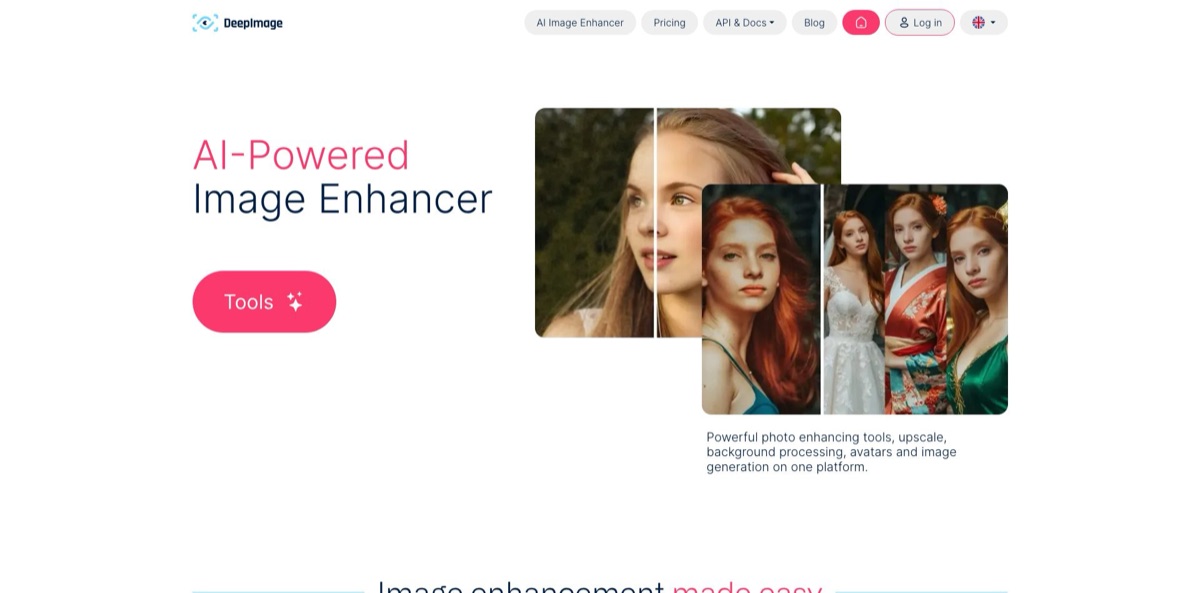
What is Deep-Image.ai?
Built by a self-funded team in Szczecin, Poland, since 2019, this browser-based photo enhancer runs upscaling, denoise, deblur, light and color correction and background removal as a single job, billed as one credit per image. The goal is to rescue weak source files such as phone snapshots, compressed customer uploads or faded prints without opening Photoshop or paying separately for every step. Around that core sit newer generative tools: prompt-based editing, uncrop, inpainting, virtual staging, avatars and a bulk packshot generator for marketplaces. Every feature is also exposed through a REST API with webhooks and cloud-storage connectors, which is where much of the business use comes from. The weak spots are consistency on faces, where some users find results too smooth, and credit rules that punish cancellation. Pick it if you process images in volume and want a predictable price per file.
How to start using Deep-Image.ai?
Create an account with your email address; no credit card is needed. New accounts receive 10 free credits according to the pricing page and the API page (one older FAQ entry still says 5), which is enough to push a handful of files through the upscaler, the enhancer and background removal. Free results carry a watermark, and buying credits removes it. If you plan to pay, switch the currency menu in the top-right corner of the pricing page to US Dollar, Euro, British Pound or Polish Zloty before checkout.
For a first real job, open AI Enhancer Studio, the full-screen version of AI Enhancer PRO. The Upload Image panel accepts drag and drop, a pasted image or a file from Your device or Cloud storage. In the UPSCALE block you pick a Content type, decide whether to switch on Generative Upscale, and set the size by Scale (2×, 3× or 4×), by exact Width & height in pixels, or by Paper size in millimeters with a DPI value for print work.
The screen that decides your bill is the options column. Select denoise, sharpen, color and lighting, face detail, background removal or a generated background, and FRAMING settings (Canvas, Extend with AI, Border, Padding) before you press Enhance. As long as everything is chosen up front, the image still costs one credit. Under Advanced you choose the output format: removing the background saves a PNG by default, while choosing JPEG fills the empty area with white.
Check the before and after view, then use the history strip at the bottom of the Studio to revisit earlier jobs on the same photo and compare variants. Download what you keep right away, because the gallery deletes files after 40 days. When the manual workflow is settled, copy your API key from the profile’s API page and send the same settings to the process_result endpoint, or queue batches through the process endpoint with a webhook callback.
Run your three worst photos through the free credits with every enhancement stacked, and judge faces and fine textures at 100% zoom before you buy.
Who is it for?
E-commerce sellers
Supplier photos arrive dark, noisy and on random backgrounds, and every marketplace wants a different size. Packshot PRO takes up to 50 photos at once, applies presets such as Main product images or Lifestyle scenes, and outputs sizes for Amazon, eBay, Etsy, Shopify or Allegro. A whole catalog can share one look without a studio session.
Print and print-on-demand shops
Customers send small, compressed files for posters, canvases and merch. You set a paper size and DPI (300 by default in the API) and the image is upscaled to exactly what the press needs, with a bleed preset for flyers and business cards. Fewer orders get rejected for low resolution.
Real estate photographers and agents
Interiors shot on cloudy days look flat and grey. Light, white balance and noise fixes run across a full listing, while Virtual Staging and Real Estate Designer add or swap furniture in empty rooms. Listings go live faster and look consistent.
Developers of marketplaces and SaaS apps
User uploads vary wildly in light and resolution. One API request chains background removal, color correction, denoise and upscale for a single credit, with webhooks for batches and connectors for AWS S3, Google Drive, Dropbox and OneDrive. You avoid stitching three vendors together.
Families and archivists
Scanned albums are scratched, torn and faded. Photo Restoration repairs damage and lets you compare results from different presets, keeping the version you like best. Old prints become shareable again without a retoucher.
Photographers working with RAW files
High-ISO shots from events or low light need cleanup before delivery. The service accepts RAW formats like NEF and CR2 alongside TIFF and PSD, so you can denoise and upscale straight from the camera file.
Deep-Image.ai pricing
Everything runs on credits, and one standard image costs one credit no matter how many enhancements you stack on it. Generation with ChatGPT Image costs more: 2 credits per image on Medium and 5 on High. You can buy one-off Pay As You Go packs, whose credits never expire, or a monthly subscription that is cheaper per image; unused subscription credits roll over for up to 3 months while you stay subscribed and are lost when you cancel. API access is included on every plan, and yearly billing gives two months free. A referral code adds 50% extra credits to both sides on the next purchase. Prices below are the USD list prices on the official pricing page as of November 7, 2026.
10 credits at sign-up, no card required, watermarked results.
Packs of 25 ($9.99), 50 ($15.99), 100 ($24.99), 200 ($45.99), 300 ($61.99) and 500 ($99.99) sit in between, and these credits have no expiry date.
Roughly $0.09 per image, no watermark, batch processing up to 50 images and upscaling up to 303 megapixels.
$24/month, or $20.75/month billed yearly.
$39/month, or $32.50/month billed yearly.
This is the first tier where output resolution goes up to 1,024 megapixels.
$150/month, or $125/month billed yearly.
$270/month, or $225/month billed yearly.
The top tier brings the cost down to about $0.04 per image on monthly billing.
Custom. Aimed at 100,000+ images a year, with volume pricing, dedicated support, integration help and a test on your sample images.
All subscriptions also include priority processing, e-commerce presets, the avatar and interior tools, uncrop and inpainting, and 40 days of storage.
Deep-Image.ai key features
Stacked enhancement for one credit
Upscale, denoise, deblur, light and color correction and background removal can be combined in a single web job or API request. The price stays at one credit per processed image as long as you select everything before running it. A cleanup pipeline that elsewhere means three separate tools and three charges becomes one predictable line item.
Upscaling and Generative Upscale
Standard upscaling stays close to the original while raising resolution by ratio, by pixel target or by paper size. Generative Upscale interprets the photo and invents fitting detail, such as leaves or grass in a forest scene, which helps with badly degraded files.
Packshot PRO for product catalogs
You upload up to 50 phone photos or RAW files, pick from more than 70 presets, set a marketplace size and optionally add a style reference image. Every photo is rendered in every selected style, so 10 photos with 10 presets give you 100 packshots in one run. Saved custom presets keep light, background and framing identical across the catalog.
Prompt-based editing and generative fills
Prompt Based Edit accepts up to 3 photos and changes them from a plain text instruction, such as a new background, golden-hour light or a watercolor style. Inpainting, Uncrop and the AI Background Generator cover object removal, canvas extension and scene creation. The API page lists Nano Banana PRO, Qwen Image 2.0, SeeDream 4.5, Gemini Flash and Wan 2.7 among the generation models.
Print-ready resizing
The print parameters take a paper format like A4, B0 or letter plus a DPI value and calculate the target pixels for you. A dedicated bleed preset extends artwork beyond the trim edge for flyers and business cards. Print shops stop guessing how far a customer file needs to be enlarged.
API, webhooks and storage connectors
The REST API works synchronously for quick jobs or asynchronously with polling and webhooks for batches, and a Python client is available. Storages link AWS S3, Google Drive, Dropbox and OneDrive so images never need public URLs, and Zapier and Make cover no-code automation. Inputs include JPEG, PNG, TIFF, WEBP, PSD and RAW formats, with JPEG, PNG or WEBP out.
Real estate toolkit
Virtual Staging adds or removes furniture from a room photo, and Real Estate Designer redesigns interiors and exteriors from photos. Combined with white balance and lighting fixes, a property shoot can be cleaned up and staged in one place.
Deep-Image.ai Pros & Cons
Pros
The one-credit-per-image rule makes costs easy to forecast, because stacking denoise, relighting, background removal and upscaling does not multiply the bill. At volume the price per image drops to around $0.04, and Pay As You Go credits never expire, which suits seasonal sellers. Format support is unusually wide, from RAW camera files to PSD and TIFF, and every plan includes the full API with webhooks and cloud-storage connectors. The company states it does not use your images to train AI models. Packshot PRO and print sizing turn the service into a production tool rather than a toy. Start with a small subscription and lock in your settings as presets before scaling up.
Cons
The credit rules need attention: subscription credits only roll over for up to 3 months and vanish the moment you cancel, which some users only discovered after losing them. The free allowance is tiny and watermarked, so a fair trial means paying something. Face enhancement can look overly smooth, and some users report needing two passes on blurry images. Generative image-to-image tools apply strict safety filters that reject harmless photos, support works only on weekdays from 8am to 4pm CET, and files disappear from the gallery after 40 days. Use Pay As You Go until you know your monthly volume, and download results the same day.
Use Deep-Image.ai if you want…
- Upscale low-resolution photos to exact print sizes.
- Fix noise, blur and lighting in one pass.
- Turn phone snapshots into marketplace-ready product packshots.
- Remove or replace product backgrounds in bulk.
- Restore scratched and faded family photos.
- Stage empty property interiors with virtual furniture.
- Add image enhancement to your own app via API.
- Pay a flat, predictable price per processed image.
Deep-Image.ai alternatives



Deep-Image.ai Reviews
G2 reviewers mostly praise how quickly the tool can be picked up and how many features sit in one place, including text-to-image without technical knowledge, but some say bugs and lag spoil an otherwise beginner-friendly experience.
On portraits, some G2 users find the enhancement too smooth or unnatural, and one had to run a blurry image through the upscaler twice before the result was usable.
Trustpilot reviewers who have used it for months rely on it mainly for upscaling, sharpening, noise and background removal, consider the price fair, and like that new features keep arriving.
A recurring Trustpilot complaint targets the credit rules: unused subscription credits expire after about three months without a reminder and are wiped on cancellation, which some users call a dark pattern.
A recent Trustpilot review says image-to-image generation and prompts get blocked by strict safety filters even on harmless photos, and that feedback to support went unanswered.
FAQ
Is Deep-Image.ai free?
You get 10 free credits when you create an account, with no credit card required. Free results are watermarked, so production use needs a Pay As You Go pack or a subscription.
How many credits does one image use?
One standard image costs one credit, even if you combine upscaling, denoise, color correction and background removal in the same job. Generation with ChatGPT Image costs 2 credits on Medium and 5 on High.
Do unused credits expire?
Pay As You Go credits have no expiry date. Subscription credits roll over for up to 3 months while the subscription stays active and are lost if you cancel.
Does Deep-Image.ai use my images to train AI?
The company states it does not use customer images to train AI models. Processed files are kept in your gallery for 40 days and then deleted, so download them promptly.
Is there an API, and which plans include it?
Yes. Every plan includes the REST API, and every feature on the website is available through it, with webhooks, a Python client, cloud-storage connectors and Zapier and Make integrations.
Which file formats are supported?
Inputs include JPEG, PNG, TIFF, WEBP, PSD, BMP, GIF and RAW camera formats such as NEF and CR2. Results come back as JPEG, PNG or WEBP.
How large can I upscale an image?
The Studio offers 2×, 3× and 4× scaling or exact pixel and paper targets. Subscriptions cap output at 303 megapixels, rising to 1,024 megapixels on plans with 1,000 or more monthly credits.
Is there a mobile app?
Yes. Deep Image: Photo Enhancer is available for Android on Google Play and covers enhancement, old-photo restoration, document cleanup and drawing-to-image. On other phones, the responsive web app opens images and options in slide-up panels.
Similar tools
 HamaFree browser-based AI eraser that removes people, objects, text and blemishes from photos with a brush, plus an inpainting API for developers.
 BgEraserBrowser-based AI background remover that turns up to 20 photos per batch into transparent PNGs without an account, plus offline apps for
 ImgkitsBrowser-based set of AI photo tools for background removal, object cleanup, upscaling, old photo restoration, image generation and image-to-video.