

DeepAI
AI AssistantsUpdated October 5, 2026
DeepAI is an accessible creative sandbox for instant text-to-image generation and rapid AI prototyping via browser or API.
We may earn a commission when you sign up through our links. It does not affect our reviews.
What is DeepAI?
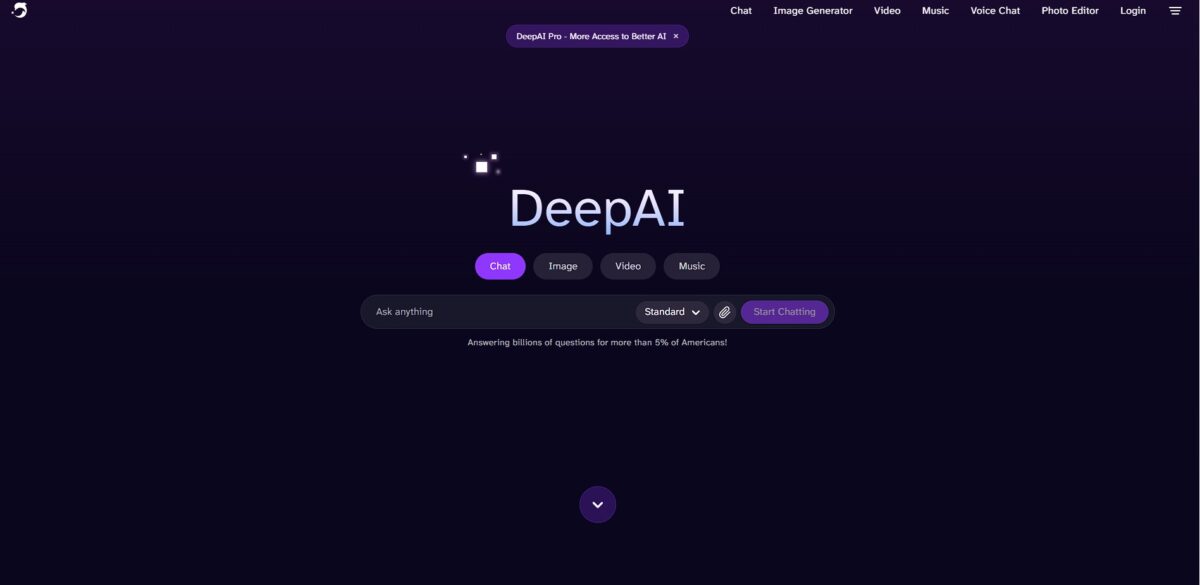
DeepAI operates as a wide-reaching sandbox for creative machine learning, offering everything from text-to-image generation to conversational AI without forcing you through a complex onboarding process. It functions as a rapid prototyping hub where you can turn a brief text prompt into a visual asset or a code snippet in seconds. I noticed it prioritizes immediate browser-based access and simple API endpoints over deep customization, which makes it a go-to for hobbyists or developers needing a quick proof-of-concept. This matters because it removes the technical friction of managing local models or infrastructure, allowing you to focus on the output rather than the setup. While it excels at broad, accessible experimentation, the output quality sometimes lacks the surgical precision found in more expensive, specialized models. You get an interface that feels incredibly fast, but with fewer granular controls for fine-tuning your results. Pick DeepAI if you need to build a functional prototype today, but look elsewhere if your project requires enterprise-grade reasoning.
How to start using DeepAI?
Start by landing on the DeepAI homepage. You don’t need to hunt for a sign-up button or verify an email just to run your first prompt. Most of the core tools, from the text generator to the image editor, are accessible right from the main navigation. This low-friction entry works well for quick prototyping, though you won’t have a saved history of your work unless you eventually create an account.
Pick a specific tool like the AI Image Generator or the Chat mode. Instead of feeding it a generic request, try something technical like “Generate a top-down blueprint of a modular server rack.” In testing, the image generator responded better to structural keywords than abstract concepts, so you burn through fewer variations trying to get the right perspective.
If you decide to stick around, hit the sign-up link to track your credits and history. For developers, the real value lies in the API section. You can grab an API key and start making requests using a simple curl command or the provided JavaScript and Python snippets. This allows you to bypass the web UI entirely and pipe AI-generated assets directly into your own app.
Once you have your key, test it with a small script to ensure your authentication is active. The dashboard provides a clear view of your usage and remaining credits so you aren’t surprised by a sudden cutoff mid-build. For bulk tasks, the API is often more efficient than clicking through the browser interface: it turns a manual creative process into an automated workflow.
Useful tip: Use the “Image Editor” with specific instructions like “add a neon glow to the edges” rather than general style filters to get predictable results.
Who is it for?
Rapid Prototypers
Spin up a UI concept or a text-to-image asset without hitting a login wall. There’s none of the multi-step onboarding common in enterprise tools, so you can test a visual idea in seconds and keep your momentum during the earliest, messiest phase of a project.
Solo Game Developers
Generate placeholder textures or character sprites when you lack an art budget. The output works well for blocking out levels, though it lacks the specific consistency needed for final production assets. Still, it fills your game world with something tangible while you focus on core mechanics.
Backend Engineers
Access simple API endpoints to integrate AI features without managing complex libraries. DeepAI handles the heavy lifting of machine learning infrastructure so you can stick to your primary language and get functional AI calls into your app without becoming a data scientist overnight.
Content Hobbyists
Experiment with surreal image styles or AI-generated coloring book pages for personal use. It offers a sandbox for weird visual prompts that more restrictive, polished tools might filter out, which makes it a low-stakes place for creative play without a steep learning curve.
Budget-Conscious Creators
Use the pay-as-you-go credit system instead of committing to a monthly bill. You won’t get deep project management folders, but you only pay for the exact volume of images or text you generate, which keeps “subscription creep” in check for tools you only use sporadically.
DeepAI pricing
DeepAI treats its pricing like a digital utility bill rather than a traditional gatekeeper. You can poke around for free with ad-supported access, but the real utility lives in the Pro tier and the granular pay-as-you-go credits. It avoids the massive monthly overhead of enterprise suites, making it a viable playground for developers who need specific API calls without a $200 commitment.
Free: $0/month. You get basic access to the text and image generators, but expect heavy ads and restricted message counts. It works for a quick proof-of-concept, though the output often lacks the sharpness found in the paid modes. The system frequently nudges you toward Genius Mode during complex logic tasks. Even so, the free tier lets you test the API response format before spending a dime.
Takeaway: Fine for initial testing; switch to a paid plan once you need clear, ad-free image generation.
Pro: $9.99/month or $89.99/year. This gets you 500 HD image generations and 1,750 chat messages every month. It also grants access to Genius Mode, which follows intricate prompts with much better accuracy than the standard models. You get private image generation, so your draft assets aren’t visible in the public gallery. This matters because it protects your creative workflow while keeping costs under ten dollars.
Takeaway: Choose the yearly plan to save roughly $30 if you plan on integrating their API into a long-term project.
Pay-As-You-Go: Starts at $5. This functions as a prepaid wallet for when you exhaust your monthly Pro allowance or just need a one-off burst of compute. You can buy 100 API calls or 350 chat messages at a time, and these credits do not expire. It is particularly useful for small scrapers or apps with unpredictable traffic, since you only pay for the specific tokens your code actually consumes.
Takeaway: Enable auto top-up in the dashboard to prevent your app’s API from failing during a sudden usage spike.
DeepAI key features
No-Login Image Generation
Throw a prompt into the text-to-image box and get a visual result without verifying an email or creating a password. Starting a project takes no effort, which keeps your creative momentum alive during the initial “what-if” stage of a design, though the lack of a personal gallery means your creations vanish once the browser refreshes.
Text-to-Video Prototyping
Generate short, looping video clips from simple sentences to test motion concepts for social ads. While the output lacks the polish of high-end production suites, it visualizes pacing and lighting faster than manual storyboarding. That way you can filter out bad visual ideas before investing hours into professional editing.
Unified Creative Sandbox
Access text generation, image editing, and style transfers from a single dashboard rather than jumping between specialized apps. It functions as a lightweight laboratory for solo creators who need to generate a blog outline and a matching featured image in one session. One login replaces the juggling of multiple subscriptions and interfaces for different media types.
Public Domain Image Search
Use the AI-integrated search to find existing visual assets or generate new ones that fit specific aesthetic parameters. It bypasses the frustration of scrolling through generic stock sites by creating the exact niche asset you describe. You don’t have to settle for “close enough” when your project requires a specific mood or subject.
Direct API Accessibility
Integrate generative capabilities into your own small apps or scripts via straightforward endpoints that avoid the complexity of enterprise AI platforms. It works well for developers who want to add a “generate image” button to a project without wading through a hundred pages of documentation.
DeepAI Pros & Cons
Pros
DeepAI removes the friction of typical SaaS onboarding by letting you generate images or text without ever creating an account. It functions as a rapid sandbox for developers who need quick API integrations for colorization or text generation without navigating bloated enterprise dashboards. The browser-based tools run immediately, making it a solid choice for a five-minute creative sprint where you just need a placeholder asset and don’t want sign-up forms or email verifications killing your momentum.
Cons
The low-barrier entry means you sacrifice persistent project history and advanced fine-tuning controls found in specialized tools. In my tests, the image outputs often lacked the photorealistic detail of Midjourney, leaning more toward artistic or abstract interpretations that might require several regenerations. You pay for its speed with a minimalist interface that can feel sparse if you need to organize massive datasets or collaborate with a team, and if you aren’t logged in, you risk losing your work the moment you refresh the tab.
Use DeepAI if you want…
- …to generate creative assets without an account.
- …rapid prototyping for your next technical project.
- …an accessible sandbox for text and images.
- …historically accurate colorization for vintage photography.
- …to integrate AI via a simple API.
- …to experiment without complex onboarding hurdles.
- …a low-cost alternative to enterprise AI suites.
DeepAI alternatives
 Leonardo.aiRead review →
 OpenArtRead review →
 GlobalGPTRead review →
 MidjourneyRead review →
 WaveSpeedAIRead review →
DeepAI Reviews
Simple and fast for quick image generation, but the output quality feels a bit dated compared to newer models.
Great sandbox for testing prompts without a login wall, though the ad-supported free version can be distracting.
The API integration was seamless for my web app, but I wish there were more advanced customization options.
Decent for basic text outlines and brainstorming, but it lacks the depth needed for complex technical projects.
Affordable Pro tier for high-volume use, though the mobile app experience is much buggier than the desktop site.
FAQ
Who owns the images I generate on DeepAI?
DeepAI considers all generated images to be in the public domain, meaning they have no owner and are not subject to copyright, though you maintain full usage rights for commercial content.
Do I need to create an account to use DeepAI?
No, you can explore many core features like the AI image generator and basic AI chat immediately in your browser without signing up or creating an account.
What is Genius Mode in DeepAI?
Genius Mode refers to higher-tier AI models that provide more advanced reasoning and quality; these models typically require a Pro subscription or additional credits to use.
Can the DeepAI chatbot access the internet?
Yes, the AI Chat includes an Online Mode add-on that enables the bot to browse the web for real-time information and cited sources.
What is the difference between the monthly plan and Pay-As-You-Go?
The monthly plan offers a set amount of usage for a recurring fee, while Pay-As-You-Go allows you to purchase specific credit packages that only deduct from your balance when you exceed your plan’s limits.
How do I delete my DeepAI account?
You can delete your account by using the feature located on your dashboard while logged in, or by emailing their support team with your account details.
Does DeepAI offer an API for developers?
Yes, DeepAI provides simple REST APIs that allow developers to integrate tools like text-to-image generation and image enhancement directly into their own applications.
What are the image resolution limits for the generator?
Recommended resolutions for standard images include 1024x576 or 512x512, with a general range between 128 and 1536 pixels in multiples of 32.
Similar tools
 KreoCloud AI takeoff and estimating platform that measures, counts and prices construction drawings, with an AI agent that runs multi-step jobs.
 Cabina.AIToken-based AI workspace that puts 55+ text, image, video and audio models, a RAG knowledge base and scheduled AI agents in one
 PlerdyWebsite analytics and CRO suite with heatmaps, session replay, free A/B testing, SEO audits and an MCP connector for asking Claude or