

DiagramGPT (Eraser)
Developer ToolsUpdated October 5, 2026
DiagramGPT is an AI-powered tool that transforms code or natural language prompts into editable technical diagrams and documentation.
We may earn a commission when you sign up through our links. It does not affect our reviews.
What is DiagramGPT (Eraser)?
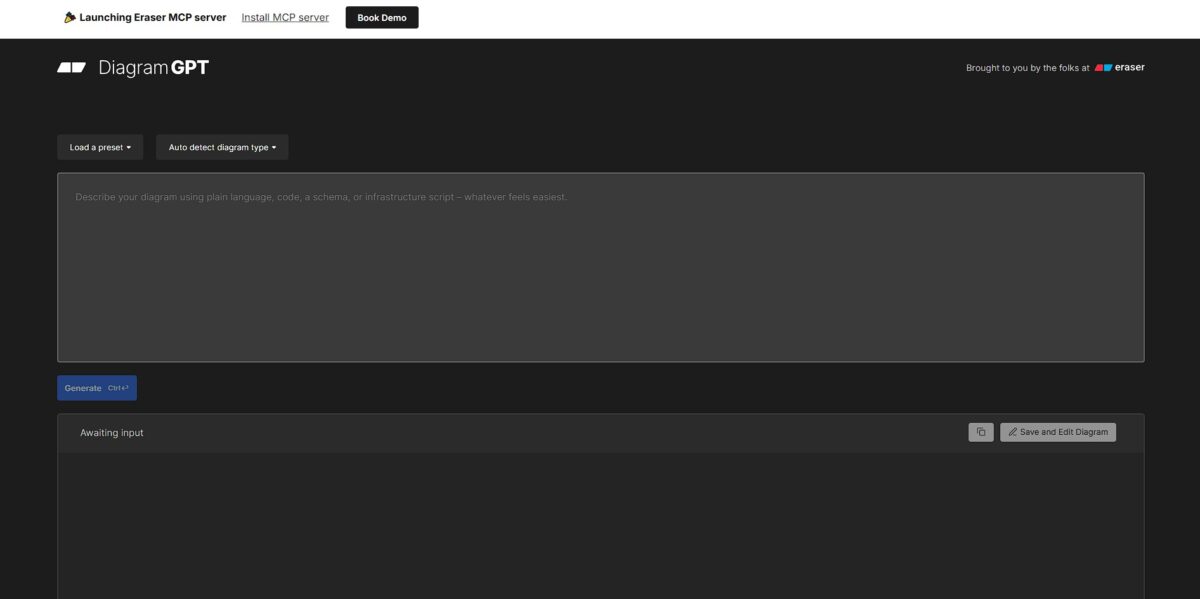
DiagramGPT transforms messy thoughts or raw code into structured technical visuals without the usual box-dragging fatigue. You feed it a snippet of SQL or a rambling paragraph about your microservices, and it spits out a Mermaid-style diagram on an editable canvas. It maps out entity relationships and cloud architectures while you focus on logic rather than arrow alignment. I noticed it handles complex branching well, though it sometimes stacks nodes awkwardly in dense sequence diagrams. This matters because it turns a twenty-minute documentation chore into a thirty-second prompt. Use it to build initial drafts quickly, but plan on manual tweaks for presentation-ready spacing.
How to start using DiagramGPT (Eraser)?
Start by landing on the Eraser website and signing up with your Google or GitHub account. The interface drops you into a canvas that feels like a hybrid of a notepad and a drafting board. The DiagramGPT prompt bar sits right at the top, ready for raw text, so you skip the manual box-dragging and get straight to the logic of your architecture.
Takeaway: Link your GitHub account to keep your developer identity unified.Type out your requirements in plain English or paste a chunk of messy code. For instance, describe a “user authentication flow with JWT and Redis caching.” The AI parses your words and generates a live preview in the side panel instantly. Architectural flaws show up before you touch a single line of production code. You might see the AI suggest a database node you forgot to mention.
Takeaway: specific technical terms like “Webhooks” or “Load Balancer” get you more accurate initial layouts.Refine the output by selecting specific elements or asking the AI to “add a retry logic loop.” You can manually tweak the layout if the auto-placement feels cluttered, though the AI handles most alignment tasks well. This saves you from the pixel-pushing fatigue of traditional tools, so you can focus on the system design rather than the font size of a label. It works well for rapid prototyping, though complex nested diagrams sometimes need a manual nudge.
Takeaway: Use the “CMD + K” shortcut to trigger the AI refiner without moving your mouse.Export your finished work to GitHub, Slack, or copy it as a code-based snippet. Eraser uses its own “Diagram-as-Code” syntax, so you can save the text version in your repository for future edits. This turns a static image into a living part of your documentation, and your diagrams finally stay in sync with your codebase updates. You can even generate a public link for a quick peer review.
Takeaway: Save the code snippet in your project’s /docs folder to ensure the diagram is always editable by the team.
Who is it for?
Infrastructure Engineers
You can paste raw Terraform or Kubernetes manifests to generate architecture maps without dragging a single box. Your documentation then actually matches the code you just deployed.
Backend Developers
It turns complex SQL schemas or microservice logic into entity relationship diagrams or sequence flows instantly. It copes with complex branching too, which saves you from manual arrow-alignment hell during PR reviews.
Technical Product Managers
You throw rambling meeting notes or a project brief at the prompt, and it builds a visual roadmap for the engineering team. High-level ideas turn into actionable system design much faster.
Solutions Architects
It works well for quickly sketching cloud environments during client discovery calls. The catch: very dense clusters might still require manual layout tweaks to look perfect.
Systems Design Students
It helps visualize abstract concepts like one-to-many relationships or load balancing while you focus on the logic. You don’t have to master a complex design tool while you are still learning the fundamentals.
DiagramGPT (Eraser) pricing
Eraser balances a generous entry point with steep jumps for power users and enterprise teams. Individual devs can sketch for free, but moving from a side project to a production codebase requires choosing a tier based on how many AI-generated architecture maps you need per month. In practice, the free tier cuts off precisely when you are deep in a flow, which forces a choice between manual box-moving or a paid upgrade.
You get 5 AI diagram credits and 3 files. This works for quick whiteboard sessions, but you’ll hit the wall during a busy sprint. So the free plan suits light experimentation rather than daily documentation.
This expands to 40 AI credits and unlimited files. It adds private files, which is essential if you are mapping out proprietary internal services. You get a secure space for team-specific logic without leaking IP.
You get 250 AI credits and SAML SSO. This tier is built for established teams that need to standardize documentation across a department. It ends the “where is that diagram?” chaos by centralizing everything with enterprise-grade login security.
Custom pricing. This removes all caps on AI generation and includes dedicated support. It handles the needs of large organizations requiring single-tenancy or private cloud deployments. It scales to thousands of users while satisfying strict compliance audits.
DiagramGPT (Eraser) key features
Generate cloud architecture and sequence diagrams from raw technical notes
Instead of hunting for the “diamond” shape in a sidebar, you describe the logic and watch the nodes connect. You stay in a flow state during complex system design.
Convert code snippets directly into visual flowcharts
Paste a messy nested if-else block to see the actual logic branches without reading lines of bracket-heavy syntax. This helps explain legacy spaghetti code to new team members who weren’t there for the original commit. It also prevents “logic rot” in undocumented repositories.
Iterate on diagrams using a chat sidebar
You ask the AI to “add a cache layer between the API and DB,” and it updates the existing canvas in real-time. This beats the usual routine of selecting ten lines and shifting them five pixels to the left just to fit a new box. Diagramming becomes a conversation rather than a chore.
Sync your diagrams with a code-like editor using Eraser’s DSL
You switch between a visual canvas and a text-based syntax that feels familiar to anyone used to Markdown or Mermaid. I noticed it handles complex hierarchy better than most drag-and-drop tools because the underlying logic is structured text. Your documentation stays consistent and searchable as a result.
Collaborate on a shared digital whiteboard
Teams can drop AI-generated diagrams onto a canvas and then add “hand-drawn” annotations or stickers for feedback. It sits between a rigid technical spec and a messy brainstorm session: stakeholders get a clear visual while devs keep their technical depth.
DiagramGPT (Eraser) Pros & Cons
Pros
DiagramGPT turns messy technical descriptions into usable system architecture and sequence diagrams in seconds. You skip the manual labor of dragging boxes and rerouting lines during initial discovery. In testing, it correctly identified service dependencies from unstructured meeting notes, which keeps technical documentation from falling behind. You keep a single source of truth without requiring a dedicated documentation sprint. It works well for rapid prototyping, though you will still need to tweak the layout for complex enterprise webs. Use it when you need to visualize a concept before the brainstorm session ends.
Cons
The AI sometimes misses nuanced directional flows in highly nested infrastructure. You might spend ten minutes refining a prompt to get a specific grouping that a mouse click could handle in seconds. The trade-off for speed is a loss of granular pixel-perfect control during the generation phase. That matters because the initial output often requires manual adjustments in Eraser to be presentation-ready. It is less ideal for high-fidelity final handoffs where every arrow head must follow a specific corporate style guide. Check the logic of generated ER diagrams carefully before implementation.
Use DiagramGPT (Eraser) if you want…
- Turn infrastructure code into visual system architecture instantly.
- Generate complex flowcharts using simple natural language prompts.
- Draft professional sequence diagrams without manual box dragging.
- Refine technical sketches using a familiar GPT-powered interface.
- Create cloud maps from existing Terraform or Kubernetes files.
- Connect engineering docs with visual design.
- Automate repetitive diagramming tasks during rapid sprint planning.
DiagramGPT (Eraser) alternatives
DiagramGPT (Eraser) Reviews
Whiteboarding on steroids. AI diagrams that take minutes instead of hours are absolutely critical for my remote engineering team.
Incredible for streamlining system design. The AI diagram feature is a game-changer for visualizing complex architecture workflows.
The best diagramming tool I’ve used. I can create workflow and cloud architecture diagrams effortlessly without struggling to piece things together.
Great tool that I use nearly every day. I only wish it had a few more diagram options like mind maps.
A total game-changer for client work. It saves our developers massive amounts of time on technical planning and documentation.
FAQ
What types of diagrams can I create with DiagramGPT?
You can generate a wide range of technical visuals including flowcharts, sequence diagrams, entity relationship diagrams (ERD), architecture diagrams, and class diagrams.
Can I edit the diagrams after they are generated?
Yes, diagrams can be edited within the Eraser interface using a diagram-as-code editor or manual adjustments, allowing you to refine the AI’s initial output to meet your specific requirements.
Does DiagramGPT support real-time collaboration?
DiagramGPT is built into Eraser, which supports real-time multiplayer collaboration, enabling your entire engineering team to edit, comment, and brainstorm on the same canvas simultaneously.
In what formats can I export my diagrams?
You can export your completed diagrams as high-resolution PNG images, scalable vector graphics (SVG), or PDF documents for inclusion in technical reports and presentations.
Can I generate diagrams from existing code or logs?
Yes, you can paste code snippets, JSON data, or technical logs into the prompt, and the AI will analyze the structure to generate a representative visual architecture or flow.
Is there a limit to how many diagrams I can create for free?
Eraser typically offers a limited number of free AI credits to try DiagramGPT, after which you may need a professional subscription for higher volume generation and advanced team features.
Similar tools
 Novita AIDeveloper cloud with one API for 200+ open-weight AI models, plus GPU instances, dedicated endpoints and isolated sandboxes for AI agents.
 You.comDeveloper platform of web search, content extraction, cited research and model inference APIs that feed AI agents and RAG apps real-time web
 QodoAI code review platform that runs specialized agents on every pull request, enforces team rules and checks changes against tickets and linked