

DocsBot
Chatbot BuildersUpdated October 19, 2026
No-code builder for AI support agents trained on your docs, help center and tickets, with a website widget, Slack, WhatsApp, voice and an API.
We may earn a commission when you sign up through our links. It does not affect our reviews.
What is DocsBot?
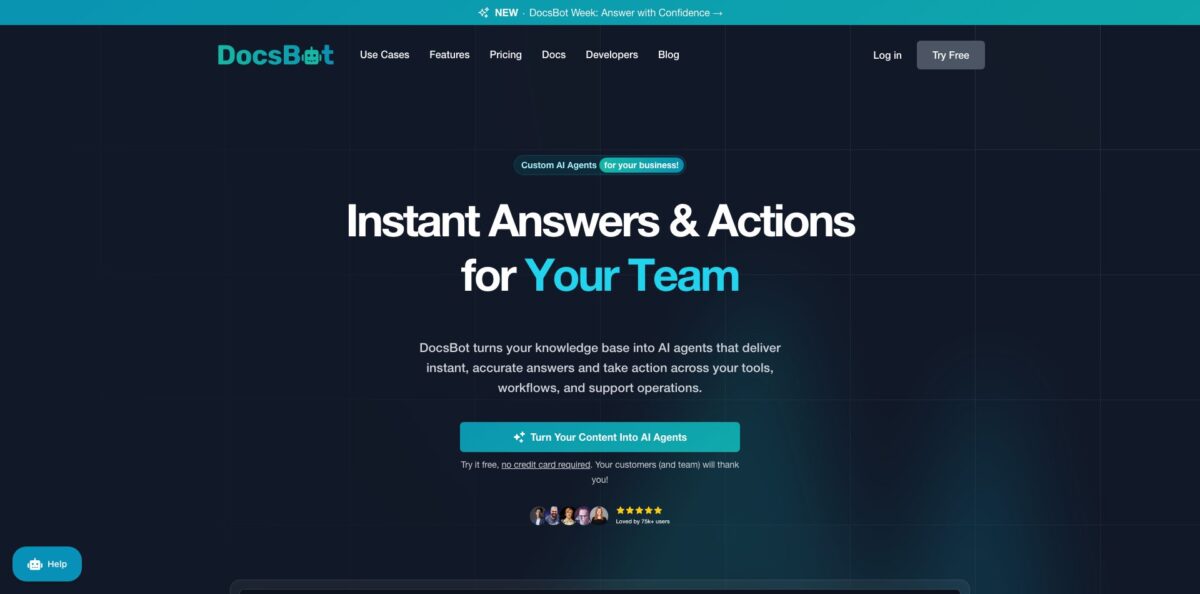
DocsBot is a hosted retrieval platform that turns your existing content into AI agents for customer support, presales chat and internal knowledge lookups. You point it at a website, sitemap, PDFs, Notion, Confluence, Google Drive or past helpdesk tickets; it cleans and chunks that material, retrieves and reranks the best passages for each question, and has a language model answer with cited sources. The problem it removes is the stream of repeat questions your docs already answer but nobody reads. Newer layers add AI Actions, custom Skills, MCP connectors and voice agents, so the bot can book a demo or look up an invoice instead of only explaining. The weak spot is the credit system: heavier models burn credits fast, and the bot simply stops answering when the monthly limit runs out. It suits documentation-heavy SaaS, WordPress product shops and support teams that want answers grounded in their own content.
How to start using DocsBot?
Create a free account at docsbot.ai with no credit card. Open Bots and choose Create a new bot. If you enter your website URL, onboarding proposes a name, branding and settings for you; otherwise pick “I don’t have a website” and set the name and language yourself. You then choose how the bot will be used, which loads a matching agent-instructions template so you are not starting from a blank prompt.
Next comes the Knowledge sources screen. Add at least one source: a website crawl, a single URL, a URL list, a sitemap, an RSS feed, a document upload or a cloud connection such as Notion or Google Drive. The free plan only covers basic source types and 50 source pages, where a page is roughly 5,000 characters of cleaned text. Ingestion runs in the background, so wait until a source shows as ready before you judge any answer.
On the branding step you review the bot name, accent color, header logo, first message and an optional escalation link for handing people to a human. Then test it properly. Ask questions whose answers sit in your sources, plus at least one edge case, and check both the reply and the cited sources. If the tone is off, use Edit agent instructions. If retrieval misses obvious matches, improve the source text or add your product terms to the Glossary so the search understands your vocabulary.
The Deploy step lists the sharing options your plan allows: a hosted chat page, the website widget, the API, and integrations like Slack, WhatsApp, Telegram, Messenger or Zapier on paid tiers. WordPress sites can install the official DocsBot plugin, paste a user API key, pick a bot and set page-path, login or membership rules for where the widget appears. Keep testing after every source update, because the bot is only as good as the latest crawl.
Start with one narrow purpose, one authoritative source and ten real customer questions before you connect everything you own.
Who is it for?
SaaS support leads
Your inbox fills with how-to questions that your help center already covers. DocsBot answers those from the docs with citations and can open an escalation ticket when it cannot help. Your agents spend their time on bugs and churn risks instead of copy-pasting links.
WordPress plugin and theme sellers
Many of DocsBot’s public customer stories come from the WordPress ecosystem. The native plugin lets you drop the widget into your site without touching theme code and show it only to logged-in buyers or specific membership levels. Pre-sales and licence questions get answered at night too.
Documentation and technical writing teams
Question analytics, topic reports and the Data explorer show what people ask and where the docs fail them. That turns chat logs into a backlog of missing or confusing pages. You stop guessing which articles to rewrite.
Internal IT and operations teams
Connect SharePoint, Confluence or Google Drive and put a private bot in Slack so employees stop pinging the same three colleagues. Role-based permissions and private bots keep sensitive material out of public widgets. Onboarding new hires gets less repetitive.
Agencies and resellers
The Business plan adds unbranded widgets and per-bot roles for multiple workspaces. You can build bots for several clients on one account and hand each client access only to their own bot. That makes chatbot setup something you can sell as a service.
Educators and course creators
Train a bot on lecture notes, YouTube playlists and course PDFs, and students get answers tied to your material rather than generic web results. One course author on Product Hunt replaced a giant downloadable manual with a Q&A bot that points to individual tutorials.
DocsBot pricing
DocsBot charges a flat monthly fee per plan, with limits on bots, indexed source pages, team seats and monthly AI credits. A standard chat message on a 1x model costs one credit; larger models, AI actions and Skill runs cost more. As of the pricing page, GPT-6 Luna runs at 1x, GPT-5.4 mini at 3x, GPT-6.1 Sol at 10x and GPT-6 Astra at 50x. You can connect your own OpenAI key to pay 1x on any model. Annual billing gives two months free, and every paid plan has a 14-day money-back guarantee.
1 bot, 50 source pages, 100 AI credits a month, 1 user and basic source types. No 30-day expiry on the bot, but no actions, integrations or analytics.
1 bot, 5,000 source pages, 5,000 AI credits, 3 actions per bot, 1 user. Adds lead forms, Calendly, Cal.com and TidyCal booking, remote MCP connections, Zapier, Slack, Messenger, WhatsApp and Telegram, basic analytics, private bots and monthly source refresh.
3 bots, 15,000 source pages, 15,000 AI credits, 8 actions per bot, 5 users. Adds Skills, web search, escalation tickets, Stripe billing actions, Help Scout, ticket sources, CRM lead delivery, conversation and question analytics, voice agents and weekly source refresh.
10 bots, 100,000 source pages, 60,000 AI credits, 12 actions per bot, 10 users. Adds topic and sentiment reports, the Data explorer, client-side PII redaction, unbranded widgets, rate limiting, per-bot roles, priority support, SOC 2 Type II reports and a standard DPA.
Custom. Custom limits and seats, Azure OpenAI Service, self-hosted options, SSO, IP logging, HIPAA, data residency, custom DPA and SLAs.
Add-ons renew with your plan: $49/month per extra 5,000 AI credits, $19/month per extra bot, $29/month per extra 10,000 source pages, and $19/month per extra team user on Business and Enterprise.
DocsBot key features
Wide source coverage: The homepage lists 38+ source types, from websites, sitemaps and RSS feeds to YouTube transcripts, audio and video files, Notion, Confluence, SharePoint, Box and GitHub repositories. Ticket sources pull from Zendesk, Freshdesk, Help Scout, Zoho Desk, Salesforce and FreeScout. Scheduled refreshes keep the index current without manual re-uploads.
Cited, grounded answers: Each reply comes from retrieved passages, and the widget shows which sources it used
TrueURL checks links in responses so the bot does not send people to pages that do not exist. Source tags let you restrict retrieval to a product or audience when one knowledge base serves several.
AI Actions and Skill Builder: Actions let the agent collect lead details, book meetings, look up Stripe billing data, create escalation tickets or trigger custom buttons in your app. Skill Builder is an AI coding agent inside DocsBot that drafts a custom Skill with instructions and executable functions, which you validate, test and publish as a widget action.
MCP connections both ways: You can add remote MCP servers so the bot uses tools from your CRM, analytics or project systems, enabling only the tools you approve. Standard and higher plans can also expose your bot as an MCP server for other AI agents. An Admin MCP lets coding assistants manage bots from the terminal.
Many deployment channels: Use the embeddable widget, a hosted chat page, the chat and admin APIs, Slack, WhatsApp Business, Telegram, Facebook Messenger and Help Scout reply drafting. There are guides for WordPress, Shopify, Wix, Squarespace, Kajabi, Docusaurus and Notion. Voice agents reuse the same knowledge and tools for spoken conversations.
Analytics that improve the docs: Higher plans add question analytics, conversation topic reports, sentiment analysis and AI question reports. The Data explorer and Conversation View let you inspect every chat and see where answers failed. A Prompt Debugger helps you trace why the agent behaved a certain way.
Security and privacy controls: DocsBot reports SOC 2 Type II audited controls, AES-256 encryption at rest and TLS in transit, and GDPR tooling with US and EU storage options. Business plans can redact PII in the visitor’s browser with a small local model before a message is sent. HIPAA and self-hosting are Enterprise options.
DocsBot Pros & Cons
Pros
The source library is one of the broadest in this category, and it includes support tickets, code repositories and media transcripts, not only web pages and PDFs. Answers come with citations, which makes it easier for customers and your team to trust or correct them. The product has moved well beyond Q&A: actions, Skills, MCP and voice let a single agent qualify leads, book calls and check billing. Analytics are genuinely useful for documentation teams because they show the questions your content fails to answer. Plans include all supported models through credits, and bring-your-own-key keeps costs predictable if you already pay OpenAI. Use the free bot to test retrieval on your real docs before paying for integrations.
Cons
Credits are the main friction. Premium models cost up to 50 times a basic message, and when the limit is hit the bot stops replying and shows an error until you upgrade, buy more or the month resets. The free plan, at 50 pages and 100 credits, is a sandbox rather than a real pilot. Many practical features sit behind Standard at $149 a month, including Skills, web search, Help Scout and ticket training, and white-label widgets require Business. Independent reviews are still few, so you are relying heavily on vendor case studies. Budget for Standard if you want a support deployment, and enable auto-add credits from day one.
Use DocsBot if you want…
- Answer repeat support questions from your own documentation.
- Train a bot on past helpdesk tickets.
- Add a cited AI chat widget to WordPress.
- Book demos and capture leads inside the chat.
- Give employees a private Slack knowledge assistant.
- Find documentation gaps through question analytics.
- Connect your agent to internal tools via MCP.
- Offer the same knowledge base through voice.
DocsBot alternatives
 ChatbaseRead review →
 SiteGPTRead review →
 eesel AIRead review →
 FinRead review →
 QuickchatRead review →
 ChatBotKitRead review →
 DropchatRead review →
DocsBot Reviews
Product Hunt reviewers describe creating an agent as intuitive: connect a website, YouTube channel and documents, adjust the tone, embed the widget and start deflecting routine requests, with complex questions handled better than expected.
A training-content publisher on Product Hunt replaced a 2,100-page downloadable manual with a DocsBot Q&A bot that guides visitors to individual tutorials, and asked early on for scheduled source updates to avoid re-uploading content.
A G2 reviewer values the API for adjusting source content and reviewing chats and says the bot rarely hallucinates, while noting that some features are reserved for premium plans.
Other G2 feedback rates accuracy on large and multiple documents as good, but admits the bot occasionally gets confused and produces a wrong answer, and points to small gaps in widget customization.
FAQ
Does DocsBot have a free plan?
Yes. The free plan includes 1 bot, 50 source pages, 100 AI credits a month and basic source types, with no credit card required. Eligible businesses can also request a Standard plan trial.
Do I need my own OpenAI API key?
No. All supported models are included through your monthly AI credits. You can optionally connect your own OpenAI key, which makes any model cost 1x credit per message.
What happens when I run out of AI credits?
The bot stops responding and shows visitors an error message. You can upgrade, buy a credit add-on at $49 per 5,000 credits, enable auto-add credits, or wait for the limit to reset at the start of the next calendar month.
Which languages does DocsBot support?
DocsBot says it understands and replies in more than 100 languages, even when your documentation is written only in English.
Can DocsBot work with my helpdesk?
Yes. It can train on tickets from Zendesk, Freshdesk, Help Scout, Zoho Desk, Salesforce, FreeScout and Teamwork.com Desk, and it can draft replies inside Help Scout. Ticket sources and the Help Scout integration need the Standard plan or higher.
Is DocsBot secure and GDPR compliant?
DocsBot reports SOC 2 Type II audited controls, encryption at rest and in transit, and acts as a GDPR data processor with DPAs and EU storage options. HIPAA, SSO and data residency are available on Enterprise.
Does DocsBot have an API?
Yes. There are public chat APIs, admin endpoints and widget documentation for building custom integrations, plus Zapier, Pabbly and other automation connectors.
Can I cancel or change my plan?
You can upgrade or downgrade anytime in the dashboard, with changes applied instantly and unused credit carried to the next billing cycle. Paid plans come with a 14-day money-back guarantee.
Similar tools
 Expertise AIWebsite AI agent, formerly Chatsimple, that answers B2B visitors, identifies and qualifies leads, books meetings and syncs chats into HubSpot or Salesforce.
 BotnoiThai no-code builder for AI chatbots and agents that answer customers on LINE, Facebook Messenger and the web, billed per bot message
 VoiceflowPlatform for building, testing and running AI customer support agents across web chat, phone and SMS, with playbooks, workflows and tools.