

DocuClipper
Data AnalysisUpdated November 17, 2026
Bank statement converter and financial OCR that turns PDF statements, invoices and receipts into Excel, CSV, QuickBooks or Xero data with balance checks.
We may earn a commission when you sign up through our links. It does not affect our reviews.
What is DocuClipper?
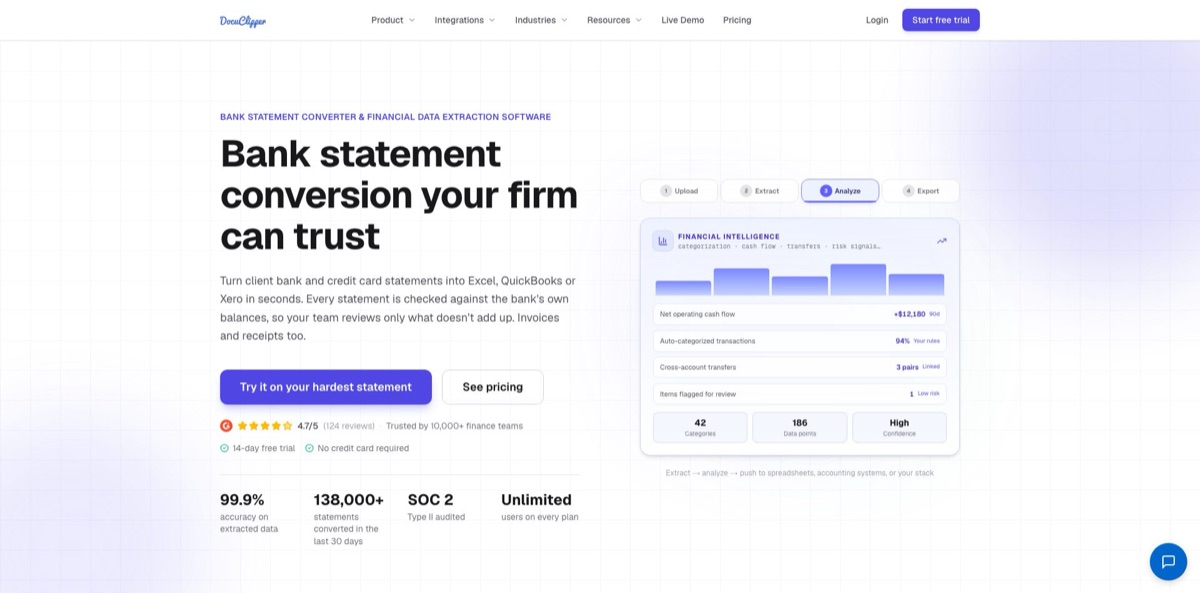
DocuClipper is a web-based OCR and data extraction platform built for financial paperwork, above all PDF bank and credit card statements. It reads digital or scanned statements from any bank without templates, turns every transaction into a row with date, description, amount and running balance, and exports the result to Excel, CSV, QuickBooks, Xero, OFX, QFX or QIF. Its defining step is a balance check: each statement period is totaled against the printed opening and closing balances, and periods that do not tie out are flagged before export. Around that core sit invoice, receipt, check and tax form OCR, client reports, fraud scoring, a REST API and an MCP server. The weak spots are a page meter that does not roll over, keyword-only categorization and a steady stream of billing complaints. Pick it if your team still retypes client statements by hand.
How to start using DocuClipper?
Click Start Free Trial on docuclipper.com, enter your email and a password, and verify the address. The trial lasts 14 days, needs no credit card and grants 120 pages once for the whole trial, not per month. Extraction runs on your full documents, but exports during the trial are limited to a sample of 10 transactions, 3 invoices or receipts and 3 tax forms per account, so plan to judge accuracy on screen. There is no desktop app: you work in the browser at docuclipper.com/app, can install it as a Progressive Web App in Chrome or Edge, and can pair the mobile app from the Mobile App section of your settings to scan paper documents.
Your first real job is a client project. Open the Projects view, create a project, click Add Documents in the sidebar and choose Bank/CC Statements (PDF). Drag in the PDFs and click Convert. The help center gives three rules that save rework: do not run your own OCR on the files first, keep each statement period in its own PDF, and keep the original page order. Before you convert, the upload screen tells you how many pages the job will use, and files longer than 250 pages are processed in parts.
When the job finishes you land on the Transactions view. Use the Select Document dropdown to move between statements and check the Start Balance, End Balance, Total Credits and Total Debits fields. A green Reconciled badge means the math ties out and every page with transactions is covered; a red Not Reconciled badge points to a misread balance, swapped debits and credits, a missing page or a multi-account statement that needs assigning. You can edit rows inline, add missing transactions or exclude lines. For categories, open the Bank/CC Transactions tab, then the Categorize sub-tab, pick a Group and click Categorize All Accounts.
To finish, click Download Data in the top right, choose which statements to include and pick an Output Format such as Excel, QuickBooks Web Connect, QuickBooks Desktop IIF or Quicken QIF. Excel exports let you choose columns, CSV or XLSX and a date format. You can also send transactions straight to QuickBooks Online or Xero. Once this works, connect a watched cloud folder or a forwarding email address so new statements arrive without uploads.
Who is it for?
Bookkeepers doing catch-up work
A new client hands you three years of PDF statements and no bank feed. DocuClipper converts the whole folder in one batch and flags every month that does not add up to the printed balances. You import QBO or Xero files instead of retyping rows for a week.
Accounting and tax firms
Preparers, reviewers and partners all need access, and per-seat software gets expensive. Every plan includes unlimited users, and Business adds per-folder permissions and audit logs. The SOC 2 Type II report, DPA and sub-processor list go straight into your vendor file.
Lenders and underwriters
A loan file is a stack of statements where one missing month or edited PDF changes the decision. The Coverage grid, NSF and overdraft risk flags and a 0 to 100 authenticity score put the evidence in one place. Your reviewers check flagged items instead of reading every page.
Forensic accountants and litigation support
Subpoenaed statements arrive as scans across many accounts and years. DocuClipper builds schedules that tie to the bank’s own balances, pairs transfers between accounts and lists accounts that appear in descriptions but were never produced. Flow of funds analysis comes with Business and Enterprise.
Small business owners
You need old statements in QuickBooks or Excel for a tax return or a loan application. A Starter plan covers 60 to 300 pages a month, including invoices and receipts. You can cancel once the cleanup is done.
Fintech developers
You need statement data inside your own product, not another web app. The API plan returns transactions with a reconciliation verdict per period, and a free test key works on sample statements. AI agents can call the same tools through the MCP server.
DocuClipper pricing
You pay for pages, not seats. Every web plan includes unlimited users, all document types and API access, and you choose a monthly page allowance. One PDF page counts as one page, failed conversions are not charged, re-running a conversion counts again, and unused pages do not roll over. Annual billing saves 30% and grants the whole year’s pages up front. The pricing page lists prices in US dollars by default, with selectors for AUD, CAD, GBP and ZAR. Overage protection is on by default for paying accounts: when your pages run out, DocuClipper keeps processing at your plan’s per-page rate up to 200% of plan pages unless you change the limit.
120 pages in total, no card, export sample of 10 transactions, 3 invoices or receipts and 3 tax forms. Fraud detection and flow of funds are included in the trial.
On annual billing that drops to $20.30, $27.30 or $55.30 per month ($243.60, $327.60 or $663.60 a year). Includes bank statements, invoices, receipts and CSVs to QuickBooks, Xero or Excel, automatic categorization, client statement reports, API access and email and chat support.
$159/month for 640 pages, $219/month for 1,000 pages or $299/month for 1,500 pages, billed monthly; $111.30, $153.30 or $209.30 per month billed annually. Adds fraud detection and flow of funds analysis, team management, audit logs and priority support.
$399/month for 1,800 pages, $599/month for 3,000 pages or $899/month for 5,000 pages, billed monthly; $279.30, $419.30 or $629.30 per month billed annually. Adds SAML single sign-on and white-glove onboarding. Custom volume and dedicated support are quote-based.
It is the API alone, without the web app, exports, QuickBooks and Xero integrations or extra users. A free test key runs on sample statements, and 50 live pages are free once a card is on file.
$5/month keeps your existing files available read-only after you stop processing.
DocuClipper key features
Statement conversion with balance checks reads PDF bank and credit card statements, scanned or digital, from any US or international bank with nothing to set up. Every transaction is extracted with date, description, amount and running balance, multi-account and multi-period statements are split, and each period is tested with the formula end balance minus start balance equals credits minus debits. Your team reviews the flagged exceptions instead of every row.
Document OCR beyond bank statements covers invoices and receipts with line items, tax and totals, check images with payee, amount and MICR routing data, brokerage statements from Fidelity, Schwab, Vanguard, Merrill and E*TRADE, and tax forms including W-2, 1099-NEC, 1099-MISC, 1099-INT, 1099-DIV and 1040. Invoices get their own totals check: subtotal plus tax must equal the total. One subscription replaces several single-purpose scanners.
The AI Document Parser handles layouts the built-in extractors do not know
You describe the fields in plain English, such as vendor, invoice number, PO number and due date, and the parser returns structured rows from contracts, loan files, insurance documents or custom reports. The same prompt can run across up to 100 files per upload.
Analysis tools work on a whole project rather than one file
The Report tab summarizes coverage and missing months, income, risk flags, cash flow, transfers and recurring payments, and downloads as PDF or Excel without using pages. Business and Enterprise add a 0 to 100 authenticity score with reasons, plus flow of funds tracing for forensic work. Lenders and investigators get an evidence trail instead of a spreadsheet of raw rows.
Transaction categorization uses transparent keyword rules, not a trained model
Two built-in groups, Small business and Personal, map common merchants to categories such as payroll, utilities or software, and you can add custom groups or upload a vendor CSV. Categorization runs only when you trigger it, so load all statements first and run it once across the project.
Automations and integrations cut out the upload step
Watched Google Drive, Dropbox, OneDrive and Box folders, an email-in address, Gmail forwarding and Zapier feed documents in, while direct connections push results to QuickBooks Online and Xero, with listed connectors for Sage, NetSuite and Dynamics 365. Export formats include XLSX, CSV, QBO, IIF, OFX, QFX and QIF.
The REST API and MCP server open the same engine to developers and AI assistants. The Agent API uses Personal Access Tokens, presigned uploads, webhooks and a published OpenAPI spec. The MCP endpoint lets ChatGPT, Claude or your own agent convert statements, read transactions with their reconciliation result and request fraud reports after an OAuth sign-in, using pages from your plan.
DocuClipper Pros & Cons
Pros
The balance check is the reason to choose DocuClipper over a generic OCR tool or a chatbot. Because every period is tied to the printed opening and closing balances, you know which statements to trust and which to fix before exporting. It reads scanned and digital statements from any bank without templates, splits multi-account files and exports in every format QuickBooks, Xero, Quicken and Excel expect. Unlimited users on every plan, a SOC 2 Type II audit, a statement that client files do not train third-party AI models, and an MCP server make it practical for firms of any size. Start with one client’s full year so the reconciliation rate tells you more than a single sample.
Cons
The page meter needs watching: pages do not roll over on monthly plans, re-runs count again and overage protection keeps charging up to 200% of your allowance by default. The refund policy excludes refunds after the trial, and Trustpilot reviewers repeatedly describe unexpected renewals and refused refunds. Trial exports are capped at a small sample. Categorization is keyword-based and must be triggered manually, fraud scoring and audit logs require Business, and the help center lists other-language statements among the reasons a statement may not reconcile. Set a dollar cap on overages and put a calendar reminder before every renewal date.
Use DocuClipper if you want…
- Convert years of PDF bank statements in one batch.
- Check extracted transactions against printed statement balances.
- Import client statements into QuickBooks or Xero quickly.
- Extract invoice and receipt line items without templates.
- Spot missing months and edited statements in loan files.
- Trace transfers and flow of funds across accounts.
- Give your whole firm access without per-seat fees.
- Feed statement data into your own app via API.
DocuClipper alternatives


DocuClipper Reviews
Xero App Store reviewers rate it highly for turning statements from any bank or card issuer into Xero-ready files, especially on multi-year rescue bookkeeping jobs, though the praise there is mostly short and says little about edge cases.
G2 reviewers credit the drag-and-drop upload, per-client organization and accurate PDF to Excel and CSV output with saving hours, while a few note that a conversion occasionally misses pages and has to be rerun.
Several G2 reviews call the tool easy and time-saving but pricey for occasional use, and one long-time user complains that plans used to include more pages for the money.
On Capterra the sample is small and mixed: one reviewer found it easy to use, but hit import errors in QuickBooks after converting a large batch and felt the time saved was smaller than expected.
Trustpilot reviews are mostly one-star and focus on billing rather than extraction, describing renewals after users thought they had cancelled and refused refunds, while a few admit the conversion itself worked.
FAQ
Is there a free version of DocuClipper?
There is no free plan, but a 14-day free trial with no credit card includes 120 pages. Trial exports are limited to a sample of 10 transactions, 3 invoices or receipts and 3 tax forms, while every extracted row is visible on screen.
Which banks and file formats does DocuClipper support?
It works with statements from any bank without templates, including major US banks and Canadian, UK, Australian and South African institutions, in scanned or digital form. Exports include Excel, CSV, QBO, IIF, OFX, QFX, QIF and Xero-ready files, and unsupported statements are usually added within 1 to 3 business days after you email a sample.
Does DocuClipper connect directly to QuickBooks and Xero?
Yes. You can push transactions and invoices to QuickBooks Online and Xero, or download QBO and IIF files for QuickBooks Desktop. Sage, NetSuite and Dynamics 365 are also listed among the integrations.
Is my clients’ financial data secure?
DocuClipper is SOC 2 Type II audited, encrypts data in transit with TLS 1.2 or higher and encrypts uploaded files in storage on AWS. The company says client files are never used to train third-party AI models, and a DPA and sub-processor list are available.
How long does DocuClipper keep my files?
Trial files are deleted 30 days after upload, and paid accounts keep files while the subscription is active. After you cancel, data is deleted after 90 days unless you switch to the $5/month read-only Storage plan.
Does DocuClipper have an API?
Yes. Every web plan includes API access counted against its pages, and a separate API plan costs $199/month for 2,000 pages. There is also an MCP server for ChatGPT, Claude and custom agents.
How do I cancel, and can I get a refund?
You can cancel or change plans under Settings, then Plan & Billing. The refund policy states that no refunds are given after the free trial, so test thoroughly before you pay.
Is there a desktop app?
No. DocuClipper runs in the browser and can be installed as a Progressive Web App, and a mobile app is available for scanning and uploading documents.
Similar tools
 RossumIntelligent document processing platform that uses a proprietary transactional LLM to capture, validate and export data from invoices and orders.
 VeryfiDocument AI platform whose OCR APIs turn receipts, invoices, checks and bank statements into JSON, with built-in fraud checks and a mobile
 SprigEnterprise survey platform where AI agents design studies, run adaptive surveys across email, panels and apps, and turn responses into reports.