
Dropchat
Chatbot BuildersUpdated October 5, 2026
Transform static documents and links into interactive AI chatbots for instant, data-driven customer support without writing any code.
We may earn a commission when you sign up through our links. It does not affect our reviews.
What is Dropchat?
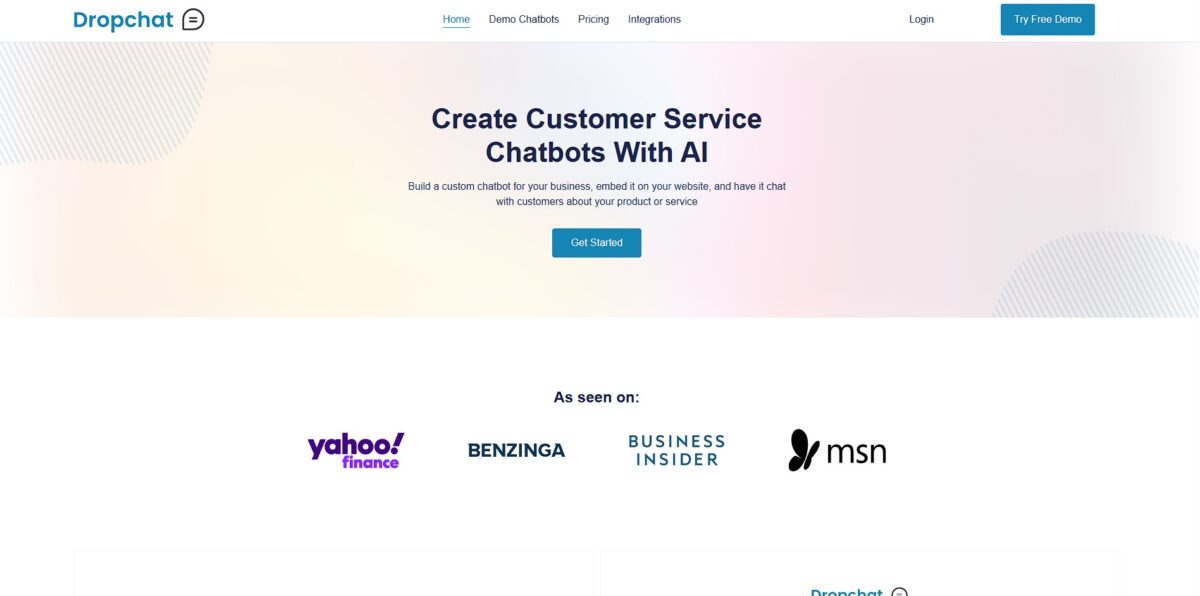
Dropchat is a no-code platform that builds chatbots by linking Large Language Models to your specific data sources like PDFs, YouTube links, or entire websites. It uses Retrieval Augmented Generation (RAG) to ensure the bot pulls answers from your uploaded documents rather than hallucinating based on general internet knowledge. I noticed it handles the technical heavy lifting—GPT-4 integration and vector database management—through a simple interface, making it easier to deploy a support agent without touching a line of Python. This matters because it turns static documentation into an interactive expert that answers customer queries instantly 24/7. While it excels at factual retrieval for small to mid-sized knowledge bases, it might feel restrictive for developers wanting deep control over the underlying RAG architecture. Use this to automate repetitive FAQs, but keep a live agent link handy for nuanced troubleshooting.
How to start using Dropchat?
Start by heading to the Dropchat homepage to create your account. The dashboard is clean and keeps the technical noise low, which helps you focus on your data rather than the infrastructure. You’ll find a prominent option to create a new chatbot right away. No digging through complex menus before you’ve even started.
Next, you need to point the tool to your knowledge sources. You can upload PDFs, paste website URLs, or even drop in YouTube links. Dropchat then begins the ingestion process, converting these static files into a searchable format for the AI. You no longer have to draft answers to every possible customer question by hand.
Once the data is processed, use the preview window to test the responses. If the bot pulls too much irrelevant text, you might need to adjust the source URLs to be more specific. Refining these sources early keeps the chatbot on topic, so it gives more accurate support without rambling into unrelated subjects.
Finally, grab the embed code or API key to deploy the bot on your site. The integration works well for standard websites, though customizing the chat bubble’s appearance is a bit more limited than some heavy-duty enterprise tools. It’s a solid choice for quick setups, but less ideal if you need deep visual customization. Either way, you get a working assistant live in minutes instead of days.
Who is it for?
Documentation Leads
If you’re tired of users asking questions already answered in your 50-page manual, this allows you to turn those PDFs into a chat interface. It effectively stops the repeat-ticket cycle by letting the data speak for itself.
Knowledge-Heavy Researchers
For those drowning in YouTube transcripts and web articles, Dropchat acts as a searchable index that understands context. Finding a specific quote or fact becomes a direct question rather than a manual scroll through hours of video.
Customer Support Managers
This works for small teams needing a 24/7 front line without the overhead of a full call center. It’s great for factual Q&A, though it won’t handle complex emotional nuance or creative troubleshooting.
Content Curators
Useful for turning a library of links or documents into an interactive resource for a community. It bridges the gap between static information and active engagement.
Solo Founders
If you need to scale your availability, you can train a bot on your specific business data and let it handle the initial outreach. It saves time by filtering common inquiries so you only step in for the closing conversations.
Dropchat pricing
Dropchat moves away from the complex token-counting math that makes most AI budgets unpredictable. Instead of charging for every syllable the bot processes, the tiers focus on how many unique data sources you need to index and how many visitors you expect to engage. It is a predictable way to scale, though the jump from a small project to a professional operation is steep.
This is for testing the plumbing. You can connect a single website or a handful of PDFs to see if the RAG logic actually surfaces the right answers. You can verify accuracy before ever touching a credit card.
This fits solo creators who need a bot that doesn’t forget its training after a few days. It expands your storage limits so you can ingest larger document sets without the system cutting off half your manual. Your customers get the full answer, not a truncated guess.
This moves into business territory. It handles higher message volumes, which is necessary if your bot starts appearing on high-traffic landing pages. I noticed this is the point where the branding usually disappears, allowing the bot to look like a native part of your site.
This is for heavy-duty data environments. It provides the largest capacity for files and URLs, making it suitable for companies with massive knowledge bases that change daily. This ensures your support bot stays synced with your latest product updates in real-time. Start with the Free tier to crawl your site, but move to Starter once you need to keep more than one distinct knowledge base active.
Dropchat key features
Direct data syncing turns static PDFs, website URLs, or YouTube transcripts into a conversational index without manual data entry. You point the tool at a document, and it builds a retrieval-augmented generation (RAG) system that answers based on that specific text. Your bot stays grounded in your actual business facts instead of guessing from general internet training.
The no-code interface handles the heavy lifting of GPT-4 integration and vector database management behind a simple dashboard. You can go from an empty account to a functional bot in minutes by just pasting a link, without the technical overhead of setting up Pinecone or managing API keys yourself.
Customizable widget embedding lets you drop the chat interface into any site via a single script tag
You can tweak the colors and welcome messages to fit your existing site style without touching CSS. Visitors who would otherwise struggle with a long FAQ page get a native-feeling support experience.
Cross-channel deployment extends your bot’s reach beyond just your website to platforms like Slack or Discord
While it handles standard Q&A well, the trade-off is a slightly more rigid structure for complex multi-step workflows compared to full-stack builders. The upside: you can centralize your internal knowledge where your team actually works.
Real-time chat monitoring allows you to see how users interact with your data in the wild
You can spot where the bot fails to find an answer and update your source documents to fill those gaps. That feedback loop improves your automated support over time.
Dropchat Pros & Cons
Pros
Dropchat excels at turning static files into interactive knowledge bases within minutes. You can upload a PDF or paste a YouTube link and immediately query the content using GPT-4. Specific book searches via ISBN work surprisingly well, creating an instant study partner for students or researchers. No more tedious manual skimming to find one specific detail in a 300-page document. It works well for building a “second brain” out of your personal library, though you should verify its citation accuracy for critical work. Stick to the no-code widget if you need to embed a support bot on your site without touching a line of CSS.
Cons
The platform feels restrictive if you need complex logic or multi-step API integrations. While it manages text-heavy files with ease, I noticed it struggles with intricate data tables or non-standard media formats. You are dependent on the quality of your initial data input; poor documentation leads to vague chatbot responses. This matters because a customer support bot is only as useful as the FAQ you feed it. The trade-off for such extreme simplicity is a lack of deep customization for advanced developers. Use a different tool if your project requires custom Python scripts or heavy backend automation.
Use Dropchat if you want…
- Chat with PDFs, YouTube links, and websites instantly.
- Build RAG-powered chatbots without writing any code.
- Transform static documentation into interactive knowledge bases.
- Ground AI responses in your specific business data.
- Reduce support tickets with 24/7 automated precise answers.
- Query complex technical manuals using natural language.
- Index multiple data sources for centralized knowledge retrieval.
- Deploy a custom AI assistant in under five minutes.
Dropchat alternatives


Dropchat Reviews
“I uploaded a 200-page technical manual and the bot answered every question instantly. Massive time saver.”
“The zero-code setup is legit. Had a functional knowledge base running on my site in under ten minutes.”
“Great for researchers. Being able to chat with YouTube transcripts and PDFs in one place is a game changer.”
FAQ
Do I need coding skills to build a chatbot with Dropchat?
No, Dropchat is a no-code platform designed for users of all technical levels to create and deploy chatbots using a simple drag-and-drop interface.
What types of data can I use to train my chatbot?
You can train your chatbot by uploading PDF files, pasting website URLs, or providing YouTube video links to create a custom knowledge base.
Does Dropchat support multiple languages?
Yes, the platform allows for multilingual support, enabling your chatbot to interact with users in various languages based on the data provided.
Can a human agent take over the conversation from the AI?
Yes, Dropchat includes escalation features such as email notifications or live agent handoff to ensure complex queries receive human assistance when needed.
How long does it take to get a chatbot running?
A functional chatbot can be created and embedded on your website in just a few minutes after you provide your initial data sources.
Can I embed the chatbot on any website?
Yes, Dropchat provides a simple JavaScript snippet that allows you to embed your custom chatbot into any website or content management system.
Is there a way to track how my chatbot is performing?
Yes, the platform provides real-time analytics to help you monitor interactions, understand user needs, and improve the quality of automated responses.
Can I use my own OpenAI API key?
Yes, Dropchat allows you to connect your own OpenAI API key to have more control over the underlying model and usage costs.
Similar tools
 Expertise AIWebsite AI agent, formerly Chatsimple, that answers B2B visitors, identifies and qualifies leads, books meetings and syncs chats into HubSpot or Salesforce.
 BotnoiThai no-code builder for AI chatbots and agents that answer customers on LINE, Facebook Messenger and the web, billed per bot message
 VoiceflowPlatform for building, testing and running AI customer support agents across web chat, phone and SMS, with playbooks, workflows and tools.