

Easy-Peasy.AI
Content CreationUpdated October 5, 2026
Easy-Peasy.AI is an all-in-one content platform offering 200+ templates for AI writing, image generation, and audio transcription.
We may earn a commission when you sign up through our links. It does not affect our reviews.
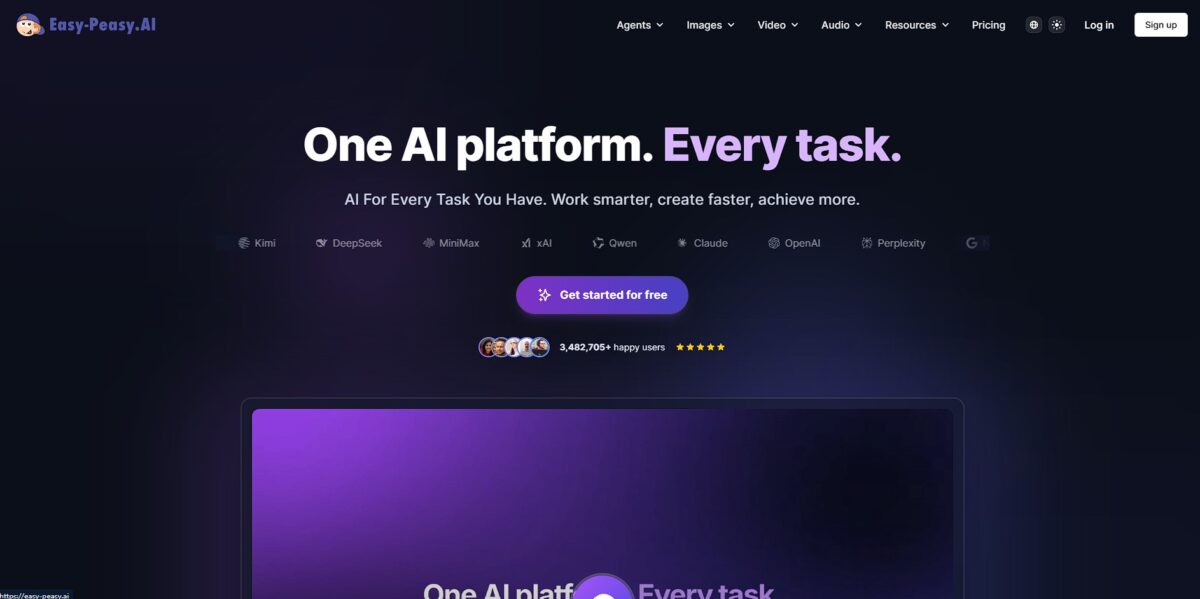
What is Easy-Peasy.AI?
Easy-Peasy.AI functions as an expansive digital workshop where you can generate everything from blog outlines to audio transcriptions within a single dashboard. Instead of jumping between a dedicated image generator and a separate grammar checker, it houses 200+ templates that handle the heavy lifting for marketing copy and visual assets. I noticed the “Marky” chatbot feels more integrated than typical wrappers, pulling in models like Claude 3 or GPT-4 to refine text on the fly. This consolidation stops the creative friction of managing multiple subscriptions, though the sheer volume of tools can make the interface feel crowded if you only need a simple writer. It enables creators to assemble a full week of social materials in under an hour by automating the repetitive drafting phase. Your time goes into editing and polishing final outputs instead of staring at a blank cursor. Use the multi-step blog workflow to maintain a consistent logical flow across long-form articles.
How to start using Easy-Peasy.AI?
Start at easy-peasy.ai and sign up with your email or a Google account. The dashboard greets you with a dense library of templates ranging from blog outlines to LinkedIn bios. Instead of staring at a blank screen, you pick a specific use case to bypass the usual friction of prompt engineering. This setup works for users who need a fast draft, though it can feel cluttered if you only want a simple chat interface. Jumping straight into a template saves you from “blank page syndrome” and technical prompt writing.
Tip: Use the search bar to find niche templates like “real estate listings” or “song lyrics” immediately.Once inside, open the AI writer to input your core topic or keywords. You can toggle between different tones like “professional” or “funny” to match your specific brand voice. Drafts come out more coherent when you provide three or four specific bullet points rather than a single vague word. This transforms a rough idea into a structured paragraph without you having to manually organize the flow. Detailed inputs also mean fewer “hallucinations” and less manual editing later.
Takeaway: give it at least two sentences of context if you want a usable first draft.If you are repurposing existing content, head to the transcription or summarization tools. You upload an audio file or paste a long article, and the AI extracts the main themes for you. This is effective for turning a podcast episode into a newsletter or a long report into a quick summary for your team. The trade-off is that very technical jargon occasionally requires a manual sanity check after the AI finishes. Either way, you squeeze more value out of every piece of content you have already produced.
Rule of thumb: run the “summarizer” on meeting notes to identify action items in seconds.Check the “Custom AI” section if the standard templates don’t fit your unique workflow. You can build a generator that follows your specific rules or data sets. This prevents you from repeating instructions every time you start a new document. While building these takes a few extra minutes of testing, it ensures the output stays within your specific guardrails. Custom bots also let you scale your specific writing style across an entire team. Choice rule: use custom bots for recurring tasks like weekly reports, but stick to templates for one-off creative projects.
Review your generated text in the built-in editor before exporting. You can use the “rephrase” or “expand” buttons to polish specific sentences that feel too robotic. The platform lets you copy the text directly or save it to a project folder for later access. I noticed that the mobile view is surprisingly functional for quick edits on the go. Finalizing your work inside the tool means you don’t lose formatting when moving to your CMS. Gotcha: keep an eye on your word count limits if you are on a lower-tier plan.
Who is it for?
Content Marketers
Stop staring at a blank document for hours. Use the 200+ templates to generate first drafts for blog posts and newsletters in minutes. Your work shifts from tedious drafting to strategic editing.
Social Media Managers
Convert one long video or article into dozens of captions and tweets. The tool handles the formatting for different platforms automatically, which saves you from manual resizing and lets you maintain a presence on five platforms with the effort of one.
Small Business Owners
Draft product descriptions and professional emails without hiring a dedicated copywriter. It bridges the gap for teams that need polished customer-facing text but lack a creative budget. This matters because a professional tone builds immediate trust with new buyers.
SEO Specialists
Generate meta titles and descriptions that actually fit character limits. The tool suggests keywords based on your topic to help pages climb search rankings. That takes the guesswork out of technical on-page optimization.
E-commerce Sellers
Describe hundreds of inventory items using the bulk generator. It handles the repetitive task of highlighting features like material or dimensions across large catalogs. Your products go live and become searchable faster.
Student Researchers
Use the summarizer to distill long academic papers into bullet points. It helps you scan through dozens of sources to find relevant quotes for your thesis. You spend less time bogged down in dense jargon.
Easy-Peasy.AI pricing
Easy-Peasy.AI prices its access based on word volume and model intelligence, moving from a casual testing ground to a high-output production engine. The tiers allow you to scale costs alongside your content needs, trading monthly fees for significantly higher usage caps on images and transcriptions.
Free: $0/month. You get 3,000 words and 5 AI images every month to test the interface. The plan also includes access to over 170 templates, which is plenty for occasional social media captions and enough to verify the output quality for your specific niche without spending a dime.
Basic: $5.99/month (or approx. $4.99 billed annually). This bumps your limit to 10,000 words and 25 images. It targets hobbyists who need more than a few paragraphs but aren’t running a full-scale blog yet. Think of it as a low-cost entry point for consistent personal branding.
Starter: $8.00/month. This middle ground increases capacity to 25,000 words and adds 20 audio transcriptions. It works well for small teams managing a few weekly articles. Essentially, it bridges the gap between basic experimentation and professional content schedules.
Unlimited: $28.00/month (or $16.50–$32.00 depending on the specific promotional tier). This removes word count restrictions entirely and allows for unlimited GPT-3.5 usage or high-cap GPT-4 access. In practice, this tier is the only way to effectively use the tool for bulk SEO operations or long-form video scripts, and you can focus on writing volume without monitoring a credit balance.
Start with the Free plan to find your favorite templates, then jump straight to the Unlimited tier if you plan on generating more than two blog posts per week.
Easy-Peasy.AI key features
200+ Specialized Templates
Select a specific use case like a LinkedIn bio or a product description instead of fighting a generic prompt box. This saves you from the “blank cursor” fatigue that hits after your third hour of content planning. You also get a structural starting point tailored to the platform you are actually posting on.
AI Image Generation
Describe a scene and let the model build visuals for your blog or social feed directly in the workspace. It comes in handy when you need a quick header image but don’t want to license a stock photo or open Midjourney in another tab. Your creative assets stay in one place, too.
Audio Transcription and Summarization
Upload MP3s or paste a YouTube link to get a text version and a condensed list of key points. It handles long podcasts well, though technical jargon occasionally needs a manual check. This matters because it lets you turn one interview into a dozen social posts or a structured article.
AI Buddy Chat
Talk to the AI to brainstorm ideas or refine existing drafts through a conversational interface. It feels more flexible than the rigid templates when you need to pivot a topic or change the tone of a paragraph mid-sentence. Iterating this way feels more like collaborating with a teammate.
Long-Form Content Editor
Build full blog posts using a document-style interface that suggests next sentences based on your previous headers. It maintains the flow of an article better than short-form generators, though you should still verify specific facts and dates. Expect to spend less time on manual drafting for SEO-heavy topics.
Easy-Peasy.AI Pros & Cons
Pros
Easy-Peasy.AI consolidates over 200 content templates into a single dashboard. You skip the trial-and-error of prompt engineering by filling out simple forms for blog posts, video scripts, or emails. The MARKY chat interface allows instant switching between models like Claude 3 and GPT-4, so you can compare outputs on the fly to see which engine handles your technical jargon more accurately. Training a custom bot on your own PDFs turns static documents into interactive Q&A assistants for clients or students.
Cons
Staring at 200 different tools creates instant choice paralysis. Finding one specific generator feels like hunting for a needle in a digital haystack until you memorize the layout. The platform also assumes you already understand the subtle differences between AI models to make the advanced toggles useful. As a result, casual users might waste their limited daily credits on the wrong settings without guidance. The free tier restricts transcription and image generation enough to interrupt a busy afternoon workflow.
Use Easy-Peasy.AI if you want…
- Access 200+ specialized templates for blog posts, video scripts, and emails.
- Consolidate text, image, and video generation in a single dashboard.
- Transcribe and summarize audio files or YouTube videos automatically.
- Clone your voice to generate natural-sounding voiceovers and podcasts.
- Build custom AI chatbots trained on your own documents or website data.
- Generate complex Excel or Google Sheets formulas using natural language.
- Create a year-long content calendar with automated weekly breakdowns.
Easy-Peasy.AI alternatives




Easy-Peasy.AI Reviews
I’ve been using the tool for over a year and I have to say it is amazing; it’s revolutionary because it combines most of the useful AIs into a single tool.
The digital marketing templates are a total game changer; I can go from an idea to a finished piece of text quickly without ever feeling complicated.
Finally, an AI that actually helps with diverse tasks; the text-to-speech and AI video creation are super easy and friggin amazing.
FAQ
What types of content can Easy-Peasy.AI generate?
Easy-Peasy.AI can generate a wide range of content, including blog posts, social media captions, AI images, audio transcripts, and even business names or Google Sheets formulas.
Is there a free version of Easy-Peasy.AI available?
Yes, Easy-Peasy.AI offers a free plan that includes 3,000 words per month, 5 AI images, and access to over 170 templates to help you get started without a subscription.
Does Easy-Peasy.AI support multiple languages?
Yes, the platform supports over 40 languages for various tools, including text-to-speech and transcription, making it a versatile option for global creators.
Can I transcribe audio files with Easy-Peasy.AI?
Absolutely. You can upload audio files or paste a YouTube URL to generate highly accurate text transcripts and summaries in just a few seconds.
Who is the AI chat companion “Marky”?
Marky is an AI assistant within Easy-Peasy.AI, powered by GPT-4, that can help you summarize URLs, provide feedback on your writing, and even adopt different personas for specialized tasks.
Can I use Easy-Peasy.AI to generate images?
Yes, you can generate unique artwork and images from text prompts using advanced models like DALL-E 3 and Stable Diffusion directly within the platform.
How do I cancel my Easy-Peasy.AI subscription?
You can manage and terminate your subscription at any time through your account settings on the Easy-Peasy.AI dashboard.
Similar tools
 RunableGeneral AI agent that turns one prompt into websites, slide decks, social carousels, videos and apps, with plugins and scheduled tasks.
 AISEOAI writing suite with a text humanizer, article and Outrank generators, AI detector and plagiarism checker, plus AI search visibility tools.
 Octopus.doVisual sitemap builder that drafts page structure, block copy and SEO tags with AI, crawls existing sites and connects to ChatGPT, Claude