

Emergent
No-Code AIUpdated October 18, 2026
Agentic vibe-coding platform that turns a plain-language prompt into a full-stack web or mobile app, then tests, hosts and publishes it for you.
We may earn a commission when you sign up through our links. It does not affect our reviews.
What is Emergent?
Emergent is an agentic vibe-coding platform: you type what you want in plain English, and a team of AI agents writes the frontend and backend, sets up a MongoDB database, adds sign-in, runs tests and publishes the result to a live address. It covers full-stack web apps, landing pages and Expo-based mobile apps that can go to the App Store and Google Play without a Mac or local build tools. The problem it removes is the gap between an idea and a working product with hosting, auth and data already wired. The weak spot is cost control. Every agent turn, test run and published app draws on credits, and a stuck agent can burn through a monthly allowance quickly. Pick Emergent if you want a production-shaped app from a prompt and you are prepared to watch your credit balance closely.
How to start using Emergent?
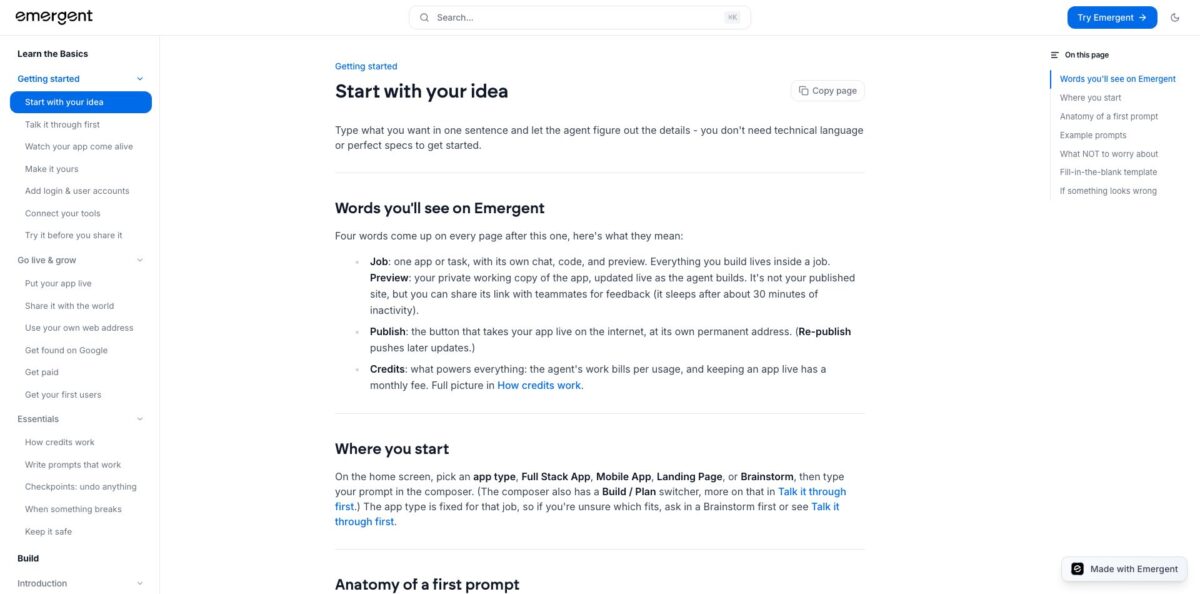
Sign up at app.emergent.sh with Google, Apple, email or phone. On the home screen you pick an app type before anything else: Full Stack App, Mobile App, Landing Page or Brainstorm. That choice is fixed for the job, so if you are unsure whether you need a web app or a mobile one, open a Brainstorm job first and talk the idea through. The composer also has a Build / Plan switcher, which lets you agree on a plan before the agent writes code.
Your first prompt only needs three ingredients: what the app is, who uses it, and the one core action people perform. The help center suggests something like “a book tracker where I can add books, mark them read and search by author”, followed by a line on design and how it should feel. In Build mode the agent starts immediately and picks the stack for you (React on the front, MongoDB for data), so you skip tech-stack and schema decisions entirely. Expect a working preview in under 20 minutes for a simple idea.
Before sending, choose the agent. E-1 is the default step-by-step builder for everyday features and fixes, E-2 spends more effort proving that services fit together, and E-3 runs E-1 as a sub-agent for large, open-ended goals. The agent cannot be changed once the job starts, even in a fork. You can also set a per-session credit budget on the task form, and the agent pauses when it hits that ceiling.
Test everything in the preview pane, which is a private working copy that sleeps after about 30 minutes of inactivity. Describe bugs in chat and the agent fixes them; every finished turn is saved as a checkpoint you can roll back to. When it works, press Publish. Going live needs at least 50 credits for the cheapest hosting tier, and your app gets a yourapp.emergent.host address or your own domain on a paid plan.
Set a session budget on every job before you send the first prompt, so one looping agent run cannot drain your whole month.
Who is it for?
Non-technical founders
You have a product idea and no technical co-founder, and agency quotes are out of reach. Emergent produces a real full-stack app with login, a database and hosting that you can put in front of users. You validate the idea with actual sign-ups instead of a slide deck.
Agencies and freelancers
Clients want to see a clickable product before they sign off on a budget. You can spin up a working prototype per client, fork it into variants for different pitches, and push the code to GitHub when the deal closes. Discovery phases shrink from weeks to days.
Product managers and ops teams
Internal tools usually wait months in the engineering backlog. A request tracker, approval dashboard or small CRM can be described in chat and published on a modest hosting tier. Engineers get pulled in only when the tool proves its value.
Small businesses that need a mobile app
Getting into the App Store normally means Xcode, signing certificates and a developer on retainer. Emergent manages the Expo build pipeline, iOS signing and the TestFlight upload for you. You still need your own Apple and Google developer accounts and must handle store review yourself.
Developers who want fast scaffolding
Writing auth, CRUD screens and Stripe checkout for the tenth time is dull. Let the agent produce the baseline, inspect the code with the Code button, then export to GitHub and continue in your own editor. You keep ownership of the generated code under the platform’s terms.
Makers adding AI features
If your app needs chat, summaries or image generation, the Universal LLM Key gives you Claude, GPT and Gemini models without separate provider accounts. Usage is billed from the same credit balance, which keeps experiments simple.
Emergent pricing
Emergent charges a monthly subscription that comes with a credit allowance, and credits pay for everything the platform does: agent turns, automated tests, LLM calls from your app and a fixed monthly fee to keep each published app live. Subscription credits refill each billing cycle and do not roll over, while one-time top-up credits never expire. Hosting tiers are billed in credits on top of build usage: Starter costs 50 credits a month (0.05 vCPU, 200 MB), Launch 125, Grow 225, Scale 450 and Elite 1,100 (4 vCPU, 16 GB).
10 free credits, core platform features and access to the agents for web and mobile builds. You cannot publish to production or connect a custom domain, so treat it as a short evaluation.
100 credits per month, web and mobile apps, private project hosting, extra credit purchases, GitHub integration and forking. This is the entry point if you actually want to ship.
750 monthly credits, a 1M context window, ultra thinking, system prompt editing, custom AI agents, high-performance computing and priority support. Maxx deep-reasoning mode is available only here.
Custom. Everything in Pro plus role-based access control, single sign-on, shared team workspaces and real-time co-editing.
Custom. Adds user-level credit limits, audit logs, self-hosted database support, a priority SLA, user groups, deployment into your own cloud (VPC) and credit usage analytics.
Emergent key features
Prompt-to-production pipeline
You describe the app, and agents handle code, database setup, testing and publishing to managed hosting with built-in auth and storage. There is no separate deploy step to configure, and a live URL is one button away.
Three agent workflows plus Maxx
E-1 builds step by step, E-2 validates that multi-service pieces fit together, and E-3 orchestrates E-1 for large, ambiguous goals. Pro users can switch on Maxx mode for deeper reasoning at a much higher credit cost. Matching the agent to the size of the task is the main lever you have over both quality and spend.
Native mobile builds without local tooling
Emergent runs its own Expo and EAS pipeline to produce iOS and Android binaries, generates the Android signing key and uploads iOS builds to TestFlight. You never install eas-cli or touch Xcode. Note that there are no over-the-air updates, so every change ships as a new store build.
Universal LLM Key
One key covers 44+ models from 7 providers, including Claude, GPT and Gemini families, billed from your credits with no markup on the platform’s per-token rates. On paid plans it also works as a LiteLLM-compatible proxy from your own machine or CI.
Checkpoints and forking
Every agent turn becomes a checkpoint you can roll back to, either messages and code or messages only. Forking clones the whole app, including code and database contents, into a separate job for risky experiments. Platform secrets are not copied, so re-add them before publishing a fork.
Integrations and custom tools
The catalogue covers Stripe, PayPal, Shopify, Razorpay, Paystack, SendGrid, Twilio and Resend, configured by asking the agent or through Preview, then Manage, then Integrations. For anything else you can register your own MCP servers under Account Settings, Manage Agents, MCP tab.
Code and data portability
Standard and higher plans can push code to GitHub with Save to GitHub, every plan can browse files via the Code button, and the MongoDB database can be exported with mongodump or as CSV. The terms state you own the code and content you create. You are never locked into the platform’s hosting.
Emergent Pros & Cons
Pros
Emergent goes further than most prompt-to-app builders by bundling the boring production work: database, authentication, file storage, automated tests, hosting tiers and a store-ready mobile pipeline with managed signing. Non-technical users report getting a usable first version quickly, and Product Hunt reviewers single out the testing-before-publish flow and the clean dashboard. Checkpoints and full forks make it safe to try big changes, and GitHub export plus database dumps mean your work is portable. The Universal LLM Key is a practical extra for anyone adding AI features. Start with E-1 on a narrow first prompt, confirm the result, then expand feature by feature.
Cons
Credit consumption is the dominant complaint. Agent turns, failed attempts, tests and hosting all draw from one balance, and Trustpilot reviewers describe agents looping or stalling while credits drain. Subscription credits expire each cycle, top-ups are non-refundable, and several users report friction getting the prorated refunds the policy describes. Support responsiveness draws criticism, and one Product Hunt reviewer reports losing apps from paid accounts. Hosting fees on top of build costs make Standard tight for anyone running a live app. Set per-session budgets, fork before large refactors and export your code and database regularly.
Use Emergent if you want…
- Turn a plain-English idea into a full-stack app.
- Launch an MVP without hiring a development agency.
- Publish iOS and Android apps without owning a Mac.
- Build internal tools with login and a database.
- Add Stripe or PayPal payments by asking in chat.
- Prototype client projects and fork them into variants.
- Add Claude, GPT or Gemini features with one key.
- Export generated code to GitHub and keep building.
Emergent alternatives



Emergent Reviews
Fast and easy for spinning up websites from a rough idea, though the AI makes mistakes in code and integrations, and fixing them costs extra credits.
Strong for non-technical founders who want to build without a technical co-founder; the automated testing before publishing and the smooth publish flow get repeated praise.
Credits drain quickly when the agent loops, crashes or stalls mid-task, and some users burned through a month’s allowance without a working result.
Several paying users describe slow or hard-to-reach support and difficulty getting refunds after subscription credits expired unused.
Good code quality and a well-designed dashboard, but forking a conversation into a new environment and the separate monthly fee for live apps catch newcomers off guard.
FAQ
Is there a free plan?
Yes. The Free plan costs $0 and includes 10 credits, which is enough to explore the workspace and build in preview. Publishing to production and custom domains require Standard or higher.
Do I need to know how to code?
No. You describe the app in chat and the agents choose the stack, design the database and write the code. Developers can still inspect files with the Code button or export to GitHub.
How much does it cost to keep an app live?
Published apps run on hosting tiers billed in credits each month, from 50 credits for Starter up to 1,100 for Elite. This fee is separate from the credits you spend on building.
Can I build mobile apps for the App Store and Google Play?
Yes, on a paid plan. Emergent produces the iOS and Android builds and uploads iOS builds to TestFlight, but you need your own Apple Developer and Google Play Console accounts.
Who owns the code Emergent generates?
You do. The terms of service treat AI-generated output as your content, and you can push it to GitHub on Standard and above or export your MongoDB data at any time.
Does Emergent train AI models on my data?
Emergent says it does not use customer personal data to train models and contractually bars its AI sub-processors from doing so. Operational service data may still be used to tune the models behind the service.
Which integrations are supported?
Built-in options include Stripe, PayPal, Shopify, Razorpay, Paystack, SendGrid, Twilio and Resend, plus direct OpenAI, Anthropic and Google AI keys. You can add your own tools through MCP servers.
Can I cancel and get a refund?
You can cancel anytime from Settings, then Billing, and keep access until the cycle ends. Unused subscription credits are eligible for a prorated refund on request, while top-up credits are non-refundable.
Similar tools
 MindflowNo-code and agentic automation platform for SecOps, ITOps and CloudOps teams that turns prompts into workflows across thousands of tool APIs.
 OnSpace.AINo-code AI app builder that turns chat prompts into React Native iOS and Android apps or web apps, with a managed backend,
 Jet AdminAI and no-code builder for internal tools, admin panels, dashboards and client portals that runs on top of your existing databases and