

Encord
Data AnalysisUpdated October 26, 2026
Multimodal data platform for curating, labeling and evaluating AI training data across image, video, audio, text, DICOM and LiDAR.
We may earn a commission when you sign up through our links. It does not affect our reviews.
What is Encord?
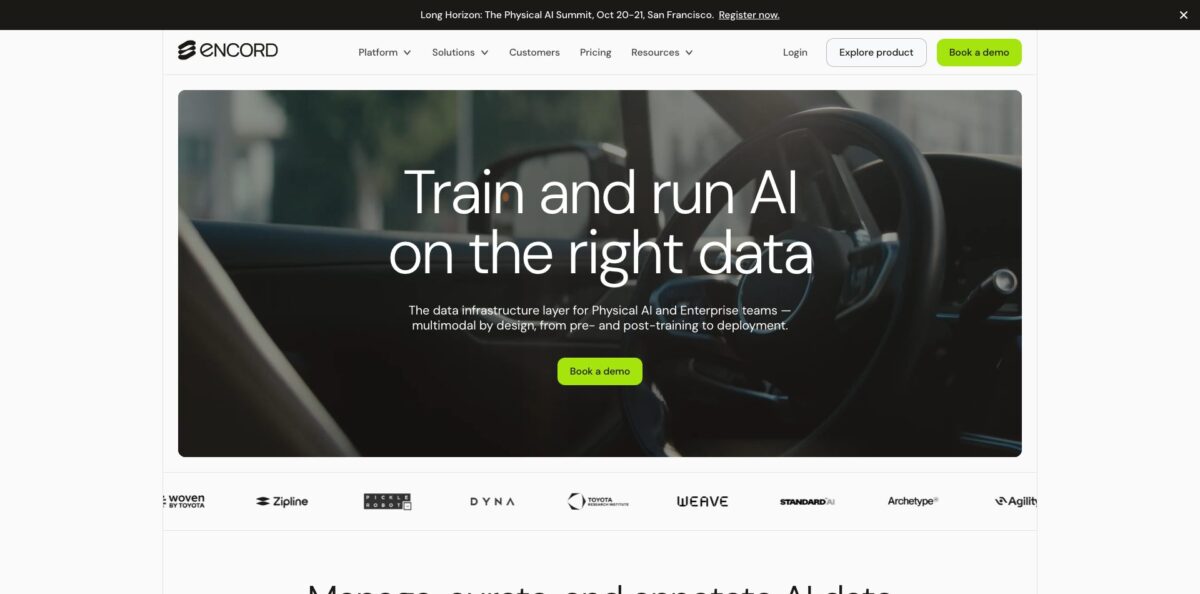
Encord is a data development platform for teams that train computer vision, multimodal and physical AI models. It sits between your cloud buckets and your training pipeline: you register raw files from AWS, GCP or Azure, search and filter them with embeddings and 40+ data metrics, label them in a video-native editor, then check label and model quality before the next training run. The problem it removes is the patchwork of a labeling tool, a curation script and a spreadsheet of annotator stats that most ML teams end up maintaining. Your files stay in your own storage, and the Python SDK covers most of what the web app does. The weak spot is access: there is no public price list and every plan starts with a sales conversation. Pick it if you run recurring annotation projects on video, LiDAR, DICOM or audio, not for a one-off batch of a few hundred images.
How to start using Encord?
Every plan on the pricing page, including Starter, routes you to a demo request, so the first step is a call with the Encord team. Once your Workspace exists, an Admin opens Settings under My workspace, clicks + Invite users and assigns each person a role: Admin, Member, Workforce Manager or Tasker. Taskers only see the tasks assigned to them, which keeps external annotators away from the rest of your data.
Next, connect storage. Encord’s docs list integrations for AWS S3, GCP Storage, Azure Blob, Oracle, Open Telekom Cloud, Wasabi, MinIO, Cloudflare and CoreWeave. You grant read access to a bucket, then register files either through the UI or with the SDK, which installs with pip install encord on Python 3. Files are not copied to Encord’s servers; the platform reads them from your bucket when someone opens them.
Before labeling, spend time in the curation side of the app. Use natural language search or similarity search to find the frames you actually need, filter by its built-in quality metrics, and check the embedding plot for clusters you have too much or too little of. Group the result into a Collection and send only that subset to annotation. This step is what separates Encord from a plain labeling tool, and skipping it means paying people to label redundant data.
Then build the project. Under Annotate, select Projects and click + New project, give it a title, pick or create an Ontology (your classes, attributes and nested classifications), load a Workflow template with annotate and review stages, attach your data and add collaborators. Run a small batch first, open Project Analytics to see throughput and rejection rates, and export labels as JSON or COCO once reviewers approve them.
Who is it for?
Computer vision engineers
You are tired of splitting videos into frames, labeling them in one tool and stitching tracks back together in another. Encord labels video natively and uses SAM 2 to segment and track objects across frames. You spend your time on the model instead of on frame bookkeeping.
Robotics and autonomous vehicle teams
Your data is synchronized camera, LiDAR and radar, and most labeling tools treat each stream separately. Encord puts all sensors on one timeline with 3D scene views. Annotators see the full context of a scene, which cuts the number of inconsistent labels.
Medical imaging startups
You need DICOM and NIfTI support, multi-plane views and an audit trail a regulator can follow. Encord offers 3D medical annotation and states HIPAA compliance in its docs. Reviewers on G2 from healthcare companies mention the value of auditable output for FDA work.
ML ops and data platform leads
You manage several labeling vendors and in-house annotators, and nobody knows who is accurate. Encord gives you role-based access, consensus workflows, annotator training modules and a performance dashboard per labeler. Quality problems show up in the numbers before they show up in the model.
Generative AI and LLM teams
You run human preference collection, rubric scoring and pairwise comparisons for models in production. Encord markets RLHF and evaluation workflows alongside its labeling tools, and LLM evaluations are offered as an add-on. You keep evaluation data in the same system as training data.
Teams short on annotators
Encord also sells managed annotation and data collection services with vetted domain experts. You can run the software yourself and buy labeling capacity from the same vendor when a deadline lands.
Encord pricing
Encord does not publish prices. The official pricing page lists three plans, and every button leads to a demo request or a sales contact, so pricing is quote-based and depends on data volume, modalities and deployment model. Plans differ mostly in how much data Index (curation) and Active (label and model analytics) can handle, plus which data types and support levels are included. Several modalities, including DICOM and NIfTI, geospatial data, ECG, 3D LiDAR point clouds, LLM evaluations and custom data, are listed as add-ons rather than standard features.
quote-based. Aimed at individuals and small teams prototyping. Includes the image and video annotation toolkit, complex and dynamic ontologies, customizable workflows and self-serve support. Index handles up to 500k data points and Active up to 50k.
quote-based. Everything in Starter plus data agents, performance analytics, model evaluation and onboarding support. Index scales up to 100m data points and Active up to 1m.
Custom. Everything in Team plus multiple workspaces, single sign-on, an enterprise SLA and VPC or on-prem deployment (on-prem is an add-on). Index is listed at 1bn+ data points and Active up to 10m. Custom MSA and SLA terms and a dedicated solutions architect are available.
Encord key features
Video-native multimodal annotation
You label images, video, audio, documents, HTML, DICOM, ECG and LiDAR in the same editor, with bounding boxes, polygons, polylines, keypoints, bitmasks and object primitives. Video is handled as video rather than split into frames, which keeps temporal context and avoids frame sync errors. Audio labels can be placed down to the millisecond across multiple channels.
SAM 2 segmentation and tracking
Segment Anything Model 2 runs inside the label editor to segment an object with a click and track it through a clip. Interpolation fills frames between keyframes. Encord claims up to 10x faster image segmentation with SAM 2, so expect large savings on masks and smaller ones on simple boxes.
Curation with embeddings and metrics
Index lets you search data in natural language or by similarity, filter with 40+ built-in metrics and custom metadata, and inspect embedding plots to find outliers and under-represented areas. Collections group the results so you can send exactly the right subset to labeling. Duplicate image detection removes repeats before anyone pays to annotate them.
Data agents
Agents plug foundation models such as GPT-4o, Gemini, Claude, Whisper, LLaMa 3.2 and DINOv, or your own model, into workflows for pre-labeling, transcription, OCR, captioning, routing by reasoning and LLM-as-a-judge checks. Custom agents can be hosted on AWS Lambda, GCP Cloud Functions, FastAPI or Modal. Humans stay in the loop as reviewers, so automation does not mean unchecked labels.
Quality control workflows
Multi-stage annotate and review pipelines, consensus workflows where several annotators label the same item, annotator training modules and issue tracking keep ground truth consistent. The performance dashboard shows throughput and accuracy per labeler.
Label and model evaluation
Active detects likely label errors, imports model predictions, compares model versions and plots performance metrics. Active learning pipelines and acquisition functions help pick which unlabeled data to send next. You close the loop between a failing model and the data that fixes it.
Bring-your-own-storage and flexible deployment
The platform reads files from your buckets and does not copy them, and the docs state Encord never uses customer data to train models. Cloud, VPC on GCP, Azure or AWS, and on-prem or air-gapped installs are available, with SOC 2 Type II certification and HIPAA and GDPR compliance listed in the security docs.
Encord Pros & Cons
Pros
Encord covers the whole loop from raw files to evaluated labels in one product, which removes a lot of glue code between separate tools. Its video and multi-sensor tooling is the most praised part on G2, where reviewers call it among the best for video-first projects, and SAM 2 tracking speeds up mask work on long clips. Support gets consistent credit for fast responses and openness to feature requests. Data stays in your own cloud, and SOC 2 Type II, HIPAA and GDPR coverage makes security reviews shorter for regulated teams. The SDK and API make it practical to script dataset registration and exports. Run a pilot on your hardest modality first, since that is where Encord pulls ahead of cheaper tools.
Cons
There is no self-serve sign-up and no public pricing, so even a small team has to go through a demo call to find out what it costs, and several modalities sit behind add-ons. The platform is broad, which shows in the learning curve: reviewers mention features that are hard to discover, tricky custom workflow setup and gaps in documentation early on. Some users report lag on very large cloud-hosted datasets, and one asked for longer notice before product changes that affect integrated pipelines. Hotkey customization has also come up as a request. Budget a week of setup time and ask for onboarding support in writing before you sign.
Use Encord if you want…
- Label long videos without splitting them into frames.
- Annotate LiDAR, camera and radar on one timeline.
- Find edge cases with natural language and similarity search.
- Remove duplicate and low-quality data before paying for labels.
- Pre-label data with GPT-4o, Gemini or your own model.
- Track annotator accuracy and throughput across vendors.
- Detect label errors and compare model versions.
- Keep training data in your own cloud buckets.
- Run RLHF and rubric-based evaluation for production models.
Encord alternatives



Encord Reviews
Video annotation is the standout for video-first projects, with a broad feature set and a support team that responds quickly, though working through very large datasets can lag at times.
Multiple people can work on the same project at once and the interface is easy to pick up, but getting started took longer than expected because some documentation was missing.
The focus on auditable output suits medical AI work aimed at FDA clearance, while sorting projects by study or patient is still missing.
New features arrive fast and the team listens to feedback, but teams with tightly integrated pipelines would like more notice before changes ship, and custom hotkeys are on the wish list.
FAQ
Does Encord have a free plan or public pricing?
No public prices are listed. The Starter, Team and Enterprise plans all lead to a demo request or sales contact, so pricing is quote-based.
What data types can Encord label?
Images, video, audio, text, documents and HTML are core, while DICOM and NIfTI, ECG, geospatial data, 3D LiDAR point clouds and LLM evaluations are listed as add-ons on the pricing page.
Does Encord store my data?
With bring-your-own-storage, raw files stay in your AWS, GCP or Azure buckets and are read on demand. Encord states it never uses customer data to train models and that you can export data at any time.
Is Encord secure enough for healthcare data?
Encord’s security docs list SOC 2 Type II certification plus HIPAA and GDPR compliance, with audit reports available to enterprise customers on request. VPC and on-prem deployments are offered for stricter requirements.
Does Encord have an API or SDK?
Yes. The Python SDK installs with pip install encord and covers data registration, ontologies, workflow templates, projects, users and label import and export.
Can I use my own model for pre-labeling?
Yes. Data agents can call foundation models such as GPT-4o, Gemini or Whisper, or your own model hosted on AWS Lambda, GCP Cloud Functions, FastAPI or Modal.
What export formats does Encord support?
The docs cover label export in Encord’s JSON format and COCO format, through the UI or the SDK.
Can Encord be deployed on-premise?
Yes, for Enterprise customers. On-prem and VPC deployments run the full stack in your environment and require in-house Kubernetes expertise.
Similar tools
 HexCollaborative analytics workspace that mixes SQL, Python and AI agents in notebooks, then publishes results as data apps and plain-language answers.
 WindwardMaritime AI platform that fuses AIS, satellite and ownership data into vessel risk scores, sanctions screening, alerts and container ETAs.
 Delve AIAI market research platform that builds personas from analytics, CRM and social data, then lets you chat with them or run synthetic