

Evoto
Image EditingUpdated October 19, 2026
AI photo editor for photographers that culls shoots, retouches portraits face by face, matches color and batch-edits whole galleries on desktop and iPad.
We may earn a commission when you sign up through our links. It does not affect our reviews.
What is Evoto?
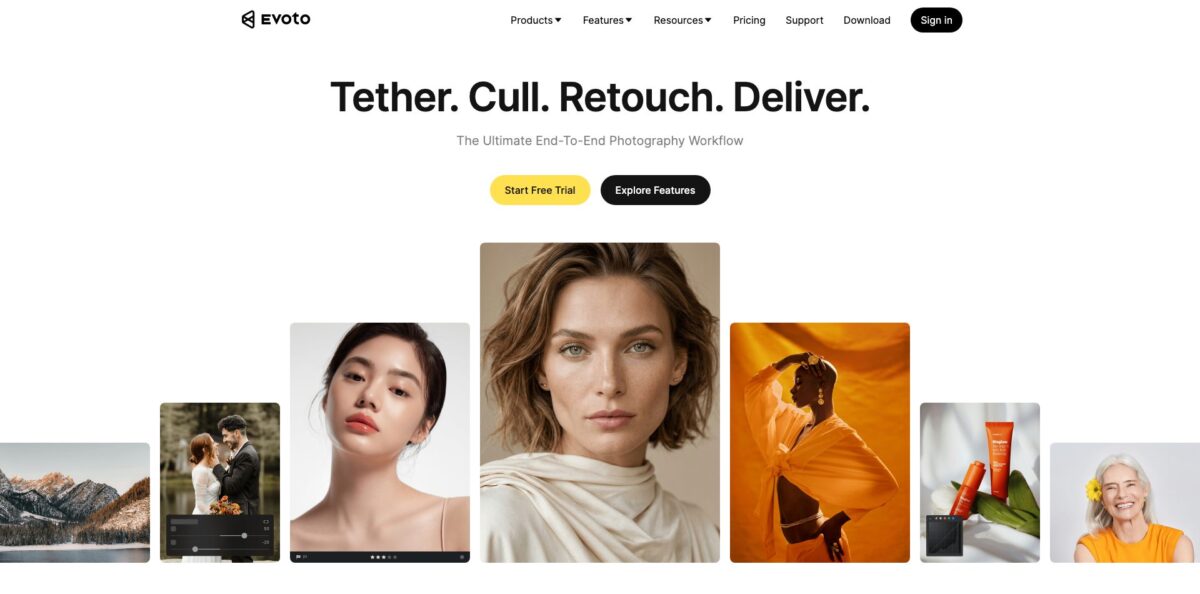
Evoto is a desktop-first AI photo editor for working photographers, built by Truesight Technology and aimed at the slow middle of a job: sorting a shoot, retouching every face, matching color across hundreds of frames and getting the gallery out the door. The core apps run on Windows, macOS and iPad, with a phone app, a browser version, Evoto Instant for on-site delivery and Evoto Video alongside. Retouching works per face rather than as a global filter, so skin, blemishes, stray hairs, glasses glare and body shape are adjusted with sliders and then synced to the rest of the set. Editing and previewing cost nothing; you pay in credits when you export. That model is the weak spot for some users, and support complaints show up often in public reviews. Pick Evoto if you shoot weddings, headshots, events or newborns in volume and want portrait cleanup done in minutes instead of hours.
How to start using Evoto?
Download the desktop app from the Download page; the current stable build supports macOS 10.13 and later and Windows 7, 10 and 11. Create an Evoto account, which you will also use on the iPad and phone apps, since credits are shared across them. New users can claim 15 credits on download, and the Starter, Basic and Basic Plus annual plans add a 7-day free trial with 50 credits to test the full feature set. Only one trial is allowed per account.
Your first real scenario is usually a portrait session. Import JPG, PNG, TIFF or RAW files into the Library, pull in a Lightroom catalog (.lrcat), or shoot tethered and let images land in Evoto as you work. Run AI culling to flag duplicates, closed eyes, blur and badly exposed frames, then rate the keepers and group them by story or scene before you touch a slider.
The screen that does the heavy lifting is Portrait Retouching. Pick one representative photo and move the sliders for skin smoothing, blemish and wrinkle removal, dark circles, teeth, glasses glare, stray hairs and face or body shape. Each face in the frame is detected separately, so a bride and a grandparent can get different strength settings. When the look is right, press Sync to push it to the selected photos, or Save Preset to reuse it on the next job.
Before exporting, step through the synced images at full size, because group shots, unusual angles and heavy shadows are where automatic edits drift. Fix individual frames with manual tools such as Healing and Liquify, which are credit-free. Then export to JPG, PNG or TIFF; this is the moment credits are deducted, normally one per exported image, with some generative tools costing more and showing the price first.
Who is it for?
Wedding photographers
A wedding gallery means hundreds of keepers that all need consistent skin and color. Evoto culls the set, retouches every face individually and syncs color across the day. Delivery stops depending on weeks of late-night retouching.
Headshot and corporate studios
You book back-to-back sessions and clients expect polished files the same day. Tethered shooting, glasses glare removal and background cleanup let you retouch while the client is still in the room. Evoto Instant is built for that shoot-and-deliver loop.
Event and school photographers
Volume is the whole business, and manual retouching does not scale to hundreds of faces. Presets and batch sync apply one approved look to the full set, and the culling tools cut the pile down first. Margins improve because outsourced retouching shrinks.
Newborn, maternity and family photographers
Skin redness, infant blemishes, stray hairs and uneven tones eat hours per gallery. Dedicated sliders handle these and keep texture, which matters for clients who dislike plastic-looking skin. You get more time for booking and shooting.
Beauty and fashion retouchers
You need fine control over makeup, face contouring, hair color and body shape across a campaign. Evoto gives slider-level control and saves the recipe as a preset. It will not replace Photoshop layers for composite work, but it removes most of the repetitive cleanup.
Small studios with several editors
Annual plans allow two to six devices, and the Standard tiers add more credits at a lower per-credit rate. Cloud collaboration and saved presets keep the house style consistent between editors.
Evoto pricing
Evoto is credit-based rather than a classic monthly subscription. Editing, previewing, basic color adjustments, crop and rotate, tethered shooting, manual tools and import or export management are free; AI features are paid for with credits when you export, usually one credit per image. You can buy credits on an annual plan, which lowers the per-credit price and lets unused credits roll over when you renew (up to five times the credit amount of your new plan), or as pay-as-you-go packs that expire after two years. Prices below are the list prices from the official pricing page; at the time of checking, annual plans showed a 10% discount.
800 credits, 2 devices, Asset Hub membership and a 7-day free trial.
1,600 credits, 3 devices and a 7-day free trial.
3,600 credits, 4 devices and a 7-day free trial; marked as the popular tier at about $0.07 per credit.
9,000 credits and 5 devices, no free trial.
24,000 credits and 6 devices, roughly $0.05 per credit.
Credits are valid for two years.
Custom. Volume pricing and onboarding support for studios and teams through Contact Sales.
Annual subscribers can also buy add-on credit packages before renewal at their plan’s discounted rate, plus cloud storage packs starting at $119/year for 500GB. Mid-year cancellations are not normally refunded, though you keep the remaining credits until the period ends, and there is a 30-day grace period to renew without losing rollover credits.
Evoto key features
Per-face portrait retouching detects every face in the frame and lets you smooth skin, remove blemishes, wrinkles, dark circles and stray hairs, whiten teeth and remove glasses glare with sliders. Because it is applied face by face, mixed ages and skin types in one group shot get appropriate treatment. Texture is preserved, so results avoid the airbrushed look that clients often reject.
Face and body reshaping covers face width, eyes, nose, lips and jawline, plus AI liquify for neck, waist, hips, arms, legs and belly. A recent update added one-click repair for background distortion caused by liquify. You get studio-style body work without hand-painting masks, though restraint is on you.
Batch sync and presets let you edit one photo, then sync the adjustments to a selection or save them as a preset for future jobs. Version 8 adds custom Workflows that automate the chain from import through editing to export. This is where most of the time saving on large galleries comes from.
AI culling sorts a shoot by flagging duplicates, closed eyes, blur and exposure problems, with adjustable sensitivity, and groups images by story for faster selection. Perfect Shot can fix closed eyes on individual people in group photos. You start retouching from a shortlist instead of the full card.
Color tools include AI Color Match, multi-image color consistency, AI exposure and white balance, denoise and local masks for color. Matching a reference look across a wedding day keeps indoor and outdoor frames from drifting.
Background adjustments remove or replace backdrops, clean wrinkled or dirty paper backdrops, add floor reflections and extend scenes with Generative Expand, while AI Set Design now works in batches. Headshot and school photographers can standardise backgrounds across a whole session.
Tethering and cross-device work include wired and wireless tethered shooting with live view and dual display, plus iPad and phone apps on the same account. Evoto Instant handles shoot, cull, edit and proof on site. You can retouch while the client watches and deliver before they leave.
Evoto Pros & Cons
Pros
Evoto targets the exact tasks that eat a portrait photographer’s week: culling, per-face skin work, glasses glare, stray hairs, color matching and background cleanup. Reviewers consistently describe the interface as easy to learn, closer to Lightroom than Photoshop, and the results as more natural than older one-click beautifiers. Editing is free until export, so you can experiment without spending credits. The feature list grows quickly, with major releases every few months, and the privacy policy states that user images are not used for model training, with ISO/IEC 27001 and SOC 2 Type 2 certification. Use it as the batch retouching layer between your camera and your final delivery.
Cons
The credit model is the main friction point: every exported image costs money, rollover depends on renewing, and credits tied to an expired account can be lost, which several users report as unfair. Public reviews also complain about slow or unhelpful support, export glitches and billing disputes. There are no Photoshop-style layers, so composites and complex local work still need another editor. Most features need cloud processing even for local projects, so an internet connection is required. Trust took a hit in January 2026 when an AI headshot generator aimed at clients was launched and then withdrawn after photographer backlash. Track your credit balance monthly and keep invoices handy in case you need support.
Use Evoto if you want…
- Retouch every face in group portraits individually.
- Batch-edit full wedding galleries with one synced look.
- Cull large shoots by blur, closed eyes and exposure.
- Remove glasses glare and stray hairs in seconds.
- Match color across indoor and outdoor frames automatically.
- Clean or replace studio backdrops across a session.
- Retouch tethered headshots while the client waits.
- Pay per delivered image instead of a monthly subscription.
Evoto alternatives


Evoto Reviews
Users on Trustpilot single out skin retouching, stray hair removal, makeup and the background changer as real time savers, but the overall score sits around 3.6 out of 5 because of support and billing complaints.
An Amateur Photographer review finds the interface easy to navigate and likes that editing is free until export, while warning that the credit system will not suit everyone and that there are no layers.
A long-time user calls it one of the best retouching programs available, yet says the ongoing cost of credits became too much for a tighter budget.
Several reviewers complain that credits on an expired account were not refunded or carried over, and describe customer service as slow to respond.
Photographers covering the January 2026 headshot generator episode felt let down by a tool they had supported, though many kept using it after Evoto apologised and removed the feature.
FAQ
Is Evoto free?
The app is free to download, and editing, previewing, basic color, cropping, tethering and manual tools cost nothing. You need credits to export images processed with AI features; new users get 15 credits on download, and some annual plans include a 7-day trial with 50 credits.
How many credits does one photo cost?
Most features cost one credit per exported image. Some advanced generative tools cost more, and Evoto shows the exact price before you use them.
Do Evoto credits expire?
Pay-as-you-go credits expire after two years. Annual plan credits roll over when you renew, up to five times the credit amount of your new plan, and remain valid while you stay subscribed.
Does Evoto use my photos to train AI?
No. Evoto states it does not use user images to train its models, does not create biometric face templates, and for local projects sends only thumbnails to its cloud, deleting them right after processing.
Which platforms does Evoto support?
Evoto runs on Windows and macOS, with apps for iPad, iPhone and Android and a browser version. One account and one credit balance work across all of them.
Can I import my Lightroom catalog?
Yes. Evoto can import standard image files, RAW files and Lightroom catalogs (.lrcat), as well as photos arriving through a tethered connection.
Can I cancel and get a refund?
Refunds for mid-year cancellations are not normally provided. You can keep using the remaining credits until the end of your subscription period.
Does Evoto work offline?
Not fully. Some algorithms run locally, but local projects still rely on Evoto’s cloud for processing, so you need an internet connection for AI features.
Similar tools
 HamaFree browser-based AI eraser that removes people, objects, text and blemishes from photos with a brush, plus an inpainting API for developers.
 BgEraserBrowser-based AI background remover that turns up to 20 photos per batch into transparent PNGs without an account, plus offline apps for
 ImgkitsBrowser-based set of AI photo tools for background removal, object cleanup, upscaling, old photo restoration, image generation and image-to-video.