

Faceless.so
AI AssistantsUpdated October 27, 2026
AI faceless video generator that researches, writes, voices and captions short videos, then auto-posts them daily to seven social platforms.
We may earn a commission when you sign up through our links. It does not affect our reviews.
What is Faceless.so?
Faceless.so is a browser-based production line that runs a short-video channel for you without anyone appearing on camera. You choose one of 28 ready-made niches or type your own prompt, pick a visual style, a voice and a caption style, and the system researches each episode from Google Trends, Wikipedia, Google News or Reddit, writes the script, records the voiceover, adds B-roll, music and word-timed captions, then posts the result to up to seven platforms on your schedule. The problem it removes is consistency: the daily grind of scripting, recording and editing that kills most faceless channels within a few weeks. The weak spot is credit math, because cinematic Motion clips cost several times more than narrated still-image shorts, and plan credits do not roll over. Pick it if you want a recurring Shorts, Reels or TikTok series rather than one carefully crafted film.
How to start using Faceless.so?
Create a free account at faceless.so. Signing up, writing a script and choosing a style cost nothing, but a free account comes with no credits, so rendering a finished video needs a paid plan or a one-time credit pack. If you want to look around before paying, the site offers a free faceless reels generator that works without an account and an interactive Studio demo that needs no sign-up. Plans are billed in US dollars through Stripe, by card, Apple Pay or Google Pay.
Your first real project is usually a series. Pick a niche such as Scary Stories, True Crime, History, Reddit Stories or Motivation, write a custom prompt, or paste a script you already have. Then choose the visual style, a narrator from 90+ languages (or clone your own voice) and a caption style. The company puts the setup at about 10 minutes and the first video at roughly 2 minutes after you confirm. At this step you also decide between Storyboard shorts, built from narrated still images, and Motion shorts made of generated video scenes, which is the choice that drives your credit spend.
The screen that matters most afterwards is the schedule. Connect any of YouTube, TikTok, Instagram, Facebook, LinkedIn, Threads and X, then set the posting days, time and time zone for the series. You can add more posting times, up to six videos a day, at least an hour apart, and one series can post to several accounts on the same platform, for example two YouTube channels. For a soft launch, a series can upload to YouTube as private or unlisted, and to TikTok as Only me, Friends or Followers.
Before anything goes out, upcoming videos wait in a review queue you can skim from your phone. Approve a video, edit its script, change the voice or skip it. When you want finer control, open the Studio editor on a desktop to adjust captions, music, B-roll, transitions, progress bars and sound effects on a timeline. If a video fails to generate, its credits return automatically, and the first Regenerate of every video is free.
Who is it for?
Side-hustle channel starters
You have had a history or scary-stories channel idea for months, but scripting, voicing and editing a video every evening never fits around a full-time job. Faceless.so turns that into a 10-minute setup and a queue you review on your phone. The channel keeps posting during the busy weeks that usually break a streak.
Storytelling niche creators
Reddit stories over gameplay, fake text message dramas and true crime narration are formats with loyal audiences and a lot of repetitive production work. The platform ships ready-made templates for each of them, so you spend your time choosing stories rather than cutting footage. Expect strong competition in these niches from other automated channels.
Social media managers and small agencies
Running several client or niche channels means juggling scripts, editors and posting calendars. Every paid plan supports unlimited series that share one credit balance, the Agency plan includes 25 team members, and a series can post to multiple accounts per platform. One dashboard replaces a stack of separate tools.
Multilingual and education publishers
A language-learning or facts channel often wants the same idea in Spanish, Hindi or Portuguese. Scripts and voiceovers cover 90+ languages, and Language Learning is one of the ready-made niches. You can test a second-language channel without hiring a new voice actor.
TikTok and Instagram carousel posters
Slideshow posts can pull big numbers, yet designing a fresh carousel each day is tedious. Faceless.so remixes trending slideshow formats for your niche, pulls images from a Pinterest board or built-in image sets, and posts them as a daily series. Each slideshow costs only 5 credits.
Developers and AI agent builders
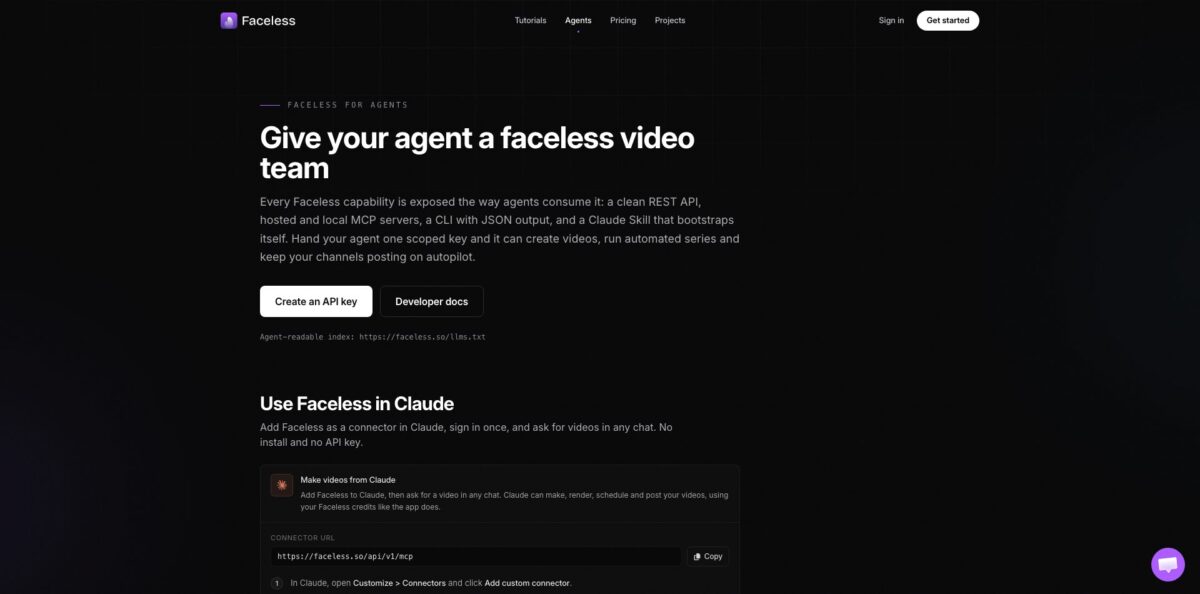
If you automate content from your own code or an AI assistant, clicking through a dashboard does not scale. The REST API, a hosted MCP server with 27 tools, a CLI and a Claude Skill let an agent create, render, schedule and publish videos. API access is listed on the Ultra and Agency plans.
Faceless.so pricing
Faceless.so sells monthly or yearly subscriptions that include a credit allowance, and every video spends credits according to its format. A Storyboard short of narrated still images costs a flat 20 credits, a Motion short costs 2 credits per second (120 for a one-minute video), Motion Plus 3 and Motion Max 6 credits per second, and a 10-minute long-form video in the Stickman style costs about 442 credits. Slideshows cost 5 credits and AI thumbnails are free. Plan credits refresh each month and do not roll over, while purchased credits never expire. Each plan also caps the minutes of new video per calendar month (Starter 120, Growth 180, Influencer 300, Ultra 1,200, Agency 2,400), though at short-form lengths credits usually run out first. Yearly billing saves about 17%. Prices below are the USD rates from the official site.
Free sign-up, script writing and style selection, but no credits, so you cannot render or auto-post without paying.
500 credits a month, roughly 25 one-minute Storyboard shorts, unlimited series, auto-posting, every premium model, 3 team members and live chat support.
1,000 credits, about 50 Storyboard shorts, which covers one video a day. Adds the AI Agent editor and UGC video, with 5 team members.
2,000 credits, about 100 Storyboard shorts, 7 team members; the plan the site marks as most popular.
4,000 credits, about 200 Storyboard shorts, 10 team members, API access, call support and first access to new features.
8,000 credits, about 400 Storyboard shorts, 25 team members and API access.
$10 for 100 credits, $25 for 275 credits or $50 for 600 credits, bought once; active subscribers get more credits per pack at their plan’s rate.
Faceless.so key features
Researched scripts from live sources
Each script is seeded from Google Trends, Wikipedia, Google News or real Reddit threads in your niche, with grounding snippets collected before the text is written. You can also hand over a topic or paste your own script and let the AI handle the rest. Episodes get a fresh angle instead of recycled generic prompts.
Automated series with scheduled auto-posting
You configure a niche, voice and style once, and the series generates and publishes episodes on the days and times you choose, up to six a day. Posting covers YouTube, TikTok, Instagram, Facebook, LinkedIn, Threads and X, with private or unlisted options for testing. Paid plans allow as many series as you like, all drawing on one credit balance.
Storyboard and Motion formats on premium models
Storyboard shorts animate narrated still images at a flat price, while Motion shorts use generated video scenes billed per second, with Motion Plus and Motion Max tiers for higher quality. The pricing page lists Veo 3.1, Kling 3.0, Seedance 2.5, Wan 2.7, Nano Banana Pro and GPT Image 2.5 on every plan, paid with credits. More than 30 formats sit on top, from fake text dramas and map explainers to ASMR clips and long-form stickman videos.
Studio editor plus a chat-based AI Agent
Every video opens in a timeline editor where you change the script, voice, captions, music, B-roll and effects, or import your own footage, scripts and audio. On Growth and higher plans, an AI Agent edits the video from plain-language requests such as adding effects or swapping media. You keep the final say without rebuilding a video from scratch.
Voices and cinematic captions
Narration covers 90+ languages, and you can clone your own voice so a channel keeps one recognizable sound. Captions are timed per word, and the Cinematic Captions option styles them with emphasis detection.
TikTok slideshow automation
You start from 200+ trending carousels, and the AI rewrites the copy for your niche while keeping the format that worked. Images can come from a Pinterest board, a Pinterest or Tumblr search, or 144 built-in image sets. Turn it into a series and a fresh slideshow goes to TikTok and Instagram every day.
API, MCP server and CLI for agents
A versioned REST API, a hosted MCP server with 27 tools, the faceless-cli package and a Claude Skill expose video creation, series, scheduling, analytics and credit balance. Credits are charged once at creation, while rendering and publishing are free.
Faceless.so Pros & Cons
Pros
Faceless.so covers the whole chain from research to publishing, and the publishing half is what most AI video generators leave to you. Scheduled posting to seven platforms, a phone-friendly review queue and private or unlisted test uploads make a daily channel realistic for one person. Pricing is unusually transparent: every plan, the credit cost of each format and the monthly minutes caps are published, and failed renders return their credits while the first regenerate is free. The API, MCP server and CLI also make it one of the few faceless tools an AI agent can operate directly. Start with Storyboard shorts on the Growth plan to find a niche that holds viewers before you spend credits on Motion clips.
Cons
Credit burn is the main risk. A one-minute Motion short costs six times a Storyboard short, Motion Max far more, and unused plan credits disappear at the end of each month. A free account includes no credits, and refunds are not offered once credits are used. Output follows templates, so popular niches such as Reddit stories fill up with similar automated channels, and platform rules on repetitive or mass-produced content apply to your account, not to the tool. Independent user reviews are still scarce, and the name is easy to confuse with Faceless.video, a separate company. Buy a $10 credit pack first to test a few renders before you commit to a subscription.
Use Faceless.so if you want…
- Run a faceless YouTube Shorts channel on autopilot.
- Post one researched short video every single day.
- Turn Reddit threads into narrated gameplay story videos.
- Schedule the same video to seven social platforms.
- Review and approve every upcoming post from your phone.
- Remix trending TikTok slideshows for your own niche.
- Publish faceless series in more than 90 languages.
- Let an AI agent create videos through the API.
Faceless.so alternatives

Faceless.so Reviews
Early users in the Reddit launch thread found the interface easy to pick up and said the pipeline works end to end, though several questioned whether the internet needs more automated short videos.
A buyer of the launch lifetime deal called the product promising but still a little buggy, and other early testers described the first shorts as rough around the edges, one of them without audio.
Launch-week commenters objected to yearly-only billing with no trial period and asked how to delete an account, points worth checking against the current billing page before you sign up.
Skeptics in the same discussion worried that TikTok was cracking down on low-effort AI clips, so they saw the real risk sitting with the channel owner rather than with the tool.
FAQ
Is there a free plan on Faceless.so?
Signing up is free, and you can write scripts and choose styles without paying, but a free account includes no credits. Rendering videos requires a paid plan from $29/month or a one-time credit pack, such as $10 for 100 credits.
Is Faceless.so the same as Faceless.video?
No. They are two different companies with similar names; Faceless.so runs at faceless.so and publishes its plans and credit costs on its own pricing page.
Which platforms can Faceless.so post to?
It auto-posts to YouTube, TikTok, Instagram, Facebook, LinkedIn, Threads and X. You connect each account once, choose posting times per series, and can upload to YouTube as private or unlisted first.
Do I own the videos Faceless.so creates?
Yes. You get full rights to every video made with your account, including commercial use, and videos are not reused across accounts.
What happens to unused credits?
Plan credits refresh each month and do not roll over, while credits from purchased packs never expire. Paid plans also cap the minutes of new video you can create per calendar month.
Can I cancel my Faceless.so subscription anytime?
Yes, you cancel from the billing page and the plan stays active until the end of the billing cycle. Refunds are not offered once credits have been used, but credits for videos that fail to generate return automatically.
Does Faceless.so have an API?
Yes. It offers a REST API, a hosted MCP server with 27 tools, a CLI and a Claude Skill, and the pricing page lists API access on the Ultra and Agency plans.
Who is behind Faceless.so?
According to the company, Faceless.so is run by Faceless LLC, registered in Delaware and founded in 2023. The homepage names Shivansh and Pushpit as co-founders, and the product launched on Product Hunt in 2025.
Similar tools
 FreedomGPTMulti-model AI app that puts hundreds of chat, image and video models, including its own censor-free Liberty models, behind one credit balance.
 ElephasPrivate desktop AI for Mac and Windows that answers questions from your own documents with page-level citations and hides personal details first.
 MagaiPaid AI workspace that puts ChatGPT, Claude, Gemini, Grok and dozens of image and video models in one chat, with memory and