
Facetune
Image EditingUpdated November 12, 2026
Lightricks' face-aware photo and video editor for iOS, Android and the web: retouching, reshaping, makeup, hair and outfit try-on, and AI headshots.
We may earn a commission when you sign up through our links. It does not affect our reviews.
What is Facetune?
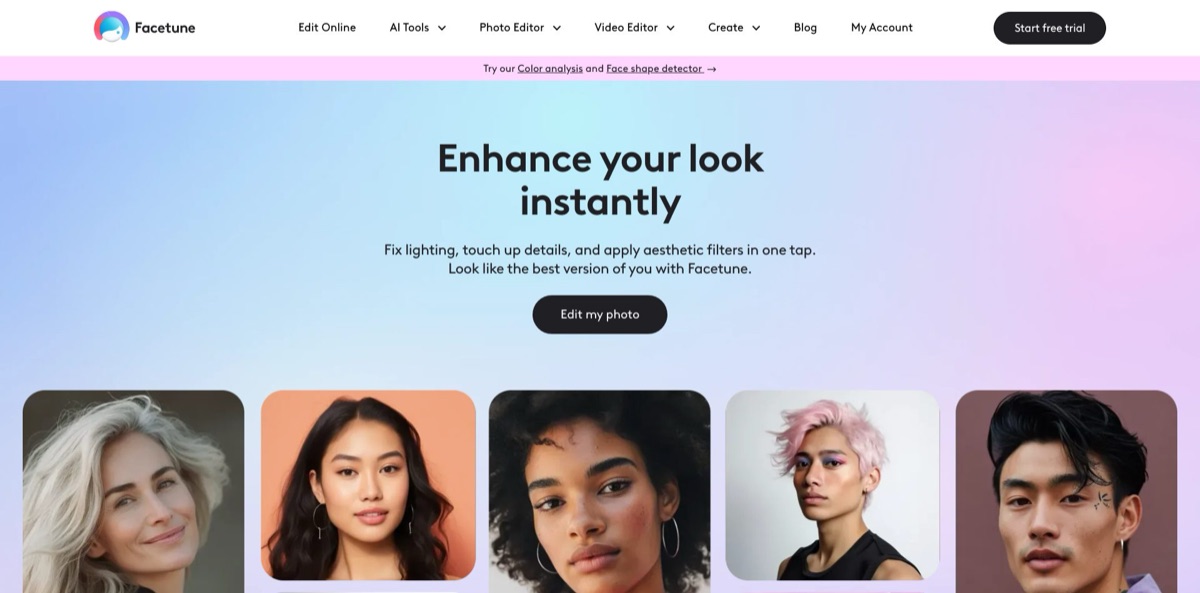
Lightricks released the first version as a selfie retoucher in 2013, and since 2022 it has combined the former Facetune2 and Facetune Video into one subscription editor for iOS, Android and the browser. It detects the face in a photo or clip, so Smooth, Reshape, Whiten, makeup Looks, hairstyle and hair color try-on, beard filters and the outfit changer act on the right area instead of the whole frame. Around that sit Vanish object removal, background removal, filters, lighting and one-tap Enhance, plus AI Headshots trained on 10 to 15 of your own photos. The value is speed: a polished selfie or Reel takes seconds, not a desktop session. The weak spots are billing and the paywall: most tools need the VIP plan, free saves are capped weekly, and independent reviews are dominated by trial-charge complaints. Choose it if you edit faces often enough to pay for it.
How to start using Facetune?
Install the app from the App Store (iOS 17 or later) or Google Play, or open the online editor on facetuneapp.com in Chrome, Safari, Edge or Firefox on a PC, Mac or Chromebook. The download is free, and the Start free trial button opens a 7-day VIP trial that turns into a paid plan unless you cancel. The browser version carries a focused set of tools (Looks, Quick edit and skin glow up, Remove object, hair color and hairstyle try-on, One-tap enhance and Headshots), while the app has the full toolset. One subscription covers both, so you sign in with the same account in each.
Your first real job should be an ordinary selfie. Pick a clear, well-lit photo that shows the whole face, because face detection drives most tools; the official FAQ suggests cropping in slightly if the app fails to find a face. Start with Enhance, then remove spots with Heal, conceal under-eyes, whiten teeth with a swipe and apply Smooth at a low strength. Since the October 2026 update, a makeup Look no longer has to be applied at full effect in one tap: you can adjust each facial area separately.
The bigger transformations live in separate tools. Vanish sits under Patch: zoom in and swipe over a stranger, a timestamp or a logo, and the app fills the area. Hair offers more than 20 styles such as Sleek Bun, Butterfly Cut and Glam Blowout, Beard adds Stubble, Goatee or Long Beard, and Custom Outfits lets you upload a screenshot of a garment to see yourself wearing it. Headshots asks for 10 to 15 photos taken in different settings and an active VIP trial, then trains a personal AI model in about 30 minutes.
Before exporting, compare against the original and check edges around hair, ears and glasses, where heavy edits are easiest to spot. Saving writes the result to your gallery, and you can share straight to social apps. Without a subscription, saves carry a watermark and count against a weekly limit. Projects are stored only on the device and are not tied to your account, so edits will not follow you to a new phone.
Who is it for?
Influencers and social creators
You post selfies and Reels daily and do not want every upload to look the same. Looks, hair color presets, outfit swaps and filters give you a new look per post in a couple of taps, and the video editor applies the same face tools to clips for TikTok, Reels and Stories.
Everyday selfie posters
You want a photo that looks like you on a good day, not a different person. Heal, Smooth, Whiten and Enhance handle the usual fixes in under a minute, and the strength sliders keep changes subtle. The free tier lets you try this before paying, within the weekly save cap.
Job seekers and professionals
A studio session costs money and time you may not have before an application deadline. AI Headshots trains on your own selfies and produces corporate, studio or dating-profile portraits for LinkedIn, CVs and workplace profiles, and the browser editor lets you do it at a desk.
Anyone planning a makeover
Thinking about bangs, a blonde phase or a beard? Hairstyle, hair color, beard and nail try-ons show the result on your own face first, and the Color Analysis and Face Shape Detector quizzes suggest palettes and cuts to test.
Online shoppers
Custom Outfits takes a screenshot of clothing from a store and places it on your photo, which helps you judge cut and color before ordering. Results are a preview, not a fitting, but they filter out obvious misses.
Short-form video makers
Retouching every frame by hand is not realistic for a 30-second clip. Facetune’s video tools add skin smoothing, makeup, background blur, filters and background noise removal, so you fix lighting and audio in the same app you post from.
Facetune pricing
The model is freemium with one paid tier, called VIP. The app is free to download and free tools work, but saves are limited per week and exported files carry a watermark until you subscribe. VIP opens every tool and early access to new effects, including AI Headshots, the clothes changer, beard filters, retouch tools and virtual hair and nails, and every plan starts with a 7-day free trial. The prices below come from the official pricing page on facetuneapp.com, which labels them as web-only offers whose final price may vary. Subscriptions bought inside the iOS or Android app are billed by Apple or Google at their own price points; the US App Store lists in-app purchases ranging from $5.99 to $77.99.
Basic editing with a weekly save limit, a watermark on exports and ads on Android. Good enough to see whether face detection works on your photos.
Full VIP access with the 7-day trial. The pricing page itself warns that this is the most expensive option over time.
All features and tools, billed four times a year.
Marked as the most popular plan and described as saving about 50% against paying monthly. All features for twelve months with a single renewal.
The FAQ confirms a one-time purchase for lifetime VIP access, but no price is published on the site, so check the current offer inside the app.
You cannot switch plans mid-cycle: to move from Monthly to Yearly, cancel and resubscribe when the period ends. Web purchases can be refunded in full within 14 days of the first purchase through support, while App Store and Google Play refunds go through Apple or Google. A web subscription does not appear in your Apple or Google subscription list, so you manage it in the website’s account dashboard.
Facetune key features
Face-aware retouching
Heal removes spots and scars, Smooth evens skin, Conceal brightens under-eyes, Whiten fixes teeth and Reshape adjusts facial features with small, precise changes. Because the app locates the face first, each tool affects only the area you target.
Looks and virtual makeup
The Beauty Looks feed offers ready-made presets from natural to dramatic, and individual tools cover eyeliner, lipstick, blush, contour and brows. After the October 2026 update you can fine-tune each facial area inside a Look instead of accepting the full preset. That makes one-tap makeup usable for people who want a lighter result.
Hair, beard and outfit try-on
More than 20 hairstyles, rainbow and natural hair color presets, bangs, beard styles and nail shapes show a change on your own face before you commit to it. The Clothes tool swaps outfits, and Custom Outfits, the newest addition in the release notes, takes any outfit photo or screenshot and places it on you. Treat these as previews of a look rather than exact renderings.
Vanish, background and lighting tools
Vanish, found under Patch, removes people, text, timestamps and logos when you swipe over them. Background remover cuts you out for a new backdrop, and shadow removal and the image brightener fix uneven light on faces. These cover most cleanup jobs for social posts without a second app.
AI Headshots
You upload 10 to 15 photos from different settings, start the VIP trial and wait about 30 minutes while a personal model trains. After that you can generate new professional portraits for LinkedIn, CVs or dating profiles whenever you want a fresh style. Use varied, sharp source photos, because the model copies what it sees.
Video editor
The same face editor, makeup, skin and hair color tools work on video, alongside background blur, filters, effects and background noise removal. You can share finished clips straight to TikTok, Instagram Reels and Stories from the app. According to the video editor page, editing works both online and offline.
Browser editor
Facetune now runs in any modern browser on Windows, macOS, ChromeOS, tablets and phones, with no installation. It offers a subset of the app (Looks, quick retouch, object removal, hair try-on, one-tap enhance and Headshots), and your subscription carries over. It is handy for photos already on a laptop and for fine work with a mouse.
Facetune Pros & Cons
Pros
Facetune is fast at the job it was built for. Face detection means every retouch, makeup and hair tool lands on the right area, and strength sliders let you stay subtle, which long-time users single out as its main advantage. The feature set is broad for one subscription: photo and video retouching, object and background removal, hair, beard and outfit try-on, and AI Headshots. Updates arrive almost weekly, and the browser editor now covers desktop work without an emulator. Ratings of 4.6 on the App Store and 4.4 on Google Play from hundreds of thousands of reviews show the editing itself satisfies most people. Start with the free tier and confirm the app detects your face reliably before paying.
Cons
Billing is the recurring problem. The 7-day trial converts into a paid plan automatically, web subscriptions do not show in Apple or Google settings, and dozens of Trustpilot reviews describe charges after cancelling and refused refunds. The free tier is thin, with weekly save limits and watermarks, and Android users report that tools once free moved behind the paywall. Some users also find face detection unreliable at unusual angles, and one long-time user complains about the before-and-after video generated on every save. At $25 a month, the monthly plan is expensive for a phone editor. Cancel well before renewal, and keep the confirmation email.
Use Facetune if you want…
- Retouch selfies quickly while still looking like yourself.
- Try new hairstyles, hair colors and beards before committing.
- Apply virtual makeup looks to photos and videos.
- Remove photobombers, text and clutter from pictures.
- Create professional AI headshots from your own selfies.
- See yourself in outfits from online store screenshots.
- Polish Reels and TikTok clips with face-aware tools.
- Edit portraits in a browser on PC or Mac.
Facetune alternatives

Facetune Reviews
A user of nearly ten years on the App Store praises how finely and subtly the tools can be applied, but finds the painting tool weak, says face detection fails at some angles, and dislikes the before-and-after video forced on every save.
Another App Store reviewer likes running AI auto-enhance at about 20% strength to stay recognizable, yet prefers FaceApp for hair volume options and wishes more tools were free, as in AirBrush.
Long-time Android users on Google Play say they tolerated some tools being locked over the years, but deleted the app once core retouching tools also moved behind the subscription.
Most Trustpilot reviews are one-star billing complaints: charges after cancelling a trial, web subscriptions missing from the Apple subscription list, and refused refunds; one reviewer also found the face and color analysis inaccurate but did get a refund from support.
A recent Product Hunt reviewer finds the photo and video editing approachable, but wants the trial, billing and refund process to be as polished as the editor.
FAQ
Is Facetune free?
The app is free to download, and free tools can be used and saved, but saves are limited each week and carry a watermark. Full access requires the VIP subscription, which starts with a 7-day free trial.
How much does Facetune cost?
On facetuneapp.com, VIP costs $25 per month, $40 every 3 months or $77.99 per year. Plans bought through the App Store or Google Play use the store’s own prices, which can differ by country.
How do I cancel my Facetune subscription?
For web subscriptions, log in to My Account on facetuneapp.com and click Cancel Subscription at least 48 hours before renewal. For App Store or Google Play subscriptions, cancel in your device’s subscription settings; deleting the app does not cancel anything.
Can I get a refund?
Web purchases qualify for a full refund within 14 days of the first purchase if you contact support with your receipt and checkout email. App Store and Google Play purchases are refunded only through Apple or Google.
Can I use Facetune on a PC or Mac?
Yes. The online editor runs in Chrome, Safari, Edge or Firefox with nothing to install. It offers a focused set of tools, while the mobile app keeps the full range, and one subscription works in both.
Does Facetune store my photos?
App projects are saved only on your device and do not sync between phones. Lightricks says AI features process photos securely on its servers, that photos are not used to train its AI without explicit consent, and that account deletion removes personal data within 30 days.
Can Facetune edit videos?
Yes. The app retouches faces in video, adds makeup, blurs backgrounds, applies filters and removes background noise, then shares clips directly to social platforms.
Who can use Facetune?
Facetune is intended for users aged 13 and older. The iOS app is available in English and 31 other languages, including Spanish, German, Japanese and Ukrainian.
Similar tools
 HamaFree browser-based AI eraser that removes people, objects, text and blemishes from photos with a brush, plus an inpainting API for developers.
 BgEraserBrowser-based AI background remover that turns up to 20 photos per batch into transparent PNGs without an account, plus offline apps for
 ImgkitsBrowser-based set of AI photo tools for background removal, object cleanup, upscaling, old photo restoration, image generation and image-to-video.