

Fin
Customer SupportUpdated October 18, 2026
AI customer service agent from the makers of Intercom that answers and resolves support queries across chat, email, voice and messaging apps.
We may earn a commission when you sign up through our links. It does not affect our reviews.
What is Fin?
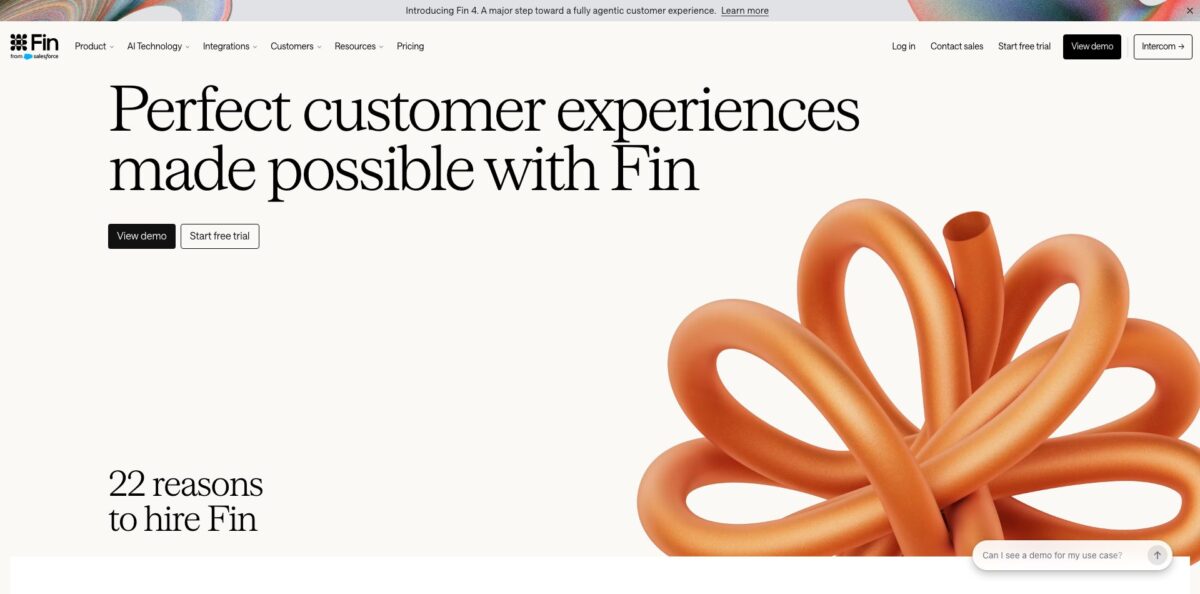
Fin is an AI customer service agent that answers and resolves customer conversations over chat, email, phone, messaging apps and Slack, either inside the Intercom helpdesk or on top of Zendesk, Salesforce, HubSpot, Freshdesk and other platforms. It grounds replies in your help center, documents and policies, runs on the vendor’s own Apex models, and can take actions such as refunds or account changes through Procedures and data connectors. The company behind it, formerly Intercom, renamed itself Fin in May 2026, and Salesforce completed its acquisition in September 2026. The vendor reports a 76% average resolution rate across more than 12,000 customers. The weak spots are cost predictability, since every resolved conversation is billed, and answer quality that depends heavily on how clean your knowledge base is. Choose it if you handle a steady volume of repeatable support questions; a team with a few tickets a week will struggle to justify it.
How to start using Fin?
Start at fin.ai with the “Start free trial” button. The trial runs for 14 days, needs no credit card and gives you unlimited Fin outcomes with no seat limits. You then pick a path: run Fin inside the Intercom helpdesk, or connect it to the helpdesk you already use. On Intercom, the help docs list a few prerequisites before Fin can talk to customers: install the Messenger on your site or app, have at least 10 public Help Center articles live, connect your channels under Settings > Channels, and have someone with billing permissions accept the AI terms.
Next, train it. Under Fin AI Agent > Train > Content you add the sources Fin may answer from: public articles, documents, snippets and public URLs. Train > Guidance takes plain-language rules on tone, terminology and policies, for example how to talk about refunds or which topics to avoid. Optional escalation guidance tells Fin when to hand over, such as after repeated questions or visible frustration. If you want Fin to act rather than only answer, write a Procedure in natural language and attach a data connector to systems like Stripe or Shopify.
Before customers see anything, open Fin AI Agent > Test. You can generate test questions from past conversations, bulk upload a CSV or type questions by hand, then mark each answer “Good” or “Poor.” For poor answers you see which content, guidance or personality settings Fin used, along with suggestions to fix them. The Messenger preview on the Deploy > Chat page lets you try the full experience without being charged, although each preview still creates a conversation in your inbox.
To go live, use Simple deploy under Deploy > Chat. Click “+ Add audience rule” and limit Fin to a small group first, for instance contacts whose email contains your own company domain. Choose channels such as Web, iOS, Android, WhatsApp, Slack, Facebook, Instagram or SMS, set the handover team, write the intro message and click Set Fin Live. Live test conversations are billed per outcome, while requests for a human are not counted. After launch, the Analyze area shows Performance, Topics Explorer, Optimize and Conversations dashboards so you can keep tuning.
Who is it for?
Support leaders at SaaS companies
Your queue is full of the same password, billing and how-to questions. Fin answers them from your help center around the clock and hands the rest to your team with the conversation context, so agents spend their time on the tickets that actually need judgment.
Zendesk or Salesforce shops that do not want to migrate
You like your current helpdesk and have no appetite for a platform switch. Fin connects through API, syncs Help Center content and routing rules, and the vendor says most teams go live in under an hour, with no per-agent fees on the standalone plan.
Ecommerce operators
Order status, returns and cancellations make up most of your contacts. With Procedures and connectors such as Shopify, Fin can check an order in real time and process the change, instead of pasting a link to the returns policy.
Fintech and regulated businesses
You need automation but also audit trails and certifications. Fin lists SOC 2 Type II, ISO 27001, ISO 42001, ISO 27701 and HIPAA support, plus data hosting in the US, EU or Australia, which shortens security reviews.
Global support teams
Customers write in many languages and you cannot staff every one. Fin detects the customer’s language automatically and works in 45 languages on social messaging channels, with voice options across 28 languages.
CX operations managers
You own reporting, QA and knowledge upkeep. The Pro add-on brings AI Topics, CX Score, custom scorecards and Operator, an agent that drafts fixes to content and Procedures for your approval.
Fin pricing
Fin uses outcome-based pricing: you pay $0.99 each time Fin resolves a conversation, completes a Procedure you configured to end in a handoff, or completes a sales routing such as a disqualification. You are charged once per conversation even if Fin answers several questions, and nothing is billed when a conversation is simply passed to your team. A “resolution” also counts when the customer stops asking for help after Fin’s last answer, so silent drop-offs are billable. If you run Fin inside Intercom, helpdesk seats are charged on top. All prices are in USD, and alerts and hard limits help you control spend.
Unlimited Fin outcomes, no credit card, no seat minimums or maximums.
Minimum of 50 outcomes per month, unlimited teammates with no seat fees, no setup or integration fees. Works with Salesforce, Zendesk, HubSpot, Freshworks, Front, Zoho, Gorgias and others. Sales qualifications cost $9.99 each.
The pricing page is currently showing a reduced $19 annual rate to some visitors. Includes Messenger live chat, shared inbox, ticketing and a public help center.
Adds the workflow automation builder, multiple team inboxes, round robin assignment, a multilingual help center and 20 free Lite seats.
Adds SSO, HIPAA support, SLAs, multibrand Messenger and 50 free Lite seats.
Includes analysis of 500 conversations a month, 6,000 Operator credits, CX Score, AI Topics, Monitors and scorecards. Extra credits cost $0.01 each.
Every agent gets 10 free Copilot conversations a month.
Custom. Quote-based and currently available to select customers through sales.
Startups can apply to the Early Stage program, which offers a year of Fin free and 93% off Intercom.
Fin key features
Outcome-priced AI agent on any helpdesk: Fin runs natively in Intercom but also connects via API to Zendesk, Salesforce, HubSpot, Freshdesk and more, syncing help center content, customer data and routing rules. You keep your existing reporting, because Fin’s activity is logged in the helpdesk you already use.
Procedures for multi-step work: you describe a process in natural language, add if/else branches or code for strict rules, and connect systems like Stripe, Shopify or Linear through data connectors or MCP. Fin reasons at each turn, so it can skip steps or switch Procedures when a customer changes direction. This is what moves Fin from answering questions to issuing refunds or updating accounts.
Every major channel from one knowledge base: Fin works over Messenger on web, iOS and Android, email from your domain, WhatsApp, Instagram, Facebook Messenger, SMS, Discord, Slack and phone through Fin Voice. There is no per-channel training, since the same content and guidance apply everywhere. The Fin Agent API lets you embed it in your own app under your brand.
Simulations and regression tests: an AI plays the customer, runs full conversations against Fin and judges them against success criteria you set. You can save Simulations and rerun them whenever a Procedure changes, and AI can draft new tests for you. Expect this to be your main safety net before each release.
Apex models built for support: Fin runs on proprietary Apex models trained on customer service interactions, with Apex Flash 2.0 tuned for low-latency voice. The vendor reports Apex 2.0 delivers 8.6% more confirmed resolutions and 16.5% fewer hallucinations than Apex 1.0. When confidence thresholds are not met, Fin escalates instead of guessing.
Operator and Human in the Loop (Fin 4): Operator is a back-office agent that reviews performance, drafts content and Procedure changes into a release for your approval, and can run scheduled Routines. With Human in the Loop, Fin asks a teammate for approval or missing information and then finishes the conversation itself. Both aim to resolve more without losing human control.
Enterprise security: SOC 2 Type II, ISO 27001, ISO 27701, ISO 42001, HIPAA and GDPR/CCPA compliance, SSO with Okta, Azure AD and OneLogin, SCIM and a 99.8% SLA. Fin can use anonymized customer data for fine-tuning, and you can opt out with deletion within 30 days.
Fin Pros & Cons
Pros
Fin is one of the most complete AI support agents you can buy without a long services contract. Setup is self-serve, the free trial is generous, and the standalone plan lets you run it on Zendesk or Salesforce with no seat fees. Users on Product Hunt and G2 most often praise how much repetitive ticket volume it absorbs and how smoothly it hands off to a human with context. Procedures, data connectors and MCP let it complete real tasks, and the testing suite with Simulations and regression runs is stronger than what most rivals offer. Security certifications and regional hosting cover what enterprise buyers usually ask for. Start with your top ten ticket types and measure resolution on those before expanding.
Cons
Cost is the recurring complaint. Every resolution costs $0.99, a customer who simply goes quiet counts as resolved, and Intercom seats and add-ons sit on top, so bills grow with success and can spike during launches. Reviewers on Capterra and G2 report that Fin struggles with highly technical or unusual questions and can give outdated answers when help center content lags behind the product. Connecting account-specific data from external systems is not plug-and-play and usually needs someone technical. The Salesforce acquisition also leaves the long-term roadmap and pricing open to change. Set a hard monthly limit in billing and audit a sample of resolved conversations every week.
Use Fin if you want…
- Resolve repetitive support tickets without adding headcount.
- Add an AI agent to Zendesk without migrating.
- Automate refunds, cancellations and account changes end to end.
- Answer customers on chat, email, WhatsApp and phone.
- Pay only for conversations the AI actually resolves.
- Test AI answers with simulated customers before launch.
- Support customers in dozens of languages around the clock.
- Embed a branded support agent in your own app.
Fin alternatives




Fin Reviews
Handles routine questions like FAQs, order status and basic troubleshooting well once the knowledge base is in place, and the handoff to a human feels smooth; off-script questions and requests that need account data from other systems are harder, and the integration needs someone technical.
The AI itself works, but costs climb with usage; one team with 40 agents reported its monthly bill more than doubling after turning Fin on, without a matching gain in productivity.
Cuts down the volume of repetitive tickets reaching the team, though it has trouble with very technical or uncommon questions and is not always accurate.
Per-resolution pricing feels fairer than token-based billing and Fin helps keep content updated, but internal IT support use cases need more advanced automation rules than it offers.
Strong frontline coverage for small teams, but the $0.99 per resolution charge adds up quickly at scale and answers can be outdated if help articles are not maintained.
FAQ
Is there a free plan for Fin?
No, there is no permanent free plan. You get a 14-day free trial with unlimited outcomes and no credit card, and eligible startups can apply for a free year of Fin through the Early Stage program.
What counts as a billable Fin outcome?
You pay $0.99 when Fin resolves a conversation, including when the customer asks for no further help after its last answer, or when it completes a Procedure that ends in a handoff. Conversations simply passed to your team without an outcome are not charged.
Can I use Fin without switching to Intercom?
Yes. Fin works with Zendesk, Salesforce, HubSpot, Freshworks, Front, Zoho, Gorgias and other helpdesks at $0.99 per outcome with a 50-outcome monthly minimum and no seat fees.
Does Fin use my data to train its models?
Fin can use anonymized customer data for fine-tuning, and you can opt out at any time with data deleted within 30 days. Third-party AI providers are contractually barred from training on your data.
Which languages does Fin support?
Fin detects the customer’s language automatically and supports 45 languages on social messaging channels. Fin Voice offers voice options across 28 languages.
Does Fin have an API?
Yes. The Fin Agent API lets you embed Fin in your own app or portal under your brand, and the separate Fin API Platform gives developers access to the underlying Apex, retrieval and reranker models.
Who owns Fin now?
Intercom renamed the company to Fin in May 2026, keeping Intercom as the helpdesk product name. Salesforce completed its acquisition of Fin on September 10, 2026, and says Fin will continue serving its customers.
Can I cancel at any time?
Essential and Advanced are available as monthly or annual self-serve plans, and contracts are optional unless you need enterprise terms. Standalone Fin on another helpdesk has a minimum monthly commitment, so check terms with sales.
Similar tools
 Level AIContact center AI platform that scores every call, chat and email, runs voice and chat virtual agents, and gives live agents real-time
 TelozAI cloud contact center and business phone system with an AI receptionist, omnichannel inbox, dialers and live analytics for US teams.
 CallbellShared team inbox for WhatsApp, Messenger, Instagram, Telegram and TikTok with a no-code bot builder, AI agents and WhatsApp broadcasts.