

Firstup
AI AssistantsUpdated November 20, 2026
Enterprise employee communications platform with AI search, AI writing help and targeted delivery to app, email, intranet and signage.
We may earn a commission when you sign up through our links. It does not affect our reviews.
What is Firstup?
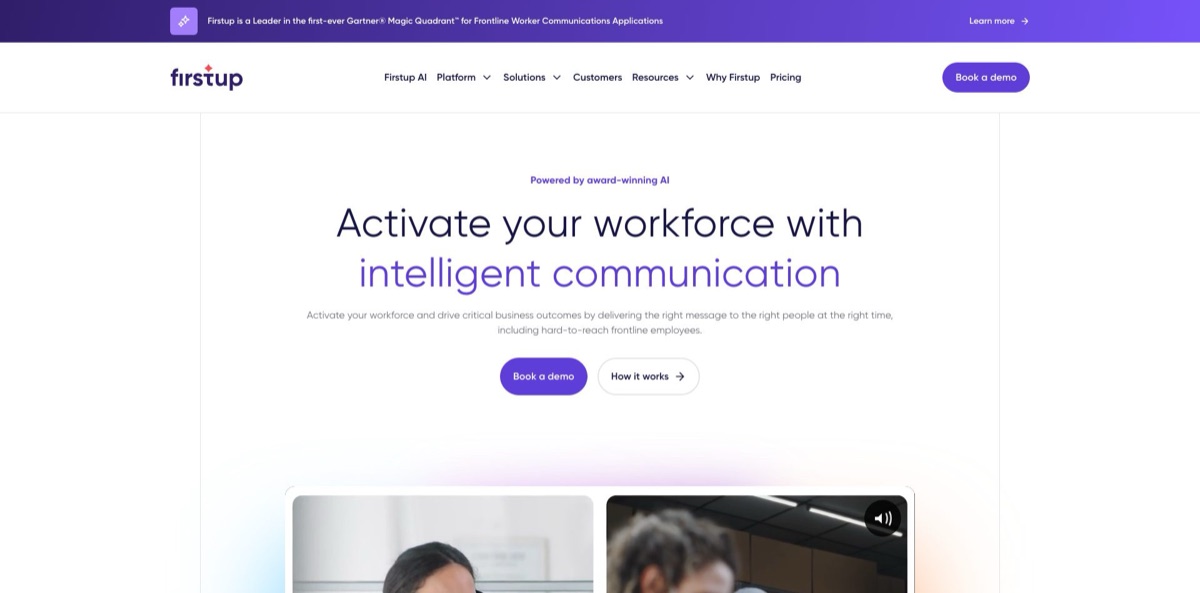
Firstup is an enterprise workforce communications platform, created when SocialChorus and Dynamic Signal completed their merger in August 2021 and later united under one brand. Internal comms, HR and IT teams write a campaign once in Creator Studio and deliver it to a branded mobile app, email, a web intranet and digital signage, targeted with HR data such as role, shift and location. The AI layer sits on top: AI Search answers employee questions in plain language across Firstup content and connected systems like Workday, ServiceNow and SharePoint, AI Content Creator rewrites drafts through OpenAI’s enterprise API, and machine learning picks the channel and send time for each person. The weak spot is access: there is no free plan or self-serve trial, every tier is quote-only, and admins describe the back end as complex. It suits large organizations with many deskless workers and a dedicated comms team.
How to start using Firstup?
There is no sign-up form. You begin with Book a demo on the homepage or Talk to sales on the pricing page, and Firstup promises a reply within one business day with plan recommendations, a pricing overview, an implementation approach and rollout timelines. Once you sign, the implementation team works through security, user management and integration planning with you. The most important early step is feeding employee data from your HRIS, Active Directory or other databases into the Universal Employee Profile through REST APIs, SCIM or flat-file transfer, because every audience you build later depends on those attributes.
Your first real job is usually a campaign. Sign in to Creator Studio with a role that has campaign permissions, open Create in the left navigation and choose Campaign, or press Create Campaign on the Campaigns page. Pick Blank, a simple template or a pre-designed template, then use + Add block to insert text, images, video, polls or links. Drafts autosave after 30 seconds once a template is selected or a block is added, and you find them later on the Draft tab. The Style tab sets fonts and colors for the whole campaign, while the Cover tab controls how the post looks in the app feed.
The AI tools live behind a small AI icon. Before anyone sees it, a Brand Super Admin has to accept the Generative AI Product Attachment, which includes OpenAI’s terms, and switch the features on under Configure, then Administration, then AI Settings. After that, add text to a block, click the AI icon and pick Improve writing, Fix spelling and grammar, Use concise language or Change tone, with Professional, Casual, Straightforward, Confident and Friendly as the tone presets. Choose Apply or Cancel; an applied rewrite cannot be reverted, so keep a copy of the original wording. The same icon drafts titles, descriptions, email subject lines, preview text and push notification copy.
When the content is ready, press Preview to send yourself a test email. Click Deliver to set the audience and channels, then Review to check the campaign summary and projected delivery before you schedule it or press Publish. Content Creators without publishing rights can save the campaign as a draft for an admin to approve. After it goes out, Engagement Insights tracks reach, opens, time spent and acknowledgments per channel, and retargeting can resend the message to people who have not acted yet. Note that scheduled or published campaigns stop autosaving, so save every later edit by hand.
Ask sales to put AI Search and the Microsoft Teams integration into the first quote, since neither is included below the Premier tier.
Who is it for?
Internal communications leads
You run newsletters, leadership updates and change campaigns for tens of thousands of people across sites and shifts. Firstup lets you publish once to app, email, web and signage, then see who opened and acknowledged. The AI writing tools shorten the edit cycle on long policy updates.
HR and people teams
Onboarding, open enrollment and benefits changes need the right message on the right day for each employee. The Premier journey builder fires messages on start dates, promotions or returns from leave and adapts each path to what the person has done. Employees also check payslips and time-off balances from Workday inside the app.
Frontline operations and safety managers
Plant floors, stores, airports and hospitals are full of people without a corporate inbox. Targeted alerts by role, shift or location, plus digital signage and push notifications, put safety updates where those workers look. Behavioral audiences then chase only the people who have not acknowledged a new protocol.
IT and digital workplace teams
Your employees jump between Workday, ServiceNow, SharePoint and a dozen portals. AI Search answers questions across those systems with permissions respected, and Search MCP brings Firstup content into ChatGPT and Microsoft Copilot. SOC 2 Type 2 compliance and ISO 27001 and ISO 42001 certifications help the security review go faster.
Executives and communications directors
Leadership wants proof that messages landed. The Executive Summary Dashboard rolls up reach and engagement trends, and AI Insights labels comment sentiment so you can spot pushback early. Data export to Power BI or Tableau puts comms numbers next to business results.
Firstup pricing
Firstup does not publish prices. The pricing page says the platform is billed per user, per month, on annual commitments, and that the cost depends on the tier and the number of licensed users. A user is anyone who can be reached through any channel on the platform, so frontline staff who only receive email still count. Volume discounts apply as user counts grow, and implementation and consulting services are offered on top. Each of the three tiers carries a Get a Quote button, and some features are marked as paid add-ons within a tier.
Custom quote. Covers email, web and a company-branded mobile app from one publish action, Audience Builder based on HR data, Creator Studio with a shared campaign calendar, automatic retargeting and campaign analytics on reach and opens. AI Search, personalized homepages, knowledge hubs and Microsoft Intune deployment are paid add-ons, and AI Content Creator is not included.
Custom quote. Adds AI Content Creator, brand-governed templates, Engagement Boost for machine-learning send timing, behavioral targeting, embedded widgets for tools like SharePoint and ServiceNow, employee posts, polls, translations, the executive dashboard, AI Insights sentiment and data export. AI Search, the Teams integration, the white-label app and advanced translations cost extra.
Custom quote. Adds the no-code journey builder with date and event triggers, decision splits, countdowns and daily journey analytics, plus personalized homepages, knowledge hubs, AI Search, Search MCP, integrated document search, an employee directory and self-service integrations with ADP, SAP Concur, ServiceNow, Zendesk, UKG, Workday, Dayforce and SAP SuccessFactors. The white-label app, advanced translations and Intune remain add-ons.
Firstup key features
AI Search
Employees type a question in their own words and get a direct answer drawn from Firstup content and connected systems such as Workday, ServiceNow, SharePoint, ADP, Concur and UKG Pro. Answers are personalized by role, location and permissions, cite their sources and keep context for follow-up questions. It also runs inside Microsoft Teams, and Search MCP exposes the same content to ChatGPT and Microsoft Copilot.
AI Content Creator
Communicators rewrite drafts, fix grammar, shorten copy or change tone, and generate titles, descriptions, email subject lines and push text from the content already written. Employees get the same options in Comment Assist when they reply to posts. Every suggestion needs a click to apply, and Firstup states that none of it is trained on customer data.
Engagement Boost and retargeting
A machine-learning model decides who should be notified, on which channel and at what time, to avoid flooding inboxes. Retargeting resends critical campaigns through alternative channels to people who have not engaged or acted, while skipping those who already did. Messages keep working until the required action is done, without manual list pulls.
Behavioral audiences
Audience Builder combines HR attributes from the Universal Employee Profile with behavior inside Firstup, such as who acknowledged an update, clicked a link, answered a poll or watched a video. These audiences update on their own as employees act. You can send a reminder only to people who skipped a new policy and leave everyone else alone.
Journey orchestration
On the Premier tier, a no-code visual builder chains messages, waits, decision splits and channel routing into automated journeys, with templates for onboarding, benefits enrollment and change management. Date and event triggers start a journey on a first day, a promotion or a return from leave. Daily journey analytics show where people drop off.
AI Insights and analytics
Engagement Insights tracks reach, impressions, opens, time spent, acknowledgments and reactions by campaign, topic and initiative. AI Insights runs sentiment analysis on employee comments and labels each campaign positive, negative, neutral or mixed. Data export sends results to Power BI or Tableau, and QR code scans show how printed notices drive people online.
Multichannel delivery
One publish action covers the native iOS and Android app, email and the web experience, and campaigns can also go to Teams channels and digital signage screens. Frontline workers can sign in without SSO, and campaigns can be translated into each employee’s language. A white-label app with your own name and icon is available as an add-on.
Firstup Pros & Cons
Pros
Firstup is built for reach. A single campaign goes to the app, email, web, Teams and break-room screens, and the targeting can slice the workforce by role, shift, location and past behavior. Reviewers keep returning to that targeting depth and the per-group metrics as the main reason they bought it. The AI features stay grounded: search answers cite sources, rewrites need an explicit Apply, and admins control every toggle. Security paperwork is strong, with SOC 2 Type 2, ISO 27001 and ISO 42001 for responsible AI, and Gartner named Firstup a Leader in its 2026 Magic Quadrant for frontline worker communications. Ask for a reference customer in your own industry to confirm how adoption looked after launch.
Cons
You cannot try Firstup before talking to sales, and no price appears anywhere on the site. The most useful AI pieces, AI Search and Search MCP, are paid add-ons unless you buy Premier, and AI Actions and AI Audience Builder are still marked as coming soon. AI Content Creator depends on OpenAI and needs a separate legal attachment, which can slow approval in regulated companies. Reviewers describe a complicated back end that is hard to train new admins on, occasional reporting inconsistencies and an email editor with limited layout options. Plan for at least one person who owns the platform full time.
Use Firstup if you want…
- Reach deskless workers through a branded mobile app.
- Publish one campaign to app, email and signage.
- Target messages by role, shift, location and behavior.
- Answer employee questions with AI search across systems.
- Rewrite policy updates in a clearer, friendlier tone.
- Automate onboarding and benefits journeys from HR triggers.
- Chase unacknowledged safety notices without manual lists.
- Track employee sentiment on comments with AI.
- Bring company content into Teams, ChatGPT and Copilot.
Firstup alternatives
Firstup Reviews
Comms teams value being able to target messages at specific employee groups and then see detailed metrics on how each group engaged, although some say the metrics are not always consistent between reports.
Admins praise the advanced targeting by location, role and shift, but warn that the back end is complicated and hard to teach to new colleagues, so it works best with people who can specialize in it.
The post, newsletter and email templates are easy to use and upgrades arrive regularly, yet reviewers ask for more accessibility features for readers and more robust reporting options for administrators.
The email builder is simple to pick up, but organizations that rely heavily on email want more capabilities and creative image options inside the email tool.
The app looks professional and the team helped set up single sign-on, though one IT admin reports past multi-hour outages and a cumbersome process for pushing app updates through the Apple App Store.
FAQ
Does Firstup have a free plan or free trial?
No. All three tiers, Essential, Professional and Premier, are sold through a sales quote, and you start by booking a demo.
How is Firstup priced?
Pricing is per user, per month, on an annual commitment, and depends on the tier and the number of licensed users. A user is anyone reachable through any Firstup channel, and volume discounts apply at larger counts.
Which AI model powers Firstup AI Content Creator?
AI Content Creator runs through an integration with OpenAI’s Enterprise API, not the Azure-hosted version. It is opt-in, and a Brand Super Admin enables it after the company accepts Firstup’s Generative AI Product Attachment.
Is my company data used to train AI models?
Firstup states that customer data is never used to train AI models. OpenAI may keep API inputs and outputs for up to 30 days for abuse monitoring, and Firstup advises against entering sensitive personal data such as government IDs or health information.
Does Firstup work with Microsoft Teams and Copilot?
Yes. AI Search works inside Teams, and Search MCP connects Firstup content to Microsoft Copilot and ChatGPT through the Model Context Protocol. The Teams integration is an add-on on Professional and included in Premier, while Search MCP is included in Premier.
Can frontline workers without a company email use Firstup?
Yes. The native iOS and Android app installs from the public app stores and supports non-SSO sign-in, biometric login and push notifications. Digital signage covers people who never open an app.
Does Firstup translate messages?
Campaigns can be translated into each employee’s language across channels, using the languages supported by AWS translation. Advanced Translations, which publishes automatically to a topic preset to a specific language, is a paid add-on.
What security certifications does Firstup hold?
Firstup lists SOC 2 Type 2 compliance and ISO 27001 and ISO 42001 certification, along with GDPR and CCPA commitments. Data is hosted on AWS, encrypted with AES-256 at rest and TLS 1.2 in transit, with a 99.99% uptime commitment.
Similar tools
 MyMapAI canvas that turns a prompt, PDF or YouTube link into editable mind maps, flowcharts, SWOTs, genograms and slides, with GPT, Claude
 VapiDeveloper platform for building, testing and running voice AI agents that answer and place phone calls or talk to users inside apps.
 ChatPRDAI workspace for product managers that drafts PRDs and specs from your tools, reviews them like a CPO and feeds them to