

FormX.ai
Data AnalysisUpdated November 19, 2026
Document extraction platform that turns invoices, receipts, IDs and bank statements into structured JSON or Excel with pre-built or custom-trained AI models.
We may earn a commission when you sign up through our links. It does not affect our reviews.
What is FormX.ai?
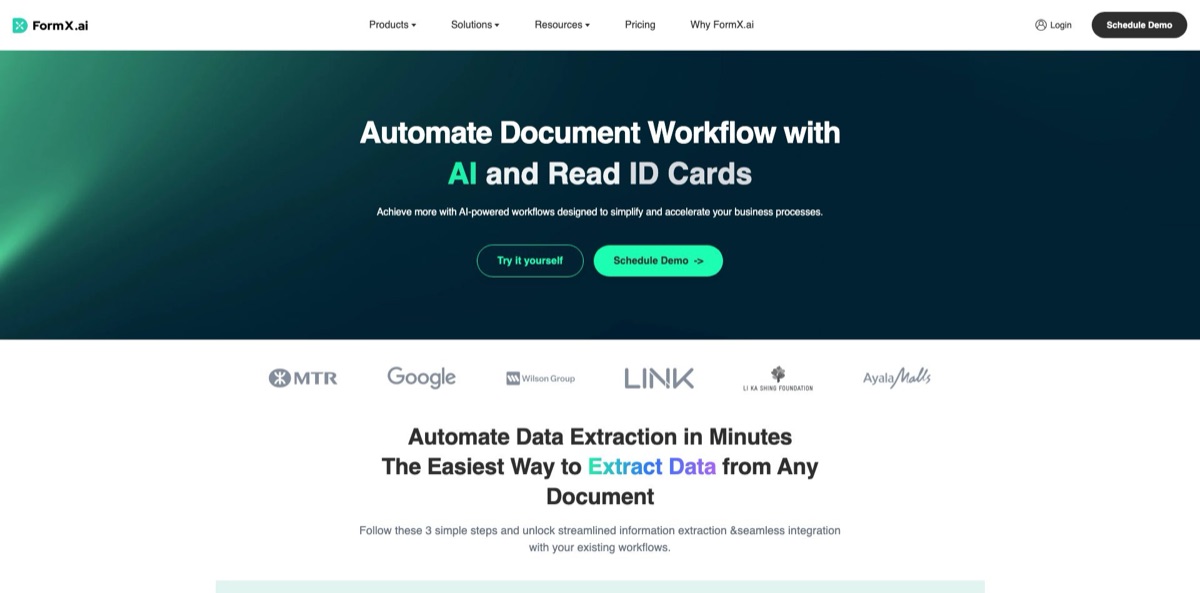
FormX.ai is an intelligent document processing platform from Hong Kong software studio Oursky, part of the SkyMakers Digital group. You send it a photo, scan or PDF of an invoice, receipt, ID card, bank statement or bill of lading, and it returns the fields you defined as structured JSON, or as Excel from its batch Workspace. Pre-built extractors cover the common documents, while custom models train on as few as three labeled samples and keep improving as you correct their output. The product is API-first, with a REST endpoint and mobile capture SDKs, and its web portal lets non-developers set up extractors. Its weak spots are the jump from pay-as-you-go to a $299 per extractor Starter plan, advanced features reserved for Enterprise, and accuracy that drops on messy layouts. Pick it if you process recurring business documents at volume and want the data inside your own systems.
How to start using FormX.ai?
You can try the engine before you create an account: the free web converters on formx.ai, such as the bank statement converter, need no signup. For your own extractors, click Try it yourself, register on the FormX Portal at formextractorai.com, and the first 100 pages are free. Create a team and pick its server location at that point, because the docs say the location where data is stored and processed cannot be changed later. Invite colleagues from Manage Team as Admin, Editor or Read Only.
Next, click Create new extractor. For invoices, receipts, IDs and passports, address proofs, bank statements or bills of lading, start from a pre-built extractor. For anything else, choose Custom Model Extractor, enter a Document Type in full words (“Air Waybill”, not “AWB”), then use Add New Field to set a Field Name, a Field Type (single-line text, multi-line text, date or table) and a short description that tells the model what you want. Forms with a fixed layout can use the Fixed Layout Extractor instead, where you mark anchors and data areas on one master image.
On the Instant Model tab, upload your first real sample and check the result. If a value is wrong, click Correct the data, fix it and save it as a sample, then repeat with the next document. When the output looks right, click “Yes, they look good”. If three samples are not enough, switch to Standard Model and label ten more before training. Use the Formatter tab to strip characters, keep only English or Chinese text, or force month-first dates, and confirm every change on the Test tab.
To go live, open the Extract tab for integration details, copy the extractor ID and access token from the portal and call the /v2/extract endpoint, adding the async header for long files so requests do not time out. Non-developers can open the Workspaces tab, click Create new workspace, link the extractor, drag in a batch and use Export as Excel once each file shows Extracted. Choose Pay-as-you-go or Starter on the Plans & Billing page and keep an eye on the Usage screen, because uploads to Test Extractor and Smart Learning count as pages too.
Who is it for?
Accounts payable teams
Invoices arrive in dozens of supplier layouts, and someone retypes vendor names, totals and line items into the ERP. The pre-built invoice extractor reads line items with name, quantity, unit price and amount, and the API passes them to accounting software or RPA tools such as UiPath. Your clerks move from typing to checking exceptions.
Fintech and lending developers
KYC and affordability checks need ID, passport and bank statement data inside your own app, not in a separate web tool. FormX returns JSON through one REST API, and the iOS, Android, Flutter and React Native SDKs guide users to take a usable photo. Guided capture cuts down on retakes during onboarding.
Retail and mall loyalty programs
Receipt-based rewards depend on reading thousands of shopper photos of uneven quality. The receipt extractor, long-receipt stitching in the SDK and image quality checks catch unreadable uploads before extraction. Campaign staff stop approving receipts by hand.
Logistics operators
Bills of lading, shipping orders and delivery notes pile up as scans and phone photos. A pre-built bill of lading extractor and custom models for your own forms turn them into rows you can export to Excel or send to a webhook. You stop retyping shipment details from paper.
Regulated enterprises
Banks, insurers and public bodies often cannot send documents to a shared cloud. The Enterprise plan offers private cloud deployment and self-managed installs on a single server, VMs or Kubernetes, and FormX states ISO 27001 and SOC 2 Type II compliance. Your compliance team can keep processing on premises.
Small finance teams with occasional batches
Quarter-end brings a pile of statements or receipts, but not enough volume for a subscription. Pay-as-you-go at $0.30 per page with no minimum lets you clear the batch and stop paying. You skip a $299 monthly commitment for one-off work.
FormX.ai pricing
You pay by the page, and the pricing page lists prices in US dollars. A page is one PDF page or one image, so an 11-page PDF counts as 11 pages, and the help center confirms that files uploaded to Test Extractor or Smart Learning count toward usage as well. Every account starts with 100 free pages, used through the web portal or the API. You subscribe and cancel on the Plans & Billing page, while moving up from Pay-as-you-go goes through email.
The first 100 pages are free on any account, enough to test a pre-built extractor or train an Instant Model on your own samples.
There is no minimum commitment, and your card is charged on each day you have usage. Advanced features are not included. It suits low-volume or one-off jobs.
It includes 3,000 pages a month, then $0.10 per extra page, 20 Smart Learning samples, Accuracy Center access for bulk dataset management and community forum support. Split & Classify, AI code mapping, fraud and AI image detection and advanced table extraction are not part of this plan. Unused pages do not roll over; annual billing, which loads a year of pages up front, is arranged by email. You can cancel before the next billing cycle.
Custom. Quote-based, with a custom SLA, a dedicated account manager, onboarding support, private cloud or self-managed deployment and all advanced features, including Split & Classify and fraud detection.
FormX.ai key features
Three ways to build an extractor cover most document situations
Pre-built extractors handle IDs and passports, invoices, receipts, address proofs, bank statements and bills of lading; the Fixed Layout Extractor reads forms from one labeled master image; and the Custom Model Extractor trains on zero to three samples (Instant Model) or ten more labeled ones (Standard Model). You choose the least setup effort that still meets your accuracy target.
Smart Learning turns corrections into training data
When you fix a field, such as an invoice number with an unwanted prefix, FormX saves the correction as a sample and applies it to future documents of that type. Accuracy Center lets you manage samples in bulk and, since October 2026, review production samples with bounding boxes.
AI Analysis adds questions on top of extraction
Each custom model field can now Extract a Value, Match a Code or Ask a Question, where you write plain-language instructions and get back a classification, a yes/no flag or a short summary. The answer arrives in the same result as your extracted fields. You no longer need a separate script to decide whether a contract is a lease or an invoice needs review.
Workspace handles batch jobs inside the portal
Drag in PDFs, JPGs, PNGs or WebP files, watch each one move to Extracted and export the results to Excel or JSON; since February 2026 uploads can reach 500MB and 1,000 pages. A webhook can push results to your own API, and a Google Sheets export is available as a beta on request.
The REST API and Formatter shape the output before it reaches your system
You call /v2/extract with an extractor ID and access token, switch to asynchronous jobs for long files, and choose among endpoints that include Singapore and US hosts. Formatter steps remove characters, keep only English or Chinese text, fix day-first or month-first dates, and can run only when a condition on another field matches. Cleaner data lands in your database without extra code.
Mobile SDKs improve capture quality at the source
Libraries for iOS, Android, Flutter and React Native add a document camera with on-device edge detection, a blur score, a stability check and long-receipt stitching. Image Quality Check v2 also flags images that extraction cannot read. Fewer bad photos reach the extractor, so fewer fields come back empty.
Security and deployment options target regulated buyers
FormX states it is ISO 27001 and SOC 2 Type II compliant, keeps sync API documents in memory only, holds async results for 7 days and leaves the Data Log off by default. Enterprise customers can self-host on a single server, VMs or Kubernetes.
FormX.ai Pros & Cons
Pros
FormX gets you from sample to working extractor quickly: the docs put Instant Model setup at around 15 minutes with three samples or fewer. Pay-as-you-go at $0.30 a page, with 100 free pages, lets you test on real documents without a contract or a sales call. The API returns clean JSON, the Formatter fixes common formatting problems without code, and Smart Learning lets the people who spot errors correct them directly. Self-hosting, a choice of processing region and stated ISO 27001 and SOC 2 Type II compliance make it a realistic option for banks and insurers. Start with a pre-built extractor and build a custom model only once you know what the pre-built one misses.
Cons
The gap between plans is wide. Pay-as-you-go excludes advanced features, and Starter costs $299 a month per extractor yet still leaves out Split & Classify, AI code mapping, fraud detection and advanced table extraction, all of which sit in Enterprise. G2 reviewers report weaker results on intricate layouts and on some ID fields, so output still needs checking before it flows downstream. The Workspace docs list SharePoint, Google Drive, Dropbox and email imports as coming soon, and Google Sheets export is a beta on request. Starter support is a community forum. Write down exactly which features your workflow needs before you choose a plan.
Use FormX.ai if you want…
- Extract invoice line items into your ERP automatically.
- Turn bank statements into Excel, CSV or JSON.
- Train a custom extractor from three sample documents.
- Read IDs and passports inside your onboarding app.
- Process receipt photos for loyalty or expense programs.
- Batch convert scanned paperwork without writing code.
- Keep document processing on your own servers.
- Pay per page for occasional extraction jobs.
FormX.ai alternatives
 DocsumoRead review →
 RossumRead review →
 ParseurRead review →
 DocuClipperRead review →
 VeryfiRead review →
FormX.ai Reviews
Reviewers on both G2 listings mostly praise how quickly an upload turns into Excel, CSV or JSON and how easy the API is to wire in, with one reviewer singling out the API documentation, while the recurring complaint is that customization runs short on unusual extraction jobs.
Accuracy is the main caveat on G2: one user saw a passport field filled with the wrong value, another found intricate or badly structured layouts mis-mapped, and some say output still needs a manual check even though templated documents work well.
Price comes up among smaller users, with one G2 reviewer calling $0.30 a page after the free 100 steep and asking for a plan below the $299 Starter tier, and another calling it one of the best AI document tools but a bit expensive for startups.
An independent document-processing reviewer on YouTube found setup simple and the REST API one of the better options for programmers, but noted that many workspace integrations were still marked coming soon and that the Hong Kong team works in an APAC time zone.
Some G2 users describe a learning curve for less technical staff and ask for better tutorials, and one wishes for an offline mode, though they still credit the tool with reducing manual work and errors.
FAQ
Is there a free plan for FormX.ai?
There is no permanent free plan, but every account gets its first 100 pages free. Some single-purpose web converters on formx.ai, such as the bank statement converter, can be used without signing up.
How does FormX.ai count usage?
Usage is counted per page: an 11-page PDF is 11 pages and 6 images are 6 pages. Uploads to Test Extractor and Smart Learning samples count toward usage too.
Does FormX.ai store my documents?
Documents sent to the sync API stay in memory only, async API results are kept for 7 days, and the Data Log is off by default. Workspace files and Smart Learning samples stay until you delete them, and backups are cleared 30 days after deletion.
Where is my data processed?
The pricing FAQ says FormX runs on Google Cloud and Azure and lets you choose the United States, Taiwan or Singapore when you create a project. The team docs add that the server location cannot be changed after it is set.
Which file types and sizes does FormX.ai accept?
The API accepts JPEG, PNG, PDF, BMP, TIFF, WebP, HEIF/HEIC, Excel and Word files, up to 10MB in the request body or without a size limit through an image URL. Workspace uploads can reach 500MB and 1,000 pages.
Does FormX.ai integrate with Zapier or Google Sheets?
Yes. There are FormX Action and Trigger apps for Zapier, best suited to fast extractors because of Zapier timeouts, and a Google Sheets export that is in beta and enabled on request. Workspaces can also send results to your own API through a webhook.
Can I run FormX.ai on my own servers?
Yes, on the Enterprise plan. FormX offers a single-server appliance, virtual machine installs and Kubernetes deployments for teams that must keep data on premises or in their own cloud.
How do I cancel a FormX.ai subscription?
Starter users can cancel before the next billing cycle by choosing Cancel Subscription on the Plans & Billing page. Pay-as-you-go has no commitment, so you are only charged on days you process pages.
Similar tools
RossumIntelligent document processing platform that uses a proprietary transactional LLM to capture, validate and export data from invoices and orders.VeryfiDocument AI platform whose OCR APIs turn receipts, invoices, checks and bank statements into JSON, with built-in fraud checks and a mobile SprigEnterprise survey platform where AI agents design studies, run adaptive surveys across email, panels and apps, and turn responses into reports.