

Frigate NVR
AI AutomationUpdated November 13, 2026
Open-source NVR that runs real-time AI object detection on your own hardware and sends camera events to Home Assistant and other MQTT tools.
We may earn a commission when you sign up through our links. It does not affect our reviews.
What is Frigate NVR?
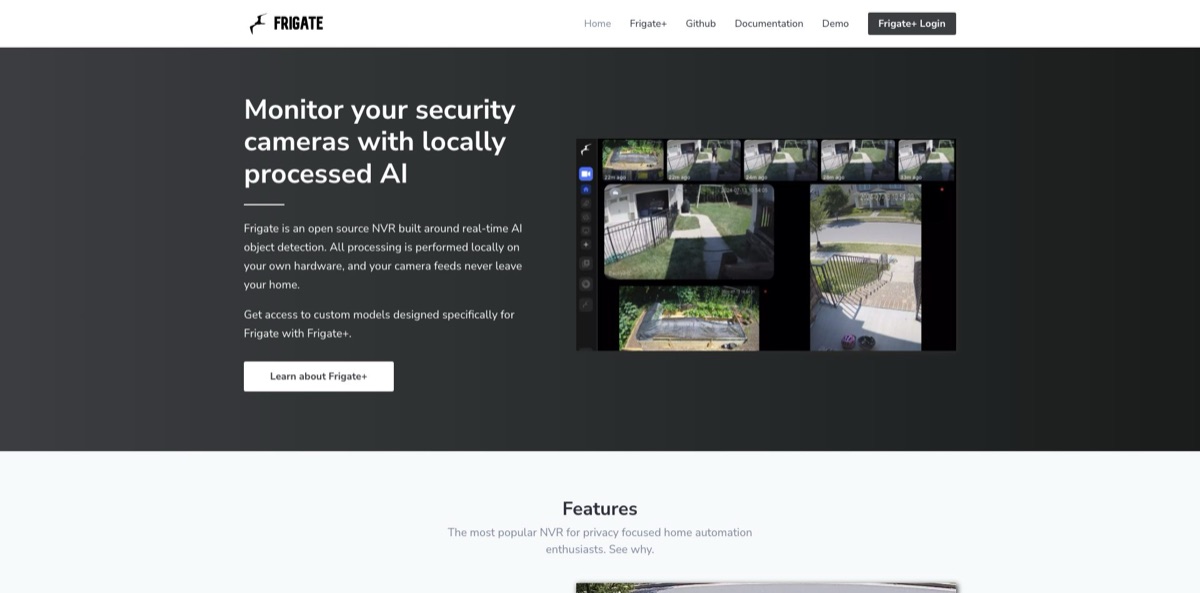
Frigate NVR is an open-source network video recorder that watches your IP camera streams and runs AI object detection on your own hardware rather than in a vendor’s cloud. Lightweight motion detection on the CPU decides which parts of a frame deserve a closer look, and a detector such as an Intel iGPU, Hailo, Google Coral or Nvidia GPU then confirms whether that motion is a person, car, dog or package. You get far fewer alerts about shadows and swaying branches, plus recordings, zones and events that flow into Home Assistant or anything that speaks MQTT. The core software is MIT-licensed and free, while the optional Frigate+ subscription sells models trained on real security-camera footage. The weak spot is setup: you run Docker on Linux, choose compatible cameras and tune detection settings yourself. Pick it if you want private, local camera AI and accept a homelab-style project.
How to start using Frigate NVR?
Start with the hardware. The official guide recommends Docker Engine on a bare-metal, Debian-based system, because Frigate needs low-overhead access to GPUs and accelerators; VMs are not recommended, and Windows is not officially supported. The maintainer’s current favorite host is the Beelink EQ13 with an Intel N100 and two network ports, so cameras can live on an isolated network. Wired cameras that output H.264 video and AAC audio with several substreams work best, while Wi-Fi cameras are discouraged. If you already run Home Assistant OS, you can install Frigate as a Home Assistant App instead.
Next, create a folder with a docker-compose.yml file plus config and storage directories. The starter compose file pulls the ghcr.io/blakeblackshear/frigate:stable image, maps both folders, adds an in-memory tmpfs for the recording cache and exposes port 8971 for the authenticated interface. Run docker compose up -d, then check docker logs frigate, where the generated admin password is printed on first start. Open https://your-server-ip:8971, sign in as admin and set a new password of at least 12 characters.
Then add your first camera. Go to Settings, Global configuration, Camera management and click Add Camera to launch the wizard. Pass your GPU into the container and pick a hardware acceleration preset in the FFmpeg settings, such as VAAPI for most Intel processors, so video decoding does not eat your CPU. Out of the box Frigate runs a single OpenVINO detector on the CPU; under Settings, System, Detectors and model you can move it to the Intel GPU or add a Coral, Hailo or Nvidia detector. Only person is tracked by default, so add car, dog or other labels in the Objects settings.
Finally, tune and verify. Open a camera’s Debug view, turn on Motion Boxes and draw motion masks over on-screen timestamps and trees that move all day. Add your high-resolution stream with the record role and enable recording; by default, video of tracked objects is kept for 10 days. Use zones to limit alerts to your driveway or front steps, and use Debug Replay, new in 0.18, to run recorded footage back through detection while you adjust settings. When results look right, install the Home Assistant integration through HACS and connect both systems to the same MQTT broker.
Who is it for?
Home Assistant users
You already automate lights and locks and want cameras to act as sensors rather than plain video feeds. Frigate’s official integration exposes real-time sensors, switches and low-latency camera entities, so a person in the driveway zone can turn on lights or ring a chime. Your cameras become part of the automation logic instead of a separate app.
Privacy-minded homeowners
You are tired of paying monthly fees to send your own footage to someone else’s servers. Frigate processes everything locally, and after the first model downloads it can run with no outbound internet connection at all. Cameras can sit on a blocked network segment while you still get person and vehicle alerts.
Homelab tinkerers
You have a mini PC, an Unraid box, a Synology NAS or a Proxmox host and enjoy wiring services together. Frigate ships as a Docker container with documented setup paths for these platforms and separate images for Nvidia, AMD and Rockchip hardware. It rewards the time you spend tuning it.
Small business owners
A shop, restaurant, warehouse or office needs searchable recordings and fewer false alarms without per-camera cloud fees. The standard Frigate+ subscription explicitly covers cameras at your own locations, including several sites. Custom viewer roles, added in 0.17, let staff see only the cameras assigned to them.
Rural property owners and wildlife watchers
You care about deer in the garden, raccoons at the bins or a fox near the coop. Frigate+ models include labels such as deer, fox, raccoon, squirrel and bear, and custom classification can tell your own dog apart from others. Animal detections can switch on sprinklers or lights through your automation platform.
Installers and integrators
You set up camera systems for clients and want an open stack you control. Standard subscriptions work when each customer holds their own Frigate+ account, while bundling models into a product or managed service needs a commercial license.
Frigate NVR pricing
Frigate itself costs nothing. The NVR is open-source software under the MIT license, with no camera licenses, no cloud storage plan and no paywall in the core: detection, recording, face and plate recognition and the Home Assistant integration all work without paying. The only paid product is Frigate+, a yearly subscription for better-trained detection models. Your real costs are the server, storage drives, cameras and, optionally, an AI accelerator.
The full NVR with local AI detection, recordings, zones, review, face and plate recognition, semantic search and generative AI hooks. Updates arrive as GitHub releases, and version 0.18.2 shipped in October 2026.
Includes access to Frigate+ models trained on images from real security cameras, up to 12 fine-tuned model trainings per year on your own annotated images, AI-suggested labels for your uploads and every new base model released while you subscribe. New base models are published twice a year, and the fee also funds the open-source project.
Available to active subscribers who use up the 12 trainings included in the year.
Custom. Required if you deploy Frigate+ models at customers’ sites, bundle them with hardware you sell or run them as part of a hosted or managed service. Pricing is not published.
Cancelling is low-risk: models trained during your subscription keep working from your local model cache indefinitely, so the official FAQ suggests cancelling right away if you prefer a one-time purchase.
Frigate NVR key features
Local AI object detection
Frigate uses cheap motion detection to find changed regions and sends only those regions to an object detector, so an Intel N100 mini PC can cover several 1080p cameras with low to medium activity. Supported detectors include OpenVINO on Intel GPUs and NPUs, Google Coral, Hailo-8, Nvidia GPUs via ONNX, AMD ROCm, Apple Silicon and Rockchip NPUs.
Review, zones and motion search
The Review page bundles overlapping activity into review items and sorts them into alerts and detections, with people and cars counted as alerts by default. Zones fire only when an object enters your front steps or driveway, and object filters set minimum size and confidence per label. Version 0.18 added Motion Search, where you draw a region and find every period of motion inside it.
Tiered recording and exports
You can keep continuous video for a few days, motion-only video for longer and footage that overlaps alerts or detections for 30 days or more. Exports can be grouped into named cases for one incident and pulled from several cameras at once. Birdseye combines active cameras into a single view you can also use in Home Assistant dashboards.
Local enrichments
Face recognition adds known names as sub-labels using a FaceNet model on the CPU or a larger ArcFace model on a GPU or NPU. License plate recognition reads plates on cars and motorcycles, semantic search uses Jina AI models to find tracked objects by image or text description, and custom classification trains small local models, for example to tell whether a gate is open or which dog is yours. Audio detection covers more than 500 sound types, including barking, smoke alarms and breaking glass.
Generative AI and Chat
You can connect OpenAI, Google Gemini, Azure OpenAI, Ollama, llama.cpp or any OpenAI-compatible endpoint, and give each provider roles such as descriptions, embeddings and chat. Review summaries write a title and description and classify activity as normal, suspicious or dangerous. Version 0.18 added Chat, a tool-calling agent that searches tracked objects, inspects live cameras and recaps recent activity.
Integrations and remote access
Frigate publishes events, sensors and controls over MQTT, offers an HTTP API and has an official Home Assistant integration installed through HACS. Native web push notifications work in Chrome, Firefox and Safari over HTTPS, though they currently cover review alerts only.
Frigate+ models
The paid models are trained on images from Frigate users’ cameras rather than general datasets like COCO, and they add labels the default model lacks: package, delivery logos such as UPS, FedEx, Amazon and DHL, waste bins, robot lawnmowers and common wildlife. You submit snapshots from the Explore page, verify annotations on the Frigate+ site and request a model, which can take up to 36 hours to train. YOLOv9 variants run on most hardware, including the Coral since 0.17.
Frigate NVR Pros & Cons
Pros
Frigate gives you modern camera AI without a cloud account or a monthly fee. Detection runs on your hardware, footage never has to leave your home, and the core is free under the MIT license. Object detection filters out most motion noise from shadows and wind, and zones let you alert only on the area that matters. Hardware support is unusually broad, from an N100 mini PC to Nvidia, AMD, Hailo, Coral, Rockchip and Apple Silicon. The Home Assistant integration is deep, and releases are frequent: 0.17 and 0.18 added a camera wizard, full UI configuration, profiles and an AI chat. Frigate+ models keep working after you cancel. Start on the free model and add Frigate+ only once you know where it fails.
Cons
This is not a plug-and-play camera app. The recommended path is Docker on bare-metal Linux, Windows is not officially supported, and VM or LXC setups can make GPU and Coral passthrough painful. Camera choice matters, since Wi-Fi models and some 4K Reolink cameras cause trouble. Major releases bring breaking config changes, and the release notes tell you to back up your config and frigate.db before upgrading. Heavier features such as semantic search need 8GB of RAM or more, notifications cover only review alerts, and Frigate+ does not accept custom labels. GitHub security advisories in 2026 included critical flaws fixed in 0.18.2. Keep Frigate updated, reach it only through a VPN and budget a weekend for tuning.
Use Frigate NVR if you want…
- Detect people and cars without cloud subscriptions.
- Cut false alerts from shadows, wind and swaying trees.
- Trigger Home Assistant automations from camera events.
- Get alerts only when someone enters a zone.
- Recognize known faces and license plates locally.
- Search recorded footage using plain text descriptions.
- Track package deliveries and courier vans at your door.
- Keep all camera footage on hardware you own.
Frigate NVR alternatives
Frigate NVR Reviews
Long-time users who have run Frigate with a Coral USB stick for years say the project keeps getting better with each release, and the Home Assistant integration is the part they praise most.
People who gave up on it earlier say it is still more of a project to set up than a consumer camera system, but it has improved a lot, while Windows users often still default to Blue Iris for its polish.
One user moved camera processing from Frigate to Scrypted on a Raspberry Pi and an Apple TV after performance issues, finding Scrypted easier for less technical family members.
Frigate+ subscribers report fewer false positives and better night-time vehicle detection after the 2026 base model update, and call YOLOv9 on the Coral far more accurate than the old model, though some still want labels for fire, smoke or weapons.
A user running about 20 1080p cameras on two Corals notes the accelerators sit idle most of the time, because Frigate only wakes them after cheaper motion detection fires.
FAQ
Is Frigate NVR free?
Yes. The NVR is open-source software under the MIT license with no camera fees. Only the optional Frigate+ models cost money, at $50 per year.
Do I need a Google Coral to run Frigate?
No. By default Frigate runs an OpenVINO detector on the CPU, and Intel integrated graphics are enough for many typical setups. The docs now recommend the Coral mainly for very low-power builds.
Does Frigate send my video to the cloud?
No. Detection, recording, playback and the web interface run locally, and after a one-time model download Frigate can run fully offline. Only optional features you configure, such as Frigate+ uploads, cloud generative AI providers or push notifications, contact outside services.
Do I need Home Assistant to use Frigate?
No. Frigate runs as a standalone Docker container with its own web interface, recordings and notifications. The Home Assistant integration is optional and requires both systems to use the same MQTT broker.
Can I run Frigate on Windows or a Mac?
Windows is not officially supported, though some users run it under WSL or VirtualBox. On Apple Silicon Macs it runs in Docker Desktop or OrbStack, with a separate host-side detector for the NPU.
Which cameras work best with Frigate?
Wired IP cameras that provide RTSP streams with H.264 video, AAC audio and several substreams give the best compatibility. The maintainer recommends Dahua and Hikvision models and advises against Wi-Fi cameras.
What happens to my models if I cancel Frigate+?
They keep working. Models trained during your subscription stay licensed and remain in your local model cache indefinitely, but you need an active subscription to train new ones or download new base models.
Is there a mobile app for Frigate?
Frigate installs as a progressive web app on Android, on iOS 16.4 and later, and in desktop browsers, as long as you reach it over HTTPS or a VPN. Home Assistant users can also view cameras through its media browser.
Similar tools
 GPT WorkspaceAI agent for Google Docs, Sheets, Slides, Gmail and Drive that edits your files, runs GPT formulas in bulk and automates routine
 FPT.AIVietnamese enterprise AI platform from FPT Smart Cloud for chatbots, call-center voicebots, document reading and eKYC that automate customer operations.
 QodexAI QA agent that runs real API, UI and security tests on every pull request and posts review findings with the failing