
getimg.ai
Image GenerationUpdated October 28, 2026
Browser-based AI studio that puts leading image, video and audio models under one credit subscription, with editing tools, team workspaces and an API.
We may earn a commission when you sign up through our links. It does not affect our reviews.
What is getimg.ai?
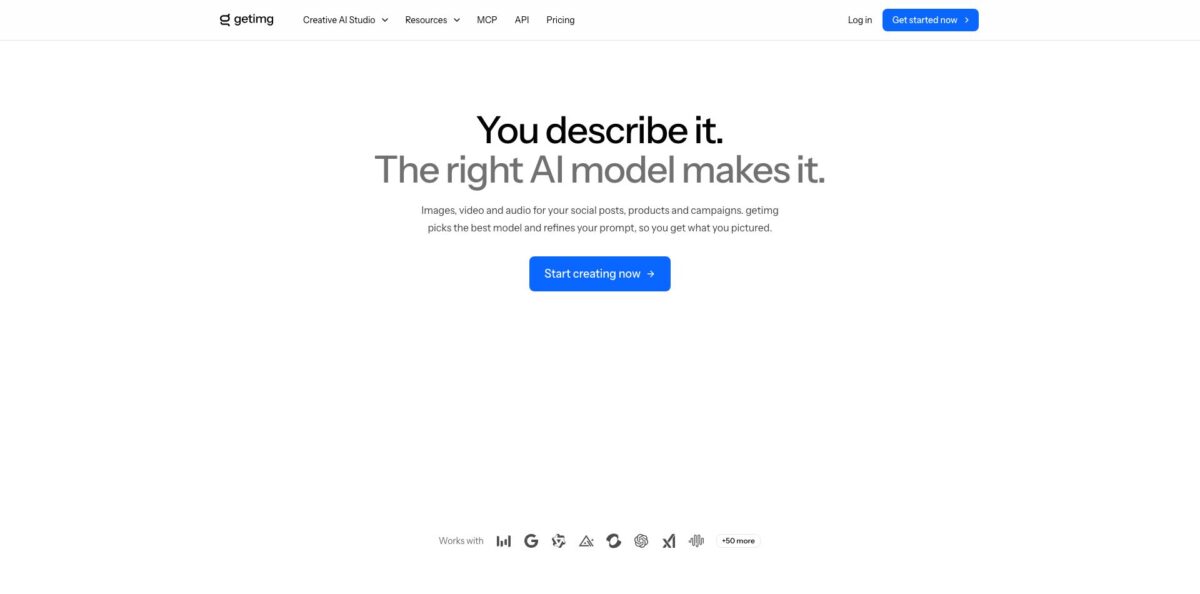
getimg.ai is a browser-based AI creative studio, run by the Polish company Webrockets Sp. z o.o., that puts dozens of third-party image, video and audio models under one subscription. Instead of paying separately for Nano Banana, GPT Image, FLUX, Seedream, Kling, Veo or Seedance, you spend one monthly pool of credits on whichever model fits the job, or let Auto mode pick the model and rewrite your prompt. Around the generators sit editing tools for upscaling, resizing and background removal, one-click Actions such as Headshots and Product orbit, reusable Elements for consistent characters and products, and shared team workspaces. A pay-as-you-go API and an MCP server cover developers. The weak spot is cost control: the pricing page lists no free tier, plan credits do not roll over, and video eats credits fast. It suits marketers and small teams who want many models without many accounts.
How to start using getimg.ai?
Go to getimg.ai, click Get started now and create an account, then pick a plan on the pricing page. There is no free tier listed there, so the realistic entry point is the Entry plan at $15 a month, or Core at $35 if you already know you want every model. Payment works with major cards, PayPal, Apple Pay and Google Pay. Keep in mind that the refund policy only applies if you have used fewer than 100 credits and are within 3 days of starting or renewing, so read the credit costs before you burn through your first batch.
After login you land on Home, which has the main prompt box, shortcuts to common Actions and recent changelog entries. For a first real job, open Create image from the Image group in the sidebar, describe what you need in plain words (“a matte black skincare bottle on wet stone in soft morning light”) and leave the model button on Auto. Auto picks a model suited to the prompt and enhances the wording. Set the aspect ratio, choose how many outputs you want with the + and − icons (up to 16 images or 4 videos per run), and press the arrow button to generate.
The prompt box is where most of your control lives. The model button in its bottom-left corner switches between Auto and a specific model and toggles prompt enhancement, which Auto needs switched on. The Reference button attaches images from your library or a new upload, and the number allowed depends on the model. The Elements button lets you call saved people, products or styles with @ElementName. Before you confirm, check the credit cost shown just above the action button, because it changes with model, resolution, batch size and options such as native audio on video.
When results come in, hover any image to like it, download it, add it to a folder, upscale it, remove the background, resize it to another aspect ratio, reuse its prompt, attach it as a reference or send it to Create video as a first frame, last frame or reference. Recreate repeats the same prompt and settings. On a paid plan you get commercial rights, subject to the terms and third-party rights, so the file can go into client work or ads. Deleted items sit in Trashed for 30 days before they disappear.
Who is it for?
Social media and content marketers
You need fresh visuals and short clips every week and are tired of juggling separate subscriptions for each new model. getimg.ai keeps image, video, music and voiceover models in one tab with one credit balance. Auto mode means you do not have to study every model’s quirks before posting.
E-commerce sellers
Product photos in new settings, lighting and backgrounds without booking a shoot are the core use case, and the Product orbit Action spins a 360° video from a few photos. Elements keep your product looking the same across a series. Watch credit costs closely if you plan many videos.
Small marketing teams and agencies
Shared Teams with Admin and Creator roles put every generation in one library, with a Me or Team filter and author badges on each item. Nobody emails files around or works from an old reference. Business versions of Core, Plus and Ultra are billed per seat.
Designers who compare models
If you like testing the same prompt on Nano Banana, GPT Image, Seedream, FLUX and Grok Imagine side by side, the catalog and model switcher save a lot of logins. Core and higher plans open every model. Upscaling to 8K or 16K helps for print and large layouts.
Developers and AI-assistant users
The pay-as-you-go API offers one request format across image models plus async video jobs, with official Node.js and Python SDKs. The MCP server lets Claude, ChatGPT, Cursor and similar tools generate media in chat using your getimg.ai account credits.
Ad creators making UGC-style videos
The UGC video Action builds a presenter-led product ad without writing a prompt, and Headshots, Relight and Background cleanup cover common photo jobs. These presets suit people who want a result more than a prompting hobby. Expect video to be the most expensive thing you do on the platform.
getimg.ai pricing
Everything on the platform runs on credits. Each generation or edit costs a set number that depends on the model, resolution, batch size and extras, and the exact cost appears above the action button before you confirm. The pricing page shows four individual plans, and Core, Plus and Ultra are also sold as Business plans billed per seat. Prices below are the official USD rates as of October 2026, excluding tax, with yearly billing saving up to 26%. The site shows local currencies by region, so visitors in Europe see euro prices with tax included instead. No free tier is listed on the pricing page.
8,000 credits a month, which the pricing page equates to 114 Nano Banana 2 images or about 26 UGC videos. Selected models only, 4K image upscaling, music and speech generation, 2 generations at a time and commercial rights.
19,000 credits a month, access to all models, 8K image upscaling and 4 generations at a time. In Auto mode this covers about 380 images at 1K resolution.
42,500 credits a month, all models, 16K upscaling, 8 generations at a time and the option to buy extra credits. getimg.ai labels it the most popular plan.
107,500 credits a month, all models, 16K upscaling, 10 generations at a time and top-up credits, aimed at professionals producing at volume.
Core, Plus and Ultra with per-seat billing and shared team workspaces. You choose the number of seats in a checkout dialog and can change it later.
Plan credits cannot be used for the API.
Credits renew each month on the day you signed up, and unused plan credits do not roll over. Top-ups are only available on Plus and Ultra once you have less than 10% of your monthly credits left. You can upgrade or downgrade at any time, and if you cancel you keep your credits until the end of the billing cycle. Refunds are limited to accounts that used fewer than 100 credits within 3 days of starting or renewing.
getimg.ai key features
Multi-model catalog with Auto mode
The app bundles image models from Google, OpenAI, Black Forest Labs, ByteDance, Alibaba and xAI, plus video models such as Kling 4.0, Seedance 2.5, Wan 3.0, MiniMax H3 and Google Veo. Auto mode picks a model for each prompt and sharpens your wording, while the model button lets you choose one yourself. New models are added soon after launch, so you do not need another subscription to try them.
Elements and references for consistency
Save a person, product or style as an Element and call it in any prompt with @ElementName, in Create image and in Create video on models that accept references. Image references anchor composition or style, and some video models also take video and audio references, up to 3 of each per generation.
One-click Actions
Ten presets produce a specific result with no prompt: Headshots, Photo restoration, Background cleanup, Relight, Sticker maker and Character creator for images, plus UGC video, Product orbit, Dolly zoom and Image transition for video. You add a source file, pick from fixed menus and generate.
Video, music, speech and sound effects
Create video works from text or a still, with first and last frame control and durations up to 30 seconds on Kling 4.0. Separate generators handle music, text-to-speech voiceovers and sound effects from a plain description. You can take a single image to an animated, scored clip without leaving the app.
Editing and finishing tools
Upscale images up to 4K, 8K or 16K depending on plan, upscale video, resize images to new aspect ratios, remove backgrounds and edit with text instructions and inpainting. Every tool is available from the hover menu on your results.
Teams and asset library
Teams can be public or private within your workspace, with Admin and Creator roles, folders, favorites, search and a Me or Team gallery filter. Everyone generates from the same account and sees the same assets. It keeps agency work organized without a separate asset manager.
Developer API and MCP server
The API uses one synchronous endpoint for image models and async polling for video, with official SDKs, documented rate limits and a usage object reporting the cost of every request. The MCP server, launched in October 2026, connects Claude, ChatGPT, Claude Code and Cursor to your account with no API key. Your assistant can generate and edit media directly in the conversation.
getimg.ai Pros & Cons
Pros
The biggest advantage is breadth: one login and one credit balance cover leading image models, most major video models and audio generation, and new releases appear quickly. Auto mode and the prompt enhancer make it usable for people who never learned prompt syntax, while the model switcher still gives experienced users full control. Elements, references and Actions such as Product orbit and UGC video turn common marketing jobs into a few clicks. Shared Teams, folders and author badges make it practical for small agencies, and the pay-as-you-go API plus the new MCP server let developers wire the same models into their own tools. Use Auto for drafts and switch to a named model for finals.
Cons
There is no free tier on the pricing page, and the refund window closes after 100 credits or 3 days, so you effectively pay before you can judge the output. Plan credits expire monthly, top-ups only exist on Plus and Ultra, and video is expensive, with Entry covering only about 26 UGC videos. Entry is limited to selected models, which undercuts the main selling point. On Trustpilot the brand scores 2.7 out of 5 from just 11 reviews, with complaints about credit costs, a redesign that removed custom models, and refund handling. The API is billed separately from any subscription. Track the credit cost shown before each run during your first week.
Use getimg.ai if you want…
- Compare top image models on the same prompt.
- Generate product shots without booking a photo studio.
- Keep characters and products consistent across a campaign.
- Turn still images into short videos with sound.
- Create UGC-style product ads without writing prompts.
- Share one asset library with your marketing team.
- Upscale images to 16K for print layouts.
- Generate images from Claude or ChatGPT through MCP.
getimg.ai alternatives
 KreaRead review →
 Leonardo.aiRead review →
 OpenArtRead review →
 ImagineArtRead review →
 MidjourneyRead review →
 IdeogramRead review →
 Adobe FireflyRead review →
 RecraftRead review →
getimg.ai Reviews
Satisfied users describe it as easy to use for blog images and social posts, and they value the team setup, folders, the prompt enhancer and quick access to newer models.
Several 2026 reviewers say credits disappear far too quickly, with one reporting that a single 6-second video used almost a third of a 3,000-credit monthly allowance while simple prompts were not followed.
Long-time users complain that the redesigned version dropped their custom models, tightened filters and raised credit costs, and one says black, failed generations were still charged.
A recurring complaint is that you cannot properly try the service before paying, and some buyers were unhappy with how support handled their refund requests.
Earlier reviewers in 2024 praised fast generation, good image quality and inpainting for small fixes, while noting that free credits ran out quickly and advanced editing sat behind paid plans.
FAQ
Does getimg.ai have a free plan?
The current pricing page lists no free tier. Older third-party reviews mention a free allowance, but today the cheapest option is Entry at $15 a month with 8,000 credits.
Can I use getimg.ai images commercially?
Yes, on paid plans. All paid subscriptions include commercial use of the images, videos and other media you create, subject to the terms of service and third-party rights.
Is the API included in my subscription?
No. The API is a separate pay-as-you-go product with its own credits, no subscription and no minimum spend. You create keys in the Developer Dashboard, and every response reports its exact cost.
Do unused credits roll over?
No. Plan credits expire at the end of each billing period and renew on the day of the month you signed up. Plus and Ultra users can buy extra credits once they have less than 10% left.
Can I get a refund?
Only in a narrow window: you must have used fewer than 100 credits and request it within 3 days of your subscription start or renewal. Discounted or promotional purchases are not refundable, and requests go to help@getimg.ai.
Does getimg.ai allow NSFW content?
No. The Use Restrictions policy bans explicit sexual content, deepfakes and child exploitation, and training a model on a real person requires that person’s permission.
Can I use getimg.ai inside Claude or ChatGPT?
Yes. The getimg.ai MCP server works with Claude, ChatGPT, Claude Code, Cursor and other MCP clients, and getimg.ai is also listed in ChatGPT’s plugin directory. You sign in with your getimg.ai account, and no API key is needed.
How do I cancel my subscription?
You can cancel or change plans at any time from your billing settings. After cancelling, your credits stay usable until the end of the current billing cycle.
Similar tools
 BannerbearTemplate-based API for generating on-brand images, PDFs, animations and videos at scale from your data via REST, Zapier, Airtable or AI agents.
 Generated PhotosLibrary of 2.6M+ AI-generated faces plus face and full-body human generators for model-release-free people images in design, ads and research.
 VheerBrowser-based AI studio for text-to-image, photo editing and image-to-video, with a free no-signup model plus credit access to Nano Banana, Sora 2