
Google Gemini
AI AssistantsUpdated October 5, 2026
Google Gemini is a multimodal AI assistant that handles text, images, and code for seamless Workspace productivity.
We may earn a commission when you sign up through our links. It does not affect our reviews.
What is Google Gemini?
Google Gemini is a multimodal AI model family built by Google DeepMind that handles text, images, video, audio, and code simultaneously. Unlike older models that bolted vision onto text after training, Gemini was designed from the ground up to reason across different media types in a single prompt. I noticed it excels at ingesting massive codebases or hour-long videos thanks to its million-token context window, though it can still hallucinate technical facts if you don’t use the “Deep Think” mode for complex logic. It functions as a chatbot, a Workspace assistant, and a developer API, making it a versatile Swiss Army knife for those already living in the Google ecosystem. In practice, you can feed it a photo of a handwritten diagram and get back functional Python code without switching tools. It works brilliantly for research and media analysis but can feel like overkill for simple text replies. Treat the long context window as its primary superpower when you have too much data for a standard LLM.
How to start using Google Gemini?
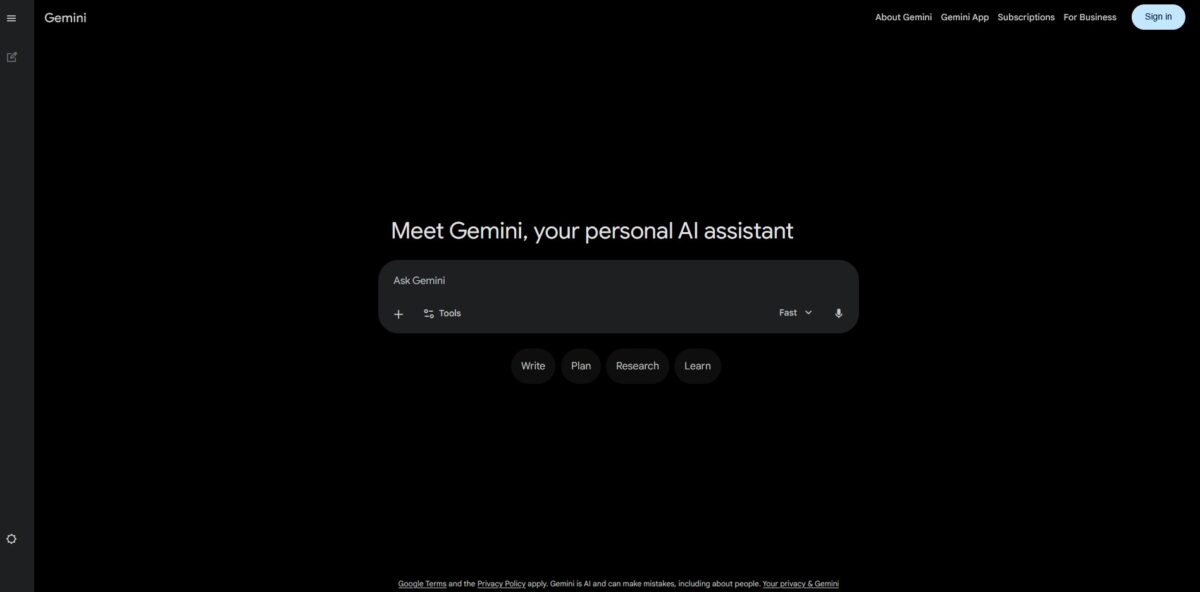
Head to gemini.google.com or grab the app from the Play Store or App Store. If you already use a Google account for Gmail, you can sign in instantly without creating a new profile, and your AI activity is tied to your existing Google ecosystem from the start, which makes data retrieval faster later.
Once you are in, look for the prompt box at the bottom of the screen. On Workspace, the Gemini side panel in Docs or Gmail is often more convenient than the standalone site. You can ask it to draft an email based on a specific thread or summarize a long document without leaving your tab.
Try a multimodal test early on. Upload a photo of a complicated spreadsheet or a screenshot of a React error message and ask for a fix. This beats typing out every detail and helps you see if the vision capabilities match your specific workflow.
If you are a developer, visit Google AI Studio to get an API key. This lets you experiment with the 1.5 Pro or Flash models in a sandbox environment with a much larger context window. It is a great way to stress-test how it handles massive codebases before you commit to a full integration.
Who is it for?
Heavy Google Workspace users
It pulls data directly from your Drive and Gmail to draft replies or summarize long threads without you having to copy-paste between tabs, so you stop shuttling data around by hand.
Python developers
The integration with Colab allows you to run and test generated snippets immediately to see if they actually execute. I noticed it handles libraries like Pandas better than most, though it occasionally misses subtle versioning conflicts.
Multitasking researchers
The million-token context window lets you upload several 500-page PDFs simultaneously to find specific cross-references that shorter models would forget. You get answers based on the whole library rather than just the last few pages.
Android enthusiasts
Since it replaces Google Assistant on many devices, you can use it for system-level tasks like setting a routine or identifying what is on your screen. This is helpful for hands-free control, but the transition from the old voice commands can feel clunky.
Creative visualizers
It uses Imagen technology to create images from text descriptions directly in the chat interface. You can iterate on a concept quickly, although it sometimes struggles with complex text rendering inside the pictures.
Content planners
It maps out multi-stage projects by connecting to Google Tasks and Calendar to set deadlines based on your chat. It turns a vague “I should do this” into a scheduled event automatically.
Google Gemini pricing
Google prices Gemini based on where you live in their ecosystem, linking costs to storage and Workspace apps. The structure reflects a transition from casual chatting to deep technical research.
Free: $0. You get the standard Gemini app and 1.5 Flash for quick Q&A. It works for drafting a basic email but lacks the depth needed for analyzing massive datasets. 15GB of storage is shared with your Gmail and Photos. For basic tasks, it is a zero-risk entry point.
Google AI Premium: $20/month. This tier targets users who live in Google Workspace. It adds the 1.5 Pro model and places an “Ask Gemini” button directly inside Docs and Gmail. You get 2TB of storage. The 1 million token window lets you upload several massive spreadsheets and ask for a combined summary instantly. The real draw is that the AI sits where you actually do your work.
Business and Enterprise: $20 - $30/user/month. These plans focus on security. Google promises your company data won’t train their public models. It adds AI-powered notes in Google Meet and branding help in Slides. Your intellectual property stays protected while the whole team gets automation.
Google Home Premium: $10/month. This version powers up Nest cameras and speakers. It replaces rigid voice commands with natural conversation and creates text summaries of doorbell events. The smart home starts to behave like a responsive assistant.
Vertex AI: Pay-as-you-go. Developers pay based on the volume of text or images processed. New users get $300 in credits to start building custom apps. That gives you granular control over API costs.
Google Gemini key features
Gmail Thread Summarization
The side panel condenses long email chains with more than two replies into a few bullet points. It saves you from scrolling through dozens of “thanks” and “looped in” messages just to find the actual deadline. Action items buried in corporate noise rise to the top.
Data Extraction to Sheets
Gemini pulls specific numbers or dates from your inbox directly into a spreadsheet table. It handles moving quotes or utility contact lists well, though it can struggle with handwritten receipts, and it spares you the manual copy-pasting from disorganized emails.
Contextual Document Drafting
The “Help me write” feature uses information from your specific Drive files or emails to generate a starting draft. It can reference a meeting notes doc to build a project proposal without you having to re-type the project scope. This matters because your first draft actually contains your specific project context rather than generic AI filler.
Smart Formula Generation
You can describe a calculation in plain English, and the sidebar generates the functional Sheets syntax. It helps when you know the logic—like “calculate the 10% tax for only the items in category B”—but forgot the specific nested IF statement structure. For non-experts, that lowers the barrier to complex data analysis.
Instant Chart Creation
Describe the data visualization you need, and the AI builds the graph in a new tab. It works for date-based trend lines or expense breakdowns, though the colors usually need a manual tweak to look professional. You get a visual trend analysis in seconds without fumbling through the Chart Editor menus.
Cross-App Information Retrieval
Gemini searches through your Drive and Gmail simultaneously to answer specific questions like “What was the feedback on my last three presentations?” It connects dots between a PDF in a folder and a follow-up email you missed. Effectively, it works as a unified search layer for your scattered digital workspace.
Google Gemini Pros & Cons
Pros
Gemini handles massive context windows without choking. You can upload a 1,000-page PDF or an entire codebase, and it identifies specific logic flaws across multiple files. It pulls live data directly from Google Search, which keeps its answers current compared to models stuck on old training data. It is especially good at explaining visual data, like turning a messy screenshot of a network diagram into a clean Mermaid.js script. This matters because you spend less time manually transcribing architectural debt and more time fixing it.
Cons
The model sometimes hesitates to trigger a web search, occasionally serving cached data when you clearly need a live update. Its refusal logic can feel over-sensitive, blocking benign technical queries if they trigger vague safety filters. While the integration with Workspace is tight, it sometimes struggles to find specific emails if the search query isn’t phrased exactly right. The trade-off for that huge context window is an occasional loss in “needle-in-a-haystack” accuracy for tiny details buried in the middle of a document. So for high-stakes research, you still have to double-check its citations.
Use Google Gemini if you want…
- Tight integration across your entire Google Workspace ecosystem.
- Advanced reasoning for complex coding and debugging tasks.
- Fast extraction of insights from massive unstructured datasets.
- Creative brainstorming for high-impact marketing and tech content.
- Automated workflow orchestration using intelligent agentic triggers.
- Real-time multimodal analysis of text, images, and code.
- Precise summarization of lengthy technical documentation and research.
- Secure, enterprise-grade AI tailored for mission-critical operations.
Google Gemini alternatives



Google Gemini Reviews
The deep integration with Google Docs is a gamechanger for my research workflow, though the “safety” filters can be a bit overzealous at times.
I love the million-token context window for auditing huge codebases, but it still requires a human eye to catch subtle logic hallucinations.
It makes summarizing my messy Gmail threads effortless, even if the creative writing output occasionally feels a little sterile.
The ability to analyze video files directly has saved me hours of manual note-taking, though real-time web search can be hit or miss.
Perfect for building quick marketing templates within the Workspace apps I already use, but the mobile app interface still feels like a work in progress.
FAQ
Does Google Gemini use my data to train its models?
By default, Google may use your conversations and file uploads to improve its services and train its AI models. However, you can opt out by turning off Gemini Apps Activity in your settings. For Google Workspace users with business or school accounts, your data is generally not used for training models by default.
What is the difference between Gemini and Google Assistant?
Gemini is a generative AI assistant designed for advanced reasoning, creative writing, and complex problem-solving. While it can perform many tasks previously handled by Google Assistant—such as setting alarms or controlling smart home devices—it offers a much deeper conversational experience and integrates directly with Google Workspace apps like Docs and Drive.
Can Gemini access real-time information from the web?
Yes, Gemini is grounded in Google Search, allowing it to access the live web to fetch current events, check facts, and provide up-to-date information. It often includes a Double-check button that allows users to verify claims against search results for greater accuracy.
What are Temporary Chats in Gemini?
Temporary Chats act like an incognito mode where conversations are not saved to your account history and are not used to train Google’s AI models. These chats are automatically deleted from Google’s servers after 72 hours, providing a more private way to interact with the assistant.
Does Gemini work with other Google apps?
Yes, through Extensions, Gemini can connect to your data in Gmail, Google Drive, Maps, YouTube, and Hotels. This allows you to perform cross-app tasks, such as finding a restaurant recommendation in your email and immediately plotting the route in Maps.
Is there a limit to how many messages I can send to Gemini?
Usage limits depend on your plan. Standard free users may encounter limits on the number of complex queries or image generations they can perform daily. Upgraded tiers, such as Gemini Advanced (included with Google One AI Premium), provide higher usage limits and access to more capable models like Gemini 1.5 Pro.
Similar tools
 FreedomGPTMulti-model AI app that puts hundreds of chat, image and video models, including its own censor-free Liberty models, behind one credit balance.
 ElephasPrivate desktop AI for Mac and Windows that answers questions from your own documents with page-level citations and hides personal details first.
 MagaiPaid AI workspace that puts ChatGPT, Claude, Gemini, Grok and dozens of image and video models in one chat, with memory and